

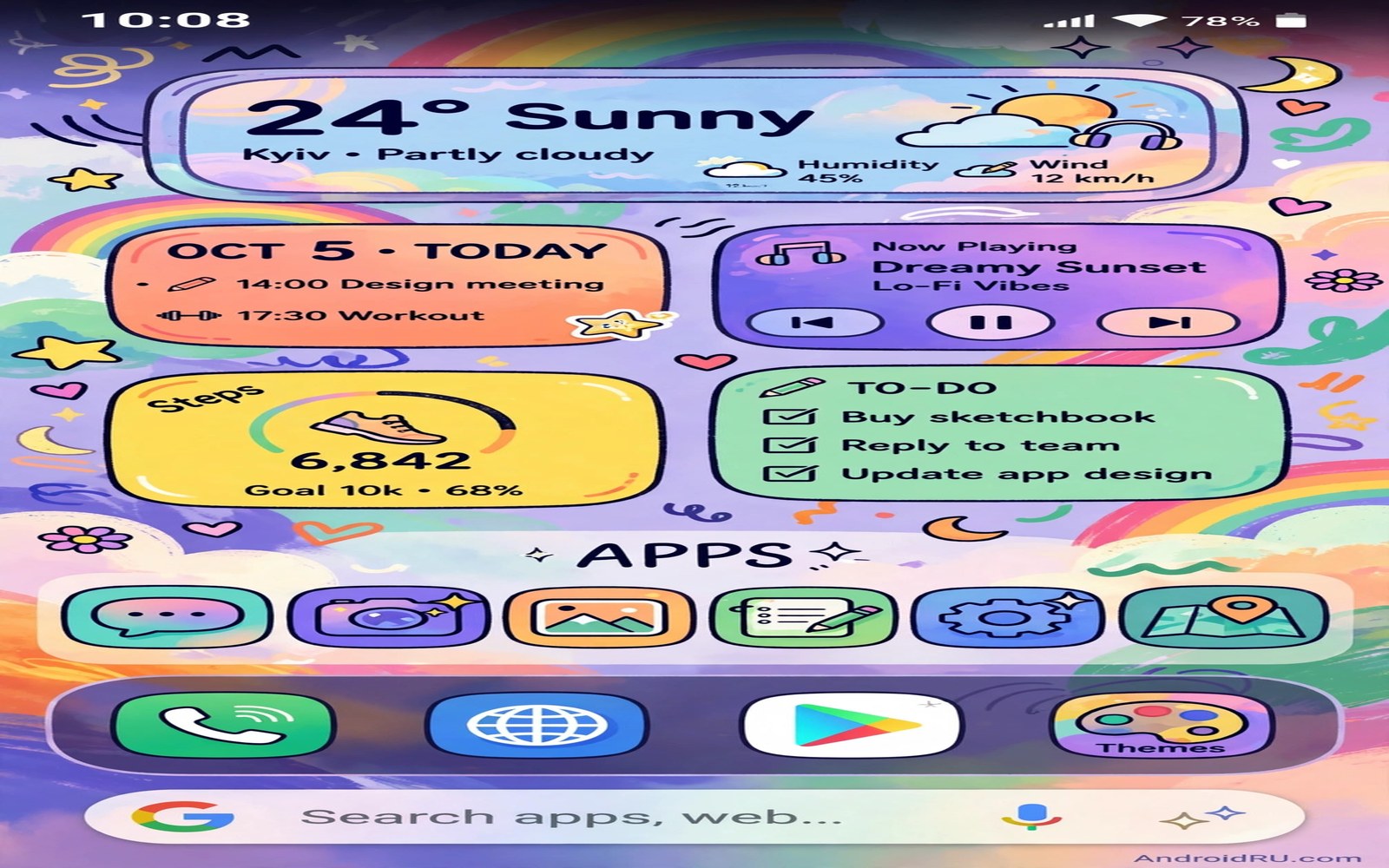
Most Android phones ship with a safe and forgettable layout. The icons sit in rows and the settings stay at defaults and the phone looks like every other phone in the store. That sameness hides how much control Android actually gives you over the daily surface.
The ten hacks in this guide share one rule. Each one must change something you touch every day. A new gesture or a smarter widget or a cleaner drawer counts. A theme you only see in a settings menu does not count.
Work through the hacks in order and keep the ones that survive a full day of real use. Revert anything that slows you down or confuses your muscle memory. A personalized phone should feel faster to use and not just nicer to photograph.
Hack one to three: home screen and drawer
First hide icon labels on the home screen and keep them in the app drawer. Your brain recognizes app shapes quickly and the screen gains breathing room at once. Second set a five column grid so icons sit smaller and the wallpaper shows through. Third turn on swipe down for notifications so you never stretch for the top edge again.
These three changes compound. A cleaner grid plus a reachable gesture means you open apps with less hunting. Test the layout with one hand while holding a bag or a coffee. If a thumb cannot reach your top row apps then move them to the dock or the bottom row.
For a full makeover built on these basics see turning a cheap phone into a flagship look which layers the same ideas into a complete style. Borrow the structure and keep your own apps and colors.
Hack four to six: gestures and shortcuts
Set a double tap on the back of the phone to open the camera if your phone supports it. Map a swipe up gesture to the app drawer search. Add a long press shortcut on your messaging app for a new message to your most frequent contact. Each shortcut removes two or three taps from a task you repeat daily.
Next rebuild your quick settings panel. Remove tiles for features you never use and pin the four tiles you tap before leaving home. A short panel is faster than a long panel because your thumb learns fixed positions. Resist the urge to add every tile just because it exists.
Gesture work connects closely to custom navigation gestures for instant app switching which goes deeper on switching apps without buttons. Start with one new gesture this week and add another only after the first feels automatic.
Hack seven to eight: icons and fonts
Apply one icon pack across the whole launcher and accept that a few apps will keep default icons. A single pack unifies the screen even with gaps. Then change the system font size one step smaller if your eyes allow it. Smaller text fits more content on screen and makes lists feel less cramped.
Pair the icon pack with a matching wallpaper color. A dark wallpaper with light outline icons reads clearly at night. A light wallpaper with solid icons reads clearly in sunlight. Test both in real light before you settle because showroom lighting lies about contrast.
Icon pack ideas live in secret icon packs for a next generation look where each pack is judged on coverage and readability. Choose coverage over novelty because a pack that covers only half your apps looks unfinished.
Hack nine to ten: widgets and sound
Replace three small widgets with one wide widget that shows calendar and weather together. A single widget reduces update work and visual noise. Then assign a distinct notification sound to your messaging app and a soft sound to everything else. Your ear will triage alerts before your eyes reach the screen.
Finish by setting a different vibration pattern for calls from favorites. Sound plus vibration gives you a private alert language. You will know whether to pull the phone out without looking at it during a meeting or a commute.
Sound tuning has its own deeper guide in custom system audio tweaks if you want per app tones and quiet hours. Keep the total set small so each sound keeps a clear meaning.
A quick checklist for all ten hacks
Run through this checklist after you finish the guide. Each line is one hack reduced to its core action. Tick a line only after you have used the change for a full day.
1. hide home icon labels
2. set grid to 5 columns
3. swipe down for notifications
4. back tap opens camera
5. trim quick settings to 4 tiles
6. one icon pack everywhere
7. font size one step smaller
8. one wide widget only
9. distinct message sound
10. favorites vibration pattern
The checklist above was written for this guide as a plain summary of the ten hacks. It contains no code to execute. Use it as a reminder card while you test each change on your own phone.
Build a weekly customization routine
Customization works best as a small weekly routine rather than a single big session. Spend ten minutes every Sunday reviewing what slowed you down that week. One slow gesture or one confusing widget is enough material for the week.
Pick one change per week and test it for seven days before judging. A change that feels odd on day one may feel natural on day four. A change that still annoys you on day seven deserves removal without guilt.
Keep a short note of every change you keep and every change you revert. The note prevents you from retrying a failed tweak months later. It also speeds up rebuilding the setup on a new phone.
Share the routine with a friend who also customizes their phone. Comparing notes reveals tricks you would never find alone. It also prevents the echo chamber of copying one popular screenshot layout forever.
End each month by removing one customization that no longer earns its place. Phones evolve and routines evolve. A setup that never shrinks slowly grows back into clutter.
When customization stops helping and starts hurting
Customization has a point of diminishing returns that every enthusiast crosses eventually. The first five changes save real time every day. The next twenty changes save seconds in theory but cost hours in setup and maintenance. Recognizing that crossing point is a skill in itself. A good test is to ask whether a new tweak survives a busy week without attention. Tweaks that need constant babysitting are hobbies and not improvements.
Visual novelty also fades faster than functional gains. A dramatic new theme excites you for three days and then becomes invisible background. Functional gains such as a faster gesture or a better search keep paying off for months. Spend most of your customization budget on functional changes and a small part on visual novelty. That ratio keeps the phone both fresh and fast over the long term.
Social pressure pushes customization in unhelpful directions too. Screenshot communities reward dramatic looks that photograph well but work poorly. A layout with tiny text and hidden labels looks stunning in a screenshot and frustrates daily use. Judge your setup by how it performs while you carry groceries and not by how it photographs on a desk.
Family sharing adds another constraint that enthusiasts forget. A partner or child who borrows your phone needs to find basic functions quickly. An extremely personalized layout can confuse a borrower at an urgent moment. Keep emergency functions such as phone and messages in obvious places even in a heavily customized setup.
The healthiest customization habit is a quarterly reset review. Every three months remove every tweak you cannot explain in one sentence. If you cannot say why a tweak exists then it probably exists only because you once enjoyed setting it up. Removing it frees attention for tweaks that still serve a real daily need.
Teach customization to someone else to master it yourself
Teaching a customization trick to another person reveals gaps in your own understanding immediately. A step you perform by muscle memory may confuse a beginner who needs the reason behind it. Explaining why a five column grid works forces you to articulate spacing and thumb reach principles. That articulation deepens your own mastery far more than repeating the trick alone ever could.
Start teaching with one simple hack such as hiding home screen labels. Watch where the learner hesitates and note which explanation finally clicks. Those hesitation points mark the places where guides usually skip a step. Your future customization work improves when you learn to spot skipped steps in your own process.
A learner also asks why questions that enthusiasts stop asking. Why does a launcher need so many permissions for a simple home screen. Why do icon packs cover some apps and not others. Answering those questions honestly requires research into launcher architecture and icon systems. That research turns a hobbyist into someone who truly understands the platform.
Teaching in person adds observation that written guides cannot provide. You see the learner thumb reach and grip and reading distance directly. Those observations correct assumptions about one size fits all layouts. A layout that works for your hands may fail for smaller hands or older eyes. Teaching builds empathy for different bodies and different needs.
Document the teaching session afterward with the three most common confusions. Those confusions become the outline for your own future setup notes. A setup built from taught lessons survives phone switches better than a setup built from random experiments. Teaching is therefore not a detour from customization mastery but the fastest path to it.
Finally invite the learner to teach you one trick in return. Every phone user has discovered at least one useful shortcut through daily use. That exchange keeps customization social rather than solitary. Social customization produces better ideas because different lives demand different solutions and sharing them multiplies the value for everyone.
Common mistakes
Customization goes wrong when enthusiasm outruns daily use. Watch for these common traps.
- Turning on ten gestures at once so none of them becomes muscle memory.
- Installing a heavy theme that slows the launcher on a phone with little memory.
- Hiding labels before you learn the new icons and then hunting for basic apps.
- Adding widgets for every interest until the home screen becomes a dashboard.
- Changing the layout daily instead of living with one layout for a full week.
Frequently asked questions
Will these hacks drain my battery?
Most of them reduce work because fewer widgets and fewer tiles mean fewer updates. A heavy live wallpaper or a constantly updating widget is the exception. If battery drops then remove the most recent visual add-on first.
Can I undo every hack here?
Yes because every hack uses normal launcher and system settings. Note the original value before you change it if you worry about forgetting. A launcher reset restores the default layout in seconds.
Do I need a new launcher for all ten?
Most stock launchers cover labels and grids and quick settings. Icon packs and advanced gestures may need a third party launcher. Try the stock options first and switch only for a feature you truly miss.
Conclusion
Ten small hacks now shape a phone that answers faster and looks like yours. The value is not in any single trick. It is in the combination of a clean grid and reachable gestures and sounds that mean something.
Your concrete next step is to pick the three hacks you liked most and keep only those for seven days. At the end of the week delete the one you used least and keep the two that genuinely saved you time.

