

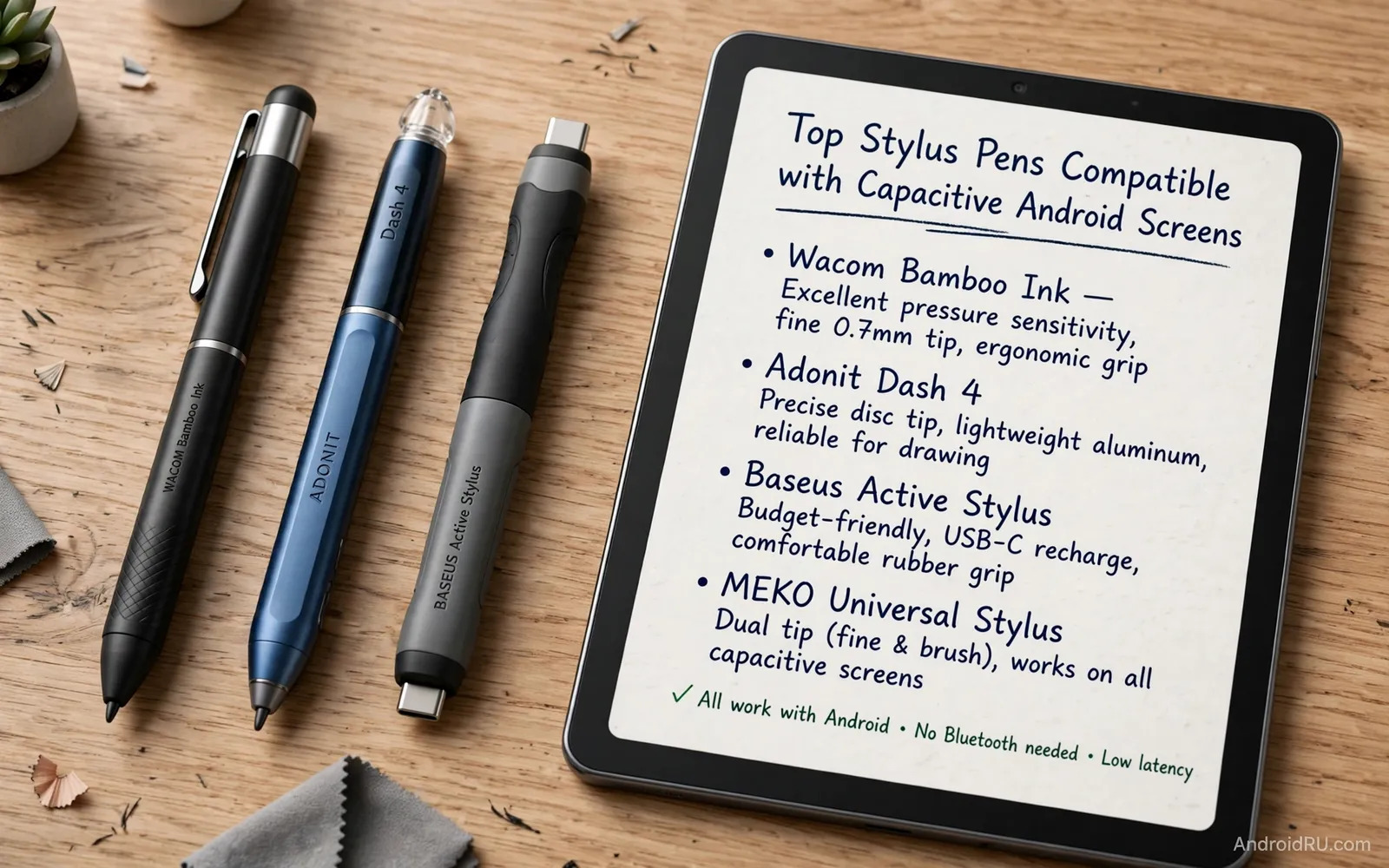
How Capacitive Stylus Pens Work
A capacitive screen senses the electrical charge of a finger. A capacitive stylus mimics that charge with a soft conductive tip. The screen treats the stylus like a finger touch. This simple trick works on almost every Android phone and tablet. No pairing or battery is needed for a basic passive stylus. An active stylus adds electronics for finer tips and extra features. Active pens may need charging and may need app support. Passive pens work everywhere but with a broader tip. The broader tip limits fine detail in drawing apps. Knowing this trade helps you set honest expectations before buying.
Tip material shapes the feel of every stroke you make. A soft rubber tip glides smoothly but wears faster. A mesh tip offers a firmer feel and longer life. A fine disc tip lets you see exactly where the point lands. A disc tip can feel scratchy on some screen protectors. A hard plastic tip feels precise but risks screen wear over time. A screen protector guards against tip wear for daily stylus users. The protector is cheap insurance for an expensive tablet screen. Try tip types in a store when possible. Feel matters as much as specs for a tool you hold for hours.
Passive Versus Active Stylus Pens
Passive pens are simple and cheap and always ready. They never run out of battery during a meeting. They never fail to pair before a lecture. They suit note taking and navigation and form filling very well. They struggle with fine art detail and palm rejection. Palm rejection stops the screen from reacting to your resting hand. Without it your palm can draw stray lines while you write. Some apps offer software palm rejection as a workaround. Software rejection works well when you write slowly and steadily. Fast writers may still see stray marks with a passive pen.
Active pens add pressure sensitivity and palm rejection in supported apps. Pressure lets lines grow thick or thin with your hand force. Artists love pressure for natural shading and line weight. Note takers love palm rejection for clean pages. Active pens cost more and need charging between uses. Some active pens only work fully with certain tablet brands. Check compatibility with your exact tablet model before buying. A pen that works on one brand may act passive on another. Read the compatibility list twice for active pens. A mismatch turns an expensive pen into a basic pen.
Choosing A Stylus For Note Taking
Note taking rewards comfort and reliability above fancy features. A pen with a comfortable grip prevents fatigue during long lectures. A pen with a balanced weight feels natural after an hour. A pen with a clip stays with your tablet case between uses. A pen with a replaceable tip lasts far longer than a sealed pen. Check tip replacement cost before you buy. Cheap pens with pricey tips can cost more over time. A pen that feels good in a five minute test may ache after an hour. Hold the pen in a writing grip for several minutes in store. Comfort over time beats first impression every time.
Note apps shape the stylus experience as much as hardware does. A good note app offers smooth ink and easy page organization. It offers search across handwritten notes when possible. It offers export to common formats for sharing. Test several note apps with your new pen before settling. The best pen with a poor app still frustrates daily. Productivity apps on Android vary widely in stylus support. You can explore tablet expansion gear alongside pens for a fuller desk setup. A look at USB-C hubs for expanding tablet connectivity shows how a tablet plus a pen plus a keyboard becomes a complete portable office. That system view helps you buy a pen that fits your wider workflow.
Choosing A Stylus For Drawing And Art
Drawing rewards fine tips and pressure levels above all else. A fine tip lets you place details with confidence. Pressure levels let you shade softly or press boldly. Tilt support lets you shade with the side of the tip. Not every Android tablet supports tilt even with a good pen. Check tablet support for pressure and tilt before buying art pens. A pen cannot add tablet features that the hardware lacks. Test the pen in your actual drawing app. Different apps interpret pressure curves differently. One app may feel perfect while another feels stiff with the same pen.
Screen feel matters deeply for artists who draw for hours. A matte screen protector adds paper like friction for drawing. A glossy screen feels slippery and fast for quick sketches. Some artists prefer friction for control. Some artists prefer glide for speed. Try both feels before you commit to a protector. A protector also guards against tip scratches during heavy art sessions. Replace a worn protector before scratches reach the real screen. Your tablet screen is the canvas for every future drawing. Protecting it is part of protecting your art practice itself.
Grip Comfort And Daily Handling
Grip shape decides comfort during long writing sessions. A round barrel rolls in the hand during use. A triangular barrel locks the grip in one position. A flat side prevents rolling on a desk. A soft grip sleeve adds cushion for long sessions. A metal barrel feels premium but adds weight. A plastic barrel feels light but less solid. Weight balance matters more than total weight alone. A top heavy pen tires the hand faster than a balanced pen. Hold the pen as you would for real writing. Wiggle it and write a paragraph in the air. Your hand will tell you quickly what suits it.
Storage and loss prevention deserve thought for small pens. A pen without a home gets lost within weeks. A case with a pen loop solves storage simply. A magnetic attachment holds a pen to some tablets. A pen tether keeps a pen close during travel. A bright pen color helps you spot it in a bag. Buy spare tips at the same time as the pen. Spare tips prevent a dead pen during an important week. A pen system with spares and storage lasts far longer than a lone pen in a drawer.
Touchscreen Care With Stylus Use
Daily stylus use can wear a screen without protection. A screen protector is essential for heavy stylus users. A tempered glass protector resists scratches well. A matte protector adds drawing friction as well. Replace a protector when it shows deep scratches or cracks. A cracked protector can itself scratch a screen. Clean the screen and the pen tip regularly. Dust trapped under a tip acts like sandpaper on glass. A quick wipe before sessions prevents most wear. These habits keep a tablet screen pristine for years of pen use.
Screen problems can mimic pen problems and confuse diagnosis. A dead zone on a screen ignores pen and finger alike. A flickering screen may signal a protector issue rather than a pen issue. Test with a finger when a pen behaves oddly. Test with another pen when a finger works fine. Remove the protector as a test when both fail in one zone. Screen protection choices affect stylus glide and accuracy. You can review how to choose a tempered glass or TPU screen protector to match protection with stylus feel. That pairing of protector and pen shapes daily comfort more than either item alone.
Stylus Pens For Phones And Small Screens
Phones benefit from a stylus for precise taps and small handwriting. A small stylus fits a pocket better than a long tablet pen. A short pen suits quick notes and form signatures. A long pen suits extended writing on a large phone. Small screens demand finer tips for accurate taps. A broad tip can hide the exact tap point on a small screen. A disc tip shows the tap point clearly on phones. Test any pen on your actual phone size before buying. A pen perfect for a tablet may feel clumsy on a compact phone.
Phone cases can interfere with stylus storage and use. A thick case edge can block pen angles near the border. A case with a pen slot solves storage elegantly. A case without a slot needs a separate pen home. Consider the whole phone plus case plus pen system. A system that fits together gets used daily. A system that fights itself gets abandoned fast. Heavy duty cases add another layer to this puzzle. You can compare heavy duty protective cases for extreme drops to see how bulk changes handling for pen users. That bulk awareness helps you pick a case that still welcomes a stylus.
Final Advice For Stylus Buyers
Buy a passive pen first when you need simple notes and navigation. Buy an active pen when you need pressure and palm rejection for art. Check tablet compatibility before any active pen purchase. Buy spare tips and a screen protector with the pen. Test the pen in your real apps within the return window. Write a full page and draw a full sketch as tests. Judge comfort after an hour rather than after a minute. A pen that passes an hour test will serve you for years. Keep the pen stored safely and the tips fresh.
A good stylus turns a tablet into a notebook and a sketchbook at once. It turns a phone into a precise tool for small tasks. It slows you down just enough to think while you write. Handwriting can improve memory for notes and ideas. Drawing can unlock creativity that typing cannot reach. Choose a pen that feels like an extension of your hand. Practice daily and your strokes will grow confident fast. The best stylus is the one you reach for without thinking. That effortless reach is the true sign of a great pen choice.
Stylus Pens For Students And Professionals
Students use a stylus to annotate slides during lectures. They circle key points and write margin notes in real time. They export annotated pages for revision before exams. A stylus turns passive slide reading into active study. Professionals use a stylus to sign documents without printing. They sketch ideas in meetings without paper. They mark up plans and contracts on the spot. A stylus saves paper and time in both worlds. The same pen can serve study and work for years. A pen that fits both roles is a wise purchase for a busy life.
Left handed writers face special stylus challenges worth noting. A left hand can smudge fresh ink in some apps. A good app offers a left hand mode that shifts palm rejection. A pen with a side button can erase quickly during corrections. Test left hand writing in your actual apps before buying. Right handed writers rarely face these issues at all. A pen that works for both hands suits shared family tablets best. A family tablet with one good pen serves homework and work alike. Shared tools need durability above all else. A durable pen survives school bags and office desks with equal ease.

