

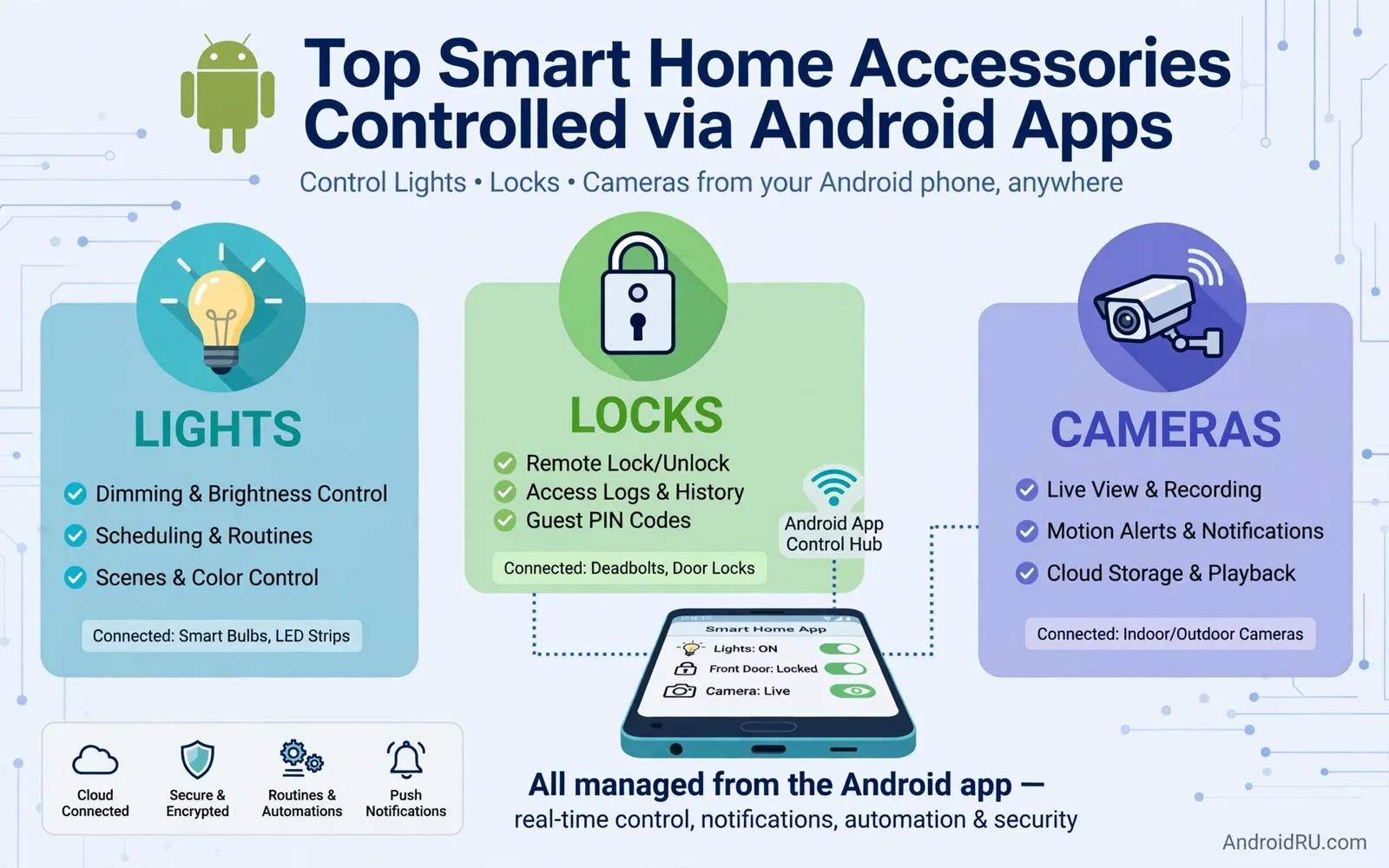
Smart home accessories turn an Android phone into a control center for a house. Lights respond to a tap. Locks respond to a schedule. Cameras respond to motion alerts. Thermostats learn daily routines. The phone app ties these pieces together. A good setup feels simple after day one. A poor setup needs constant fixes. This guide explains how to pick accessories that work well with Android apps. It also explains how to keep the whole home reliable.
Start with one room before you automate a whole house. A single room teaches you the app flow. A single room reveals network weak spots. A single room shows whether family members accept voice and app control. Pick lights first if you want visible daily value. Pick a lock first if security matters most. Pick a camera first if you want peace of mind while away. Expand only after the first room runs smoothly for two weeks. Slow growth beats a large install that nobody understands.
Apps Routines And Voice Control
An Android smart home app should show device status at a glance. A light icon should match the real light state. A lock icon should match the real lock state. A camera preview should load without long waits. Routines link actions into one command. A bedtime routine can dim lights and lock doors together. A morning routine can raise blinds and start a speaker playlist. Build routines around real habits. Test each routine at its real time of day. Fix timing problems before you add more steps.
Voice control adds hands-free value in kitchens and living rooms. Voice commands should use short natural phrases. Every family member should test the same commands. Guest access needs care. Give guests only the rooms they need. Remove guest access when a visit ends. Keep admin access limited to household adults. Check app permissions once a month. Remove old devices that no longer exist in the home. A tidy device list prevents confusion and failed routines. A living room view that blends screens and speakers appears in Smart TVs with Google TV vs Android TV OS Differences and that view helps you plan how a TV fits a phone-controlled home.
Network Strength And Hub Choices
A smart home is only as strong as its home network. Weak Wi-Fi corners cause slow lights and missed alerts. Place a router or access point near busy device zones. Keep hubs away from thick metal cabinets. Keep hubs away from microwave ovens during heavy use. Some accessories need a hub to reach the phone app. Some accessories connect straight to home Wi-Fi. Hub devices often use less power. Wi-Fi devices often set up faster. Choose the path that matches your router skill and your device count.
Power and placement shape long term reliability. Battery sensors need reachable spots for swaps. Plugged devices need outlets that stay powered. Avoid switched outlets for always-on hubs. Label each device in the app with room and purpose. A clear label saves time during troubleshooting. Update firmware during calm hours. Test key routines after each update. Keep a simple paper note of hub passwords and reset steps. That note saves a stressful night when an app update changes a menu. Wearable alerts can extend home control to your wrist and the overview in Top Smartwatches Compatible with Android Phones shows how watches carry notifications from home apps.
Privacy Security And Buying Sense
Cameras and microphones deserve clear household rules. Decide which rooms stay camera-free. Decide who can view live feeds. Decide how long clips stay stored. Use strong unique passwords for each smart home account. Turn on two-step sign-in where the app offers it. Review shared access after house guests leave. Review shared access after a device changes hands. Privacy settings are not a one-time task. They need a short review each season. Small accessories for health and daily tracking can join the same phone ecosystem and the guide in Top Smart Rings Supporting Health Tracking on Android explains how tiny wearables share data with Android apps.
Buy accessories that support open standards where possible. Open standards ease future moves between apps. Closed systems can lock routines to one brand. Check whether an accessory works without a paid subscription. Check whether core control stays local during an internet outage. Check return terms for radio range problems. Start with essentials. Add fun extras later. A home that responds calmly each day beats a home packed with gadgets that fight each other. Choose reliability first. Choose clear apps second. Choose novelty last.
Room-by-room growth keeps smart home costs under control. A hallway light teaches routine timing cheaply. A kitchen speaker teaches voice command habits cheaply. A bedroom lock teaches access rules safely. Each room adds one lesson before the next room starts. Track which routines family members actually use. Drop routines that nobody triggers after a month. Keep routines that trigger daily without thought. Unused routines clutter app menus. Cluttered menus slow down urgent actions. A lean routine list responds faster in daily life. A lean list also troubleshoots faster when something fails.
Children and guests need simple smart home rules. Children should control lights and speakers in shared rooms. Children should not control locks or cameras. Guests should control only their bedroom and bathroom lights. Time-limited guest access prevents forgotten permissions. Review child access as children grow older. Review guest access after every visit. Explain camera-free zones clearly to visitors. Explain voice command basics on arrival. A short welcome note helps guests feel comfortable. A clear rule set prevents awkward privacy surprises. Household trust grows when rules stay visible and fair.
Energy habits improve when smart home data stays visible. A thermostat schedule can cut waste during work hours. A light schedule can cut waste after bedtime. A plug monitor can reveal a device that never sleeps. Review energy patterns monthly in the app. Adjust schedules for season changes. Adjust schedules for school holidays. Adjust schedules for travel weeks. Small schedule tweaks compound across a year. Share savings results with the household. Visible savings motivate continued care. Invisible savings fade from attention quickly. Keep the energy story simple and regular.
Failure planning separates robust homes from fragile ones. Internet outages should not lock you out of your house. Physical keys should remain available for main doors. Manual light switches should remain usable beside smart bulbs. Battery backups should cover hubs during short outages. Test manual overrides twice a year. Test lock keys twice a year. Test light switches with the network off. A home that fails gracefully feels safe. A home that fails totally feels hostile. Keep manual paths simple enough for any adult in the house. Simplicity during outages matters more than clever automation.
Device naming discipline saves troubleshooting time. A name like living room ceiling light beats a name like light one. A name like front door lock beats a name like lock two. Group devices by room in the app. Group devices by function for routines. Rename devices when rooms change purpose. Remove names for devices that leave the house. A clean name list helps voice commands succeed first try. A messy name list causes wrong device triggers. Voice failures frustrate family members fast. Clear names keep voice control pleasant for everyone.
Future moves and rentals need an exit plan. Renters should prefer devices that remove cleanly. Renters should avoid hardwired changes without permission. Homeowners should keep original switches and fixtures stored safely. Keep original packaging for resale value. Keep setup notes for the next owner or tenant. Document hub resets in plain steps. Document account transfers in plain steps. A clean handover protects privacy after a move. A clean handover also protects device value. Plan the exit at install time. Install time planning prevents moving week panic.
Households with shift workers need smart home routines that respect different sleep schedules because a routine that turns on bright lights for one person can wake another person sleeping in the next room while a routine that uses gentle light levels and quiet speaker volumes keeps shared homes peaceful even when family members keep very different hours.
Renters who cannot change wiring should focus on plug-in and battery accessories that install without permanent changes because plug-in lights and battery sensors can move to a new home easily while hardwired panels and wired cameras can create landlord disputes and a portable smart home kit protects both the deposit and the investment in accessories.
Elderly household members benefit most from smart home controls that use large buttons and simple voice phrases because a complex app menu can confuse a user who only wants to turn on a hallway light while a single large button or a short spoken phrase gives independence without requiring anyone to learn a complicated system.
Home offices inside smart homes need routines that separate work lighting and work privacy from evening relaxation because a work routine that sets bright focused light and silences doorbell chimes helps concentration during calls while an evening routine that dims lights and restores chimes signals the end of work clearly to everyone in the house.
Test smart home routines at their real scheduled times. A morning routine tested at noon can behave differently. A bedtime routine tested in daylight can behave differently too. Light sensors respond to real daylight levels. Presence sensors respond to real household movement. Timed tests reveal sensor surprises early. Fix timing offsets before relying on a routine daily. Fix sensor placement before adding more routine steps. A routine tested at real times earns household trust. A routine tested only in ideal moments fails at real moments.
Keep a simple smart home inventory for every device in the house. Record device names and room locations. Record purchase dates and warranty periods. Record hub assignments for each device. Record account owners for shared devices. Update the inventory when devices arrive. Update the inventory when devices leave. A current inventory speeds troubleshooting greatly. A current inventory also speeds insurance claims after damage. A current inventory helps new household members learn the system. Five minutes of record keeping saves hours later.
Plan smart home growth around network capacity rather than gadget excitement. Count connected devices before each new purchase. Check router device limits before each new purchase. Check Wi-Fi coverage in the target room first. Add an access point when coverage feels weak. Add a hub when device counts grow large. A network planned ahead stays responsive daily. A network grown randomly slows down gradually. Slow responses frustrate family members fast. Capacity planning keeps smart homes feeling smart.

