

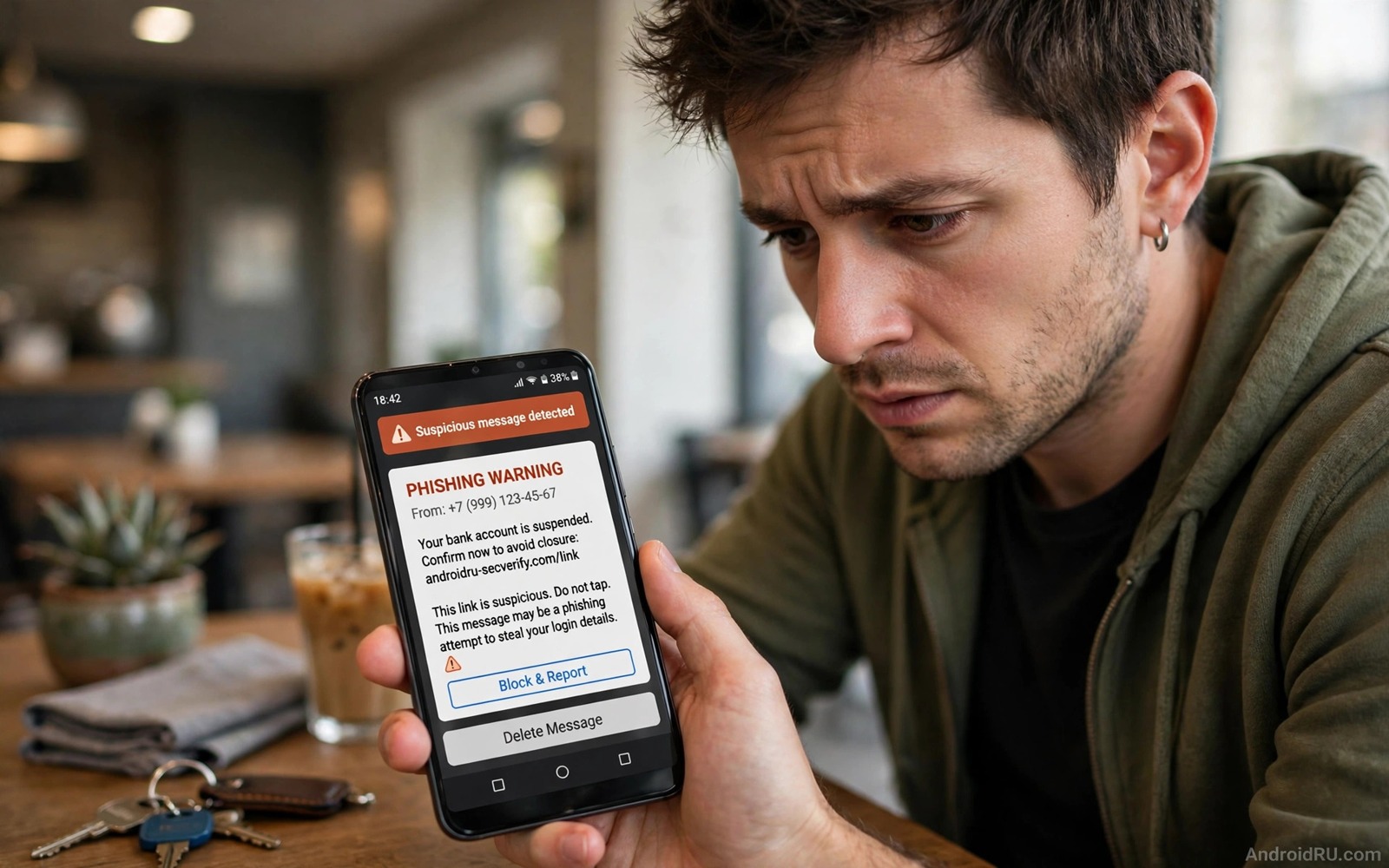
Text phishing scams arrive as short messages that look urgent and familiar. A fake delivery notice or a bank alert or a prize claim pushes you to tap a link fast. That link leads to a fake login page that steals credentials or installs harmful code. The best defence is to stop the message from reaching your attention in the first place.
Android messaging apps include spam protection that can filter many of those messages automatically. Carrier filters and app filters work together to move suspicious texts into a spam folder. A filtered message still exists for review yet it no longer interrupts your day with an urgent alert. That quiet handling breaks the urgency trick.
Start by enabling spam protection in your messaging app. Then add manual blocks for repeat offenders. Finally build a habit of never tapping links in unexpected texts. Filtering plus habit together stop most text phishing attempts before they cause harm.
Enable spam protection in messages
Open the messages app and then open Settings and then open Spam protection. Turn on the option that filters spam messages automatically. The app will compare incoming texts with known spam patterns and move matches to a spam folder. Review that folder once a week for legitimate messages caught by mistake.
Some messaging apps also offer verified business badges. A verified sender shows a checkmark that confirms the business identity through the carrier system. A message without verification that claims to come from a bank deserves extra doubt. Verification is not perfect yet it adds a useful signal for business messages.
Keep the messaging app updated so spam patterns stay current. Phishing campaigns change wording fast to bypass old filters. An updated app receives new patterns without manual work. Automatic updates for the messaging app are worth enabling even when other apps update manually.
Block and report suspicious senders
Open a suspicious message and use the block and report spam option in the message menu. Blocking stops future messages from that number. Reporting sends the message pattern to the spam database for other users. A report takes seconds and it helps the filter learn the newest campaign wording.
Do not reply to a phishing text even with a stop message. A reply confirms that the number is active and it can increase future spam. A stop reply to a legitimate marketing list is different from a reply to a phishing attempt. For unknown senders block and report without replying at all.
Check the spam folder before you delete it in bulk. A legitimate verification code can land in spam when the sender number changes. A weekly review catches those mistakes while keeping the main inbox clean. Move any legitimate message back to the inbox and mark it as not spam to train the filter.
Build safe link habits
Never tap a link in an unexpected text that claims urgency. A real bank will not ask you to verify an account through a text link. A real delivery service will not demand payment through a text link to release a package. Open the official app or type the official website address manually instead of following the text link.
Preview a link before you tap it when the app offers a preview. A shortened link that hides the real domain is a warning sign. A domain with a small spelling change is another warning sign. A link that leads to a login page for a service that you did not request should be closed at once.
Enable two factor authentication for accounts that phishing texts target. A stolen password alone cannot log into an account protected by a second factor. That layer turns a successful phishing tap into a failed login attempt. Combine two factor protection with unique passwords for each important account. For call scam safety read the secret setting that blocks unknown call spammers and apply its voicemail habit to text scams as well.
A simple SMS filtering checklist
The checklist below gives a repeatable routine for text phishing protection. Work through it in order and test the result by checking the spam folder after a week. A spam folder with filtered messages proves that the system works. An empty spam folder after a week may mean that protection is still off.
1. Enable spam protection in messages settings
2. Block and report suspicious senders at once
3. Review spam folder weekly for legitimate messages
4. Never tap links in unexpected urgent texts
5. Open official apps manually instead of following links
6. Enable two factor authentication for key accounts
This checklist follows the standard controls built into Android and it uses only the menus that ship with the system and the messages app. No extra tool is required to complete the six steps. The order matters because filtering comes first and safe habits close the list.
Handle phishing texts that mimic real services
Phishing texts that mimic real services are harder to spot because they copy logos and wording from genuine messages. A fake delivery text may use the same tracking format as a real delivery text. A fake bank text may use the same alert wording as a real bank alert. The difference often lies in the link domain rather than the message text. A real service link uses its official domain while a fake link uses a lookalike domain with a small spelling change. Checking the link domain before tapping is the most reliable defence against a well copied message.
Compare a suspicious text with a genuine message from the same service. Open the official app and check whether the same alert appears inside the app. A genuine delivery update appears in the official tracking app as well as in a text. A genuine bank alert appears in the official banking app as well as in a text. A phishing text that has no matching alert inside the official app is almost certainly fake. That app comparison takes a minute and it beats a text only judgement.
Save genuine sender numbers for services that you use often. A saved contact for a delivery service or a bank helps you recognise a genuine text at a glance. A text from an unknown number claiming to be a saved service deserves extra doubt even when the wording looks perfect. A saved contact does not guarantee legitimacy because sender names can be spoofed yet it adds a useful signal. Combine saved contacts with official app checks for the strongest defence against mimicry.
Report mimicry campaigns to the real service as well as to the spam filter. A real bank or delivery service can warn other customers about a campaign that mimics its brand. A report to the service helps its fraud team track the campaign and update its own warnings. That external report complements the spam filter report because it reaches the brand team that can alert customers through official channels. A phishing campaign reported to both systems loses effectiveness faster than a campaign reported to only one system.
Build a family rule for suspicious texts
A family rule for suspicious texts protects every member who shares a phone plan or a family group. Agree that no family member taps a link in an unexpected text without checking the official app first. That single rule stops most phishing attempts because it removes the tap that phishing relies on. A family rule works better than individual warnings because it creates a shared expectation. A member who receives a suspicious text can ask the family group for a second opinion before tapping.
Share examples of phishing texts in the family group when a new campaign appears. A shared screenshot with the sender number visible helps every member recognise the same campaign. A shared example also removes the embarrassment of admitting a near miss because the whole family learns from one example. That open sharing culture turns a single close call into family wide protection. A campaign that targets one member often targets every member within days.
Review the family rule after a major phishing campaign in the news. A campaign that mimics a popular delivery service may require a specific rule about delivery texts. A campaign that mimics a bank may require a specific rule about bank texts. Updating the family rule for each major campaign keeps it relevant rather than generic. That relevance helps family members apply the rule to real messages rather than treating it as abstract advice.
Common mistakes
One mistake is tapping a link to check whether it is real. A tap alone can confirm activity and it can load a page that exploits the browser. Checking a link by tapping it is not a safe test. Verify through the official app instead.
Another mistake is trusting a message because it uses your name. Phishing campaigns buy leaked data that includes names and partial account details. A personal greeting does not prove legitimacy. A message that knows your name can still lead to a fake page.
A third mistake is deleting phishing texts without reporting them. Deletion cleans your inbox yet it leaves the campaign free to target others. Reporting takes seconds and it improves the filter for everyone. If you need fake app checks read how to spot fake store apps that steal credentials and apply its developer checks to links in texts as well.
Frequently asked questions
Will spam filtering block legitimate codes?
It can occasionally move a legitimate code into the spam folder. A weekly spam folder review catches those mistakes. Mark legitimate senders as not spam to train the filter for future codes.
Should I reply STOP to phishing texts?
No and a reply confirms that your number is active. Block and report the sender without replying. A stop reply suits only a known legitimate marketing list that you joined yourself.
Can a text message install malware by itself?
A text alone rarely installs malware without a tap or a download. The danger comes from links and attachments inside the text. Never tap a link or download an attachment from an unknown sender.
Conclusion
Text phishing succeeds through urgency and familiarity. Spam filtering removes most attempts from the main inbox. Blocking and reporting improve the filter for everyone. Safe link habits and two factor authentication protect accounts when a message slips through.
Your concrete next step is to enable spam protection in messages today and block the next suspicious sender with the report option. Check the spam folder weekly for a month. For public network safety read how to lock down mobile browsing on public Wi-Fi and apply its habits alongside SMS filtering.

