

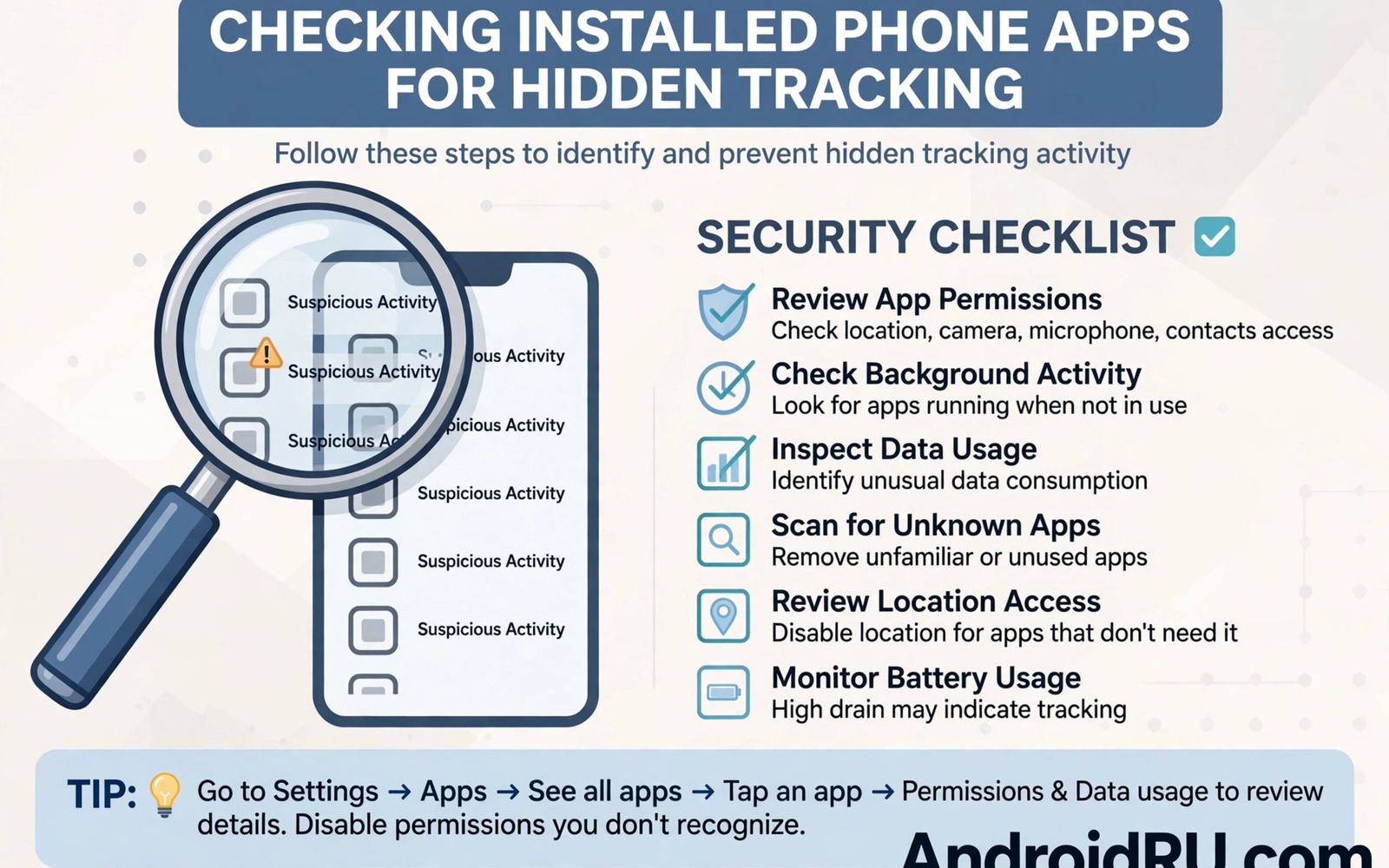
Stalkerware is software that monitors a phone on behalf of someone else. It may track location and read messages and record calls without the phone owner knowing. It is often installed by a person with physical access to the device. It hides under innocent names and it runs in the background for months. Auditing your installed apps is the most effective way to find it.
Stalkerware differs from normal malware because it often arrives with the help of someone you know. That person may know your unlock code and may have installed the app while you were away. The app may even appear legitimate to an antivirus scan because it uses standard permissions. Human awareness therefore matters as much as technical scanning.
This guide shows how to audit installed system and background apps for stalkerware. It covers app lists and permissions and battery patterns and administrator rights. It also explains what to do safely if you find a monitoring app, especially when the installer may be someone close to you.
List all installed apps including system apps
Open Settings and go to Apps and then See all apps. That list shows user apps by default on many phones. Tap the menu and choose show system apps to reveal the full list. Stalkerware often hides in that longer list under a generic system sounding name. A complete list is the starting point for any audit.
Work through the list slowly and look for apps that you do not recognise. Note any app with a vague name such as device service or system helper or update manager. Genuine system apps usually show a system label and a publisher you can verify. An app with a vague name and no clear purpose deserves closer inspection.
Check the install date and usage data for suspicious apps where your phone provides that information. An app installed on a date when you were away from your phone is a strong warning sign. An app that you never opened but that shows background usage is another warning sign. Those two clues together justify removal and further investigation.
Check permissions and administrator rights
Open each suspicious app and review its permissions in detail. Stalkerware typically needs location and microphone and contacts and call logs and accessibility access. A single app holding all of those permissions for no clear reason is highly suspicious. Normal apps rarely need that full combination at once.
Check device administrator settings in Settings under security and compare any suspicious app with the signs your camera or microphone is being monitored secretly to see if sensor abuse lines up with the app you found. A device administrator app can resist uninstallation and can enforce policies on your phone. Stalkerware often requests administrator rights during installation to make removal harder. Revoke administrator rights before you try to uninstall a suspicious app. Without that step the uninstall button may stay greyed out.
Review accessibility services as well because stalkerware can abuse accessibility to read screen content. Open accessibility settings and list every service that is turned on. Turn off any service that you do not recognise or that belongs to an app you do not trust. Accessibility access is powerful and it should belong only to tools that you deliberately chose for a real need.
Look for background and battery clues
Stalkerware must run constantly to track location and capture messages. That constant work leaves traces in battery usage and data usage. Open battery settings and look for an app that consumes significant power without a visible reason. A background tracker will often sit near the top of the list even when you rarely open it.
Check data usage for the same apps. A tracker uploads its captures regularly which creates a steady data pattern. Look for uploads at night or during periods when you did not use the phone. That pattern suggests automated reporting rather than human use. Compare the pattern with your own usage memory before you draw a conclusion.
Watch for a phone that stays warm or that wakes frequently without notifications. Those symptoms can accompany background monitoring but they can also result from a buggy update. Use them as prompts for a permission audit rather than as proof on their own. A calm audit will separate a real tracker from a normal software glitch.
Remove stalkerware safely
If you find a likely tracker do not confront the installer immediately if that person could become dangerous. Your safety comes first and a confrontation can escalate a controlling situation. Seek support from a trusted friend or a domestic abuse support service before you take visible action. Those services understand stalkerware cases and can advise on safe removal timing.
When it is safe to remove the app revoke its administrator rights and its accessibility access first. Then uninstall it through Settings and restart the phone. After removal change passwords for email and banking and social accounts from a trusted device. Also review account sessions and revoke devices that you do not recognise.
Consider a factory reset after removal if you suspect deeper compromise or multiple trackers. Back up your photos and contacts first to a trusted account that the installer cannot access. A reset removes hidden components that a simple uninstall might miss. It is disruptive but it gives you a clean starting point when safety is at stake.
adb shell pm list packages -f
# List installed packages with file paths on your own device
# Note any package with a suspicious name or location
# Then review its permissions in Settings before removal
The commands above are an original example written for this guide to help you audit packages on your own phone. They list installed packages with their file locations so that you can spot an app hiding outside the normal app folders. Use them only on a device that you own and follow up any suspicious entry with a permission and administrator review.
Support services for stalking victims often provide safety planning that goes beyond technical removal. A support worker can help you assess whether removing an app might alert the installer and increase risk. They can also help you preserve evidence for a legal report while you secure the phone. Reach out before you act when the situation involves someone you know.
Common mistakes
One common mistake is running a random cleaner app that promises to find stalkerware but actually installs more tracking software. Use system settings and reputable security tools only. Another mistake is removing a tracker without changing passwords afterwards. The installer may still hold credentials that allow account access even after the app is gone.
People also make the mistake of ignoring system apps entirely during an audit. Stalkerware hides precisely where most users never look. Showing system apps and reviewing them is therefore essential. A quick user app only review will miss the most dangerous installations.
Another error is assuming that a factory reset alone fixes a stalkerware situation involving a known person. That person may know your new passwords or may regain physical access to the phone. Change your lock code and your account passwords and limit physical access after a reset. That broader change also aligns with catching anyone secretly trying to unlock your phone as part of ongoing protection.
FAQ
Will antivirus software find stalkerware?
Antivirus tools can find some stalkerware but they miss many cases because stalkerware often uses legitimate permissions. A scan is a useful supplement to a manual audit but it is not a replacement for one. Run a scan with a reputable tool and then still review permissions and administrator rights yourself. The manual review catches apps that a scan classifies as potentially unwanted rather than as malware.
Keep the security tool updated and run a full scan after any suspected installation. A scan that finds nothing does not prove that the phone is clean. It only proves that no known signature matched. Manual clues such as install dates and background usage remain important evidence.
How does stalkerware get installed in the first place?
Stalkerware usually requires physical access to the phone for a few minutes. The installer unlocks the phone and installs the app and grants its permissions manually. Some versions arrive through a malicious link that the victim taps. Others arrive disguised as a parental control or employee monitoring tool. All versions depend on bypassing normal caution at install time.
Preventing installation therefore starts with a strong lock code that you do not share. Avoid leaving your phone unlocked around people you do not fully trust. Review new apps promptly after anyone else handles your phone. Those habits make silent installation far harder.
What should I do if I cannot uninstall a suspicious app?
First revoke its device administrator rights and its accessibility access through Settings. Those rights often block uninstallation. Then try uninstalling again from the app info page. If the button remains disabled then boot into safe mode where third party apps cannot run and try again from there. Safe mode often reveals the true app name behind a disguised icon.
If safe mode still fails then consider a factory reset after backing up essential data to a trusted account. A reset removes most third party trackers completely. Seek professional help if you suspect a system level compromise that survives a reset. That level of persistence is rare but it requires expert handling and it connects to cleaning Trojan malware from Android without a factory reset for cases where a reset is not yet warranted.
Conclusion
Stalkerware hides in plain sight behind generic names and broad permissions. A systematic audit of all apps and permissions and administrator rights will usually reveal it. Battery and data clues support that audit but the permission list is the decisive evidence. Safe removal and password changes then close the door that the tracker used.
Your concrete next step is to open Apps settings tonight and show system apps and review every app you do not recognise. Revoke administrator rights and accessibility access for anything suspicious before you uninstall it. That audit takes less than half an hour and it restores control over your own phone.

