

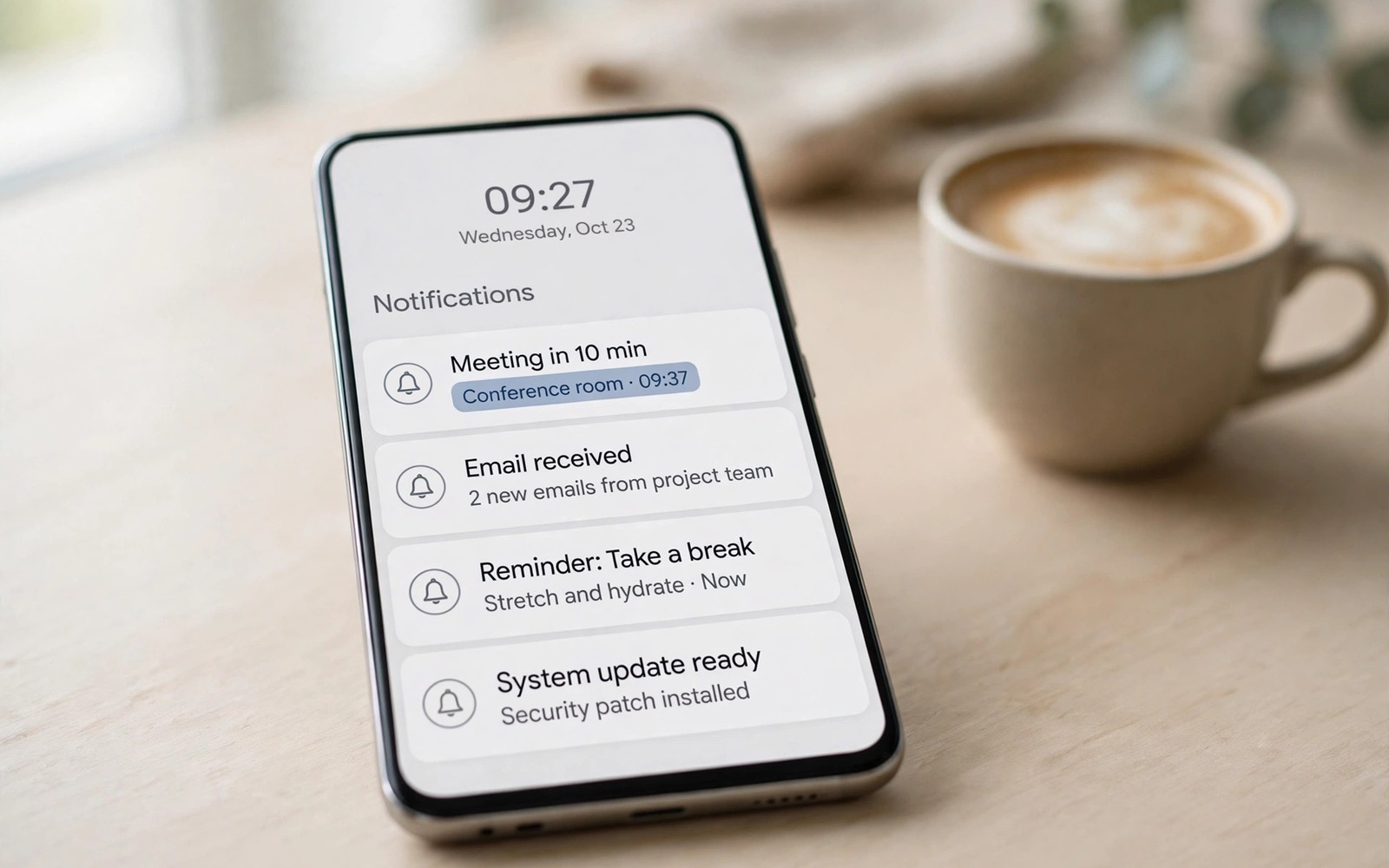
Your phone buzzes again. A sale alert and a game invite and a news flash arrive together. An important message from family hides between them. You swipe them all away in frustration. Later you miss the message that mattered. Notification clutter is not a minor annoyance. It is a system that trains you to ignore everything.
A notification manager restores order. It groups alerts by app and by type. It holds low priority alerts until a scheduled time. It lets important people break through at once. It summarises the rest into a single digest. The result is fewer interruptions and fewer missed messages. Both gains matter.
The problem grew because every app wants attention. A shopping app sends daily deals. A game sends return reminders. A news app sends breaking alerts for minor stories. Each app alone seems harmless. Together they create dozens of buzzes per day. No human can treat every buzz as important. A manager must filter on your behalf.
This guide shows a filtering system that works. You will learn how to sort apps into tiers. You will learn how to schedule digests. You will learn how to keep urgent alerts instant. You will also learn the limits of managers on Android and how to work around them.
Sorting apps into three tiers
Tier one holds people. Family messages and work messages from your team belong here. Tier one alerts arrive instantly with sound. They bypass do not disturb when you allow it. Keep tier one small. A tier with fifty apps is not a tier. It is the old chaos with a new name.
Tier two holds useful updates. Delivery tracking and calendar reminders and bank alerts belong here. Tier two alerts arrive silently or with a gentle vibration. They wait on the lock screen without buzzing. You check them when you pick up the phone. They inform without interrupting.
Tier three holds marketing and entertainment. Sale alerts and game invites and social likes belong here. Tier three alerts go to a digest. A digest arrives twice per day at times you choose. Morning and evening digests work well for most people. A digest lets you scan marketing in one minute instead of twenty interruptions.
Assign every app to a tier in one sitting. Open notification settings and work through the app list. A full pass takes about thirty minutes. It saves hours of interruption over a month. Review tiers monthly. An app that was marketing last month may become useful this month. Tiers should follow real use.
Digests and schedules that reduce noise
A digest bundles many alerts into one summary. A good digest shows the app and a short preview per item. It lets you open any item with one tap. It lets you dismiss the whole digest at once. A digest without previews is just a pile. Previews make scanning fast.
Schedule digests for natural breaks. A morning digest after breakfast works well. An evening digest after work works well. Avoid a digest during focus work. Avoid a digest late at night. Timing matters as much as grouping. A well timed digest feels helpful. A poorly timed digest feels like another interruption.
Use do not disturb schedules alongside digests. Do not disturb silences tier two and tier three during work hours. Tier one can still break through for family. A schedule that matches work hours protects deep work. A schedule that matches sleep protects rest. Both schedules need favourites set correctly to work.
Test the schedule for a week before judging it. The first day may feel odd without constant buzzes. The brain expects interruption. After a week the calm feels normal. Check missed messages at the end of the week. A good schedule misses nothing important. A bad schedule needs tier adjustments.
Grouping and history for missed alerts
Grouping stacks alerts from one app into a single card. A card showing twelve messages from one group chat is easier to handle than twelve separate cards. Expand the card only when you have time. Grouping alone cuts lock screen clutter a lot. Most modern Android versions group by default. A manager can improve grouping rules further.
Notification history is a safety net. Android keeps a history of recent alerts. A manager may keep a longer history. History lets you recover an alert you swiped too fast. Open history at the end of the day for a quick scan. A scan takes two minutes. It catches the one alert that mattered among the noise.
Search inside history when you need a specific alert. Search by app name or by keyword. A delivery alert from yesterday can be found in seconds. History turns swiping from a risk into a reversible action. Knowing you can recover an alert makes swiping less stressful.
Some managers offer smart replies from the digest. Reply to a message without opening the full app. A quick reply saves time for simple answers. A complex reply still deserves the full app. Smart replies suit yes and thanks and short confirmations. They do not suit long discussions. Readers who want a calmer phone overall should also check feature-packed alternatives to default keyboard apps because typing speed and notification calm both save time.
A setup you can copy today
List your apps and assign tiers on paper first. Paper planning avoids settings fatigue. Enter the tiers into the manager next. Set digest times for morning and evening. Set do not disturb for work and sleep. Allow tier one to break through. Test with a message from a family member. A test proves the breakthrough path works.
Clean up old notification permissions as you go. Many apps hold permission from years ago. An app you no longer use should lose notification permission entirely. An unused app with permission is pure noise risk. Revoke it at once. A clean permission list is easier to maintain.
adb shell dumpsys notification | grep -i ranking
adb shell settings get global notification_history_enabled
adb shell cmd notification list_packages
The snippet above is an original example written for this guide. It shows how an advanced user can check notification ranking and history state from a computer. It is not a required step for normal manager setup.
Review the digest after three days. Remove apps whose digest items you always dismiss. Those apps belong in tier three with no digest or fully blocked. Add apps whose silent alerts you missed. Those apps may belong in a higher tier. A manager improves through small adjustments.
When a manager app is not enough
Some apps bypass manager rules with persistent alerts. A persistent alert cannot be dismissed normally. It stays in the shade until the app stops it. Open that app settings and disable its persistent notification directly. A manager cannot override every app design. Direct settings finish the job.
Maker skins add another layer of rules. A battery optimisation setting may kill a manager in the background. Digests then stop arriving. Whitelist the manager in battery settings. A manager killed by the system helps no one. Check battery optimisation after every system update. Updates sometimes reset the whitelist.
Work chat apps may need an exception path. A team alert at night may still matter. Set a keyword alert for urgent terms inside the work app when offered. A keyword alert breaks through digests for true emergencies. A blanket block on work apps risks missing a real incident. Exceptions keep the system humane.
Review notification permission for new apps on install day. A new app often requests notification permission at first launch. Grant it only when alerts from that app truly matter. Deny it when the app works fine without alerts. Install day decisions prevent a month of noise. A habit of instant denial for marketing apps keeps tiers clean. Clean tiers are easier to maintain than tiers repaired after months of drift.
Common mistakes
The first mistake is blocking everything at once. Total silence feels peaceful for a day. It then causes missed work messages. A tier system beats total blocking. Important alerts stay instant. Noise waits for a digest. Balance is the goal.
The second mistake is keeping tier one too large. A tier one with every social app defeats the system. Social likes are not urgent. Messages from close people are urgent. Be strict with tier one. Strictness is what makes instant alerts meaningful.
The third mistake is ignoring digest settings after setup. Apps change behaviour over time. A quiet app may become noisy after an update. A monthly review catches drift. A manager left alone slowly returns to chaos.
The fourth mistake is relying only on the manager. System settings still matter. Do not disturb schedules and app permissions work together with the manager. A manager cannot fix a permission mess alone. Combine all three layers for best results.
FAQ
Will a manager delay urgent messages?
No when tier one is set correctly. Tier one messages arrive instantly and can bypass do not disturb. Test tier one with a real message after setup. A test proves the path works. Adjust tiers if any urgent message arrives late.
Can I recover a notification I swiped away?
Yes through notification history when enabled. History keeps recent alerts for review. Open history from settings or the manager app. A history scan at day end catches swiped alerts. Enable history before you need it.
Do managers work on all Android phones?
Most core features work everywhere. Deep filtering varies by Android version and maker skin. Some makers restrict background access for managers. Check the manager guide for your phone model. A maker specific setting may be needed for reliable digests.
Conclusion
Notification managers turn chaos into order. Three tiers separate people from updates and marketing. Digests bundle noise into two calm moments. Grouping and history prevent missed messages. Do not disturb schedules protect work and sleep. Together they give attention back to its owner.
Your concrete next step is to assign tiers to your apps tonight and set morning and evening digests. Test tier one with a message from family tomorrow. Check the digest at the end of the week for missed items. If nothing important was missed then keep the system. If something was missed then promote that app one tier. Readers who want a leaner phone should also explore lightweight apps that take less than 10MB of storage and the ultimate automation app that will do work for you because light apps and automation support a calm notification system.

