

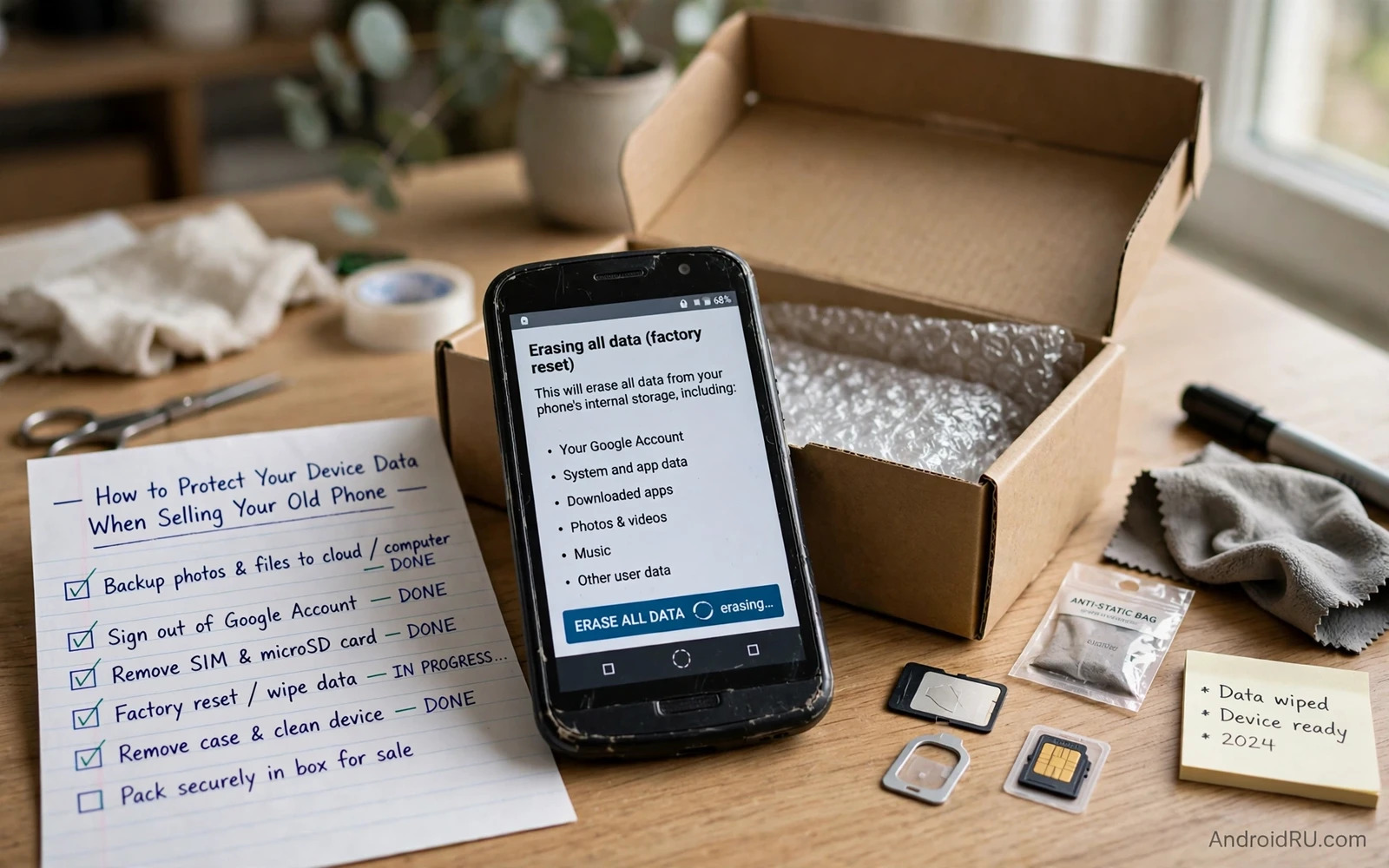
Selling an old phone transfers a device that once held your photos and messages and passwords and banking tokens and private documents. A casual reset that leaves recoverable data behind turns that sale into a privacy risk for years. A proper sale routine backs up everything worth keeping and encrypts the device and wipes it and verifies the wipe and removes the device from your accounts. Each step removes a recovery path that a buyer or a later owner could exploit.
Modern Android encryption changes the wipe calculation in your favour when it is used correctly. A factory reset on an encrypted phone discards the encryption keys and renders the remaining scrambled data unreadable without those keys. That protection only works when encryption was active before the reset and when the reset completes fully. Older phones or phones with encryption disabled need extra care because a simple reset on unencrypted storage can leave files recoverable with consumer tools. Check encryption state before you reset rather than assuming that it was always on.
This guide gives a sale routine in the order that protects you. Backup first and then sign out and then encrypt and then reset and then verify and then clean the hardware. Skipping the backup step loses data forever. Skipping the sign out step can trigger activation lock for the buyer and can leave your account linked to a device that you no longer control. Skipping verification leaves doubt about whether the wipe actually worked.
Back Up Everything Worth Keeping First
Back up photos and videos and contacts and messages and documents and app data before any wipe step. Use your cloud backup for photos and contacts and use app level backup or export for messaging history that cloud device backup may not capture fully. Check the backup on another device before proceeding because a backup that you never opened may be incomplete or outdated. Open a sample of photos and confirm that recent files appear in the backup. A verified backup is the only backup that counts.
Save two factor and authenticator data separately because a device backup does not always transfer authenticator secrets. Move authenticator accounts to your new phone or to a backup method that your authenticator app supports before wiping the old phone. Test login to a critical account from the new phone while the old phone still works. That test proves that your new device can pass verification without the old device. Losing authenticator access during a sale can lock you out of email and banking at the worst moment.
Sign Out And Remove Accounts And Locks
Sign out of your Google account and remove all accounts from the phone before the reset. Account removal prevents factory reset protection from locking the buyer out and it removes the link between your account and the device. Sign out of banking and payment apps and remove payment methods from wallet apps. Remove the device from your Google account device list and from any find my device service after the reset verification step. Keep a note of the device serial number until the sale completes in case a dispute arises later.
Remove the SIM card and remove any memory card before handing the phone over. A forgotten SIM gives the buyer your phone number and your mobile data access. A forgotten memory card gives the buyer every photo and document stored on that card because memory cards often lack the encryption that internal storage enjoys. Decide separately whether to sell the memory card at all. Most sellers should keep the memory card or wipe it separately with a full format on a computer before including it in a sale.
Encrypt Then Factory Reset Correctly
Check encryption state in security settings and switch encryption on if your phone offers that control and it is not already active. Allow encryption to complete fully while the phone charges because interrupting encryption can corrupt data. Once encryption is confirmed perform a factory reset from settings rather than from a partial erase inside a single app. A settings factory reset removes accounts and apps and user data and returns the phone to its out of box state. Let the reset finish without interruption and without removing the battery or forcing a restart.
After the reset completes go through initial setup only far enough to verify that no personal data remains. Check that photos and messages and contacts and accounts are gone and that the phone shows a clean welcome screen. Do not sign into your own account during verification because signing in reloads your data onto the phone that you intend to sell. Verify as a guest and then reset again if you signed in by mistake during checking. That second reset costs minutes and removes any doubt.
Extra Wipe Steps For Older Or Unencrypted Phones
Older phones without encryption benefit from an overwrite pass before the final reset. Fill the storage with large harmless files such as long videos after a first reset and then reset again. That overwrite pass replaces freed blocks that might otherwise hold recoverable fragments of old files. The method is not perfect and it cannot guarantee forensic level erasure but it raises the effort required for casual recovery substantially. Modern encrypted phones do not need this pass because key destruction already protects the data.
Consider the buyer and the sale channel when judging wipe strength. A sale to a trusted family member carries lower risk than an anonymous marketplace sale to a stranger. A phone that held highly sensitive work documents deserves stronger handling than a phone that held only casual photos. When doubt remains about wipe strength keep the phone for parts or destroy the storage rather than selling a device that might expose sensitive data. No sale price justifies a serious data exposure.
Clean The Hardware And Complete The Sale Safely
Clean the phone physically and remove screen protectors that may carry fingerprints or personal notes and check ports and cases for hidden memory cards or notes. Include only the accessories that you intend to sell and keep chargers or cables that hold no data risk separate if you need them. Photograph the phone condition before sale for dispute protection. Meet buyers in a safe public place for in person sales and use a payment method that cannot be reversed fraudulently after handover.
After the sale confirm that the device no longer appears in your account device list and that no new sign in alerts reference the old phone. Keep the sale receipt and the buyer contact details for a reasonable period in case the buyer reports an activation lock problem. A clean handover plus a clean account removal gives both parties confidence. The buyer receives a working phone without your data and you retain no lingering link to a device that you no longer control.
Sale preparation depends on backup first so follow backing up and restoring Android data safely and fully and remove tracking links with locating and remotely wiping a lost Android phone while hiding photos and videos behind encrypted lockers reminds you which sensitive files deserve extra attention before a wipe.
- Back up and verify photos and contacts and authenticator access before any wipe
- Sign out of all accounts and remove SIM and memory cards before reset
- Confirm encryption is active and then factory reset from settings
- Verify a clean welcome screen without signing back into your account
- Remove the device from your account device list after the sale completes
Selling Safely Through Different Channels
Different sale channels carry different risks and your wipe routine should match the channel. A sale to a trusted family member allows a simpler handover because the buyer identity is known and the device stays within a trusted circle. A marketplace sale to a stranger demands the full routine of backup and sign out and encryption and reset and verification. A trade in through a retailer demands the same full routine plus a record of the trade in receipt. Never relax the wipe routine because a buyer seems friendly in messages.
Prepare the sale listing honestly to avoid disputes after handover. Photograph the phone condition including any scratches or screen marks before the sale. List included accessories accurately and state the storage size and the battery health if you know it. Honest listings attract serious buyers and reduce the chance that a buyer claims a defect later to demand a refund. Keep listing screenshots and buyer messages until the sale is fully complete and the device no longer appears in your account.
Plan the transition period between old phone and new phone carefully. Keep the old phone working until the new phone passes every important login and messaging test. Transfer authenticator accounts and payment methods deliberately rather than assuming that a device backup moved them automatically. Only wipe the old phone after the new phone proves itself for a full day of normal use. That overlap prevents the painful situation where a wiped old phone leaves you locked out of an account that the new phone cannot yet open.
Phone Sale Preparation For Business Devices
Business devices demand stricter sale preparation than personal phones because they may hold company documents and work account tokens. Follow company IT policy for device return or sale and obtain written clearance before wiping a business device. Remove work profiles and managed apps through official IT channels rather than through a personal factory reset alone. A personal reset may leave managed data recoverable or may violate a company asset procedure.
Document business device handover with serial number and wipe confirmation and recipient details. Keep that documentation for the period that company policy requires. A documented handover protects you if a later data question arises about the device. Personal sale habits plus business documentation together satisfy both privacy and accountability needs. Never sell a business device through an informal channel without IT approval no matter how old or low value the device seems.
Protecting device data when selling an old phone is a short routine with lasting value. Backup and sign out and encrypt and reset and verify and clean up accounts. Follow that order every time and your old phone can start a new life with its next owner without carrying your private life along with it.

