

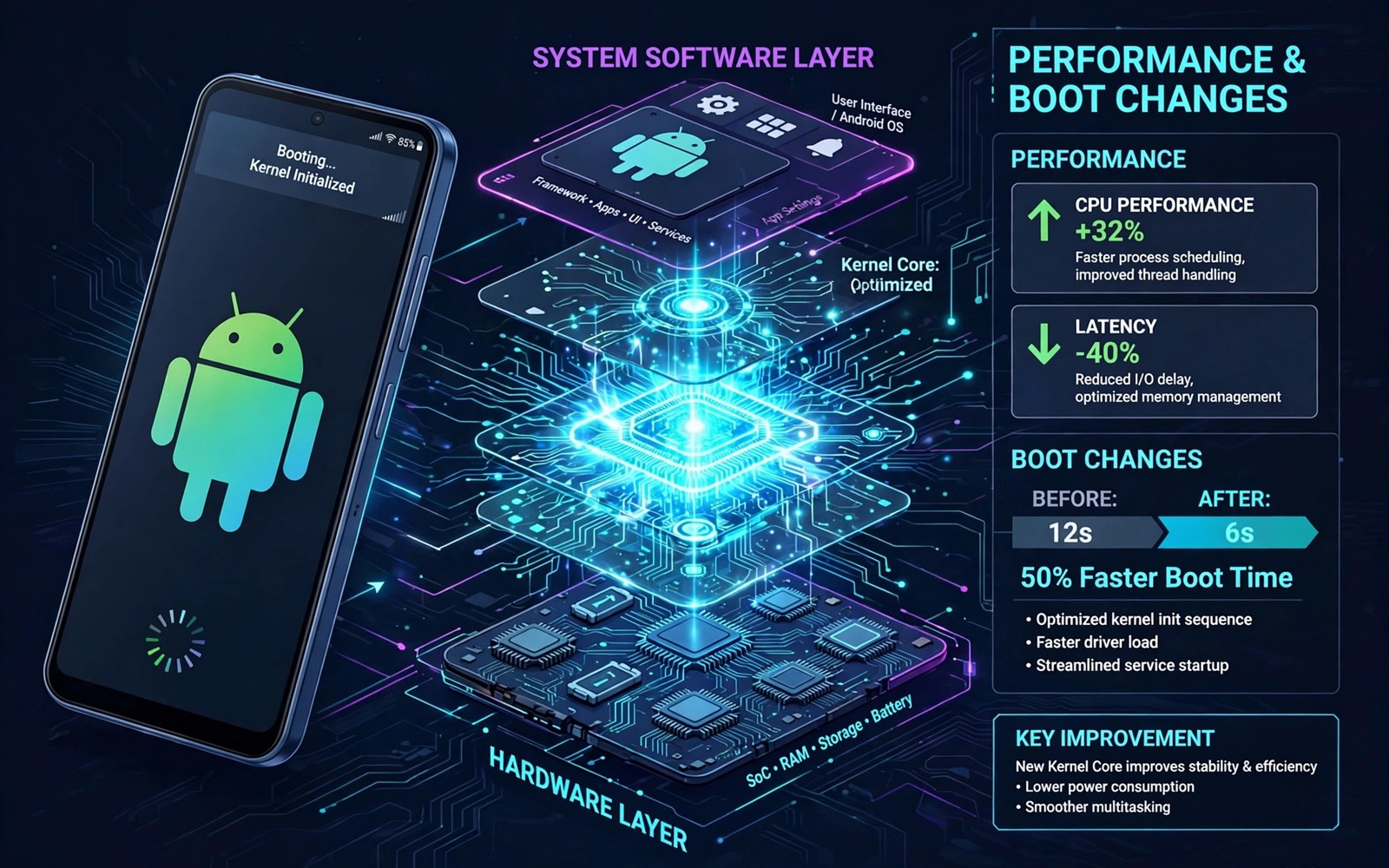
A kernel sits between hardware and Android software. It manages the processor and memory and drivers. Custom kernels change scheduling and power rules and driver behavior. Those changes can improve speed or battery life. They also affect how recovery boots and works.
Recovery behavior changes because recovery shares kernel code with boot. On many devices recovery runs with a kernel from the boot image. A custom kernel therefore changes the environment recovery itself uses. Touch and storage and display can all shift after a kernel flash. Understanding that link prevents surprise failures.
Where Kernels Live
Kernels live inside boot images alongside a ramdisk. The boot partition holds that combined image on classic layouts. Slot devices hold a boot image per slot. Newer layouts may split kernel and ramdisk across partitions. Recovery images also contain their own kernel in many builds.
When you flash a kernel zip in recovery, the installer patches the boot image. It replaces the kernel while preserving most ramdisk content. The phone then boots Android with the new kernel. Recovery itself may keep its own separate kernel. Or recovery may reuse the boot kernel depending on layout. Layout decides how much recovery changes.
- Boot images combine kernel and ramdisk for system startup
- Kernel zips patch boot images rather than replacing whole systems
- Recovery may share the boot kernel or use its own kernel
- Slot devices store a separate boot image per slot
How Kernel Changes Reach Recovery
On devices where recovery lives inside boot, kernel flashes directly affect recovery. The same boot image serves both Android boot and recovery boot. A kernel change then alters recovery drivers too. Touch drivers and storage drivers in recovery come from that kernel. A bad driver in the kernel breaks recovery touch or mounting.
On devices with a separate recovery partition, kernel flashes affect recovery less directly. Recovery keeps its own kernel in its own partition. Android boot uses the new kernel while recovery keeps the old one. That separation protects recovery from kernel experiments. It also means recovery behavior stays stable across kernel tests.
Check your layout before assuming either case. Recovery install notes for your model state the layout. A quick layout check saves confusion when recovery behaves unexpectedly. Layout knowledge is the foundation for kernel safety.
Touch and Display Effects
Touch drivers live in the kernel on most devices. A custom kernel may update touch firmware handling or driver timing. Recovery touch can improve or break with those changes. A recovery screen that ignores touches after a kernel flash points here. Reverting the kernel often restores recovery touch immediately.
Display drivers also live in the kernel stack. Panel timing and brightness handling can shift with kernel changes. Recovery display may flicker or show wrong colors after a bad kernel. Android display issues often accompany recovery display issues. Shared drivers explain why both environments show symptoms together.
Storage and USB Effects
Storage drivers and USB drivers also depend on kernel code. A kernel change can alter storage detection timing. Recovery may then fail to mount data or external storage. USB connections in recovery may also behave differently. ADB detection problems after a kernel flash often trace to driver changes.
File system support comes partly from kernel configuration. A kernel missing a file system driver cannot mount that file system. Recovery mounting then fails even when partitions are healthy. Kernel feature lists state supported file systems for each build. Compare that list with your partition types before flashing.
Bootloops and Kernel Mismatch
Kernel mismatch causes many bootloops after flashing. A kernel built for another Android version may fail to start. A kernel missing required drivers may halt boot early. A kernel with wrong device tree data may misconfigure hardware. Each failure looks like a generic bootloop from outside. Kernel version notes usually explain compatibility ranges.
Recovery rescue remains possible when kernel flashes go wrong. Boot into recovery and restore the boot partition from backup. That restore returns the previous working kernel quickly. Without a boot backup, flash a known good kernel or stock boot image. Boot backups deserve the same priority as system backups.
Bootloop repair with partition restores is covered in recovering from bootloops with individual partition backups for selective restore steps. Boot partition restore is the fastest kernel rescue.
Testing a Kernel Safely
Back up boot and system before any kernel flash. Confirm recovery boots and touch works before flashing. Flash the kernel and test Android boot and core functions. Then reboot into recovery and test touch and mounting again. That second recovery test catches shared kernel problems early.
Test one kernel change at a time without other modifications. Combined changes hide which change caused a problem. Keep the previous kernel zip and boot backup accessible. A quick revert path encourages careful testing rather than fear. Good testing habits make kernel experiments enjoyable.
adb reboot recovery
adb shell ls /sdcard/kernel-backup/
fastboot flash boot boot-backup.img
The commands above check a kernel backup location and restore a boot image. Paths and image names differ by device and setup. Confirm backup paths in recovery before flashing any kernel. A verified boot backup is the kernel tester safety net.
Kernel and ROM Compatibility
Kernels target specific ROM families and Android versions. A kernel for one ROM may fail on another ROM. Driver and framework expectations differ across ROMs. Read kernel thread compatibility notes carefully. Match kernel version to ROM version and device variant.
ROM flashing after a kernel change can also interact unexpectedly. A ROM installer may overwrite the boot image with its own kernel. That overwrite removes your custom kernel silently. Reflash the custom kernel after ROM updates when you want it back. Order matters in ROM plus kernel workflows.
ROM install order is detailed in flashing custom ROM zip files and GApps packages which pairs well with kernel planning. Plan kernel steps after ROM steps in combined sessions.
Long Term Recovery Health
Keep a known good boot backup for every kernel you test. Label backups with kernel name and version and date. Update recovery separately from kernel experiments. A stable recovery plus a boot backup makes kernel testing low risk. Without those anchors, kernel testing becomes stressful gambling.
Slot awareness also matters for kernel flashes. Confirm the active slot before manual kernel image flashes. Flashing the inactive slot changes nothing until it boots. You can review recovery partitions and seamless A and B layouts for slot rules. Slot checks prevent phantom kernel results.
Kernel Features Worth Understanding
CPU governors control how processor speed scales with load. Performance governors hold high speeds for responsiveness. Powersave governors hold low speeds for battery life. Balanced governors scale dynamically between extremes. Governor choice shapes daily feel more than raw clock limits.
Input boost settings affect touch responsiveness directly. Boost raises processor speed briefly after touch input. Strong boost feels snappier but uses more battery. Weak boost saves battery at a slight responsiveness cost. Kernel apps expose these tunables for experimentation.
Charging controls in custom kernels manage speed and heat. Some kernels allow faster charging within hardware limits. Others cap charging to protect long term battery health. Charging tweaks deserve respect for battery safety. Aggressive charging without thermal awareness risks damage.
Kernel Sources and Trust
Trustworthy kernels publish source code for inspection. Source availability lets reviewers check for hidden behavior. Closed kernels ask users to trust the builder blindly. Community reputation partially substitutes for source review. Long standing builders with open sources earn trust over time.
Kernel threads should document changes and compatibility clearly. Vague threads with only performance claims deserve skepticism. Detailed threads list governors and features and known issues. Transparency signals careful development. Choose kernels from transparent threads whenever possible.
Update frequency also signals kernel maintenance quality. Active kernels track Android security patches and ROM changes. Stale kernels lag behind framework expectations gradually. Lag eventually causes crashes or missing features. Prefer kernels with recent activity for your ROM version.
- Governors shape responsiveness and battery trade offs
- Input boost affects touch feel and power use
- Prefer kernels with published sources and clear threads
- Track kernel activity for your ROM version
Kernel Testing Checklist
A kernel testing checklist keeps experiments disciplined and safe. Back up boot and system before flashing any kernel. Record the current kernel version and ROM version. Flash one kernel change without other modifications. Test boot and core functions immediately after flashing.
Test recovery after every kernel change as well. Confirm touch and storage mounting in recovery. A kernel that breaks recovery needs reverting even when Android works. Recovery health matters as much as Android performance. Both environments deserve testing after kernel work.
Allow a full day of normal use before judging a kernel. Battery and heat patterns need real usage data. A quick benchmark rarely reveals daily behavior. Note battery drain and app crashes across that day. Daily evidence beats benchmark numbers for kernel choices.
Kernel Rollback Speed
Rollback speed matters when a kernel breaks daily use unexpectedly. Keep the previous kernel zip on readable storage at all times. Keep a boot backup from before the kernel change as well. A rollback then takes one recovery session without downloads. Fast rollback encourages careful kernel experimentation. Slow rollback discourages testing and leaves bad kernels installed longer. Preparation turns kernel problems into brief detours.
The steps above follow the approach described in the official developer documentation for this platform. That documentation explains kernel and boot image roles in general terms. It also covers driver layering that links kernels to recovery behavior. Combine it with kernel notes for your exact device build.

