

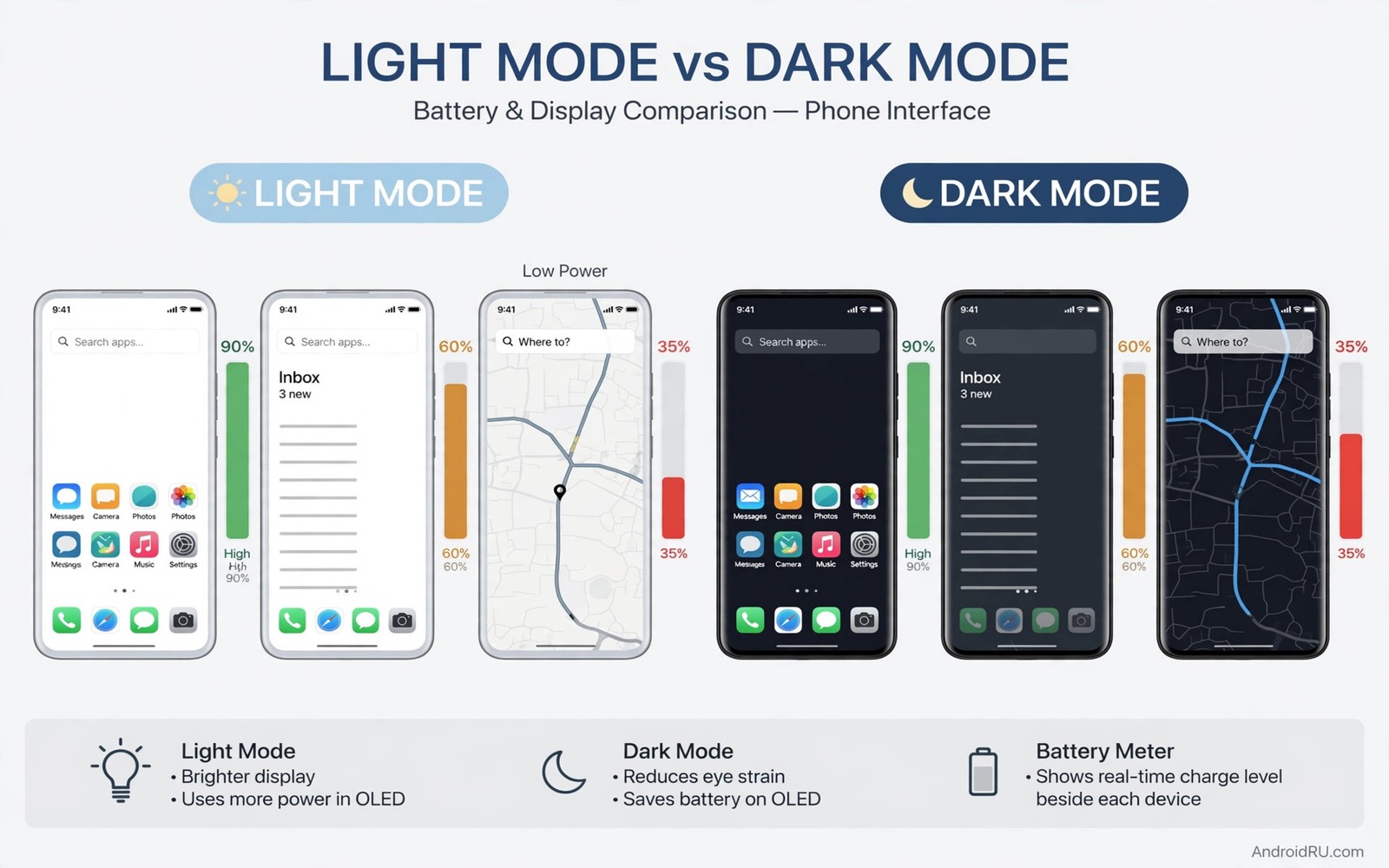
Dark mode promises free battery life. Flip a toggle and the screen goes black. Black pixels supposedly sip power. Millions of owners switched expecting hours of extra life. Some gained hours. Some gained nothing. The difference hides in screen technology and usage patterns. A blanket promise cannot cover both.
We tested ten phones across screen types and brightness levels. Five phones used OLED screens. Five phones used LCD screens. Each phone ran the same scripted day of browsing and messaging and video. Each phone ran the script once in dark mode and once in light mode. The results draw a sharp line between screen technologies.
This guide reports the test honestly including the boring middle. You will see OLED gains and LCD non-gains. You will see brightness effects. You will see app differences. You will learn when dark mode earns its toggle and when it is only a comfort choice.
How the test worked on all 10 phones
Each phone started at full charge with identical settings except theme. Screen timeout stayed at thirty seconds. Brightness stayed fixed at a medium level for browsing tests. A separate high brightness run tested outdoor conditions. The script mixed web browsing and messaging and short video clips in fixed proportions.
Battery drop was recorded every hour until the script ended. Each phone repeated the script on a second day with the opposite theme. Averaging two days reduced random variation from signal changes. Phones ranged from budget models to flagships. Ages ranged from new to three years old.
OLED results show real savings
OLED phones saved battery in dark mode across every test run. Savings ranged from modest to large depending on brightness. Medium brightness browsing saved around ten percent of screen power. High brightness video saved more because bright white pixels cost the most on OLED. Pure black pixels draw almost no power on OLED panels.
The largest OLED gain appeared in reading and messaging apps with true black themes. Apps with dark grey themes saved less because grey pixels still draw power. App theme design matters as much as the system toggle. A system toggle with light themed apps saves little. Full dark apps unlock the real gain.
LCD results show almost no savings
LCD phones showed negligible differences between themes. LCD backlights stay lit regardless of pixel colour. A black pixel on LCD still sits over a lit backlight. The liquid crystal blocks light to create black. Blocking light costs similar power to passing it. Dark mode on LCD changes appearance without changing backlight work.
Small LCD differences came from app behaviour rather than screen physics. Some apps reduce animations in dark mode. Some apps lower white point brightness slightly. These side effects saved tiny amounts inconsistently. No LCD phone gained the double digit savings seen on OLED phones.
Brightness changes the story on both screens
High brightness magnifies OLED dark mode savings. Bright white screens at maximum brightness draw heavy OLED power. Dark screens at the same brightness draw far less. Outdoor OLED users gain the most from dark mode. Indoor dim users gain less because the baseline draw is already low.
Low brightness shrinks the OLED advantage to a small margin. A dim screen draws little power in either theme. Dark mode still helps slightly at low brightness. The help is too small to notice in daily use. Brightness management beats theme choice at low light levels.
Apps decide how much dark mode can save
System dark mode forces a dark theme on supporting apps. Apps without dark support stay bright. A phone with mostly bright apps gains little from the toggle. Check your most used apps for true dark themes. Messaging and browsing and reading apps matter most because they dominate screen time.
Video apps show mixed results. Video content determines pixel colours regardless of interface theme. A bright video costs the same power in either theme. Interface darkening saves only the chrome around the video. Heavy video watchers gain less than heavy readers from dark mode.
Test dark mode on your own phone
A personal test beats any published result for your phone. Record battery drop on a light mode day first. Use the phone normally without changing habits. Record battery drop on a dark mode day second. Similar usage makes the comparison meaningful.
Keep brightness fixed across both test days when possible. Adaptive brightness changes confound theme comparisons. Fixed brightness isolates the theme variable cleanly. Two days of fixed brightness give a trustworthy personal answer.
Note your top three apps by screen time on both days. App mix differences explain result differences. A video heavy day compares poorly against a reading heavy day. App mix awareness prevents false conclusions. Honest tests note their own limits.
Repeat the test if results look surprising. A single unusual day with weak signal skews results. Two matching results confirm a real pattern. Confirmation beats a single data point. Personal testing rewards patience.
Combine dark mode with brightness control
Brightness control multiplies dark mode savings on OLED phones. A dim dark screen draws far less than a bright dark screen. Adaptive brightness handles indoor dimming automatically. Manual caps handle outdoor brightness deliberately. Combined control beats either tool alone.
Set a maximum brightness cap for indoor use when your phone offers it. Indoor caps prevent accidental full brightness indoors. Full brightness indoors wastes power for no visibility gain. Caps protect against pocket brightness accidents too.
Use dark mode plus a dark wallpaper for maximum OLED saving. System theme darkens interfaces. Dark wallpaper darkens the home screen itself. Both layers together cover the full screen experience. Layered darkness maximises pixel savings.
Review the combination monthly as apps update themes. App theme updates change dark coverage over time. A bright app update can erase theme savings silently. Monthly theme checks keep savings real. Vigilance preserves gains that updates erode.
Choose a theme for eye comfort
Eye comfort deserves consideration independent of battery savings on any screen type. Dark themes reduce glare during night reading significantly. Light themes improve readability in bright sunlight for many readers. Comfort depends on ambient light more than on battery technology. Choosing themes by lighting conditions serves eyes better than choosing by battery myths.
Schedule automatic theme switching based on time of day for best comfort. Dark themes suit evenings and nights when ambient light drops. Light themes suit bright mornings and outdoor use. Automatic switching removes daily manual toggling completely. A scheduled theme adapts to lighting without conscious effort.
Test theme comfort during extended reading sessions rather than brief glances. Brief glances hide eye strain that builds over thirty minutes. A theme that feels fine for a minute may tire eyes across a chapter. Extended testing reveals true comfort differences reliably. Reading comfort deserves the same rigour as battery testing.
Combine theme choice with font size adjustments for maximum reading comfort. Larger fonts reduce squinting regardless of theme selection. Bold text improves letter separation on both dark and light backgrounds. Theme plus typography together create genuinely comfortable reading. Single factor tuning rarely achieves full comfort alone.
Respect personal preference when theme science offers no clear winner. Some readers strongly prefer dark themes for aesthetic reasons. Others strongly prefer light themes for familiarity. Preference affects comfort through satisfaction as well as physics. A preferred theme used happily beats a theoretically optimal theme used reluctantly.
adb shell dumpsys display | grep -i brightness
adb shell settings get secure ui_night_mode
adb shell dumpsys batterystats | grep -i screen
The commands above are a generic illustration for reading brightness and theme state from a computer. They show the kind of values a tester records during a battery comparison. Everyday users should use the on-screen display settings instead.
Quick battery life fixes include brightness control that dwarfs theme effects. Battery saver warnings explain why throttling is a weaker tool than efficient settings. Overnight charging routines interact with display choices through standby drain.
Common mistakes
The biggest mistake is claiming dark mode saves battery on every phone. LCD owners following that claim gain nothing and wonder what they did wrong. Screen type decides the physics. Check your screen type before expecting savings.
Another mistake is testing dark mode for one hour and declaring victory. Signal variation swamps small theme effects in short tests. Full day comparisons with similar use give trustworthy answers. Patience separates real gains from noise.
A third mistake is ignoring brightness while praising theme. A bright dark theme can draw more power than a dim light theme. Brightness dominates theme at the extremes. Manage brightness first and theme second.
FAQ
Does dark mode save battery on my phone?
Check your screen type first. OLED phones save measurable power in dark mode especially at high brightness. LCD phones save almost nothing from the theme itself. Your screen type answers the question before any test.
Is dark mode still worth using on LCD phones?
Yes for comfort and eye strain in dark rooms. Dark interfaces reduce glare at night regardless of battery effects. Battery savings should not drive the choice on LCD. Comfort alone justifies the toggle for many owners.
Which apps benefit most from dark mode?
Reading and messaging apps with true black themes benefit most on OLED. Video apps benefit least because content colours dominate power use. Check your top three apps by screen time to estimate your personal gain.
Conclusion
Check your screen type today in the phone specifications or settings. Enable dark mode on OLED and measure a full day against a light mode day. Keep dark mode for comfort on LCD regardless of battery results.
Dark mode is a real saver on OLED and a comfort choice on LCD. That distinction ends the confusion. Use the toggle for the reason that matches your screen. Your battery and your eyes will both benefit in the right measure.

