

Push to talk button on rugged phones gives crews instant voice contact with one press. No dialling and no contact search and no waiting for a call to connect. A worker presses a physical button and speaks. The whole team hears the message at once. That speed matters on noisy sites and on trails where hands are busy. This guide explains how PTT buttons work and how to set them up well.
PTT uses data or WiFi to send short voice bursts. It works like a digital radio over a phone network. A team joins a channel and every member hears every message. The physical button makes the system usable with gloves and wet hands. Touch screen PTT apps exist but they fail when gloves block the screen. The screens for wet fingers and heavy gloves help but a physical button remains faster and more reliable in harsh conditions.
PTT also helps lone workers who need a fast link to base. A lone worker in a remote plant can press one button to report a fault. A lone hiker guide can alert base about a group delay. A lone driver can report a road block without dialling. The single press removes fumbling in stressful moments. That simplicity is a safety feature in itself. Teams should value simplicity as highly as audio quality.
How push to talk works over phone networks
A PTT app connects the phone to a server channel. When you press the button the app opens the microphone and streams your voice. Other phones on the channel play the stream instantly. Release the button and the channel frees for the next speaker. The system uses little data for short messages. It needs a stable data connection for clear audio.
Latency is usually under one second on good networks. Weak signal adds delay and voice gaps. Remote sites with poor coverage may need a different solution. Some PTT systems fall back to SMS style voice notes when live voice fails. Check the fallback behaviour of your chosen app before you rely on it for safety messages. A voice note that arrives late is still better than a lost message.
Why a physical button beats a screen button
A physical button works by feel alone. A worker can find it without looking. A worker can press it through gloves and rain. A screen button needs eyes on the display and a clean touch. On a ladder or on a moving vehicle that difference is a safety gain. Physical buttons also resist accidental presses better when they need a firm push.
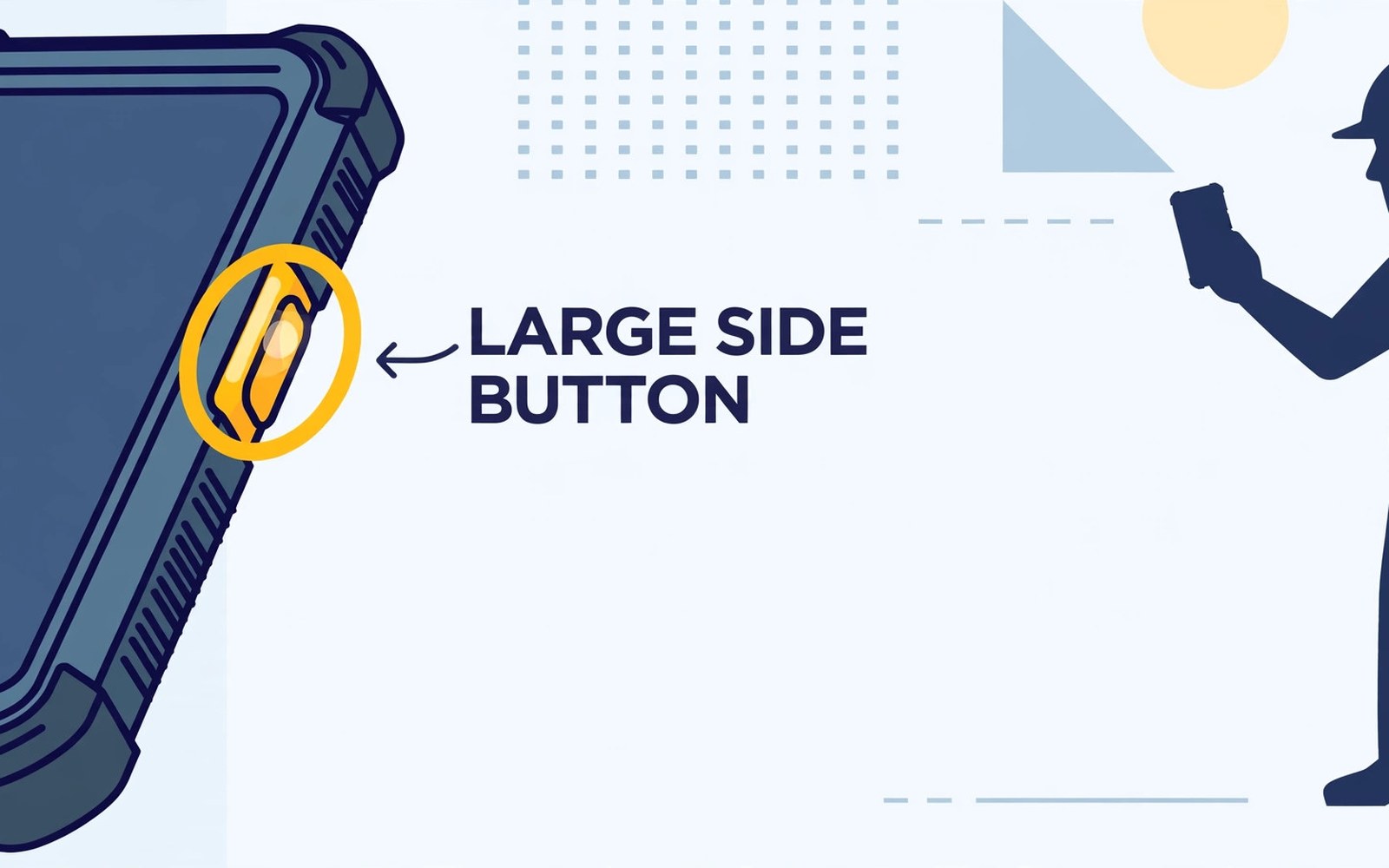
Button placement matters for daily use. A side button near the thumb works for right handed users. A larger button works better with gloves. Some phones let you remap the button to different apps. Remapping lets a team choose one PTT app for all members. Standardise the mapping across the team so any phone feels familiar in an emergency.
Setting up a team channel step by step
Choose one PTT app for the whole team first. Mixed apps cannot talk to each other. Create a channel for each crew and a separate channel for supervisors. Name channels clearly with site and shift details. Add members by phone number or by invite link. Test the channel on site before work starts.
Map the physical button to the PTT app in phone settings. Open the button settings and select the app action. Test the mapping with gloves on. Set the app to run in the background and exempt it from battery optimisation. Battery optimisation can kill the app and silence the channel. That one setting causes most PTT failures on Android phones.
adb shell settings get global battery_optimization 2>/dev/null || echo battery-setting-check-done
adb shell dumpsys deviceidle whitelist | grep -i -m 5 'ptt\|zello' || echo whitelist-check-done
adb shell cmd appops get --user 0 com.example.ptt RECORD_AUDIO 2>/dev/null || echo audio-permission-check-done
Attribution: the snippet above is an original example prepared for this article. It follows a standard public pattern for Android device checks and it does not copy code from any vendor site.
Audio quality on noisy sites
Loud speakers help teams hear messages over machinery. Noise cancelling microphones help teams understand speech in wind. Hold the phone near your mouth and speak clearly and slowly. Short messages work better than long speeches. State your name and location first on safety messages. That habit helps listeners act without asking for repeats.
Earpieces and headsets improve clarity further. A wired earpiece with a PTT button on the cable keeps hands free. Bluetooth headsets work but they add pairing steps and battery worries. For high noise sites choose a headset rated for industrial noise. Test the full setup on site rather than in a quiet office. Office tests hide noise problems that site tests reveal.
Safety rules and etiquette for team channels
Agree on channel discipline before work starts. Keep messages short and relevant. Use names and locations for safety calls. Do not chat on a safety channel during critical lifts or crane moves. Keep an emergency channel free from routine talk. A clear channel saves lives when an incident occurs.
Train new members on the button and the channel names on day one. A worker who cannot reach help quickly is at risk. Run a short radio check at shift start. That check confirms every phone and every headset works. Log failed checks and fix them before work begins. A team that checks daily rarely faces silent failures.
PTT versus radios and phone calls compared
Two way radios work without mobile networks. They suit remote areas with no coverage. They need licences in some regions and they add another device to carry. PTT over phones uses existing networks and existing devices. It adds group messaging and location sharing that radios lack. It fails when networks fail.
Phone calls suit private one to one talk. PTT suits group coordination. Use calls for sensitive or long discussions. Use PTT for short group updates and safety alerts. Many teams use both tools daily. The right mix depends on coverage and on team size. Small teams may manage with calls alone. Large crews gain the most from PTT channels.
PTT for lone workers drivers and dispatch
Lone workers benefit from a check in schedule over PTT. Base can call each worker at set times. A missed check in triggers a welfare follow up. That routine catches problems early. A worker who cannot answer may need help. Scheduled checks turn PTT into a safety monitoring tool rather than a chat tool.
Drivers use PTT to report traffic and delivery changes without taking eyes off the road. A button press and a short message beats typing or dialling. Dispatch hears all drivers at once and can reroute quickly. Short voice bursts keep driver attention on driving. Long conversations should wait for a safe stop.
Dispatch centres manage many channels at once. Clear channel names help dispatchers switch fast. Colour coded channel groups help during busy periods. Dispatchers should confirm receipt of safety messages verbally. A confirmed message closes the loop. An unconfirmed safety message should be repeated until acknowledged.
PTT recordings can serve as incident records after an accident. Many business systems log voice messages with timestamps. Those logs help investigators reconstruct events. Teams should know whether their system records messages. Recording policies should respect privacy law and worker agreements. Transparency about recording builds trust.
Battery planning matters for PTT heavy shifts. Constant listening drains power faster than occasional use. A phone with a large battery suits PTT heavy work. A vehicle charger keeps driver phones topped up. A spare battery or power bank covers long shifts without vehicle power.
Choosing a PTT app for your team size
Small teams of under ten people can use simple consumer PTT apps effectively. Setup takes minutes and costs stay low. Channel management stays simple with one or two channels. Larger teams need business apps with admin controls and user groups. Admin controls let managers add and remove members fast. User groups let dispatch reach one crew without disturbing others. Team size should drive app choice from the start. Migrating a large team between apps later wastes training time.
App audio codecs also affect clarity on weak networks. Modern codecs compress voice efficiently and recover from packet loss better. Older codecs sound robotic when signal weakens. Test candidate apps at your actual work site rather than in an office. Office WiFi hides codec weaknesses that site networks reveal. A site test with ten simultaneous users shows real performance. An app that handles ten users cleanly will handle daily crew talk without trouble.
Common mistakes
The biggest mistake is skipping battery optimisation exemption for the PTT app. Android may stop the app in the background and the team goes silent. Another mistake is letting each worker choose a different PTT app. Mixed apps cannot share a channel and the team splits.
A third mistake is using one channel for everything. Routine chat buries safety messages. Create separate channels for safety and for general talk. A fourth mistake is never testing with gloves and headsets on site. Office tests miss the exact failures that matter in the field.
A fourth mistake is using PTT for long private conversations on a group channel. Long chats block safety messages and annoy the team. Move long talks to a phone call. Keep group channels short and work focused.
Frequently asked questions
Does PTT work without mobile signal?
No for phone based PTT. It needs data or WiFi to reach the server. Radios work without networks and they suit true dead zones. Check coverage maps for your work area before you choose.
Can I remap the PTT button to another app?
Most rugged phones allow remapping in settings. Some makers lock the button to their own app. Check remapping support before you buy when your team already uses a specific PTT app.
Is PTT secure for sensitive work talk?
It depends on the app and its encryption. Business PTT apps often add encryption and admin controls. Free consumer apps may lack those protections. Use a business app when messages carry site or client details.
Conclusion
Push to talk button on rugged phones turns a phone into a fast crew radio. One physical press beats menus and dialling in gloves and rain. Good setup and channel discipline turn that button into a reliable safety tool. The infrared night vision for dark sites adds useful context for this choice. The loud speakers for noisy work areas adds useful context for this choice.
Your concrete next step is to pick one PTT app for your team this week. Map the button on every phone and exempt the app from battery optimisation. Then run a gloved radio check on site before the next shift starts.
Write a one page PTT guide for your team this week. List channel names and button steps and check in times. Hand it to every new member on day one. A written guide prevents the confusion that causes silent teams.

