

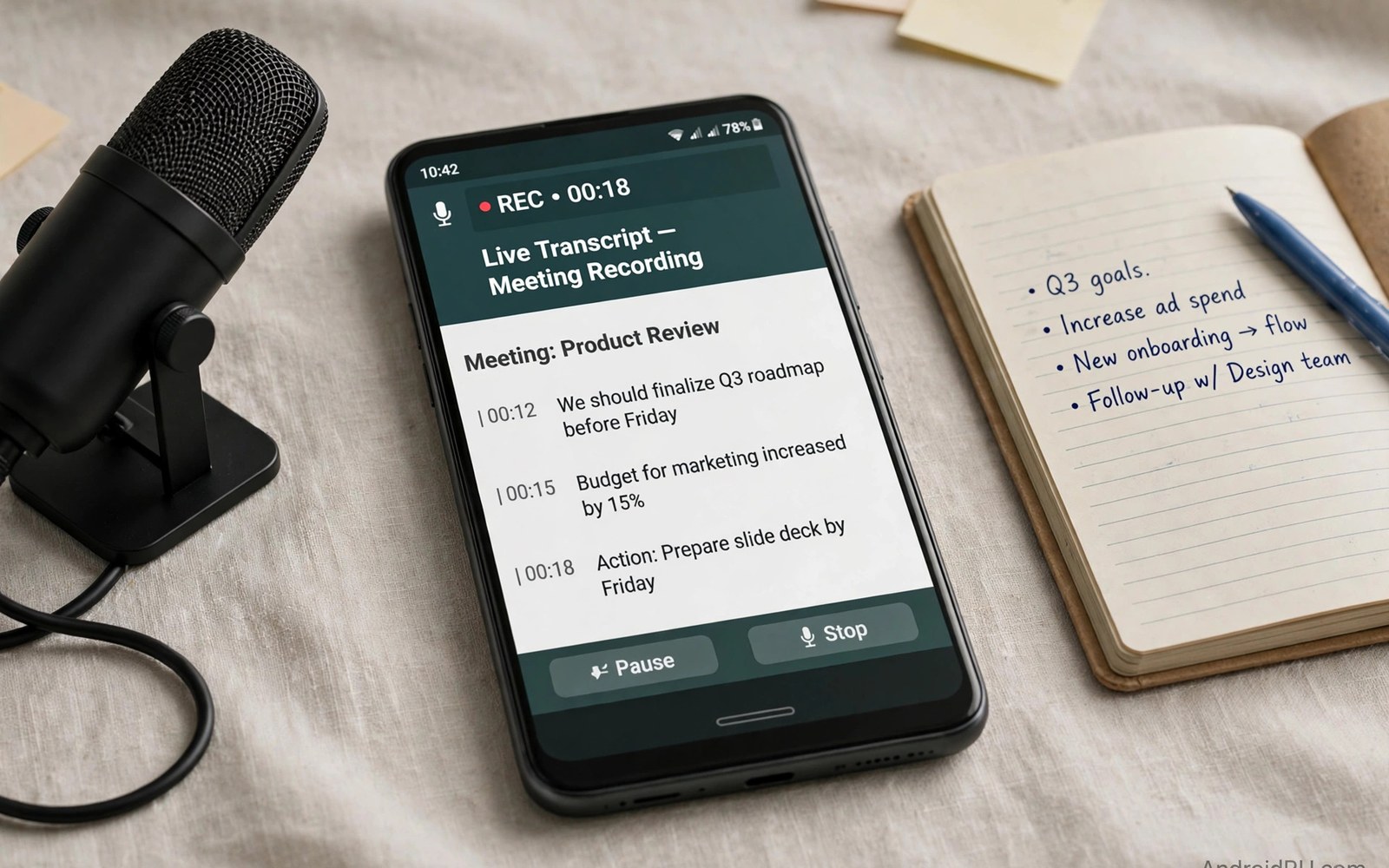
Best voice recorder and audio transcription apps for professionals must capture clear speech and turn it into searchable text. A good recorder works in a noisy room and a good transcription tool keeps speaker turns and timestamps. This article shows how to record and transcribe meetings and interviews without losing key details.
Many recordings fail because the phone sits too far from speakers or the room echoes badly. A recorder app cannot rescue audio that was never clear at capture. Placement and settings matter more than app branding for transcription quality.
Start by naming the recording job for each session. Meetings and interviews and lectures each need different settings for quality and file size. A clear job list helps you choose a recorder mode before the session starts. A closer look at clipboard manager apps can help you compare daily tools before you commit to one setup.
What matters most
Microphone quality on a phone varies by model and by recording mode. A mode that records in high quality WAV will transcribe better than a compressed mode. Compressed audio saves storage but it can blur consonants that transcription needs.
Background noise reduction helps in offices and cafes but it can also cut soft speech. A noise filter set too strong will clip quiet speakers at the edge of a room. Test noise settings with a real meeting before relying on them for an important interview.
Timestamps and speaker labels turn a transcript from a wall of text into a usable record. A transcript without timestamps is hard to check against audio. A transcript with speaker labels lets you find who said what in seconds.
How to choose the right setup
Journalists need fast transcription and easy export to text for quotes. Lawyers and doctors need accuracy and secure storage for sensitive recordings. Students need lecture capture with bookmarks for revision later.
Offline transcription suits sensitive recordings that should not leave the device. Cloud transcription often gives higher accuracy and faster results for long files. Choose offline for sensitive work and cloud for long files that need speed.
File format matters because a transcript must open in editors and document tools. Plain text and Word export cover most professional needs. A transcript trapped inside one app will slow editing and sharing.
A practical daily routine
Place the phone near the main speakers and test levels for thirty seconds before the session. A level test reveals echo and distance problems while they can still be fixed. A test at the start saves a whole session from poor audio. A related look at split-screen multitasking can show how a second tool fits the same workday without adding clutter.
Start recording before the session begins and let the app run without touching the phone. Touching the phone during a session creates handling noise that transcription struggles with. A stable phone on a table gives the cleanest audio.
After the session check the recording length and play the first minute at once. A quick check catches a failed recording while speakers are still available. Transcribe the same day while context is fresh in your mind.
Costs and privacy and limits
Free recorders often limit transcription minutes per month. A free plan may suit occasional notes and short interviews. Professionals with weekly meetings usually need a paid transcription plan.
Recordings can hold sensitive personal and work information that deserves care. Cloud transcription sends audio to a server for processing and storage rules vary. Check retention and deletion options before uploading sensitive sessions.
Storage grows fast with high quality WAV files for long meetings. A one hour WAV file can use hundreds of megabytes. Archive finished recordings to cloud backup and keep only active transcripts on the phone.
A useful example
A clean audio file transcribes far better than a raw phone recording. The commands below convert a meeting recording to a standard sample rate and normalise loudness. Use the same preparation before sending audio to a transcription tool.
ffmpeg -i meeting.wav -ar 16000 -ac 1 meeting-16k.wav
ffmpeg -i meeting-16k.wav -af loudnorm=I=-16:TP=-1.5:LRA=11 meeting-clean.wav
ls -lh meeting*.wav
This audio preparation pattern follows the approach described in the official FFmpeg documentation for sample rates and loudness normalisation. The same documentation explains how consistent audio settings improve later processing.
What to check after a week
After a week check transcription accuracy on your own voice and on other speakers. Accuracy varies by accent and by room noise and by speaking speed. A tool that works for one voice may fail for a group discussion.
After a week check speaker labels in a meeting with three or more people. Speaker separation is harder than single voice transcription. A tool that merges speakers will confuse quotes and action items. A practical look at calendar and scheduling apps can help you judge whether your current setup still earns its place on your phone.
After a week check export by opening a transcript in a document editor. Formatting and timestamps should survive export without manual repair. A clean export saves editing time after every session.
Deeper checks for careful users
Bookmarks during recording help you jump to key moments later. A bookmark pressed at a decision point saves a long search through audio. Teach yourself to bookmark decisions and action items during every session.
Noise profiles differ by room so a setting that works in an office may fail in a cafe. Test the recorder in each regular location before important work. A location preset for office and cafe can speed setup each time.
Consent rules matter for recording meetings and interviews in many places. Tell participants that recording is happening and why it is needed. Consent protects trust and it protects the recording from legal trouble later.
Making the choice stick
A recording habit sticks when the recorder shortcut sits on the first home screen. Place the shortcut beside the phone app so it opens in one tap. A recorder hidden in a folder will lose to a quick note during meetings. A visible shortcut turns recording into a reflex before a session starts. Test the shortcut for a week and move it if you keep missing the start.
A transcript workflow needs a clear path from audio to edited text to action items. Transcribe the same day and extract action items at once. A transcript left for a week loses context and action items fade. A same day workflow keeps decisions fresh and owners clear. Review action items at the end of each transcript session.
A recording archive needs a naming rule that you can follow without thinking. Use a date and a topic and a speaker count in every file name. A vague file name will confuse retrieval within months. A clear name helps you find a session in seconds during a later dispute. Rename files at the end of each session rather than later.
A microphone accessory can transform phone recording in noisy rooms. A small lapel microphone near the main speaker beats a phone microphone across a table. A lapel microphone costs little and it improves transcription accuracy greatly. Test an accessory in your worst room before buying a full set. Keep the accessory in the same bag as the phone charger.
A consent routine protects trust and legality for every recording session. Tell participants at the start that recording is happening and why it is needed. A consent note at the start of a transcript proves the routine happened. A recording without consent can create legal and trust problems later. Make consent a fixed first sentence for every session.
A recorder earns a permanent place when it passes your worst room and your quietest speaker. Test it in a cafe and in a large meeting room with soft voices. A recorder that passes only quiet offices will fail on real work. A real room test reveals noise and distance limits early. Keep the recorder that passes real rooms rather than the recorder with the best demo.
A week of practice
Day one of practice should record a short test session and check levels and clarity. Play the first minute and note echo or distance problems. A clear test proves placement and settings work. A poor test shows a placement fix needed before a real session. Fix placement now rather than after an important recording.
Day three of practice should transcribe a real meeting the same day it happened. Check accuracy and speaker labels and timestamps carefully. A transcript that matches memory proves the tool works for your voice and room. A transcript with merged speakers shows a group discussion limit. Note accuracy by speaker to judge the tool fairly.
Day five of practice should export a transcript to a document editor and check formatting. A clean export proves the transcript can serve quotes and action items. An export that loses timestamps needs a different export format. Test both plain text and document export before choosing one.
Day seven of practice should review the week and count recordings that produced usable transcripts. A high usable rate proves the recorder and workflow work. A low usable rate shows a capture problem rather than a transcription problem. Fix capture first because no tool can rescue poor audio.
Common mistakes
Most recording failures come from capture habits rather than from app limits. The list below names the mistakes that ruin transcripts most often.
- Placing the phone far from speakers in an echoing room.
- Skipping a thirty second level test before a session.
- Using heavy compression that blurs speech for transcription.
- Trusting cloud transcription for sensitive audio without checking retention.
- Ignoring speaker labels until a group transcript becomes confusing.
- Leaving transcripts inside one app with no document export.
Each mistake above is easy to avoid with placement and a level test and a same day check. A clean recording will transcribe well in almost any good tool. Keep the recorder that passes your own rooms and voices rather than a demo voice.
Frequently asked questions
Can Android recorders transcribe meetings accurately?
Android recorders transcribe well when audio is clear and speakers are near the phone. Accuracy drops in noisy rooms and group discussions. Test transcription with your own meetings before relying on it for quotes.
Is offline transcription better than cloud transcription?
Offline transcription suits sensitive recordings because audio stays on the device. Cloud transcription often gives higher accuracy for long files. Choose by sensitivity first and by accuracy second.
How should I store professional recordings?
Store recordings with a clear name and date and session topic in a backed up folder. Archive finished recordings off the phone to save storage. Delete sensitive recordings when retention rules require it.
Conclusion and next step
A voice recorder works for professionals when capture is clear and transcription keeps timestamps and speakers. Placement and a level test matter more than app features alone. A clean recording will serve quotes and action items for months.
Your concrete next step is to record a real meeting this week with a level test and transcribe it the same day. Check accuracy and speaker labels and export before you commit to a plan. A proven recorder will earn a place in every meeting.

