

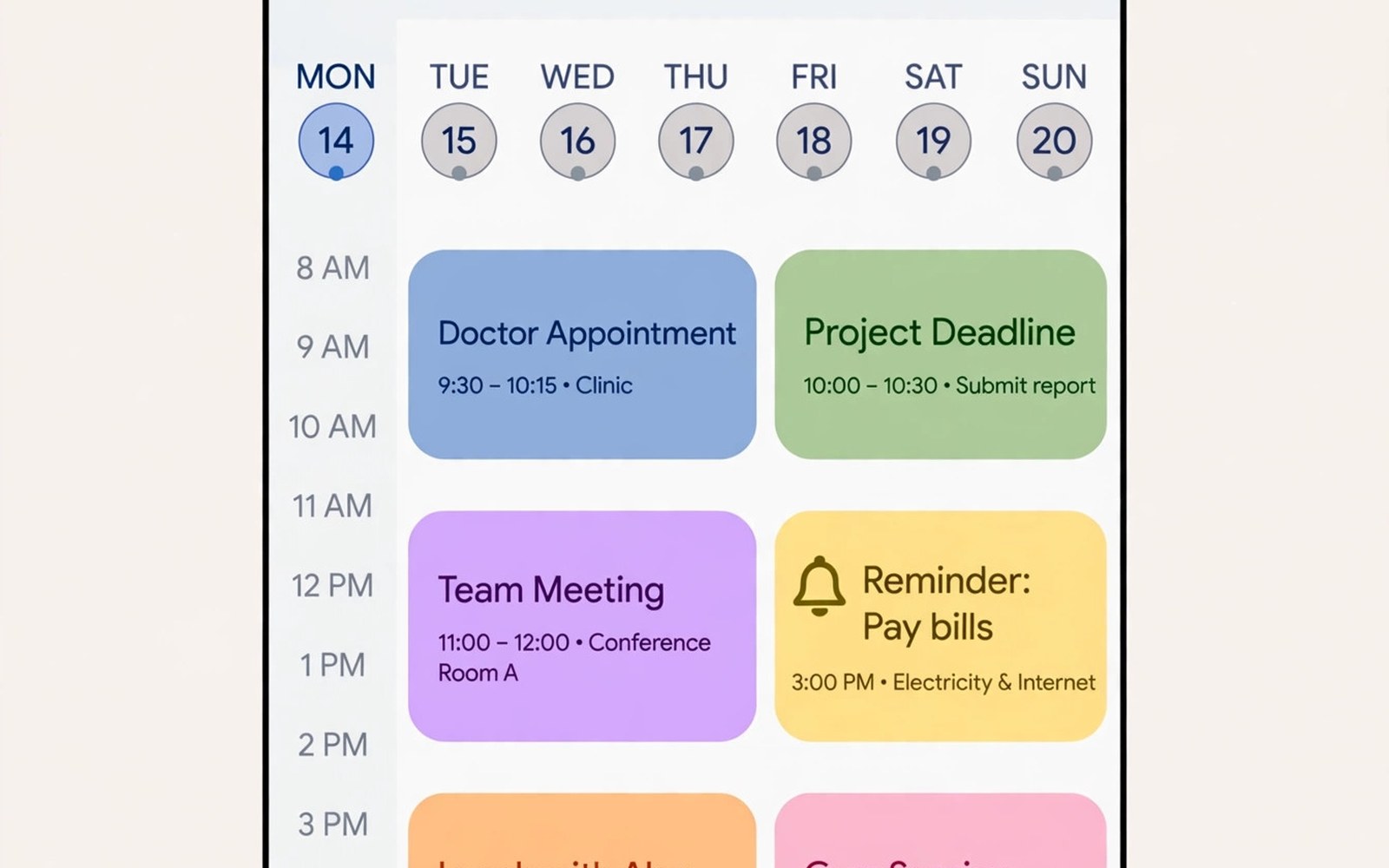
Best calendar and scheduling apps for Android must prevent clashes and remind you before events matter. A good calendar shows a day at a glance and it warns about overlaps before you accept a second meeting. This article compares calendar features that keep appointments calm on Android.
Many calendars fail because events enter without a location or a reminder or a guest list. A bare event title tells you little on the day itself. A complete event with time and place and people and preparation notes will guide you without extra searching.
Start by listing every calendar you actually use each week. Work and personal and family calendars each need a colour and a role. A calendar that mixes all events in one colour will hide work events among personal events. A closer look at mobile spreadsheet apps can help you compare daily tools before you commit to one setup.
What matters most
A day view must show events in order with travel time between them. A day with back to back meetings in different places needs a travel gap warning. A calendar that ignores travel will create impossible days that look fine on screen.
Reminders need two stages for important appointments. A day before reminder allows preparation and an hour before reminder allows travel. A single reminder minutes before an event often arrives too late to help.
Shared calendars help families and teams coordinate without constant messages. A shared calendar with clear colours shows who is busy at a glance. A shared calendar without permission rules will expose personal events to the wrong people.
How to choose the right setup
Work users need meeting invites and room booking and busy free sharing. Personal users need birthdays and holidays and simple recurring events. A calendar that serves both needs profiles or separate calendars with colours.
Scheduling links help when clients book time without back and forth messages. A booking link that shows free slots can replace many emails. Check time zone handling before sharing a booking link across regions.
Widgets matter because the day agenda should live on the home screen. A widget that shows today events and next event countdown keeps the day visible. Test widget refresh because a stale widget can hide a new event.
A practical daily routine
Start the day by reviewing today events and preparation notes in one glance. A morning review reveals clashes and travel gaps before they become problems. A review that takes five minutes will save hours of rescheduling later. A related look at note-taking apps can show how a second tool fits the same workday without adding clutter.
Add events at once when they are agreed rather than later from memory. An event added late often carries a wrong time or a missing guest. Immediate entry keeps the calendar trustworthy for everyone who shares it.
End the week by reviewing next week events and preparation tasks. A weekly review turns surprises into planned work. A week without review will fill with events that clash or lack preparation.
Costs and privacy and limits
Many calendar apps are free with basic events and reminders. Advanced scheduling links and team features may need a paid tier. Pay only when scheduling features save real coordination time each week.
Calendar data can reveal work patterns and personal routines that deserve care. Shared calendars should hide private details behind busy labels where possible. Review sharing permissions monthly and remove access for people who no longer need it.
Switching calendars costs time because recurring events and colours must move. A switch during a busy month will lose event details. Export or note key recurring events before switching calendar apps.
A useful example
A quick calendar check shows installed calendar apps and system time settings. The commands below list calendar packages and confirm automatic time. Use the same check when event times shift after travel or an update.
adb shell dumpsys calendar
adb shell pm list packages | grep -i calendar
adb shell settings get global auto_time
This calendar check pattern follows the approach described in the official Android developer documentation for system time and package settings. The same documentation explains how automatic time settings keep calendar events accurate.
What to check after a week
After a week check whether any event clashed or lacked a reminder. A clash shows a missing travel gap or a double booking rule. Fix the rule rather than blaming the calendar app itself.
After a week check shared calendars for correct colours and permissions. A personal event visible on a work calendar needs a permission fix at once. Colours should make work and personal events instantly distinct. A practical look at Notion workflow on Android can help you judge whether your current setup still earns its place on your phone.
After a week check widget accuracy against the calendar app itself. A widget that lags behind new events needs a refresh setting fix. A trusted widget should match the app within minutes.
Deeper checks for careful users
Time zones need care when events span regions or travel changes local time. A calendar that stores events in a fixed time zone can shift times after travel. Check time zone settings for travel events before departure.
Recurring events need an end date or a review date to avoid endless repeats. A recurring event without an end will clutter future months. Review recurring events quarterly and delete or update stale ones.
Goals and habits can live on a calendar as time blocks for focus work. A time block for writing or exercise protects that time from meetings. Treat a time block like an appointment with yourself and guard it.
Making the choice stick
A calendar habit sticks when the agenda widget sits on the first home screen. Place the widget where you see it before messages each morning. A widget hidden on a later screen will lose to social apps daily. A visible agenda turns planning into the first action of the day. Test widget placement for a week and move it if you keep skipping the morning review.
A time block for focus work needs protection like any appointment. Block two hours for deep work and treat interruptions as rescheduling requests. A time block that anyone can overwrite will vanish within days. A protected block will produce more deep work than a free afternoon. Review time blocks weekly and defend the ones that produced results.
A shared family calendar needs a colour rule that children and adults both understand. Use one colour per person and keep the rule posted where everyone can see it. A colour rule that only one person knows will confuse the family. A shared rule makes the calendar a team tool rather than a personal puzzle. Review colours when a new family member joins the calendar.
A meeting invite needs a preparation note or it will waste the first ten minutes. Add an agenda and a link to key documents in every invite. A meeting without an agenda often drifts into updates that could have been email. An agenda focuses discussion and it shortens meetings measurably. Decline meetings without an agenda when your schedule allows it.
A calendar backup matters because an account loss can hide years of events. Export important calendars yearly to a local file. A local archive protects against account closure and sync errors. A backup never tested may fail when you need it most. Test the archive by opening a sample event on a computer.
A calendar earns a permanent place when it prevents a clash for three weeks in a row. Track clashes and missed events simply each week. A calendar that prevents clashes will feel trustworthy within a month. A calendar that still allows clashes needs better travel gaps or reminder rules. Fix the rule rather than blaming the app itself.
A week of practice
Day one of practice should colour work and personal calendars differently and add two stage reminders. Review today events each morning and note clashes. A colour system that separates life areas at a glance proves its value fast. A single colour system will hide work among personal events. Fix colours on day one before events pile up.
Day three of practice should test a shared calendar with a colleague or family member. Check colours and permissions from the other person’s view. A shared calendar that looks right to both sides proves permissions work. A personal event visible to work contacts shows a permission fix needed at once. Fix permissions before sharing more calendars.
Day five of practice should test a booking link with a friend in another time zone. Confirm that the booked time matches both time zones. A booking link that handles time zones correctly will save many emails. A link that shifts times needs a time zone setting fix. Test time zones before sharing the link with clients.
Day seven of practice should review the week for clashes and missed events. A week with no clashes proves the calendar and routine work. A week with a clash shows a travel gap or reminder problem to fix. Decide on evidence and keep the calendar that prevented clashes.
Common mistakes
Most calendar failures come from incomplete events rather than from app limits. The list below names the mistakes that cause missed appointments most often.
- Adding events without location or reminder or guest list.
- Accepting back to back meetings with no travel gap.
- Sharing a full calendar instead of busy only details.
- Using one colour for work and personal events together.
- Delaying event entry until time or guests are forgotten.
- Keeping recurring events with no end date or review.
Each mistake above is easy to avoid with complete events and a morning review. A calendar that you trust will reduce double bookings and missed meetings. Keep colours distinct and review next week every Sunday.
Frequently asked questions
What is the best calendar app for Android?
The best calendar app depends on whether you need work scheduling or personal events or family sharing. A clean day view and reliable reminders matter most. Test two apps with your real events for a week.
Can Android calendars handle multiple time zones?
Android calendars handle time zones well when event time zone settings are set correctly. Travel events need a check before departure. Confirm event times after a time zone change.
Should I share my calendar with my team?
Sharing busy free details helps teams coordinate without exposing personal event details. Share full details only with trusted people. Review sharing permissions monthly.
Conclusion and next step
A calendar works when events are complete and reminders come in two stages and colours separate life areas. A morning review and a weekly review will prevent most clashes. A trusted calendar will make days feel planned rather than reactive.
Your concrete next step is to colour work and personal calendars differently today and add two stage reminders to key events. Review tomorrow and next week each morning for seven days. A calm calendar habit will beat any new app alone.

