

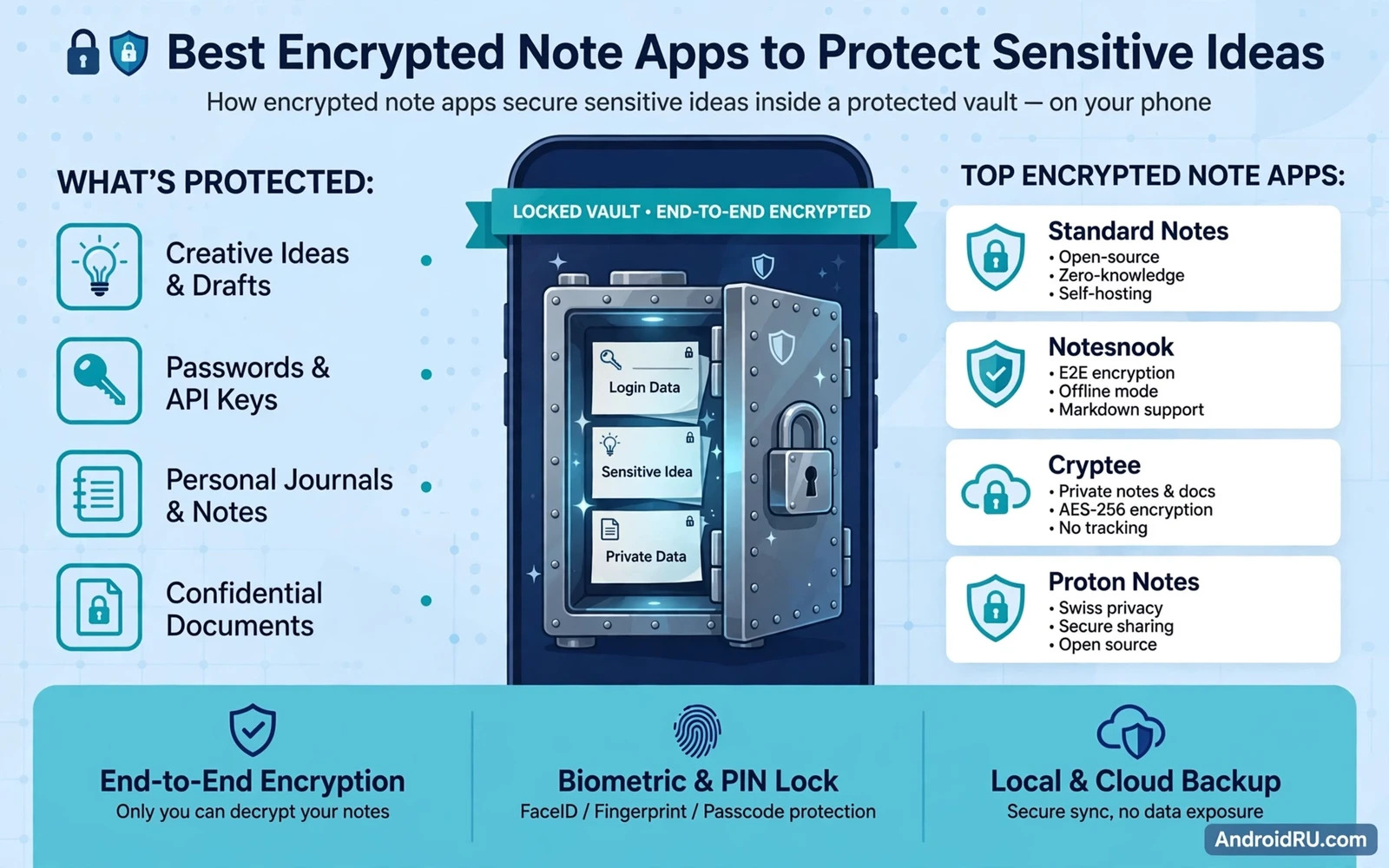
Sensitive ideas deserve stronger protection than a normal note app provides because a normal note often stores text in plain form where any app with storage access might read it. An encrypted note app scrambles each note with a key that only the owner controls and it keeps that scrambled form both on the device and during sync. A thief who copies the storage files gains only unreadable data without the key. A curious borrower who opens the app faces a lock screen rather than an open list of private thoughts. That combination of encryption and locking turns a note app from a simple notebook into a private vault.
End to end encryption matters most for sync because a note that travels to a server in plain form can be read far beyond the phone. A strong note app encrypts notes on the device before upload and decrypts them only on a trusted device that holds the key. The server then stores only scrambled data and cannot read the content even if its own systems are breached. Check the app description for clear encryption language and avoid any app that promises privacy while keeping a master key on its servers. A privacy promise without client side encryption is only a policy promise and policies can change.
Local Notes Versus Synced Notes
Local only notes offer the strongest simplicity for ideas that never need to leave one phone. A local vault avoids server risk entirely and it works without any account or network connection. The trade off is clear because a lost phone can mean lost notes unless you maintain your own encrypted backup. Local apps suit journals and passwords hints and project drafts that live on a single device. Sync apps suit work across phone and tablet and computer where access matters more than absolute isolation. Choose the model that matches how you actually use notes rather than chasing the strongest label.
A lock screen for the note app should engage quickly and should resist casual bypass through recent apps or split screen previews. Look for biometric unlock and a strong PIN fallback and an option to hide note previews in the recent apps view. A short auto lock timer closes the vault soon after you switch away. A screenshot block option can add protection during sensitive viewing although it may limit legitimate sharing. Test each protection after setup by opening recent apps and confirming that note content stays hidden behind the lock.
Search inside an encrypted vault needs care because an index that stores plain text snippets can leak content through search results. A well built encrypted app searches inside the decrypted vault only while unlocked and it avoids storing plain snippets in system search. Check whether the app appears in system search results and disable that integration when it exposes titles or previews. Use folders and tags inside the vault for organisation rather than relying on system search. Good organisation inside the vault keeps sensitive notes findable without exposing them outside the vault.
Attachments Passwords And Sync Safety
Attachments change the security picture because a note app may encrypt text while leaving an attached photo or file in plain storage. Check whether attachments receive the same encryption as note text before you attach sensitive images or documents. Prefer an app that encrypts the whole note bundle including attachments and that stores those attachments inside the vault directory. Avoid attaching original files from a public folder when the app only links to them rather than copying them into the vault. A linked attachment can survive deletion of the note itself and can leak through a gallery or file manager.
Password and key management decides whether encryption actually protects you in practice. A note app that uses your account password as the encryption key gains strength only when that password is long and unique. A separate vault password adds separation from the account login and it limits damage when an account password leaks elsewhere. Store the vault password in a password manager rather than in a note inside the same vault. Write down a recovery method before you store anything critical and test that recovery method with a non critical note first.
Sync across devices should use a second factor for the account that holds the encrypted vault. An attacker who guesses an account password should still face a second barrier before downloading the scrambled vault. Use an authenticator app or a security key where offered and review active devices regularly. Remove old devices from the account when you replace a phone or tablet. Sync security and note encryption work as layers because sync protects access to the vault while encryption protects content inside the vault.
Collaboration features create a deliberate exception to private encryption because sharing a note usually means sharing a key or a decrypted copy. Avoid collaboration for truly sensitive ideas and keep shared notes in a separate workspace from private notes. When sharing is necessary prefer an app that shares through an encrypted link with an expiry and a clear revoke option. Revoke shared access as soon as collaboration ends and check that the shared copy cannot be reopened after revocation. A shared note should be treated as published to that person even after access ends because they may have copied its content.
Free Paid And Open Source Choices
Export and backup options determine whether your ideas survive a phone change or an app shutdown. Look for an encrypted export format that you can open on another device with the same key. Avoid plain text export for sensitive notes unless you immediately encrypt the exported file yourself. Test an export and import cycle with a test note before you trust the whole vault to that route. A backup that you have never tested is only a hope rather than a safety net.
Free and paid note apps differ less in encryption strength than in sync limits and storage limits and support quality. A free tier may limit device count or attachment size while still offering the same core encryption. A paid tier may add version history and larger sync storage and priority support. Judge a paid upgrade by features that you will actually use rather than by a promise of stronger encryption alone. A free app with clear encryption and regular updates can protect ideas better than a paid app that updates rarely.
Open source note apps offer transparency because independent reviewers can inspect the encryption code and the sync code. That transparency does not guarantee safety but it does make hidden backdoors harder to sustain. Closed source apps can still be strong when they publish clear security details and undergo independent audits. Prefer any app that explains its encryption method in plain terms and that states where keys live and who can read notes. Vague privacy language without technical detail should count as a warning sign.
Daily Habits That Keep Notes Private
Organisation inside a vault helps security because a messy vault invites accidental sharing or accidental deletion. Use a small set of folders for personal ideas and work ideas and financial notes and health notes. Tag notes with a consistent system so that you can find a note without browsing every sensitive entry in front of others. Archive finished ideas rather than deleting them immediately so that a mistaken delete stays recoverable. A tidy vault is easier to audit and easier to back up.
Daily habits shape note security more than any single feature choice. Lock the note app before you hand the phone to anyone and avoid opening sensitive notes on a shared screen. Review note permissions regularly and remove any integration that syncs note titles to a calendar or a widget. Keep the note app updated because updates often fix encryption or lock screen flaws. A strong app with careless daily use still leaks through previews and shares and unlocked screens.
Private Space can complement an encrypted note app for the most sensitive writing on a shared device. A separate space holds its own note app apart from the main profile so that private notes never appear in main searches or main widgets. That separation mirrors how Android Private Space keeps sensitive documents apart on the device because it moves protection from one app to a whole area of the phone. Use Private Space for journals and legal drafts and use the encrypted note app for everyday private ideas inside the main profile.
Layers Around The Note Vault
App locking adds a second barrier for note apps that must stay quick to open during the day. A biometric lock on the note app itself blocks a borrower even when the phone is already unlocked for another purpose. That layer matches how locking apps behind biometrics or PIN codes works for everyday apps because it treats the note app as a sensitive app rather than as an ordinary tool. Combine app locking with vault encryption so that a lock bypass alone still leaves scrambled data behind it.
Cloud backup for encrypted notes needs the same scrutiny as sync because a backup copy can become the weakest copy of the vault. An encrypted cloud backup protects notes after a lost phone but it also creates a second location that needs a strong password. You can weigh that trade off by reading how encrypted cloud backup services protect Android device copies so that note backup and device backup do not weaken each other. Keep the cloud backup password separate from the vault password and store both in a password manager.
Choosing the best encrypted note app ultimately means matching encryption and locking and sync and backup to your own threat model. A journalist needs different protection from a student who guards study ideas and a business owner needs different protection again. List your must have features before you compare apps and reject any app that fails encryption or locking even when it offers beautiful design. Test the top choice for a week with non critical notes and check lock behaviour and sync behaviour and export behaviour. A week of real use reveals more than any feature list ever will.
Version history inside an encrypted note app can rescue a note that was edited badly or deleted by mistake. Check whether version history stores old versions with the same encryption as current notes. A version history that stores plain copies would weaken the whole vault. Prefer an app that encrypts every version and that lets you restore a single version without exposing the whole vault. Version history is a safety net only when it shares the vault protection.
Note widgets on the home screen need a privacy check because a widget can display a note title or a snippet to anyone who sees the phone. Disable note widgets for sensitive folders and keep widgets only for shopping lists or other low risk notes. Test a widget after setup by locking the phone and viewing the home screen from outside the vault. A widget that shows nothing sensitive still serves its purpose for low risk notes. Widget discipline keeps private writing off the home screen.

