

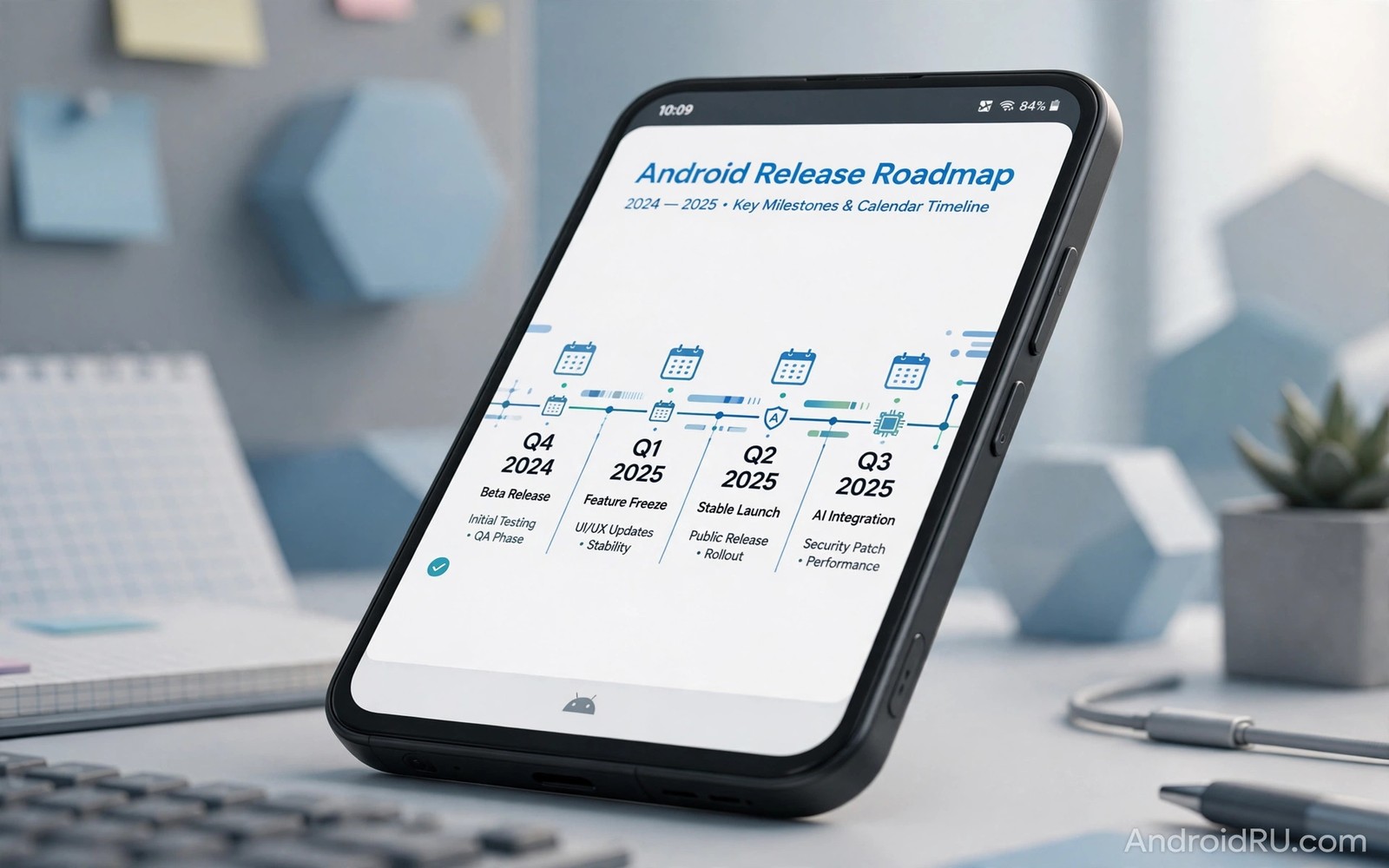
The Android 15 release date matters because it sets the pace for new features and security fixes on millions of phones. Google follows a public rhythm each year and that rhythm moves from early developer previews to beta builds and then to a stable release. Owners who understand this rhythm can plan better and avoid the confusion that comes from leaked dates and rumours.
Early builds are meant for developers and testers rather than everyday use. They may contain bugs and missing features and they can change before the final version appears. If you want to know which phones will receive the update you should wait for the official device list rather than trusting a random post online. This guide walks through the whole roadmap in order and explains what each stage means for a normal phone owner.
How the Android release cycle works
Google usually starts with developer previews in the first months of the year. These builds give app makers time to test new tools and new system behaviour. The interface may look unfinished at this stage and some apps may crash or behave in odd ways. That is normal for a preview and it is not a sign that the final release will be broken.
Beta builds follow the previews and they are more stable and closer to the final product. Public beta testers can install them on supported Pixel phones and on selected partner devices. Feedback from this stage helps Google fix crashes and polish the interface before the stable build ships. Owners who value a reliable phone should skip previews and wait for beta or stable builds.
From preview to stable release
Each preview and beta build arrives with release notes that list changes and known problems. Reading those notes takes only a few minutes and it can save hours of trouble later. A build that fixes a camera bug may introduce a battery problem and a build that adds a feature may remove an old setting. Tracking the notes helps you decide whether an early build is worth the risk.
Stability improves in steps rather than in one jump. Platform stability is a key milestone because it means app interfaces are final and developers can publish updates with confidence. After that point the remaining work focuses on fixes and polish. Learning about checking for updates on your phone helps you catch the stable build as soon as it reaches your device.
What usually changes in a major release
A major release brings new privacy controls and better battery management and smoother animations in many cases. It may also change how notifications work and how apps use the camera and the microphone. These changes are meant to feel useful rather than dramatic. A good major release improves daily use without forcing owners to relearn the whole phone.
adb shell getprop ro.build.version.release
adb shell getprop ro.build.version.sdk
adb shell cmd package list packages | head -20
The commands above follow the approach described in the official Android developer documentation for checking device properties and installed packages.
Under the surface a major release updates tools for developers and tightens security rules for apps. Older apps may need updates to work well with the new rules. That is why some apps behave oddly for a short time after a big update. Most of these problems fade once developers ship compatible versions.
Why the date differs by phone brand
Google Pixel phones usually receive the stable release first because Google controls both the software and the hardware. Other brands need extra time to adapt the release to their own interface and their own features. Samsung and Xiaomi and OnePlus each add layers on top of Android and each layer needs testing before release. That extra work explains the gap between the Pixel date and other brands.
Carrier testing can add more delay for phones bought through a network provider. A carrier may test network features and its own apps before it approves the update. An unlocked phone often receives the same update sooner because it skips that extra approval step. Reading about quarterly platform releases shows how smaller updates fill the gap between major releases.
How to prepare before the stable build arrives
Back up photos and messages and important files before any major update. A backup protects you if the update fails or if you need to reset the phone later. Free up storage as well because a major update needs room to download and install. A phone with very little free space may refuse the update or install it slowly.
Charge the phone to at least half before you start and use a stable Wi-Fi connection for the download. A large update over mobile data can be slow and costly. Keep the phone plugged in during installation if you can. These simple steps reduce the chance of a failed install and they take only a few minutes.
Release timing in the real world
Real world release timing rarely matches a single calendar date that fans share online. A Pixel phone in one country may receive the stable build on day one while the same build reaches a partner phone months later after brand testing. That gap does not mean the partner phone was forgotten. It means the brand needed time to adapt the system to its own interface and to test it on many hardware variants. Owners who understand this gap feel less frustration and they avoid risky shortcuts that promise an instant update.
Schools and small businesses feel release timing in a different way from individual owners. An IT manager may delay a major release until key apps are confirmed compatible. A teacher may wait until a break in term before updating a classroom set of tablets. Those cautious schedules are sensible because a broken app during work hours costs more than a few weeks of waiting. Individual owners can borrow the same idea and install major releases when they have free time to fix a small problem.
Accessibility improvements often arrive quietly inside a major release and they deserve attention in any roadmap discussion. Larger text options and better screen reader support and improved hearing aid compatibility help many owners directly. A roadmap that only lists headline features misses these changes. Owners who rely on accessibility tools should read the full release notes rather than a short news summary. That habit reveals changes that affect daily use far more than a new animation or icon shape.
Developers also shape the roadmap experience for owners even though owners rarely see their work. App makers test early builds and report bugs and update their apps for new rules. A popular app that updates promptly makes a major release feel smooth. An app that updates slowly can make the same release feel broken. The quality of a major release therefore depends on both Google work and developer work in the months after launch.
How to follow the roadmap without rumours
Following the roadmap well means choosing a small number of reliable sources and ignoring the rest. Official developer blogs and brand update pages give dates that can be trusted. Community forums can show real owner experiences once a rollout starts. Social media posts that claim an exact date without a source should be treated as guesses. A simple rule helps here. If a date has no official announcement behind it then do not plan around it.
A personal roadmap checklist can keep the whole process calm. Note your phone model and its launch year and its promised support years. Note the current Android version and the security patch date. Check those details once a month rather than every day. That rhythm gives you enough information without turning update watching into a daily worry. When the stable release finally appears you will recognise it at once and you will already have a backup ready.
Owners sometimes ask whether they should join a beta programme to see the roadmap early. Beta access suits curious owners with a spare phone or a strong backup habit. It does not suit owners who depend on one phone for work or banking or health apps. A beta build can break a key app for days. Weigh that risk honestly before joining. The stable release will bring the same features a few months later without the same risk.
The roadmap also matters for resale value and for purchase timing. A phone bought just before a major release may feel old quickly if it misses that release. A phone bought with several promised updates ahead retains value longer. Buyers who check the roadmap before purchase avoid that trap. They choose a model whose remaining support matches their planned ownership period and they pay a fair price for that remaining life.
Following Android 15 after launch
After the stable launch the roadmap does not stop because follow up patches arrive quickly to fix early problems. Owners should install those follow up patches promptly rather than waiting for the next major version. Early patches often fix battery drain and app crashes reported by first wave users. A phone that receives follow up patches promptly feels more polished than a phone that waits. That habit matters especially in the first month after a major release when fixes arrive most frequently.
Owners should also watch for app updates that target Android 15 specifically in the weeks after launch. Developers often release compatibility updates in stages rather than all at once. A favourite app may work perfectly on launch day while another app needs two weeks for a fix. Checking app updates daily during that period helps owners catch fixes early. Patience during those two weeks usually resolves most app issues without any drastic action.
Battery calibration after a major release deserves a calm approach rather than immediate worry. The system spends the first days optimising apps and learning usage patterns. That work uses extra power temporarily. Owners who judge battery life after only one day may conclude wrongly that Android 15 harmed battery life. A full week of normal use gives a fairer picture. If battery problems persist beyond a week then app usage statistics will usually reveal the culprit.
Storage management after launch also helps long term performance because major releases add system files and new features. Owners should review storage a month after upgrading and remove apps that the new version made redundant. Some new system tools replace third party utilities that owners installed earlier. Removing redundant apps frees space and reduces background work. That cleanup keeps the phone feeling fresh long after launch excitement fades.
Common mistakes
Many owners install a preview build on their only phone and then regret it when apps stop working. A preview is a test build and it should stay on a spare device when possible. Another common error is trusting a leaked date from social media and then panicking when that date passes without an update. Official announcements are the only reliable source for release timing.
- Installing a developer preview on a primary phone without a backup is risky and hard to undo cleanly.
- Believing every leaked date online leads to false expectations and repeated disappointment each year.
- Skipping the backup step before a major update leaves photos and messages exposed to a rare install failure.
Frequently asked questions
When does Android 15 reach most phones?
Pixel phones receive it first and other brands follow over the following months. The exact timing depends on the brand and the model and the region. Checking the brand update page gives a better estimate than a general news post.
Is the beta version safe for daily use?
Beta builds are more stable than previews but they can still contain bugs. Owners who need a fully reliable phone should wait for the stable release. Testers should back up data before joining any beta programme.
Do I need to do anything when the update appears?
Back up your data and charge the phone and use Wi-Fi for the download. Then install the update and restart the phone once it finishes. Most settings and apps carry over without extra steps.
Conclusion
The Android 15 roadmap follows a clear order from previews to beta builds to a stable release. Pixel owners see it first and other brands follow after testing and adaptation. Understanding that order removes much of the confusion around release dates.
Your next step is simple. Check your phone model against the official eligibility list and back up your data today. When the stable build arrives for your device you will be ready to install it with confidence.

