

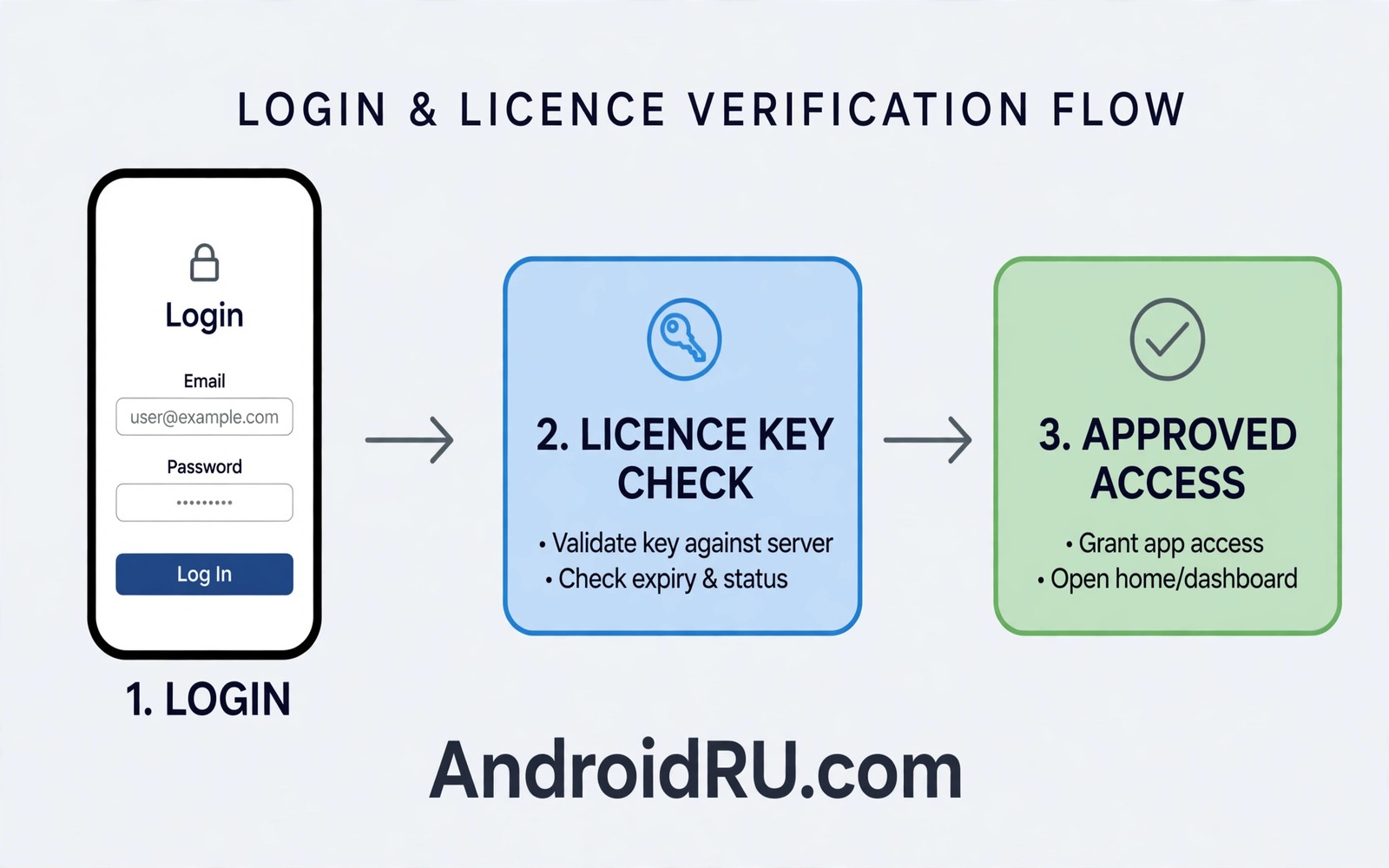
Custom licensing controls who can use paid features in an app. Authentication proves who the user is before the app grants access. Together they protect revenue and user data. This guide explains a server based design that keeps licence logic out of the client alone. The design works for subscriptions and for one-time purchases.
Start by defining what a licence grants. A licence may unlock a feature set or remove ads or allow a number of devices. Write the licence rules in plain words before you write code. A clear rule set prevents edge cases later. It also helps support staff answer user questions about access.
Design authentication before licensing. A user must sign in securely before the app can check a licence. Use a token system that expires and refreshes safely. A licence check without authentication is easy to abuse because anyone can claim a licence. Authentication ties the licence to a real account.
Design A Server Licence Check
A server licence check receives a user token and a feature request. The server looks up the licence for that user. It returns a simple allow or deny result with an expiry time. The app caches the result for a short time to handle offline use. A short cache keeps offline access useful without weakening control.
Sign licence responses on the server so the app can verify them. A signed response prevents a simple replay attack from granting access. The app should check the signature and the expiry time before it trusts the result. A response that fails either check should block the feature and prompt a fresh check. Signed responses add trust without complex client logic.
- Define licence rules in plain words first
- Authenticate the user before any licence check
- Check licences on the server for paid features
- Sign licence responses and check expiry
- Cache results only for a short offline period
Handle Offline Access Safely
Offline access matters for users with weak networks. A short licence cache lets a paid user continue during a brief outage. Set the cache duration based on the feature risk. A low risk feature can cache for a day. A high risk feature should cache for only a few hours. A clear duration balances usability and control.
Show a clear message when offline cache expires. Tell the user to reconnect to refresh the licence. Avoid silently blocking a feature without explanation. A clear message reduces support requests and it builds trust. Test offline expiry in a test build by forcing the cache to expire.
Offline design also relates to credential safety in the material on securing mobile app credentials. A licence token stored on device needs secure storage. Do not store a long-lived licence token in plain preferences. Use secure storage and expire tokens on a schedule.
Support Multiple Devices Per User
Users expect a licence to work across their phones and tablets. Allow a reasonable number of devices per licence. Record device identifiers in a privacy-safe way. A device limit prevents sharing a single licence across many users. A generous limit avoids blocking legitimate users who upgrade phones.
Provide a way to remove an old device from the licence. A user who sells a phone should be able to revoke that device. A simple device management screen in the app or on a website solves this need. Test device removal to confirm that the old device loses access after the next licence check.
Handle Purchases And Refunds
Purchases create a licence and refunds should revoke it. Connect your licence system to purchase records. A refund should trigger a licence revocation on the server. Test the refund flow in a staging environment before release. A refund that leaves access active causes revenue loss and support confusion.
Handle purchase restoration for users who reinstall the app. A restore flow should check purchase records and recreate the licence. Make restoration easy to find in settings. A hidden restore flow frustrates users who paid fairly. Test restoration after a clean reinstall on a test device.
Protect Licence Checks From Tampering
Client licence checks alone can be patched. Use server checks for paid features and use client checks only as a first layer. Check the licence again before a sensitive action rather than only at startup. A check before each paid action makes bypass harder because each action needs a separate patch.
Log licence failures on the server in a privacy-safe way. Record the feature and the licence state without personal data. A pattern of failures from one account may point to abuse. A pattern across many accounts may point to a server bug. Use logs to distinguish abuse from a system error.
Communicate Licence State Clearly
Users should always know their licence state. Show active licences and expiry dates in settings. Show which features each licence unlocks. A clear licence screen reduces confusion and support requests. It also helps users decide whether to renew.
Warn users before a licence expires. A warning a few days before expiry gives time to renew. A sudden block on expiry day feels harsh. A friendly warning with a renewal path keeps users engaged. Test warning timing in a test build with a short licence duration.
licence_status = check_server(token)
if licence_status == "active":
    unlock_feature()
The snippet above is an original example written for this guide. It shows generic licence logic that you can adapt to your own project. It does not copy code from any outside source.
The snippet shows a simple server check before unlocking a feature. Replace the placeholder logic with your own server call and signature check. Keep the check before the feature and not only at startup.
Test Licence Flows End To End
Licence flows need end to end tests that cover purchase and activation and expiry and renewal. A test should start with a new user account and a fresh install. It should purchase a licence and confirm that the paid feature unlocks. It should advance the licence to expiry in a test environment and confirm that the feature blocks with a clear message. It should renew the licence and confirm that access returns. A complete flow test catches gaps that unit tests miss because it exercises the server and the app together.
Test licence flows for users who change devices. A user who buys on a phone should be able to activate on a tablet without buying again. A test should sign in on a second device and confirm that the licence appears. It should also test device limit behaviour by activating on more devices than the limit allows. A clear limit message should appear when the limit is reached. A limit test prevents support complaints from users who legitimately upgrade devices.
Test licence flows after a failed payment as well. A payment that fails should not grant access and it should not leave a partial licence state. A test should trigger a payment failure in a staging environment and confirm that the feature stays locked. It should then complete a successful payment and confirm that access unlocks cleanly. A clean failure path protects revenue and it protects users from paying for a feature that never unlocks.
Record end to end test results in a simple matrix. A matrix should list each flow and the result for each test run. A matrix makes it easy to see which flows passed and which flows need work. Update the matrix after every release that touches licence code. A current matrix gives the team confidence before a release that affects paid users.
Automate end to end licence tests where the platform allows it. An automated test that runs on every build catches regressions early. A manual test that runs only before release catches regressions late. Automation is especially valuable for licence flows because a regression can affect revenue directly. Invest in automation for the most important flows first and expand coverage over time.
End to end licence tests should also cover a user who signs out and signs back in. A sign out should clear cached licence data from the device. A sign in should fetch a fresh licence from the server. Test this sequence to confirm that an old licence does not leak to a new account. A clean sign out protects both the old user and the new user.
Common Mistakes
A common mistake is checking a licence only at startup. A startup check can be patched once to unlock all features. Check licences before each sensitive action. Repeated checks raise the cost of bypass.
Another mistake is storing licence data in plain files on the device. Plain files can be edited to fake a licence. Use server checks and secure storage for licence tokens. A server record is harder to fake than a local file.
Some developers also ignore refund handling. A refund that leaves access active undermines the purchase system. Connect refunds to licence revocation and test the flow. A complete purchase system handles both grant and revoke.
Finally do not hide licence state from users. A hidden state causes confusion when access stops. Show licence status and expiry clearly in settings. Clear communication builds trust even when access changes.
Frequently Asked Questions
Can a licence system work offline?
Yes a short cache can allow offline use for a limited time. Set the cache duration based on feature risk. Require a fresh server check when the cache expires.
Should licence checks live only in the app?
No client checks alone can be patched. Use server checks for paid features. Use client checks only as a first layer for speed.
How many devices should a licence allow?
Allow a reasonable number that covers a phone and a tablet plus a replacement device. Provide device management so users can remove old devices. A generous limit avoids blocking legitimate users.
Conclusion
Custom licensing works best with server checks and secure authentication and clear user communication. Define licence rules first and check licences before each paid action. Handle offline access and refunds and device limits carefully. Your concrete next step is to write your licence rules in plain words today and design one server check for your most important paid feature. Test that check with active and expired licences before you add more features. For related work you can study securing mobile app credentials and app signature verification and manifest permissions and Play rejections as next steps.

