

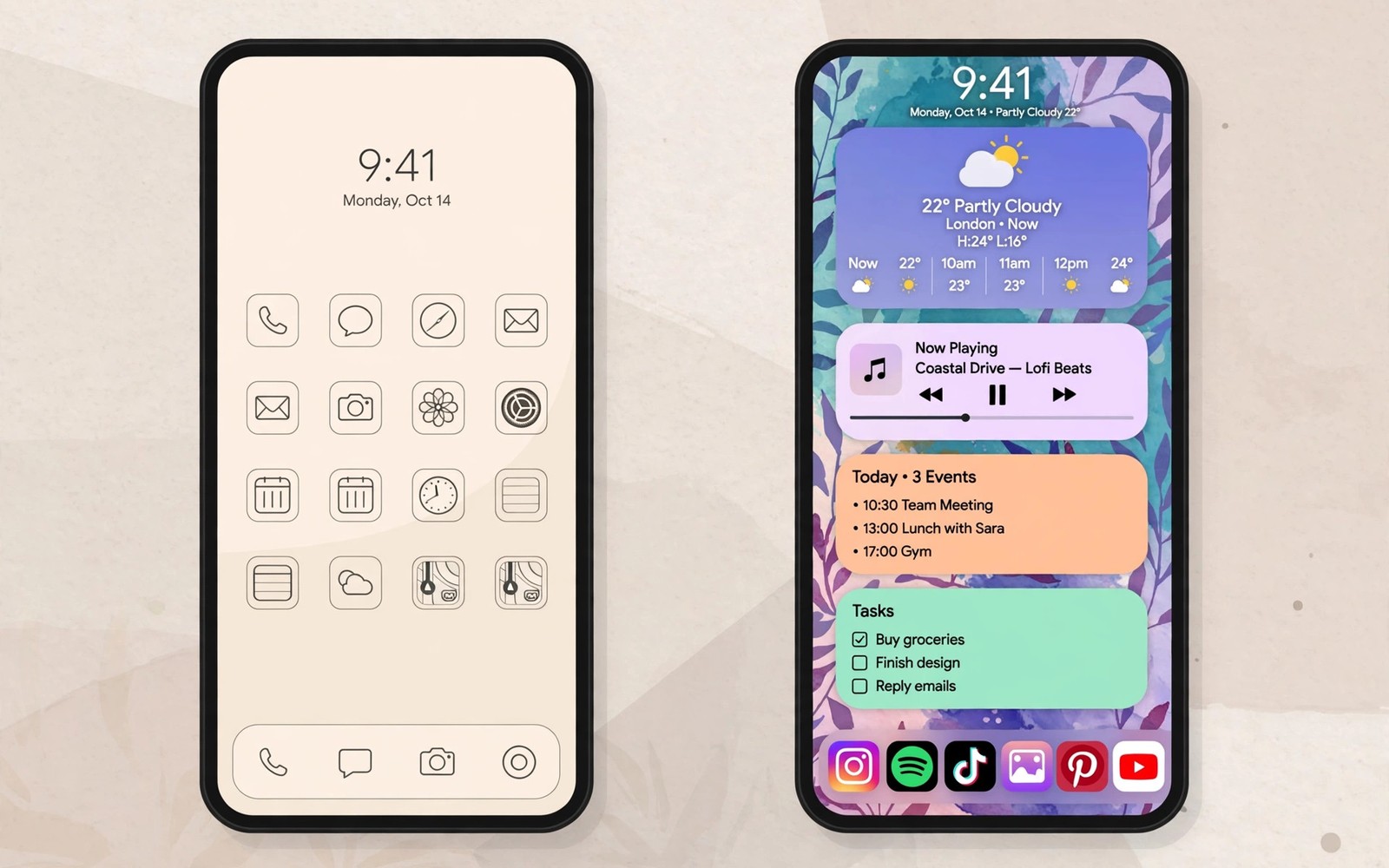
Stock Android fans praise clean menus and fast updates. Custom skin fans praise extra features and deep tuning. Both camps claim the other side misses the point. The truth is less tribal than the debate suggests. Stock software wins some contests clearly. Custom skins win other contests clearly. Your daily habits decide which wins matter for you. This guide compares speed and features and updates and battery with real trade-offs.
First define the terms plainly. Stock Android means software close to Google’s own design with few changes. Pixel phones are the purest example. Custom skins mean a maker rebuilds menus and adds apps and changes behaviour on top of Android. Samsung and Xiaomi and Oppo and Vivo all ship custom skins. The skin changes how settings look and which features exist and how aggressively apps run in the background.
Neither approach is pure good or pure bad. Stock software can feel sparse when you need a feature that Google never built. Custom software can feel cluttered when you never use its added tools. The best software is the one whose strengths match your habits and whose weaknesses never touch your routine. That personal match matters more than any fan debate.
Speed And Smoothness In Daily Use
Stock Android often feels faster on identical hardware because it runs fewer background services. Menus open quickly. Animations stay consistent. App switching feels light. That lightness shows most on midrange hardware where every background service costs visible speed. A stock midrange phone can feel smoother than a skinned phone with a stronger chip but heavier software.
Custom skins have closed much of that gap on flagships. Strong chips hide extra services easily. Animations on top skins now run smoothly at high refresh rates. The remaining difference shows in small delays rather than big stutters. Opening a heavy settings menu may take a fraction longer on a skin. Returning to a background app may reload more often if the skin manages memory aggressively. These small delays add up over a day but they rarely ruin a flagship experience.
Long term speed tells a different story. Stock phones tend to age gracefully because fewer custom services accumulate cruft. Skinned phones can slow as added features pile up across updates. Regular cache clearing and storage management help both types. A skinned phone with ample storage and memory ages better than a stock phone that runs nearly full. Hardware headroom matters as much as software philosophy over three years.
Features: What Custom Skins Add That Stock Lacks
Custom skins shine on practical extras. Samsung offers a desktop mode and advanced multitasking and deep theming and a powerful gallery editor. Xiaomi offers second space profiles and app cloning and detailed per app controls. Oppo and Vivo offer strong camera modes and gesture options and game tools. These features solve real problems for real users. A student who clones a messaging app for two accounts gains daily value from a skin feature that stock Android lacks.
Stock Android answers with simplicity and smart Google integration. Call screening and spam filtering and live transcription work deeply on Pixel phones. The assistant feels more integrated. The camera app stays simple and fast. The settings menu stays easy to search. Users who value a calm interface often prefer that restraint. They would rather add one app for a missing feature than navigate a settings maze full of options they never use.
The feature gap also flips by region and by model. Some skin features never reach every market. Some stock features depend on Google services that vary by country. Check the exact feature list for your region before you assume a review from another country applies to you. A skin feature praised abroad may be absent at home. A stock feature praised abroad may need a service that your region lacks.
Updates And Security Support
Stock Pixel phones receive major updates first and security patches monthly for a long promised period. That speed matters when a serious security flaw appears. It also matters for new Android features that you want on day one. Beta access comes early too. Users who love new software will enjoy that pace.
Custom skin makers have improved update speed greatly in recent years. Top Samsung models now promise many years of major updates and security patches. That promise rivals or matches Pixel support length on paper. Delivery speed still lags Pixel by weeks or months for major releases. Security patch timing varies by model and region. Flagships get patches promptly. Budget models wait longer. Check the update record of the exact model line rather than trusting a brand headline.
Update quality matters as much as update speed. A fast update that breaks battery life helps nobody. A slower update that arrives polished may serve you better. Read user reports after each major release for your model. A pattern of broken updates should weigh heavily. A pattern of smooth updates should reassure you even if delivery lags the Pixel schedule by a month.
Battery Life And Background Management
Custom skins often manage background apps aggressively to extend battery life. That aggression helps standby time but it can delay messages and break fitness tracking and pause music uploads. Stock Android manages background work more gently and relies on system level optimisation. Notifications arrive more reliably on stock in many tests. Battery life may be slightly shorter but predictability improves.
The best skin makers now let you exempt important apps from aggressive killing. That exemption fixes most notification problems if you set it correctly. The trouble is that many users never find the exemption menu. It hides deep in battery settings under different names per brand. A phone that needs a hidden setting to deliver messages on time has a design flaw even if a fix exists. Stock Android avoids that trap by default.
Gaming and heavy use flip the balance again. Skin game modes can block notifications and boost performance and record gameplay easily. Stock Android offers simpler game tools. Gamers who want per game controls will prefer a skin. Casual players will not notice the difference. Your usage pattern decides whether aggressive management is a feature or a fault. Readers comparing software longevity should also check which brand offers the best software update promise for the current promises.
Design Bloat And Customisation Depth
Bloat means preinstalled apps you cannot remove. Stock phones carry few of them. Custom skins carry more. Some skin apps duplicate Google apps and confuse new users with two galleries and two browsers and two app stores. You can disable many duplicates but you cannot always remove them fully. Storage waste from duplicates matters most on small storage models.
Customisation depth is the skin’s revenge. Skins let you change icons and fonts and always on display styles and lock screen shortcuts in detail. Stock Android offers theming through Material You colours but with fewer manual controls. Users who love a personal home screen will feel limited on stock. Users who set a phone once and forget it will never miss the extra controls. Decide which type you are before you judge either side harshly.
Privacy controls also differ. Stock Android presents permission controls cleanly and consistently. Skins add extra privacy dashboards and app behaviour logs that some users love. The extra dashboards help power users spot misbehaving apps. They confuse casual users who just want a simple allow or deny choice. More controls are not always better controls. Clear controls beat numerous controls for most people.
stock_background = gentle
skin_background = aggressive
stock_updates = fastest
skin_features = most
# exempt messaging apps on aggressive skins
# check update history for exact model
The snippet above is an original example written for this guide. It shows generic software notes you can adapt to your own shortlist. It does not copy code from any outside source.
Use the notes as a reminder rather than a verdict. Gentle background handling suits message heavy users. Aggressive handling suits battery first users who exempt key apps. Fast updates suit enthusiasts. Rich features suit power users. Your routine picks the winner from those notes.
Common Mistakes
Many buyers assume stock always means faster. On flagship hardware the gap is tiny. A second mistake is assuming a skin always means bloat. Top skins now allow disabling most duplicates. A third mistake is judging a skin from screenshots alone. Screenshots hide animation smoothness and background behaviour.
A fourth mistake is ignoring regional feature differences. A fifth mistake is buying for update headlines without checking delivery history for the exact model. A sixth mistake is forgetting to exempt messaging apps on aggressive skins and then blaming the messaging app for delays.
Frequently Asked Questions
Question: Is stock Android better for older users?
Answer: Often yes because menus stay simple and consistent. Some skins offer a simple mode that rivals stock simplicity. Test the simple mode if a family member prefers larger text and fewer options.
Question: Do custom skins slow phones over time?
Answer: They can slow more than stock as features accumulate. Ample memory and storage reduce the effect greatly. A skinned phone with strong hardware ages well in practice.
Question: Can I get stock Android on any phone?
Answer: No without complex modification that risks warranty and security. Buy a Pixel if stock matters most. Do not buy a skinned phone hoping to convert it later.
Conclusion
Stock Android wins on speed and update pace and notification reliability. Custom skins win on features and multitasking and personalisation depth. Neither wins outright for every user. Your concrete next step is to list your three most used phone tasks and check which software serves them better. Message heavy users should lean stock. Multitasking and cloning heavy users should lean skin. Then confirm update history for the exact model. For cleaner software context read which brand ships the cleanest bloatware free system and why a three year old phone can still serve well.

