

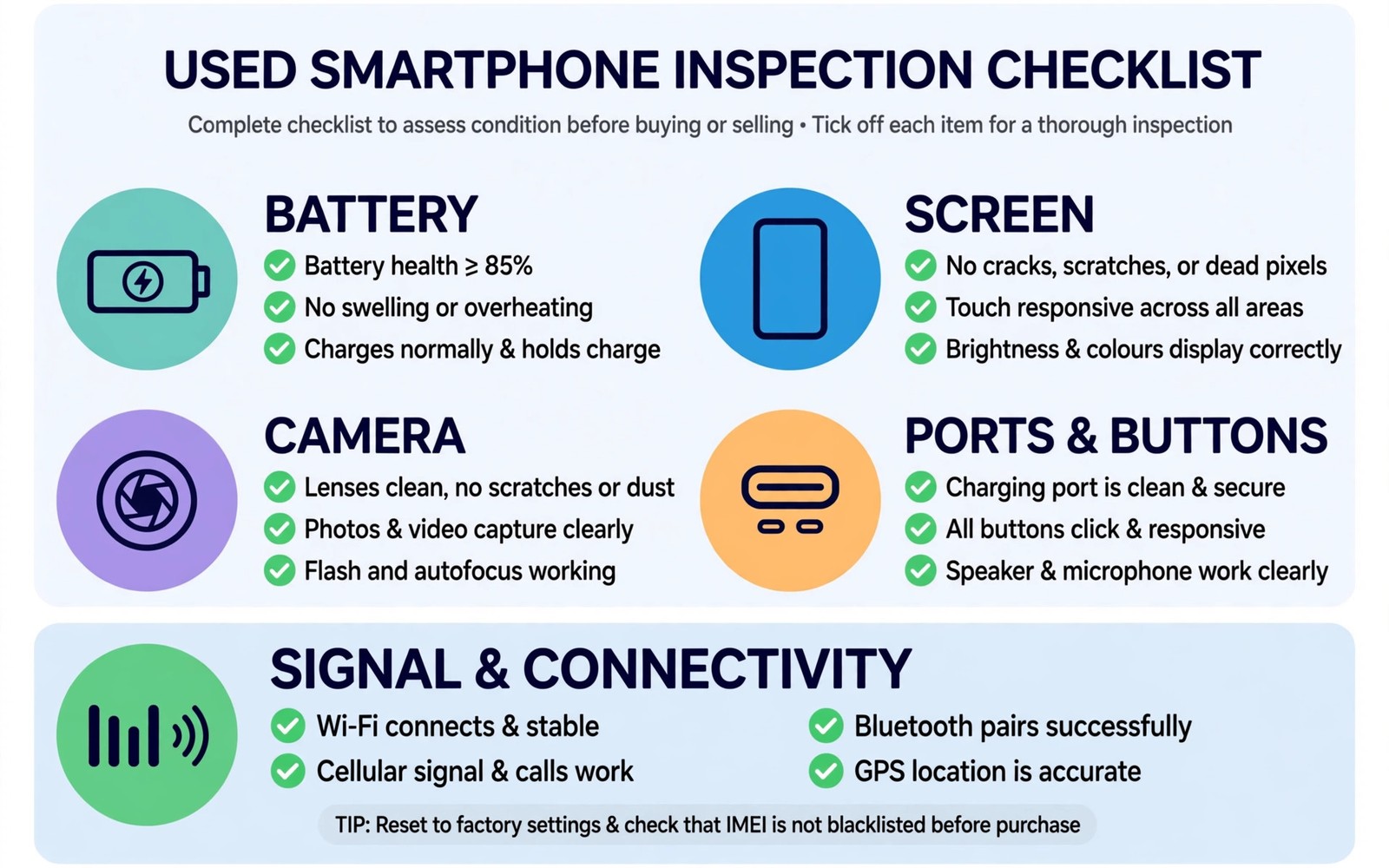
A used phone can look perfect in a shop window and still hide a dying battery and a weak modem and a replaced screen. Sellers rarely volunteer those faults. A careful buyer finds them in fifteen minutes with five focused tests. This guide gives you those tests in order and it tells you exactly when to walk away. Bring a charger and a SIM card and a friend if you can. Never rush a used phone purchase.
Start by agreeing the rules with the seller before money changes hands. Ask for fifteen minutes of testing time. Ask to insert your own SIM card. Ask to connect to your own charger. Ask to run a free diagnostic app if the seller allows it. A seller who refuses basic tests is giving you information too. Honest sellers welcome checks because checks protect them from later disputes as well.
Check the phone identity first. Match the model and storage shown in settings with the listing. Match the serial number on the box if a box exists. Check for any carrier lock message when your SIM goes in. Check for any activation lock screen after a restart. A phone that asks for a previous owner account is not ready to sell. Walk away from locked phones no matter how low the price looks.
Test One: Battery Health And Charging Behaviour
Battery health decides how long a used phone stays useful. Open battery settings and look for a health percentage where the system shows one. A health figure above eighty five percent suits most buyers. A figure below eighty percent means shorter days and possible sudden shutdowns. Some brands hide the exact percentage. In that case judge by drain during your test instead.
Plug in your own charger and watch the charging behaviour for five minutes. The percentage should rise steadily without wild jumps. A jump from forty to sixty in one minute suggests a faulty battery gauge. A phone that stops charging when moved suggests a worn port. Feel the back for unusual heat during charging. Mild warmth is normal. Sharp heat near one spot is a warning sign.
Run a demanding task for five minutes on battery power. Play a high quality video at full brightness. Note the battery drop. A drop of more than about eight percent in five minutes of video points to a tired battery. Combine that result with the health figure. Either warning alone deserves a price cut. Both warnings together deserve a walk away unless a battery replacement is priced into the deal.
Test Two: Screen Touch And Display Damage
Open a plain white image and then a plain black image at full brightness. Look for dead pixels and bright spots and uneven patches. White reveals dark spots and tint shifts. Black reveals light bleed and stuck bright pixels. Tilt the phone and look along the glass for fine cracks near the edges. Edge cracks spread with time and weaken water resistance.
Test touch by dragging an icon slowly across every part of the screen. Move it in a grid pattern from corner to corner. Watch for spots where the icon jumps or sticks or drops. Those dead zones ruin typing and gaming. Test multi touch by pinching and zooming a photo repeatedly. A screen that zooms unevenly may have a damaged touch layer. Also test the fingerprint sensor and face unlock several times. Slow or failed unlocks may signal a replaced screen with a poor sensor fit.
Check for screen burn in on OLED phones. Open a solid grey image at medium brightness. Look for faint outlines of a status bar or a keyboard or a navigation bar. Burn in from heavy use never heals. Mild burn in may be livable at a discount. Strong burn in will annoy you every day on light backgrounds. Compare the price against a phone without burn in before you accept it.
Test Three: Cameras Speakers And Microphones
Take photos with every rear lens and the front camera. Shoot a near object and a distant scene and a dim corner. Check sharpness at full zoom on the phone screen. A blurry lens may have dust inside or a scratched cover glass. Record a short video while you walk and talk. Play it back with sound. Listen for muffled audio and watch for focus hunting. A camera that hunts focus constantly has a damaged stabiliser or lens motor.
Play music at low volume and then at high volume through the speakers. Listen for crackling and rattling and one sided sound. A speaker that crackles at high volume may have water damage. Make a test call and ask the other person how you sound. Speak normally and then cover each microphone area in turn if you can find it. A call that sounds distant or hollow points to a blocked or damaged microphone. Test the earpiece too by listening to a voicemail or a call at low volume.
Test sensors that buyers often forget. Open a compass app and rotate the phone slowly. The needle should move smoothly. Open maps and check location lock outdoors if possible. Shake the phone gently while a game or a sensor app runs to check motion sensors. A phone that fails location or compass tests will frustrate navigation daily. These faults rarely appear in a quick photo test so check them deliberately.
Test Four: Ports Buttons And Connectivity
Plug in a cable and wiggle it very gently. Charging should stay steady. Data transfer to a laptop should work if the seller allows it. A loose port may need a costly board repair. Test wireless charging if the phone supports it. Place it on a pad and confirm steady charging without repeated disconnects. Test Bluetooth by pairing earbuds and playing audio for a minute. Test Wi-Fi by loading a video on a known network.
Press every physical button ten times. Volume buttons should click firmly and respond every time. The power button should wake and lock the phone reliably. A mushy button may fail soon. Test the SIM tray by removing it and checking for damage or water indicators where visible. Insert your SIM and make a call and send a message and load a web page on mobile data. Weak signal in a spot where your current phone shows strong signal points to antenna damage.
Check storage and memory in settings against the listing. A phone sold as a large storage model should show that capacity. Run a large app install or a large file copy if time allows. Slow installs on a nearly empty phone may signal failing storage. Storage failure is a deal breaker because it cannot be fixed cheaply. Walk away from any phone that freezes or restarts during a large install.
Test Five: Signs Of Repair Water Damage And Theft
Look closely at the frame seams and screw covers and screen edges. Uneven gaps and mismatched screws suggest a past repair. A repair is not automatically bad. A professional repair with quality parts can be fine. A sloppy repair with dust under the screen or a loose back panel is not fine. Ask the seller directly about past repairs and screen replacements. Compare the answer with what your eyes see.
Check water indicators where you can see them without opening the phone. The SIM tray area often shows a small indicator strip. A red or pink strip suggests water contact. Smell the charging port area gently for a musty odour. Check for corrosion on the port pins with a bright light. Water damage can cause faults months later even when the phone works today. A phone with clear water signs should be avoided unless the price reflects a short risky life.
Verify ownership cleanly before you pay. Ask the seller to remove their accounts in front of you. Restart the phone and complete the setup screens with your own account where possible. Check that no device management profile remains in settings. A phone under company management may lock later. Keep a written receipt with the serial number and the seller details and the agreed condition. That receipt protects both sides if a fault appears the next day. Buyers comparing used versus new value should also read how a refurbished flagship compares with a new budget phone for price context.
test_battery = check_health_and_drain
test_screen = drag_touch_grid
test_camera_audio = photo_video_call
test_ports = cable_bluetooth_wifi
test_history = repair_water_lock
# fail any two tests and walk away
# fail storage test and walk away at once
The snippet above is an original example written for this guide. It shows a generic checklist you can adapt to your own inspection. It does not copy code from any outside source.
Use the checklist in order and tick each test as you finish it. Two failed tests mean the phone carries more risk than a discount usually covers. A failed storage test alone ends the deal because storage faults spread. Keep your notes with the receipt. Notes help you negotiate fairly and they help you prove the agreed condition later.
Common Mistakes
Many buyers test only the screen and the camera and then pay. Battery and modem faults hide from that short check. A second mistake is testing without a SIM card. Carrier locks and signal faults only appear with your own SIM. A third mistake is trusting a battery percentage alone. Some batteries report a healthy figure yet drain fast under load.
A fourth mistake is buying a phone that still shows the previous owner account. That phone may lock after a reset. A fifth mistake is skipping the receipt. A receipt with the serial number matters if a dispute arises. A sixth mistake is paying extra for accessories that hide faults. A thick case can hide frame damage and a screen protector can hide fine cracks. Inspect the phone naked first.
Frequently Asked Questions
Question: How long should a used phone test take?
Answer: Fifteen focused minutes covers the five tests in this guide. Add five minutes for account removal and a restart. A seller who cannot spare twenty minutes is not ready to sell fairly.
Question: What battery health figure should I accept?
Answer: Above eighty five percent suits most buyers for a year or more of use. Between eighty and eighty five percent deserves a discount. Below eighty percent needs a battery replacement plan in the price.
Question: Is a repaired phone always a bad buy?
Answer: No. A professional repair with quality parts can serve well. Judge the repair quality with your eyes and your tests. Walk away from sloppy repairs and hidden water damage.
Conclusion
Five tests protect you from the most expensive used phone faults. Battery and screen and camera audio and ports and history each reveal a different risk. Fail two tests and walk away. Fail storage and walk away at once. Your concrete next step is to save this checklist on your current phone and bring a charger and your SIM to every viewing. Test in order and keep notes. Do not let a low price rush you past a failed test. For red flags beyond these five tests read seven red flags to avoid when shopping for a phone and a full buying guide before you choose before you hand over money.

