

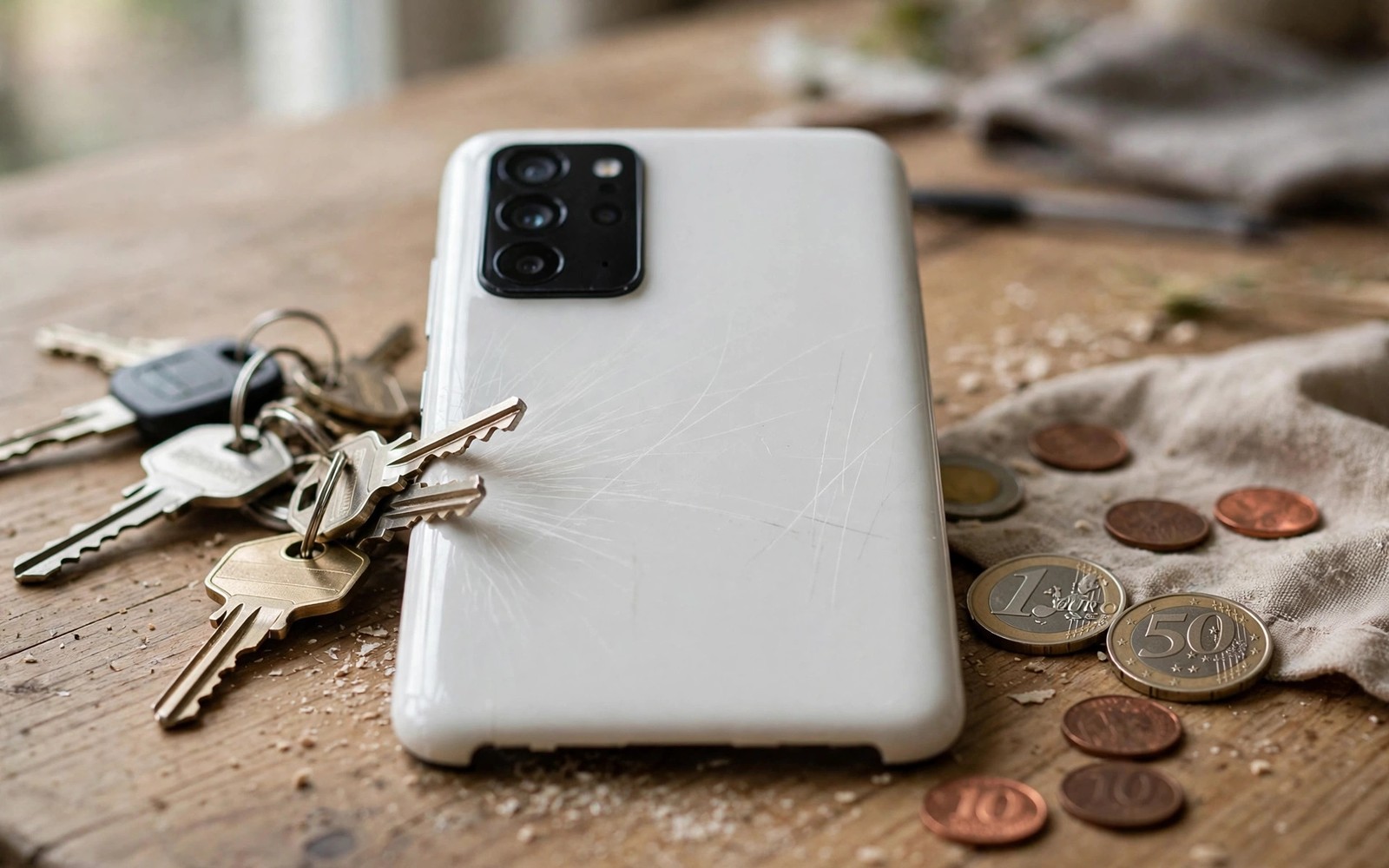
Ceramic sounds indestructible in marketing copy yet a single grain of sand in your pocket can teach you the difference between hard and truly scratchproof.
Ceramic phone backs resist many everyday scratches better than plastic and often better than glass. Hardness helps against keys and coins. Hardness alone does not defeat sharp minerals or repeated abrasion or corner impacts.
This stress test guide explains how ceramic behaves in real pockets and bags. It compares ceramic against glass and plastic and explains how to protect a ceramic back without hiding its premium feel.
Why Hardness Is Not the Whole Story
Hardness measures resistance to indentation. Scratch resistance depends on the hardness of the object doing the scratching. Sand contains quartz which can scratch many phone materials including ceramic.
Keys and coins are softer than ceramic in most cases. They rarely scratch a ceramic back on their own. Sand and grit and diamond dust behave differently. A beach day or a construction site exposes a phone to particles far harder than pocket change.
Surface finish also matters. A polished ceramic back shows fine scratches more clearly than a matte finish. A matte ceramic back hides light wear better even when the same scratches exist.
Stress Test Scenarios That Matter
Pocket test with keys alone rarely damages ceramic. Pocket test with sand tells a different story. Shake a phone in a bag with a small amount of grit and inspect under bright light. Fine lines appear where grit dragged across the surface.
Table drag tests reveal another weakness. Sliding a phone across a rough stone table can scuff any back material. Ceramic resists shallow scuffs well but deep drags still mark it.
Drop tests punish ceramic differently from plastic. Ceramic is hard and brittle rather than flexible. A corner drop can chip ceramic while plastic merely dents. That trade off matters for users who drop phones often.
Ceramic Versus Glass and Plastic
Glass backs crack more readily than ceramic under impact but polish out light scratches less visibly in some finishes. Plastic backs scratch easily but survive drops with dents rather than chips. Each material trades one weakness for another.
Weight is another ceramic cost. Ceramic backs add noticeable weight compared with plastic. That weight feels premium in the hand but tires the wrist during long use. Hold a ceramic phone for several minutes before you judge comfort.
Repairs also differ. Ceramic back replacement can cost more than glass or plastic replacement. Check repair prices before you buy because a premium material can create a premium repair bill.
How to Protect a Ceramic Back
A clear case preserves the look while blocking grit and drops. Choose a case with raised edges around the camera module. Camera glass sits proud on many phones and scratches before the back does.
Keep the phone in a separate pocket from sand and keys when possible. A simple microfibre pouch helps on beach days and hikes. Wipe grit away with a soft cloth rather than rubbing it across the surface.
Inspect the back under bright light every few weeks. Early fine scratches are easier to live with when you notice them gradually. Sudden deep damage often points to a specific incident that you can avoid next time.
python3 - << 'PY'
materials = {"ceramic": 8, "glass": 6, "plastic": 3}
for name, hardness in materials.items():
    print(name, hardness)
PY
The code above is an original illustration that lists relative hardness scores for common phone back materials. It is a simple comparison aid rather than a laboratory measurement.
Everyday Wear Patterns
Daily pocket wear comes mainly from grit rather than from keys. A phone carried in a trouser pocket collects sand and dust from the environment. That grit acts like fine sandpaper during normal movement. Ceramic resists that wear better than plastic but still shows lines over months.
Bag wear differs from pocket wear. A phone loose in a bag rubs against zips and buckles and other hard objects. A soft pouch inside a bag prevents most bag related scratches. That simple habit protects any back material effectively.
Desk wear comes from sliding the phone across rough surfaces. Stone and concrete desks scuff backs quickly. A desk mat or a case prevents desk wear entirely. Users who work on rough surfaces should treat a case as essential rather than optional.
Camera module wear deserves separate attention. Raised camera lenses scratch before the back panel does on many phones. A case with a raised camera lip protects lenses during daily use. Check camera glass regularly because scratched camera glass affects photo quality directly.
Cleaning and Maintenance
Clean a ceramic back with a soft microfibre cloth and a little water. Avoid abrasive cleaners and rough paper towels. Abrasive cleaning creates the scratches you hoped to remove. Gentle cleaning preserves the finish for years.
Remove grit before wiping whenever the phone looks dirty. Blow loose dust away or rinse under water when the phone rating allows it. Wiping grit across the surface drags hard particles and creates new lines.
Inspect the back under bright light after cleaning. Early wear appears as faint lines visible only at an angle. Noticing wear early helps you adjust habits before damage becomes obvious in normal light.
Consider a skin or clear case when wear bothers you. A thin skin preserves the ceramic feel while blocking grit. A clear case shows the ceramic design while adding drop protection. Either option costs far less than a back replacement.
Ceramic in Different Phone Designs
Ceramic backs appear on phones with very different frames and that frame design affects how ceramic behaves in drops. A metal frame absorbs impact differently from a plastic frame and changes how force reaches the ceramic back. A ceramic phone with a strong frame survives corner drops better than a ceramic phone with a thin frame even when both use similar ceramic material.
Curved ceramic backs distribute force differently from flat ceramic backs as well. A curved back may flex slightly under impact while a flat back concentrates force at the strike point. That difference explains why two ceramic phones can show different chip patterns after similar drops. Design matters as much as material choice.
Colour and finish affect perceived wear on ceramic backs greatly. Dark polished ceramic shows fine scratches clearly under bright light while light matte ceramic hides similar wear. Buyers who dislike visible wear should choose lighter matte finishes even when dark polished finishes look more premium in the store.
Repair and Replacement Reality
Ceramic back replacement requires specialised handling because ceramic bonds differently from glass during repair. Repair shops may charge more for ceramic work and may need longer turnaround times. Check local repair availability before buying a ceramic phone in a region with few repair options.
Insurance and warranty terms also differ for premium materials. Some insurance plans cover back damage fully while others exclude cosmetic damage. Read your plan carefully because a scratched ceramic back may count as cosmetic even when it bothers you daily.
Protective films offer a middle ground between bare ceramic and a bulky case. A thin film preserves the ceramic look while blocking light grit scratches. Films need replacement periodically but they cost far less than a back panel. That option suits users who love ceramic appearance but fear daily wear.
Choosing a Finish You Can Live With
Matte finishes hide wear better than glossy finishes on ceramic phones because matte surfaces scatter light and mask fine lines. A glossy ceramic back shows every faint scratch under bright light. Choose matte when you dislike visible wear even if glossy looks more striking in the store.
Light colours hide dust and fine scratches better than dark colours on any phone material. A white or silver ceramic phone looks cleaner longer than a black ceramic phone under identical use. Colour choice affects perceived durability more than most buyers expect.
Textured ceramic finishes offer extra grip alongside wear hiding benefits. A textured back slips less in wet hands and shows fewer marks. That practical benefit suits outdoor users who prioritise function over showroom shine.
Clear cases preserve ceramic appearance while adding a sacrificial layer against grit. A clear case yellows over time but replacement costs little compared with back repair. Replace a yellowed case promptly to keep the phone looking premium.
Skins offer a thin alternative to cases for users who dislike bulk. A skin protects against light scratches while preserving the slim ceramic feel. Skins do not protect against drops so pair a skin with careful handling.
Common mistakes
The biggest mistake is treating ceramic as invincible and skipping a case. Ceramic resists many scratches but it is not immune to grit or chips. A case costs far less than a back replacement.
Another mistake is rubbing sand off a dirty phone with a dry cloth. That action drags grit across the surface and creates the scratches you wanted to avoid. Rinse or blow grit away first when possible. Durability shoppers should also read the rugged phone guide on rugged smartphones built to survive extreme drops for drop focused design.
FAQ
Does ceramic scratch at all?
Yes ceramic scratches under hard particles such as sand. It scratches less readily than plastic and many glass finishes but it is not scratchproof.
Is ceramic worth the extra weight?
Ceramic feels premium and resists daily wear well. Buyers who prioritise light weight may prefer glass or plastic despite weaker scratch resistance.
Can scratches be polished out of ceramic?
Light scuffs may fade with careful polishing but deep scratches remain. Professional repair is the safer option for visible damage on a premium phone.
Conclusion
Ceramic backs are highly scratch resistant but not scratchproof. They excel against keys and coins and struggle against sand and hard impacts. Your concrete next step is to decide whether you face grit daily and choose a case accordingly before the first scratch appears. Shoppers comparing materials should also check the rugged guide on rugged smartphones built to survive extreme drops and the value ranking of smartphone brands ranked from worst to best value and the notes on whether curved display edges are outdated for screen durability context.

