

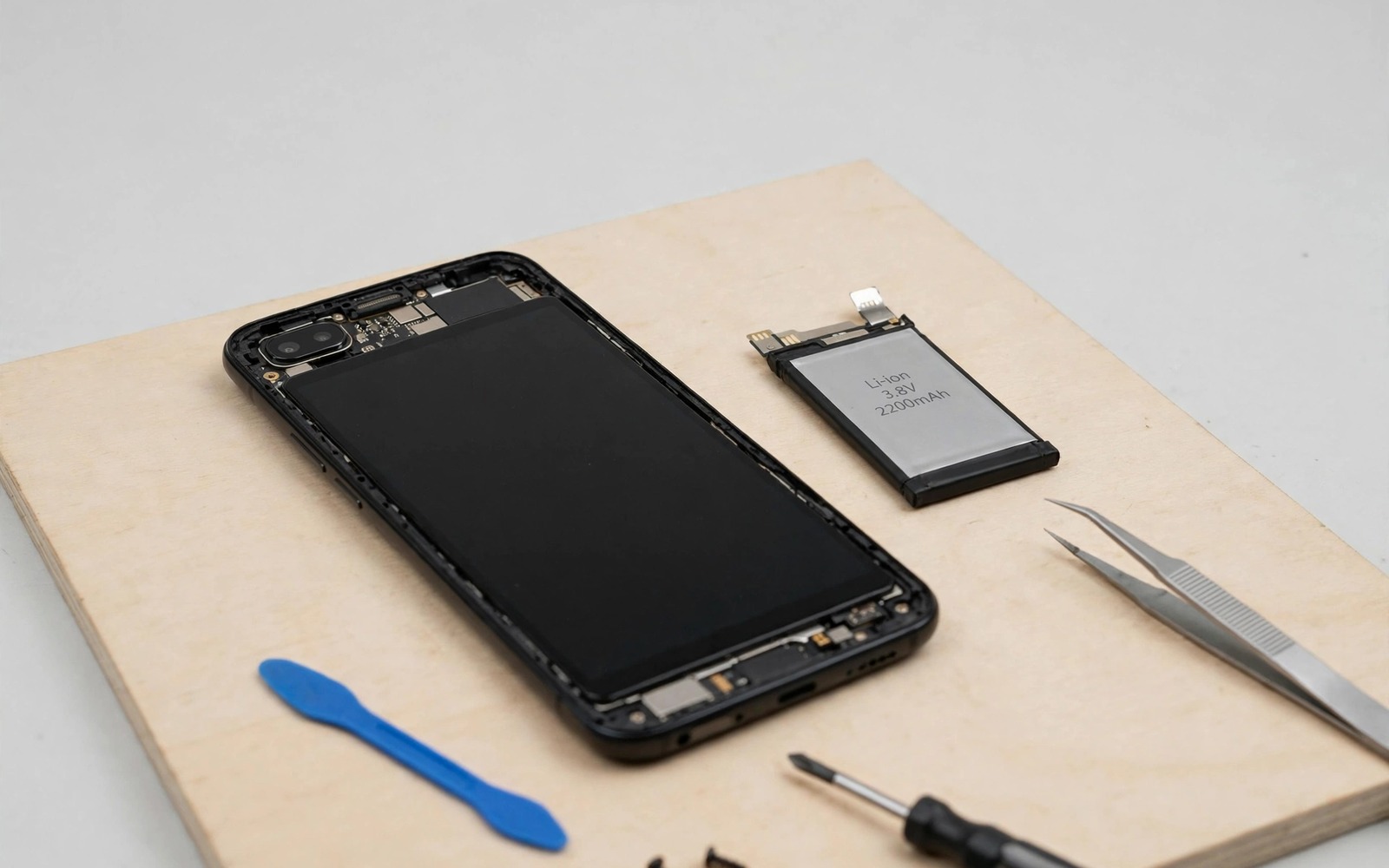
A swollen battery looks dramatic and dangerous. It pushes the screen up. It lifts the back panel. It can even crack the frame. Swelling is the late stage of battery damage. Earlier signs appear weeks or months before swelling. Those signs are easy to miss when you do not know what to look for. Learning them can prevent a dangerous failure. It can also save the phone before damage spreads to other parts.
Battery damage starts inside the cells. Gas builds slowly from side reactions. Capacity falls as active material degrades. Internal resistance rises as layers wear. Those internal changes show up as behaviour changes first. The phone dies faster. It shuts down unexpectedly. It heats more during charging. It charges strangely. Each behaviour alone may look like normal aging. Together they form a pattern that points at damage rather than simple wear.
This article teaches that pattern in plain terms. You will learn physical signs to check with eyes and hands. You will learn behaviour signs to track in daily use. You will learn software readings that confirm damage. You will also learn what to do at each stage. Some signs mean watch closely. Others mean stop using the phone at once. Knowing the difference protects you and the device.
Physical Signs You Can See And Feel
Place the phone on a flat table and look across its surface. A healthy phone lies flat with no rocking. A phone with early swelling may rock slightly when pressed at a corner. That rocking is a subtle early sign. Check both the screen side and the back side. A screen that lifts at one edge also signals pressure from inside. A back panel with a small gap at a seam signals the same pressure. Gaps that grow over days need urgent attention.
Feel the back panel with your palm. A healthy panel feels flat and firm. An early swollen panel may feel slightly domed in the centre. The dome may be tiny at first. Compare the feel with a known healthy phone if you can. A difference in flatness is worth noting even when it looks minor. Take a photo of the seam each week when you suspect swelling. Photos reveal slow growth that daily handling misses.
Check for a spongy screen feel. Press gently in the centre of the screen. A healthy screen feels solid. A screen over a swelling battery may feel slightly soft or springy. That softness comes from pressure pushing the screen outward. Do not press hard to test this. Gentle pressure is enough. Hard pressure can damage a screen already under stress. Any softness plus other signs means stop and seek repair advice promptly.
Behaviour Signs In Daily Use
Sudden shutdowns are a strong early sign. A phone that turns off at 30 percent or 20 percent has a battery that cannot deliver stable voltage under load. The meter reads charge remaining. The cells cannot actually supply it. Shutdowns under load happen first during gaming or camera use. Those tasks demand high current. A damaged battery sags under that demand and the phone protects itself by shutting down. Repeated shutdowns above 10 percent are never normal aging alone.
Rapid percentage drops are another sign. A battery that falls from 40 percent to 10 percent in minutes has lost usable capacity sharply. Normal aging drops capacity gradually over months. Damage drops it in steps after an event such as overheating or a drop or a faulty charge. Note the date a rapid drop pattern starts. A sudden change after a specific event points at damage from that event. A gradual decline over a year points at normal wear.
Charging behaviour also reveals damage. A damaged battery may charge very fast to full and then drain very fast. That pattern means the usable capacity shrank. The meter fills quickly because the tank is smaller. A battery that stops charging at a low percentage may have a failing cell. A battery that takes far longer than usual may have high internal resistance. Any sharp change in charging time deserves attention. Compare with your normal charging time from a month earlier.
Heat And Smell Warnings
Extra heat during normal use signals internal resistance growth. A phone that feels hot during light browsing may have a damaged battery. Heat during slow charging is also a warning. Normal slow charging should feel barely warm. Hot slow charging points at resistance or a short inside the cells. Note when heat appears and what task runs at that time. Heat tied to charging alone differs from heat tied to gaming alone. Both patterns matter but charging heat worries repair shops more.
Any unusual smell near the phone is urgent. A sweet chemical smell or a sharp metallic smell can come from a failing battery. Stop using the phone at once if you notice such a smell. Move the phone to a safe ventilated place away from flammable items. Do not charge it. Do not puncture it. Seek professional advice promptly. Smell plus heat plus swelling together is an emergency pattern. Treat it as such without delay.
Heat plus swelling together always means stop. Do not try to drain the battery by using the phone. Do not try to charge it to test it. Power it off if it is safe to do so. Keep it away from heat sources. A swollen battery is a chemical system under pressure. Further stress can worsen it. Professional handling is the only safe path once swelling is visible.
Software Readings That Confirm Damage
Check battery health in Settings when your phone shows it. A health reading below 80 percent after a short life signals faster than normal wear. A health reading that drops sharply in a month signals damage rather than gradual aging. Some phones hide health readings. In that case use battery usage patterns as a proxy. A phone that loses hours of screen time in a month has a real problem regardless of any health number.
Track screen-on time over weeks. A stable screen-on time means normal wear. A falling screen-on time under similar use means capacity loss. Note brightness and apps and signal conditions alongside the numbers. Similar conditions make the trend trustworthy. A falling trend plus shutdowns plus heat forms a strong damage pattern. One factor alone may be normal. Three factors together rarely are.
Third party health apps can estimate capacity but treat their numbers cautiously. Estimates vary by method and by calibration. A single app reading proves little. A trend across weeks from the same app proves more. Use app trends only beside physical and behaviour signs. Never ignore a physical swelling sign because an app shows a good number. Physical signs override software estimates every time.
Events That Often Cause Damage
Drops can damage battery cells internally even when the screen survives. A hard drop can dent a cell or shift internal layers. Damage may not show at once. It may appear weeks later as swelling or shutdowns. Note any hard drop in your phone history. Watch battery behaviour closely for a month after a drop. Early watching catches damage before it becomes dangerous.
Overheating events also damage cells. A phone left in a hot car or in direct sun for hours suffers heat stress. A phone that overheated during gaming plus fast charging suffers combined stress. Heat damage accumulates across events. One hot day may cost little. Repeated hot days cost much more. Keep a mental note of overheating events. They explain later damage patterns and guide prevention.
Faulty chargers and cables can damage cells through unstable voltage. A charger that delivers spikes stresses the charge controller and cells. A damaged cable that arcs at the port creates local heat and voltage swings. Replace faulty gear promptly. Cheap uncertified chargers carry the highest risk. For charger quality guidance see charging myths every Android owner should stop believing because charger choice affects long term cell health directly.
What To Do At Each Warning Stage
Watch closely when you see one mild sign alone. A slightly faster drain without shutdowns or heat may be normal aging. Track it for two weeks. Note screen time and shutdowns and heat daily. A stable pattern means watchful waiting is fine. A worsening pattern means move to the next stage. Watching is not ignoring. It is structured tracking with a decision point.
Seek repair advice when you see two signs together. Rapid drops plus heat deserve a shop check. Shutdowns plus slow charging deserve a shop check. A small seam gap plus a domed back deserves a shop check. A shop can test the battery safely and advise replacement. Early replacement costs less than damage to the screen or board from swelling. It also removes the safety risk before it grows.
Stop using the phone at once for urgent signs. Visible swelling is urgent. Smell is urgent. Heat plus swelling is urgent. A phone that feels very hot during slow charging is urgent. Power off when safe and keep the phone in a ventilated safe place. Do not charge it. Do not puncture or bend it. Contact a repair professional promptly and describe the signs clearly. For heat context during charging see the hidden reason phones get hot while charging and treat any heat plus swelling combination as an emergency.
Damaged battery early check
1. Phone on flat table: check rocking
2. Inspect seams for gaps or lifting
3. Feel back panel for dome or softness
4. Note shutdowns above 10 percent
5. Note rapid drops in minutes
6. Note heat during slow charging
7. Note any unusual smell at once
8. Track screen time trend for two weeks
The check above was written for this article as a plain summary of the physical and behaviour signs. It uses only eyes and hands and daily observation. Run it monthly for any phone older than two years. Run it weekly after a drop or overheating event. Early checks catch damage while repair is still simple and safe.
Liquid damage can also cause battery damage that appears later. A port exposed to liquid may corrode and affect charging safety. For port safety guidance see the warning about liquid cleaners near charging ports and keep liquids away from ports to prevent a damage chain that reaches the battery.
Common mistakes
Many users ignore a small seam gap as cosmetic damage. A seam gap can signal internal pressure from swelling. Watch any gap closely and photograph it weekly. A growing gap needs repair advice promptly. Cosmetic thinking delays a safety decision.
Another mistake is forcing a swollen phone to keep working. Continued use stresses a damaged battery further. Swelling can worsen and damage the screen or board. Stop using a visibly swollen phone at once. Replacement is cheaper than a ruined phone plus a safety risk.
Some users try to puncture or press down a swelling battery. Never puncture a battery for any reason. Puncture can cause fire or chemical release. Pressing down also stresses the cells. Leave a swollen battery untouched and seek professional handling.
A final mistake is charging a phone that smells odd to test it. Charging a failing battery risks a short and heat event. Power off and keep it safe instead. Testing by charging is dangerous when smell or swelling is present.
FAQ
Can a damaged battery be fixed without replacement?
A damaged battery cannot be repaired by software or settings. Capacity loss and internal damage are permanent. Replacement is the only reliable fix. Early replacement prevents swelling damage to other parts. Choose a quality part and a reputable shop for the replacement.
Is a slightly swollen battery safe to use for a few days?
A visibly swollen battery is not safe to use even briefly. Swelling means gas pressure inside the cells. Further use or charging can worsen it. Power off the phone and seek repair promptly. A few days of use is not worth the safety risk.
How do I dispose of a damaged battery safely?
Take a damaged battery to a proper electronics recycling point. Do not put it in household waste. Do not puncture or burn it. Keep it in a safe ventilated place until drop-off. A recycling point handles lithium batteries with proper safety procedures.
Conclusion
Damaged batteries warn before they swell when you know the signs. Physical rocking and seam gaps and domed panels appear early. Shutdowns and rapid drops and charging changes appear in daily use. Heat and smell warn urgently. Software trends confirm the pattern over weeks. Drops and heat events and faulty chargers often cause the damage. Watching one mild sign is reasonable. Two signs together need repair advice. Swelling or smell needs an immediate stop.
Your concrete next step is to run the flat table check today. Place your phone on a table and check for rocking and seam gaps. Feel the back for any dome. If you find any sign then start a two week tracking note and seek repair advice promptly.

