

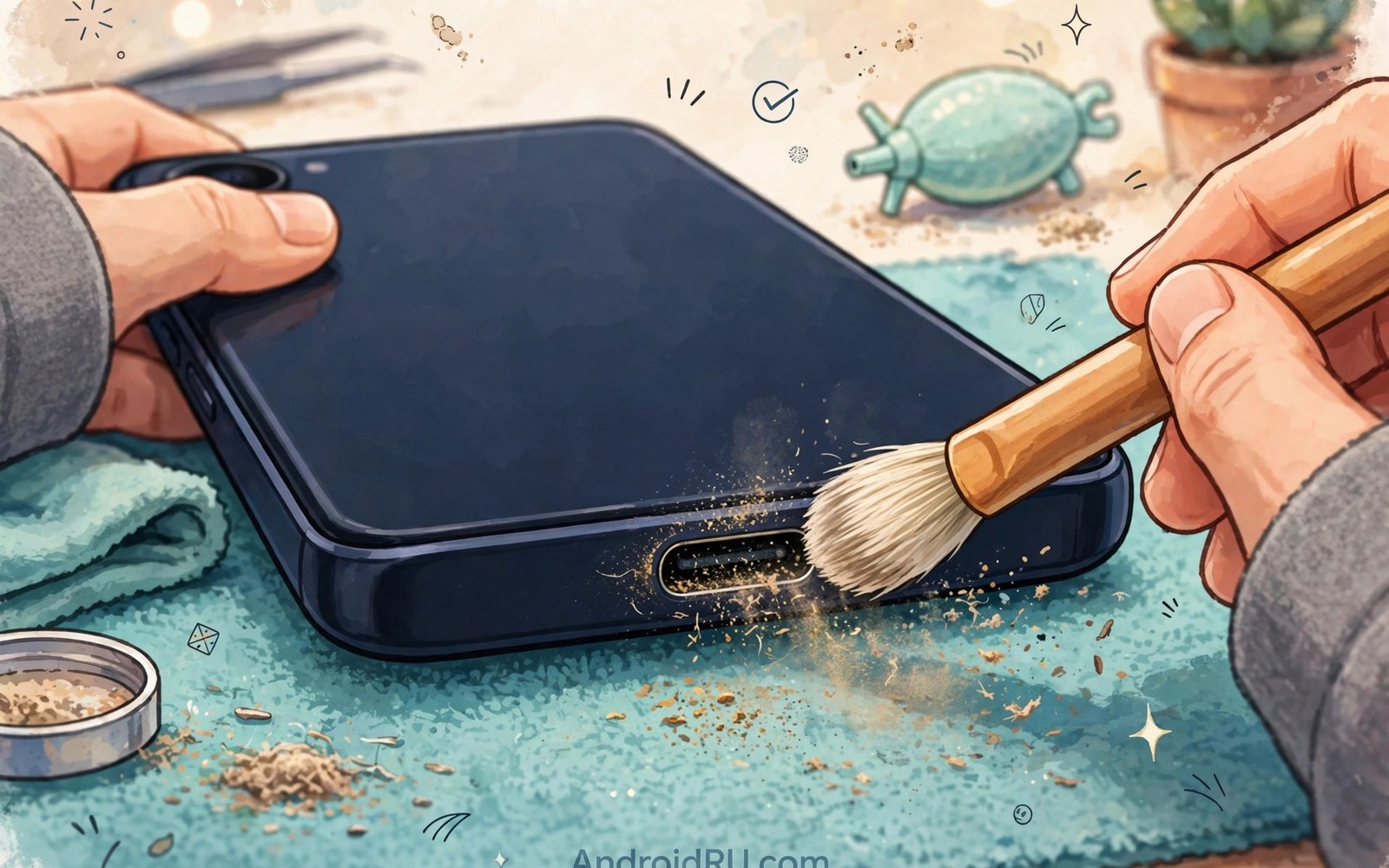
A charging port works hard every day. It accepts a plug many times. It carries power and data. It collects dust in a pocket. Dust compacts at the back of the port. Compacted dust stops the plug seating fully. A half seated plug charges intermittently. It may also heat up. Cleaning restores a firm seating. Cleaning is simple when done safely. It is risky when done with metal tools. This guide explains wear and cleaning. It shows safe tools and steps. It helps you keep a port healthy for years.
Ports wear through repeated use and debris. Each plug insertion rubs contacts slightly. Rubbing polishes contacts over time. Polished contacts still work well. Excessive rubbing from a loose plug wears faster. A loose plug rocks during use. Rocking grinds contacts unevenly. Uneven contacts charge intermittently. Debris accelerates wear too. Dust particles act as abrasives. They grind contacts during insertion. A clean port wears slower than a dirty port. Regular cleaning thus extends port life. It costs minutes per month. It saves a costly repair later. That trade favours cleaning.
How USB-C Ports Wear Over Time
The port contains a central tongue with contacts. The plug surrounds that tongue. Springs in the plug grip the tongue. Repeated use weakens those springs. Weak springs grip less firmly. A plug then feels loose. Loose plugs disconnect with slight movement. That looseness frustrates charging. It also increases contact wear. A firm plug distributes force evenly. A loose plug concentrates force on fewer contacts. Concentrated force wears those contacts faster. Wear and looseness feed each other. Early cleaning and careful plugging slow the cycle. Rough plugging accelerates it. Gentle straight insertion preserves the port.
Sideways force damages ports faster than normal use. A cable yanked sideways levers the plug. Levering bends the tongue slightly. A bent tongue contacts unevenly. Uneven contact causes intermittent charging. Repeated levering worsens the bend. A severely bent tongue may break. A broken tongue needs port replacement. Avoid yanking cables sideways. Pull plugs straight out. Route cables to avoid side pulls. A cable routed across a walkway invites yanks. A cable routed behind furniture avoids them. Small routing habits protect the port greatly. They cost nothing beyond attention.
Heat also contributes to port wear. A hot plug softens plastic around contacts. Softened plastic deforms slightly. Deformation changes contact alignment. Misaligned contacts wear unevenly. Heat comes from poor contacts or thin cables. A clean port with a good cable stays cooler. A dirty port with a poor cable runs hotter. Heat and dirt together accelerate wear fastest. That combination deserves prompt action. Clean the port and replace a hot cable. Those two steps break the cycle. A cool clean port lasts far longer. It also charges more reliably.
Signs Your Port Needs Cleaning
A plug that does not click fully signals dust buildup. The plug should seat with a firm click. A plug that stops short likely hits compacted dust. Dust at the back blocks full insertion. The plug feels shallow. It may fall out easily. That shallow feel is the classic dust sign. Shine a light into the port. Dust appears as a grey layer at the back. Lint appears as fibres around the tongue. Both block seating. A clean port shows clear space around the tongue. The tongue sits centred. Contacts look clean. A quick light check reveals dust at once. It takes seconds and needs no tools.
Intermittent charging that improves with plug pressure also signals dust. Pressing the plug firmly may compress dust temporarily. Charging resumes while pressure holds. Releasing pressure stops charging again. That pattern points to a seating problem. Dust is the most common seating problem. A worn port shows a similar pattern. Cleaning distinguishes the two causes. A port that works firmly after cleaning had dust. A port that still wobbles after cleaning has wear. Clean first before assuming wear. Cleaning is free and quick. Wear repair costs money. A clean test saves a needless repair visit.
Slow charging can also come from dust. A half seated plug may negotiate a lower power level. The phone and charger agree on a safe lower level. That level charges slowly. The user blames the charger or cable. The port dust is the real cause. Test charging after cleaning. A speed jump confirms dust was the cause. A speed test with a known good cable helps. A good cable plus a clean port gives full speed. A good cable plus a dirty port gives slow speed. That comparison isolates dust clearly. It also prevents buying a new charger needlessly.
Safe Cleaning Tools and Steps
Power off the phone before cleaning. A powered port risks a short during cleaning. Powering off removes that risk. It also prevents accidental touches from triggering actions. Use a wooden toothpick or a plastic pick. Wood and plastic do not conduct electricity. They also do not scratch metal contacts badly. A soft brush helps remove loose dust. A brush with fine bristles reaches around the tongue. Compressed air can blow out loose dust. Use short bursts from a safe distance. Long bursts may push dust deeper. Never use a metal pin or needle. Metal can short contacts. Metal can scratch the tongue. Scratches accelerate wear.
Scrape gently along the back wall of the port. The back wall collects compacted dust. A toothpick tip can dislodge it. Work from one side to the other. Remove dislodged dust with a brush or air. Repeat until the plug seats fully. Test seating with a cable after each round. A plug that clicks firmly signals success. Stop scraping once seating feels firm. Over scraping risks tongue damage. Gentle repeated passes beat forceful scraping. Patience protects the port. A port cleaned gently lasts longer. A port scraped forcefully may need repair. The goal is dust removal without contact damage.
Never use liquid inside the port for routine cleaning. Water can short contacts if the phone powers on too soon. Cleaning fluids can leave residue. Residue attracts more dust later. A dry clean suffices for dust and lint. A port exposed to liquid needs different care. Let it dry fully before charging. Drying may take hours. Forcing a cable into a wet port risks a short. A wet port warning on the phone should be obeyed. Wait until the warning clears. A dry port is a safe port. Liquid cleaning offers no benefit for dust. Dry tools handle dust better and safer.
Cleaning Frequency and Prevention
Clean the port monthly for pocket carried phones. Pocket lint builds quickly. A monthly check catches buildup early. Early buildup removes easily. Old compacted buildup needs more scraping. Frequent gentle cleaning beats rare forceful cleaning. A calendar reminder helps. Pair cleaning with another monthly habit. A phone case cleaning routine pairs well. While the case is off inspect the port. That pairing makes cleaning habitual. Habits prevent problems before they start. A port cleaned monthly rarely develops seating issues. It also wears slower.
Prevent dust with simple habits. Keep the phone in a clean pocket. A pocket full of lint fills ports faster. A separate phone pocket reduces lint exposure. A port plug cap blocks dust entirely. Caps cost very little. They fit into the port when not charging. A cap may be inconvenient for frequent charging. It suits phones stored in dusty workplaces. Construction and workshop phones benefit most. A cap also blocks moisture to a degree. Remove the cap before charging. Store the cap with the charger to avoid loss. A lost cap is a minor cost. A dusty port is a larger cost.
Case design affects dust entry. A case with a tight port opening blocks some dust. It may also block some cables. A case with a wide opening admits dust freely. It admits cables easily too. Balance dust protection against cable fit. A case with a small port cover offers the best balance. The cover closes when not charging. It opens for charging. That design blocks dust without blocking cables. Few cases offer port covers. Those that do suit dusty environments well. For general use a standard case plus monthly cleaning suffices. Prevention plus cleaning together give the best result.
When Cleaning Is Not Enough
A port that wobbles after thorough cleaning has mechanical wear. Springs or tongue alignment may be damaged. No cleaning fixes mechanical wear. A technician can assess the port. Some phones allow port module replacement. Others need board level repair. Board repair costs more. Get a quote before committing. Back up the phone before repair. Repair may require a reset. A backup protects data. A worn port left in use worsens. It may damage cables too. A damaged port can wear good cables. Replace or repair it promptly. Continued use spreads damage.
A port with visible tongue damage needs professional care. A cracked tongue may break fully. A broken piece inside the port can short contacts. Do not probe a cracked tongue forcefully. Gentle inspection is fine. Forceful probing worsens cracks. Stop using the port for charging if the tongue looks cracked. Use wireless charging as a temporary measure when available. Wireless charging bypasses the port entirely. It keeps the phone usable while awaiting repair. It also prevents further port damage. A temporary wireless routine is a sensible bridge to repair. It is not a permanent fix for a cracked port.
A port that smells of burning or shows melting needs immediate attention. Stop charging at once. Disconnect the cable. Let the phone cool. Do not reuse that port until inspected. A melted port can short the battery circuit. That short risks serious damage. A technician should inspect it promptly. Describe the smell and the cable used. That detail helps diagnosis. A melted port often follows a faulty cable. Dispose of the suspect cable safely. Do not reuse it on another phone. For fake cable warning signs see identifying cheap counterfeit charging cables that can damage ports for detection steps.
- Power off the phone before any port cleaning.
- Use wooden or plastic picks rather than metal tools.
- Scrape gently and test plug seating after each pass.
- Clean monthly for phones carried in pockets.
- Seek repair for wobble that persists after cleaning.
Port cleaning checklist:
1. Phone powered off
2. Tools: wooden pick and soft brush
3. Light check: dust visible at back
4. Scrape: gentle passes along back wall
5. Remove dust: brush or short air bursts
6. Test: plug clicks firmly
7. Repeat monthly for pocket phones
Protecting Ports During Daily Use
Plug cables straight in without angling. A straight insertion aligns contacts evenly. An angled insertion scrapes one side. Scraping wears that side faster. Remove cables straight out as well. A straight removal avoids levering the tongue. Teach children this habit. Children often yank cables. A yanked cable damages ports quickly. A cable with a magnetic tip reduces yanking damage. Magnetic tips detach under sideways force. They add their own risks. For most users straight plugging suffices. It is a free habit with large benefits. It extends port life noticeably.
Use quality cables with correct plug dimensions. A plug slightly too large stresses the port. A plug slightly too small wobbles and arcs. Both accelerate wear. Quality cables hold tight dimensions. Counterfeit cables vary widely. A counterfeit plug may damage a port in weeks. A quality plug preserves it for years. The cable price difference is small compared with port repair. Invest in quality cables. Keep a known good cable for comparison. A new cable that feels loose or tight deserves rejection. Return it before it damages the port. Early rejection saves repair costs.
Support the phone while charging during movement. A phone charging in a moving bag faces cable tugs. Tugs lever the port. Place the phone securely during charging. A phone holder in a car secures the phone. A flat surface at a desk secures it. A bag pocket that holds the phone still helps. A phone bouncing freely in a bag suffers port stress. Secure placement is a simple protection. It also prevents drops. Drops while charging damage ports and screens. A secured phone charges safely. An unsecured phone charges at risk. For magnetic tip tradeoffs see magnetic USB-C adapters and potential short-circuit risks for an alternative approach.
Final Thoughts on Port Care
A charging port is a hard working part. Dust and wear threaten it daily. Monthly dry cleaning prevents most seating problems. Safe tools protect contacts during cleaning. Straight plugging prevents mechanical damage. Quality cables preserve plug dimensions. A port that wobbles after cleaning needs repair. A port that smells of burning needs immediate inspection. Those habits keep charging reliable for years. They cost minutes and attention. They save repair bills and frustration.
Readers may also find braided nylon cables versus rubber cables for durability and tangle resistance useful for a related setup.
Power off before cleaning and use only wooden or plastic tools. Scrape gently and test seating often. Clean monthly and plug straight every time. The steps above follow the approach described in the official developer documentation for connector care and safe handling. That approach stresses dry cleaning and gentle handling for long connector life. Follow it and your charging port will stay firm and reliable throughout the phone life.

