

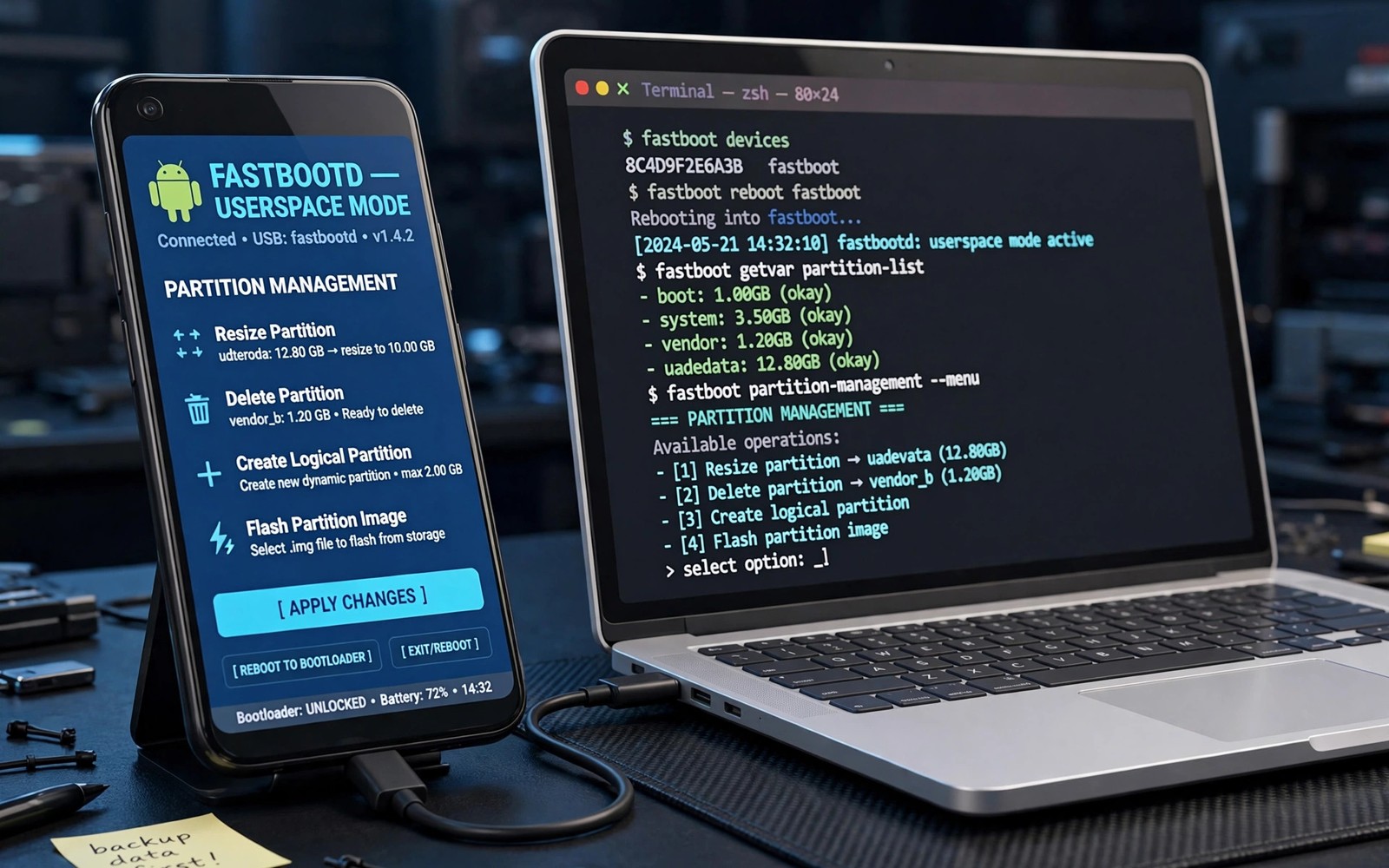
FastbootD is a userspace version of fastboot mode. It runs inside a small Android environment rather than the bootloader. That environment can manage dynamic partitions that classic fastboot cannot. Modern Android layouts made FastbootD necessary. Understanding it helps with flashing on newer phones.
Classic fastboot runs in the bootloader with limited partition knowledge. Dynamic partitions resize logical partitions inside a super partition. The bootloader alone cannot manage that complexity well. FastbootD moves flashing into userspace where full partition tools exist. Recovery and FastbootD now share that userspace world.
Classic Fastboot Versus FastbootD
Classic fastboot handles fixed partitions directly from the bootloader. It flashes boot and recovery and other fixed targets quickly. It lacks knowledge of logical partitions inside super. Flashing a logical partition through classic fastboot may fail or do nothing. That limitation drove the creation of FastbootD.
FastbootD boots a minimal system image with fastboot services. It understands dynamic partition metadata and logical partition sizes. It can create and resize and delete logical partitions. It can flash system and vendor images into those partitions. That capability matches modern layout needs.
- Classic fastboot runs in the bootloader with fixed partition knowledge
- FastbootD runs in userspace with dynamic partition tools
- Logical partitions inside super need FastbootD for management
- Both modes accept fastboot commands from a computer
How to Enter FastbootD
Entry methods vary by device and recovery setup. Some recoveries offer a reboot to FastbootD option. Some fastboot commands reboot the bootloader into FastbootD. The screen in FastbootD looks similar to classic fastboot at first. A label or status line usually identifies the mode.
Check the computer side to confirm which mode is active. Fastboot commands work in both modes from the computer view. Partition operations reveal the difference in capability. Logical partition commands succeed in FastbootD and fail in classic mode. That behavior confirms entry more reliably than the screen alone.
Exiting FastbootD usually means rebooting to system or recovery. Use the reboot command or the on screen option when present. A reboot to the wrong target can confuse troubleshooting. Note your intended target before exiting the mode. Deliberate exits prevent accidental boots into a half flashed system.
Interaction With Recovery
Recovery and FastbootD both live in the userspace ecosystem on modern devices. Recovery images may include FastbootD support directly. Booting recovery can offer a path into FastbootD from a menu. Conversely FastbootD can boot a recovery image for repair work. The two environments complement rather than replace each other.
Recovery handles backups and zip installs and wipes through its interface. FastbootD handles raw partition flashing and logical partition management. A full repair may use both in sequence. Recovery restores backups while FastbootD rebuilds partition structures. Knowing which tool fits each job speeds repairs greatly.
Partition layout knowledge ties both tools together. You can review recovery partitions and seamless A and B layouts for slot and layout foundations. FastbootD extends that foundation into dynamic partition territory.
Common FastbootD Tasks
Flashing super partition contents is a core FastbootD task. Factory images for dynamic devices often flash through FastbootD. Resizing logical partitions for custom ROMs also needs FastbootD. Wiping logical partitions before a fresh install uses it too. These tasks fail or misbehave in classic fastboot.
Creating a logical partition for a new ROM feature uses FastbootD commands. Deleting an obsolete logical partition frees space inside super. Both operations change partition metadata carefully. Mistakes here can make the whole super partition unreadable. Back up partition metadata understanding before structural changes.
Slot handling also appears in FastbootD workflows. Active slot selection affects which logical partitions boot. Flashing to the inactive slot prepares an update without disturbing the active system. Slot awareness from classic flashing applies fully in FastbootD. Check slot status before structural operations.
When FastbootD Is Required
Dynamic partition devices require FastbootD for system level image flashes. Classic fastboot cannot address logical partitions correctly. Attempting those flashes classically wastes time with errors. Recovery zip installers often handle dynamic partitions internally instead. Manual image work still needs FastbootD in those cases.
Custom ROMs with dynamic partition changes also need FastbootD steps. ROM threads state those steps explicitly for affected models. Skipping FastbootD steps leads to incomplete installs. Read ROM instructions fully before starting a dynamic device install. The extra steps are not optional decorations.
fastboot reboot fastboot
fastboot devices
fastboot flash system system.img
fastboot reboot recovery
The commands above reboot into FastbootD and flash a system image. Exact partition names differ by device and layout. Confirm FastbootD entry before flashing logical partitions. A classic mode flash of a logical target will not achieve the intended result.
Troubleshooting FastbootD Problems
Device not found errors in FastbootD mirror classic fastboot causes. Check drivers and cables and USB ports first. Mode confusion causes subtler problems than detection failures. A command that works classically may fail in FastbootD or vice versa. Note the active mode when reporting errors for help.
Partition not found errors usually mean a name or slot mismatch. Logical partition names include slot suffixes on many devices. A missing suffix targets a nonexistent partition. Check partition listings for exact names before flashing. Exact names matter more in dynamic layouts than in fixed layouts.
Failed super flashes may indicate size problems inside super. Logical partitions together must fit within super capacity. Resizing one partition may require shrinking another first. Plan super space before structural changes. A full super blocks new partition creation entirely.
FastbootD and Recovery Updates
Recovery updates on dynamic devices may involve FastbootD steps. New recovery builds track dynamic layout changes closely. Updating recovery before a major Android upgrade helps FastbootD workflows too. Both environments evolve together with layout changes. Keep both current for smooth manual flashing.
Newer layout trends increase FastbootD importance over time. You can read about why newer partition structures make custom recovery harder for the broader shift. FastbootD is part of the answer to that complexity.
Practical FastbootD Rules
Confirm the active mode before any logical partition operation. Use recovery for zip installs and backups where possible. Use FastbootD for raw logical partition work that recovery cannot do. Back up before structural partition changes always. Structural changes without backups risk total system loss.
Practice entering FastbootD on a working phone before an emergency. Familiarity with the mode reduces stress during real repairs. Note entry methods for your model in device records. A recorded method beats searching forums during a boot failure. Small preparation pays off repeatedly.
Initial recovery installation still often starts in classic fastboot. The install workflow in flashing TWRP with fastboot covers that starting point. From there FastbootD becomes available for dynamic tasks.
FastbootD Command Differences
FastbootD accepts most classic fastboot commands from computers. Partition commands behave differently for logical targets. Create and delete logical partition commands exist only in FastbootD. Resize commands also belong to the FastbootD toolset. Classic fastboot lacks those logical operations entirely.
Flash commands for logical partitions require FastbootD entry. Flashing system images is the most common example. Vendor and product images follow the same rule. Boot and other fixed partitions may flash in either mode. Mode choice depends on target type rather than habit.
Erase commands for logical partitions also need FastbootD. Erasing a logical partition removes its contents but keeps metadata. Deleting removes the partition definition itself. That distinction matters during space reclamation. Erase for cleaning and delete for structural removal.
Super Partition Space Management
Super partition space is shared across all logical partitions. System and vendor and product draw from one pool. Updates need free space for new logical partition sizes. A full super blocks updates and new partition creation. Space management is therefore a real maintenance task.
Removing unused logical partitions frees super space effectively. Some ROMs leave obsolete product partitions behind. Deleting obsolete partitions reclaims space for active ones. Verify obsolescence before deleting any partition definition. A wrong deletion breaks the system that needs that partition.
Resize operations need care around active slot contents. Resizing an active partition while booted from it risks corruption. Perform resizes from FastbootD while the target slot is inactive. Inactive slot resizes keep the running system safe. Slot aware resizing prevents self inflicted damage.
- Logical partition commands exist only in FastbootD
- Erase clears contents while delete removes definitions
- Super space is shared across logical partitions
- Resize inactive slots rather than active ones
FastbootD on Different Makers
Maker implementations of FastbootD vary in polish and availability. Some makers expose FastbootD cleanly through recovery menus. Others require specific command sequences to reach it. A few makers restrict FastbootD access on carrier models. Model specific guides matter more than generic FastbootD advice.
Carrier variants may disable bootloader commands entirely. FastbootD availability means little without bootloader access. Check bootloader unlock status before planning FastbootD work. Locked carrier phones may offer no FastbootD path at all. Device selection matters for FastbootD workflows.
Documentation quality also varies across makers and models. Popular models enjoy detailed FastbootD guides from communities. Rare models may lack any FastbootD documentation. Users on rare models must experiment cautiously with logs. Careful experimentation plus backups still enables progress.
The steps above follow the approach described in the official developer documentation for this platform. That documentation explains dynamic partitions and userspace fastboot in general terms. It also covers partition metadata concepts that govern FastbootD. Combine it with device notes for your exact model.

