

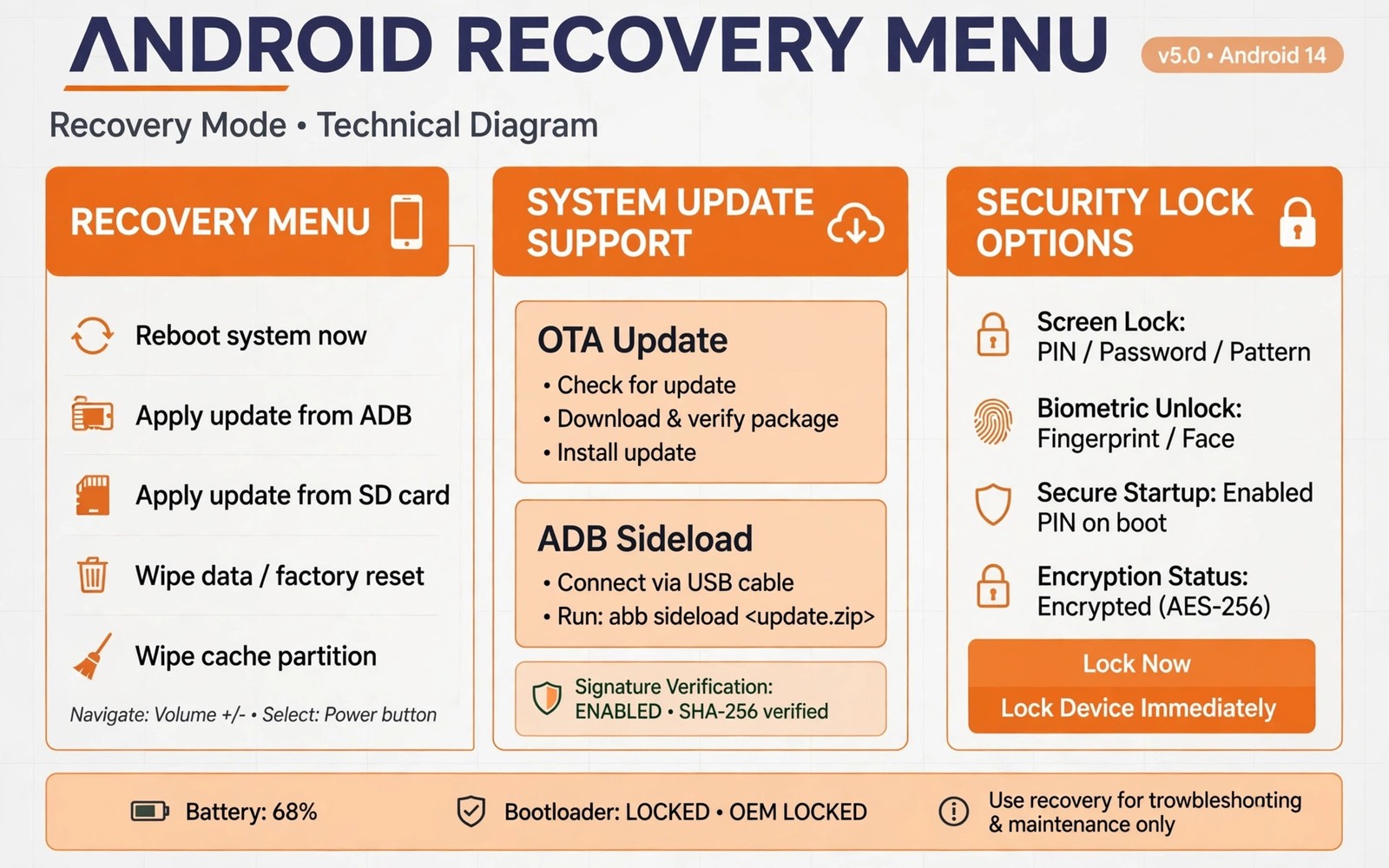
OrangeFox recovery targets selected devices with extra conveniences. Two features stand out for MIUI style devices. OTA support smooths system updates on modified phones. Security locks protect recovery itself from casual access. Together they make OrangeFox appealing where official support exists.
This guide explains both feature areas in practical terms. It covers how OTA support works and where it falls short. It also covers lock options and their limits. Device support remains the first check before any feature matters.
Why OTA Updates Break on Modified Phones
Stock OTA updates expect an untouched system partition. Modified systems fail verification checks during update. Root files and changed system files trigger those failures. Recovery itself may also be overwritten by an update. Modified users therefore face manual updates as the norm.
Manual updates require downloading packages and flashing them yourself. That process works but takes attention and time. Slot handling and version matching add complexity. OTA friendly recovery tries to reduce that burden. It does not remove all manual steps in every case.
- Stock updates verify system integrity before installing
- Modified files cause verification failures on many devices
- Updates may overwrite custom recovery with stock recovery
- Manual flashing remains the fallback when OTA paths fail
How OrangeFox OTA Support Helps
OrangeFox includes features that preserve recovery across updates on supported devices. It can handle OTA packages in ways plain recoveries do not. It may retain recovery after an update installs. It may also support incremental update flows for certain ROMs. Support depth varies by device and ROM combination.
ROM developers integrate with OrangeFox OTA features for supported builds. That integration lets updates arrive and install more smoothly. Users still need to follow ROM specific update notes. OTA support is a cooperation between recovery and ROM, not magic. Check both sides before relying on it.
OTA survival does not preserve root automatically in all cases. Root may need reinstallation after a major update. Modules may also need updates for the new version. Treat OTA support as recovery preservation first. Treat root and module preservation as separate checks.
Security Locks in OrangeFox
Recovery locks add a password barrier before recovery menus open. That barrier deters casual tampering with a lost or borrowed phone. It does not replace encryption or lock screen security. It adds one more layer for physical access scenarios. Users who lend phones or worry about tampering value it.
Lock setup happens inside recovery settings on supported builds. Choose a password you can remember and store it safely. Losing the recovery password can block your own rescue work. That risk balances the tampering protection benefit. Document the password separately from the phone itself.
Lock behavior varies by build and device. Some builds lock the full interface until unlocked. Others lock only sensitive actions like wiping and flashing. Read build notes for exact lock behavior on your model. Assume the weaker behavior until notes prove stronger protection.
Extra OrangeFox Conveniences
OrangeFox adds interface polish beyond locks and OTA features. Themes and display controls let users tailor the look. Additional settings cover vibration and screen timeout and brightness. These touches make long recovery sessions more comfortable. They do not change core flashing power but they improve experience.
Built in tools for managing backups and storage also help. Backup naming and storage options feel more refined. File management includes conveniences for common rescue tasks. Small refinements add up during frequent recovery use. Occasional users may notice them less.
The wider comparison with TWRP appears in OrangeFox versus TWRP feature and UI comparison for readers weighing both projects. Feature polish matters most with regular recovery use.
Device Support and Limitations
OrangeFox supports a narrower device list than TWRP. Official builds focus on selected makers and models. Xiaomi style devices feature prominently in that list. Other makers appear where maintainers contribute builds. A missing build for your model ends the discussion regardless of features.
OTA features also depend on ROM cooperation as noted. A supported device with an unsupported ROM gains little OTA benefit. Check ROM threads for OrangeFox OTA compatibility statements. Test OTA behavior on a non critical update first. A test update reveals real behavior before a major release depends on it.
Security locks depend on build support as well. Not every OrangeFox build includes the same lock options. Verify lock presence in your installed build before relying on it. A quick settings check beats an assumption during a security review.
Using OTA Updates Safely
Back up before every OTA update even when survival features promise safety. Updates can fail and corrupt systems despite best efforts. A fresh backup turns a failed OTA into a restore task. Without a backup the same failure becomes a rebuild. Backup discipline applies to OTA paths fully.
Read update notes for known issues before installing. Major updates may require a clean flash instead of OTA. Forcing OTA over a major jump can cause strange crashes. Follow ROM guidance on update method per release. Guidance beats habit when they conflict.
adb reboot recovery
adb shell ls /sdcard/OrangeFox/
adb pull /sdcard/OrangeFox ./orangefox-copy
The commands above inspect and copy OrangeFox related storage folders. Folder names differ by build and storage layout. Confirm actual paths in the recovery file manager first. Copies protect settings and backups before updates.
Keeping OrangeFox Current
Update OrangeFox itself as new builds release for your model. New builds improve OTA handling and lock behavior. They also track Android version changes like other recoveries. Follow the general update workflow for recovery builds. Verify version and decryption after each update.
Update guidance appears in updating custom recovery for new Android releases which applies to OrangeFox as well. Current recovery plus current ROM gives OTA features their best chance.
Who Benefits Most
Regular MIUI style device users benefit most from OrangeFox extras. Frequent updaters gain from smoother OTA handling. Users concerned about physical tampering gain from lock options. Occasional users on supported devices also enjoy the polished interface. The benefits scale with how often recovery is used.
Users on unsupported devices should choose the recovery with a solid build instead. A polished feature list cannot replace a working build. TWRP often fills that gap with wider coverage. Feature preference never outweighs device support reality.
ROM flashing workflows remain the same under OrangeFox at their core. Review flashing custom ROM zip files and GApps packages for install order that applies across recoveries. Core skills transfer between projects easily.
MIUI Specific Recovery Challenges
MIUI devices present unique recovery challenges beyond standard Android. System update flows differ from stock Android patterns. Partition layouts and verification steps vary by MIUI version. Recovery builds must adapt to those MIUI specifics. Generic recovery builds may miss MIUI nuances entirely.
Anti rollback protection on some MIUI devices adds risk to downgrades. Flashing older software after an update may trigger protection. Protection can brick devices when ignored during downgrades. Check anti rollback status before any version decrease. Downgrade safety matters greatly on affected models.
MIUI account locks can complicate recovery after resets. A reset device may require the previous account sign in. Recovery work does not bypass that account check. Keep account credentials available before any reset operation. Account readiness prevents a repaired phone staying locked.
Testing OTA Behavior Safely
Test OTA support with a small update before trusting major updates. Small updates reveal recovery survival behavior cheaply. A failed small update restores quickly from backup. A failed major update costs far more time. Graduated testing builds trust in OTA features sensibly.
Monitor recovery presence after each test update completes. Boot into recovery and confirm version and functions. Check that backups still work after the update. OTA survival means little if recovery functions degrade. Full function checks complete the test.
Record OTA test results per ROM version in device notes. OTA behavior can change between ROM releases without announcement. Version specific records prevent assuming past success guarantees future success. Test again after major ROM version jumps. Continuous testing beats one time trust.
- MIUI update flows differ from stock Android patterns
- Check anti rollback status before any downgrade
- Test OTA survival with small updates first
- Verify full recovery function after each update
OrangeFox Settings Worth Exploring
OrangeFox settings include display and vibration controls worth tuning. Brightness settings affect recovery visibility in bright rooms. Screen timeout settings balance visibility against battery use. Vibration feedback confirms button presses during flashing. Small tunings make long sessions more comfortable.
Backup settings in OrangeFox deserve review before first use. Storage location and naming options shape backup organization. Compression options trade backup size against backup speed. Choose settings that fit your storage and patience. Good defaults suit most users without tuning.
Security settings deserve review alongside convenience settings. Lock options and password behavior need understanding before enabling. Test lock behavior on a working phone first. A lock misunderstood can block your own rescue work. Familiarity before reliance applies to security features strongly.
The steps above follow the approach described in the official developer documentation for this platform. That documentation explains update delivery and device security concepts in general terms. It also covers credential protection that frames recovery locks. Combine it with project notes for your exact device build.

