

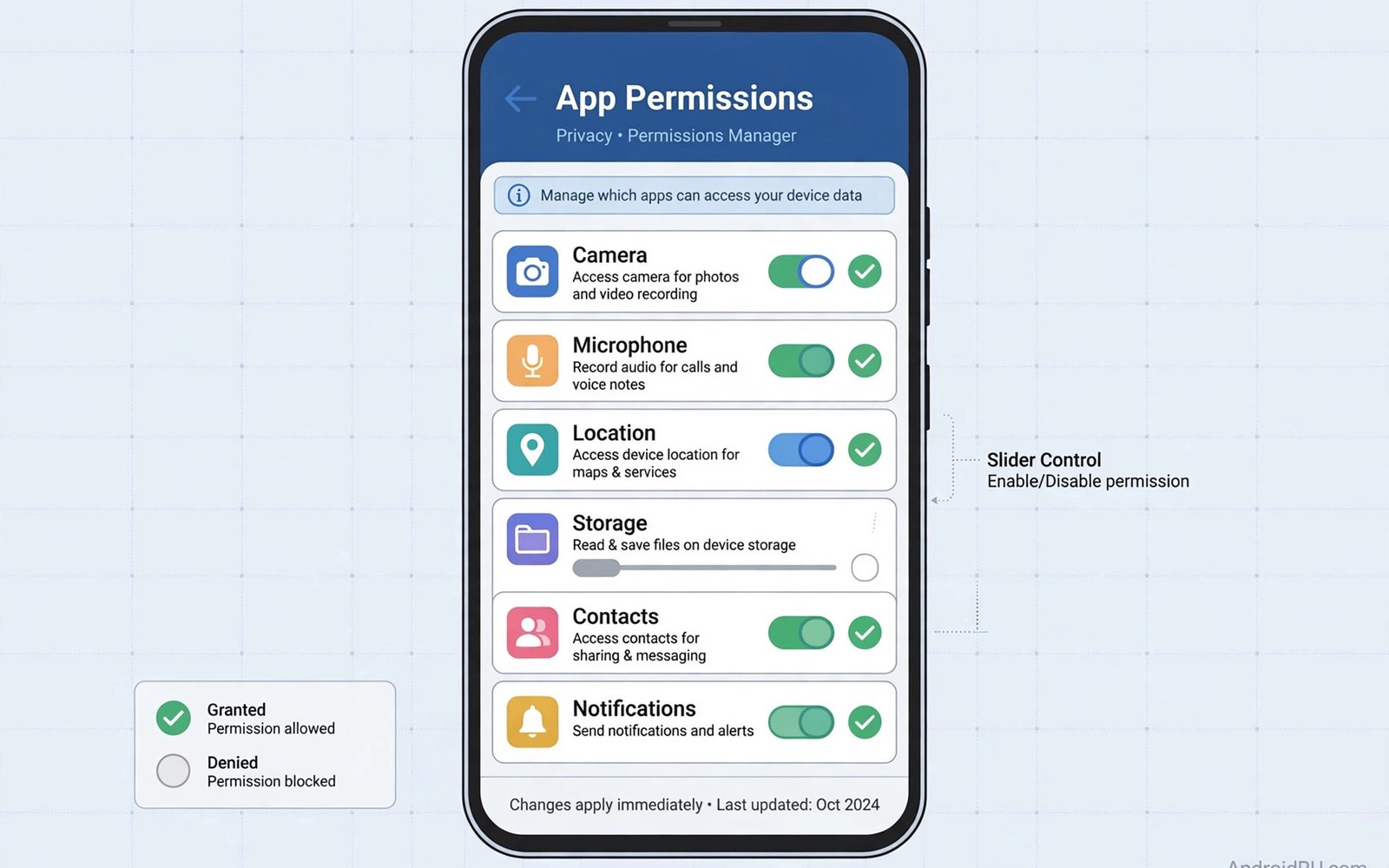
Android permissions control what data an app can reach. A camera permission opens the camera. A location permission opens position data. A contacts permission opens the address book. Stock Android offers broad choices for each permission. An app gets full access or no access or one time access. Granular tweaks go further than those broad choices. They let users shape access for a single app in detail. An app might receive location only while open. It might receive a limited photo set rather than the whole gallery. It might receive no sensor data during background use. That precision is the promise of granular control.
LSPosed tweaks achieve granularity by intercepting permission related calls inside the target app. They can return a partial result instead of a full result. They can return an empty result for a sensitive query. They can delay a result until the user confirms it again. The app logic then works with the limited data it receives. Well built apps handle limited data gracefully. They show a prompt or a reduced feature set. Poorly built apps may crash when a value is missing. Testing each granular rule matters for that reason. A rule that breaks an app is worse than a broad permission that works.
Granular control differs from simply denying a permission. Denial is blunt and obvious to the app. The app knows it lacks access and may refuse to run. Granular control can be subtle. The app believes it has access but receives limited data. That subtlety helps with apps that demand a permission for a minor feature. A social app may demand contacts for a friend finder. The user may want the main feed without sharing contacts. A granular rule can supply an empty contact list for that feature. The feed keeps working while contacts stay private. That balance is hard to achieve with stock toggles alone.
Permission Types That Benefit From Granularity
Location permissions benefit most from granular rules. Many apps need location for one feature only. A weather app needs approximate location for forecasts. It does not need precise tracking all day. A granular rule can supply city level location instead of street level. The forecast stays accurate enough for daily use. Tracking precision drops sharply. A delivery app needs precise location during an active order. It does not need precise location after delivery ends. A time based rule can narrow access to the order window. That timing precision protects privacy without breaking the order flow.
Media permissions benefit similarly from partial access. Android now lets users share selected photos with an app. A granular tweak can extend that idea to other data types. An app might receive a single album rather than the whole library. It might receive photos from one trip rather than years of history. Partial media access reduces exposure from a breach. If the app data leaks then only the shared subset leaks. The rest of the library stays outside the app reach. Users should choose the smallest subset that serves the feature. Small subsets are a habit worth building.
Sensor permissions cover a quieter data family. Accelerometer and gyroscope data can reveal activity patterns. Apps rarely need continuous sensor access for a simple feature. A granular rule can limit sensor reads to foreground use only. It can reduce sensor frequency to a coarse level. A step counter needs coarse motion data. It does not need high frequency raw sensor streams. Coarse data serves the feature while limiting inference. Inference from sensor data is a subtle privacy risk. Users often overlook it because sensors feel harmless. Granular rules bring that risk under control.
How Granular Hooks Intervene
Granular hooks sit between the app request and the system answer. The app calls a permission guarded API as usual. The hook inspects the request and the calling context. It may check whether the app is in the foreground. It may check which feature triggered the request. It then decides what result to return. It can return the true result unchanged for trusted contexts. It can return a reduced result for untrusted contexts. It can return an empty result for contexts that look abusive. This decision logic is the heart of a granular module. Simple modules use fixed rules for all contexts. Advanced modules adapt rules to time and foreground state.
Context awareness separates good granular modules from crude ones. A crude module blocks a permission everywhere. The app then fails in contexts where the permission was legitimate. A context aware module blocks only in risky contexts. It allows the permission during an active user task. It blocks the permission during background polling. That nuance preserves function while cutting silent collection. Users should prefer modules that explain their context rules. A module that cannot explain when it blocks is hard to trust. Explanation lets users predict app behavior accurately.
The underlying hook model appears in material on system hooking inside LSPosed. That background explains how a hook can replace a result. Granular permission work uses result replacement heavily. The original API runs or is skipped depending on the rule. The app receives whatever the hook decides. That power demands careful rule design. A rule that returns malformed data can crash the app. A rule that returns plausible partial data usually degrades gracefully.
Building Rules App By App
Build granular rules one app at a time starting with the most data hungry app. Open the permission settings for that app first. Note which permissions it holds and which it actually needs. Disable permissions that serve no visible feature. For remaining permissions ask whether full access is needed. A map app needs location but maybe not contacts. A chat app needs microphone but maybe not precise location. Remove the obvious excess first. Granular hooks then handle the subtle cases that stock toggles cannot. This layered approach keeps the workload manageable. Stock settings do the coarse work. Hooks do the fine work.
Test each new rule across the app main flows. Open the feature that uses the permission. Confirm it still works with reduced data. Open a second feature that shares the same permission. Confirm it degrades gracefully rather than crashing. Leave the app running in background for an hour. Confirm no crash or battery spike appears. Background behavior reveals rules that break polling logic. An app that polls location in background may loop when it receives empty data. A looping app drains battery quickly. Battery stats after a rule change tell that story clearly.
- Start with the most data hungry app and audit its permissions first.
- Remove stock permissions that serve no visible feature in the app.
- Add granular rules only for permissions that still feel too broad.
- Test each rule across main flows and background behavior.
- Prefer partial data over empty data when the app handles it well.
- Keep rules simple enough to predict app behavior accurately.
- Review rules monthly as apps and features change over time.
- Remove rules that no longer serve a clear privacy purpose.
Partial Data Strategies That Work Well
Partial location is the most successful partial data strategy. City level coordinates serve weather and news and local search. They reveal far less than street level tracking. A city level rule can run all day without much privacy cost. Precise location can be reserved for navigation sessions. That split matches how users actually use location. Most location features need an area rather than an exact point. Navigation is the exception that needs precision. Design rules around that exception explicitly.
Partial contacts work well for social features. A friend finder does not need the whole address book at once. It needs to match a small set of invited contacts. A rule can supply only contacts the user selected for sharing. The app then finds friends among that set. It cannot harvest the rest of the address book silently. Selection based sharing puts the user in control of each contact. It takes more taps than blanket sharing. Those taps are worth the privacy gain for most users. A one time selection effort protects years of contact data.
Partial media works well for upload features. An editor app needs the photos a user wants to edit. It does not need the entire camera roll. A rule or a stock picker can limit access to chosen items. The app edits those items normally. It cannot scan the rest of the library for metadata. Metadata in photos can reveal location and device history. Limiting media access also limits metadata exposure. Users who care about photo privacy should treat media scope as a core habit. Small selections beat blanket library access every time.
Common Pitfalls And How To Avoid Them
Over restriction is the most common pitfall in granular work. A user blocks so much data that apps stop working usefully. Frustration then leads to removing all rules at once. That swing from over restriction to no restriction helps nobody. Start with light rules that preserve function. Tighten gradually as you learn app behavior. A rule that survives a week of normal use is a good rule. A rule that breaks a daily task needs loosening. Balance is a process rather than a one time setting. Revisit rules as habits and apps evolve.
Rule conflicts form a second pitfall. Two modules may hook the same permission API for one app. Their rules may contradict each other. One rule allows location while another blocks it. The result depends on hook order and becomes unpredictable. Avoid running two permission modules for the same app. Choose one module that covers the needed rules. Disable the other completely rather than leaving it half configured. A single clear rule set beats two competing sets. Predictability is a privacy feature in itself. Users cannot manage what they cannot predict.
Granular rule design checklist
App: one target app per rule set
Permission: one permission per rule at first
Data level: partial preferred over empty when possible
Context: foreground allowed, background limited
Test: main flows plus one hour background run
Review: monthly check for stale or broken rules
The steps above follow the approach described in the official developer documentation for the framework and its module system. That material explains scope and process loading in general terms. It also describes how modules attach to app processes at startup. Readers who want deeper detail can consult the same documentation directly. The guidance here adds permission specific rule design. It does not replace module specific instructions from each author. Always read those instructions before applying a new rule.
Maintaining Granular Control Over Time
Apps change their permission needs with every major update. A new feature may request a new permission. An old feature may stop needing a permission it once used. Review permission rules after major app updates. Check whether new requests match a visible feature. Check whether old rules still match current behavior. A stale rule may block a new feature unnecessarily. A missing rule may leave a new data flow unchecked. Monthly reviews catch both problems early. A short review habit prevents gradual privacy drift.
System updates also change permission behavior. Android adds new permission types and new auto reset rules. A system update may reset a permission that a rule depended on. It may introduce a stock control that replaces a hook entirely. Prefer stock controls when they cover a need. Stock controls survive updates without author maintenance. Hooks remain for gaps that stock controls do not cover. That division keeps the setup maintainable. It also reduces the number of hooks that can break at update time.
For related control topics explore privacy control through tracking API interception and scope selection inside the LSPosed app. Those topics show how tracking control and scope management support granular rules. Together they form a complete privacy toolkit. Granular permissions handle data access directly. Tracking control handles data collection indirectly. Scope keeps both tools contained to chosen apps. A toolkit used together beats any single tool alone.

