

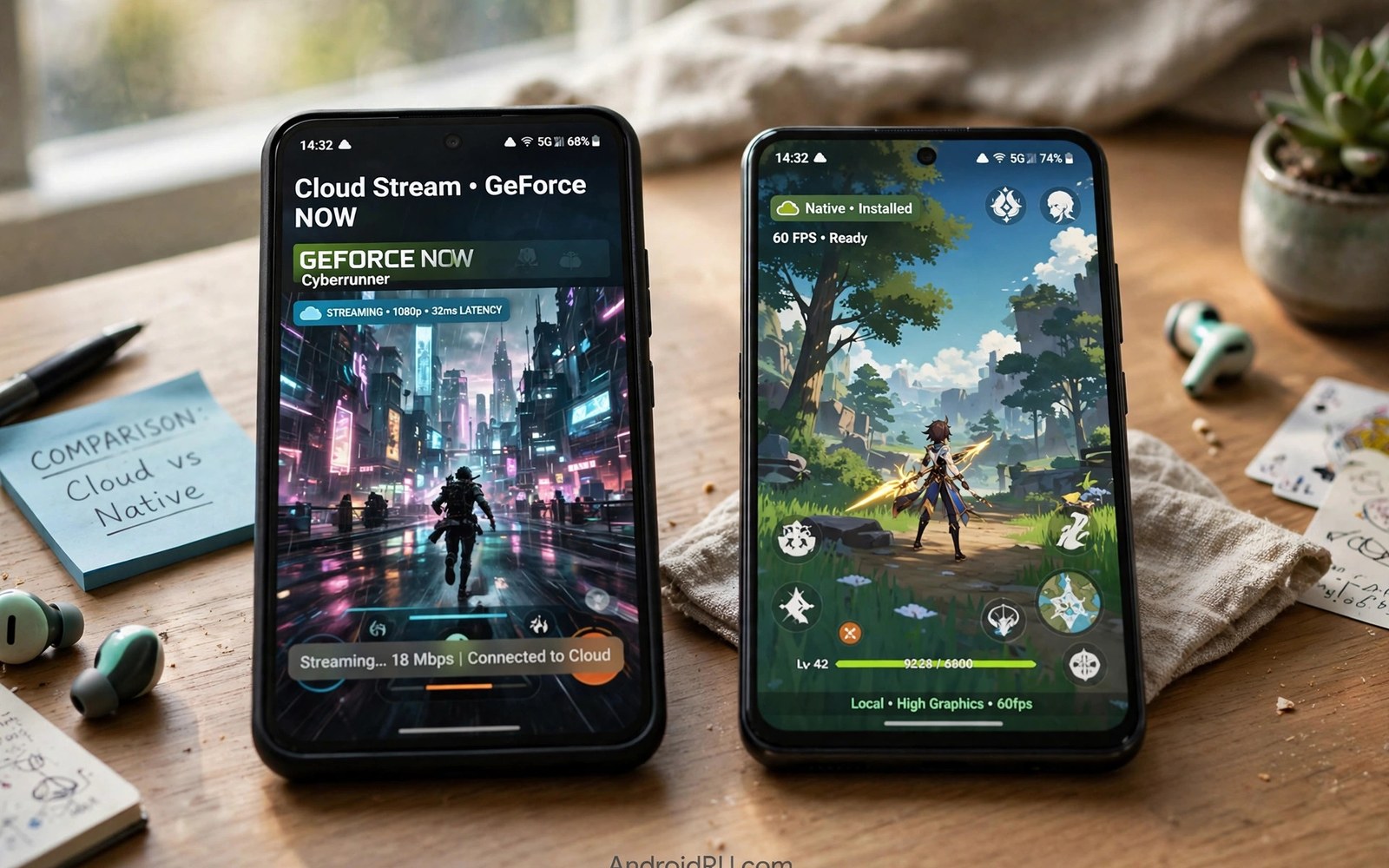
Cloud gaming vs native games is a choice every mobile player now faces. Native games run on your phone hardware. Cloud games run on a distant server and stream video to your screen. Both paths can be fun. They shine in different situations. This comparison covers latency and graphics and cost so you can pick the right path for each game you play.
Native games win on responsiveness. Your touch or button press reaches the game at once. No network trip stands in the way. Cloud games add a round trip for every input. That trip can be short on a great link. It can be long on a weak link. The difference matters most in fast games and matters least in slow games.
Latency in plain terms
Latency means delay between your input and the result on screen. Native games keep this delay tiny because everything happens inside your phone. Cloud games add network travel time in both directions. The server must also encode video before it sends frames back. Each step adds milliseconds. On a strong home link the total delay often stays under 60 milliseconds. That feels fine for most genres.
On a weak link the delay grows and becomes uneven. Jitter makes the delay jump around. A jumpy delay feels worse than a steady delay. Your aim drifts. Your timing fails. Native games never suffer this problem. They run the same on a train and in your living room. Cloud games depend on the link you have at that moment.
Genre decides how much latency matters. Puzzle games and turn based strategy games tolerate delay with ease. Story adventures tolerate it well too. Racing games and shooters suffer first. Fighting games suffer most because frame perfect timing defines the genre. Match the game to the path. Play fast games natively when you can.
Graphics and visual quality
Cloud gaming can show PC grade graphics on a cheap phone. The server carries a powerful graphics card. Your phone only decodes video. Shadows and lighting and draw distance can beat anything a phone chip renders locally. This is the biggest selling point of streaming. A budget phone can display a world built for a gaming PC.
Native games look sharper in motion though. Local rendering draws each frame cleanly. Cloud video compression softens fine detail. Fast camera moves reveal blocky patches. Dark scenes can show banding. Phone screens hide many flaws because they are small. A careful eye still notices them during busy action.
Resolution claims need care. A cloud stream may advertise 1080p but compression decides the real look. A native game at lower resolution can look cleaner than a compressed stream at higher resolution. Judge with your eyes during real play. Spec sheets never tell the full story.
Cost over a year
Native games often cost little or nothing up front. Many are free with optional purchases. A good phone costs money but you buy it for many uses beyond games. Cloud gaming adds a monthly fee on top of your phone and your internet bill. You may also need to buy the games themselves on some services. Add these costs before you compare.
Cloud gaming can still save money for some players. It replaces a gaming PC or a console purchase. A year of a cloud tier costs far less than a graphics card. A player who already owns PC games gains the most. A player who owns nothing may pay both a subscription and game prices. Do the math for your own library.
Data costs hide in the total too. Cloud play uses gigabytes per hour. A capped home plan or mobile plan can add fees or throttling. Native games download once and then use little data. Heavy cloud players should check their plan cap first. The cheapest subscription can turn expensive through data overage.
Storage and device freedom
Cloud gaming frees storage completely. Big titles never touch your phone disk. You can try many games without deleting photos or apps. Native games demand space. Modern titles can exceed several gigabytes each. A phone with small storage fills fast. Cloud play solves this pain at once.
Cloud gaming also frees you from hardware limits. An old phone can run a new release through the cloud. Native play forces upgrades when games outgrow your chip. This freedom matters for players on a budget. It also matters for players who keep phones for many years.
The trade is dependence. Cloud play needs a link at all times. A dead zone ends your session. Native play works offline in a tunnel or on a plane. Smart players keep both options. Stream at home where the link is strong. Keep a few native games installed for travel and dead zones.
A simple cost comparison script
The script below totals one year of cloud costs against a native setup so you can compare with your own numbers. Edit the values to match your subscription and data plan.
monthly_sub = 10
months = 12
games_bought = 60
extra_data_fees = 0

cloud_year = monthly_sub * months + games_bought + extra_data_fees
native_year = 0
native_games = 40

print("Cloud year total:", cloud_year)
print("Native year total:", native_year + native_games)
if cloud_year < 300:
    print("Cloud looks cheap for your pattern")
else:
    print("Check whether native play saves money")
This snippet is an original cost helper written for this comparison. It is included here so you can plug in your own prices and see the honest total for your habits.
Common mistakes
Many players compare only graphics and ignore latency. A pretty stream that lags feels worse than a simpler native game that responds at once. Test feel first and looks second. Another mistake is testing cloud play once on bad Wi-Fi and writing it off. Move closer to the router and test again before you judge.
Some players buy a cloud subscription and delete all native games. Then a trip or an outage leaves them with nothing to play. Keep a few native favorites installed as backup. Others assume cloud play is always cheaper. Add subscription fees and data costs and game prices before you claim savings.
A final mistake is chasing maximum stream settings on a phone screen. The small display hides the difference between high and medium settings. Medium settings stream smoother and use less data. Save maximum quality for a tablet or a TV where the difference shows.
When to stream and when to install
Smart players switch paths by situation rather than loyalty. Stream at home on strong Wi-Fi when trying a new big title. Installation takes time and storage. Streaming gives instant access for a trial. If the game hooks you and you play daily then installing may suit better. Local play removes network risk for a favorite title. Streaming remains best for trials and variety.
Travel flips the choice again. Installed games work offline on planes and in dead zones. Streamed games fail without a link. Keep two or three installed favorites for travel always. Rotate them by mood and season. A travel library of trusted games beats a huge streamed catalog that needs a signal you do not have.
Competitive play favors installation whenever a native version exists. Response time decides matches. Local play removes network delay entirely. Streamed play adds delay no skill can erase. Casual matches tolerate streaming fine. Ranked matches deserve the lowest delay path available. Choose the path that protects your rank.
Family and shared device play
Families share phones and tablets more than single players admit. Cloud gaming suits shared devices well because saves live in accounts rather than on the device. A child can play on a parent tablet and continue later on another device. Account switching keeps progress separate. Teach each family member to sign out after play on shared devices.
Parental controls differ between paths too. Native games offer device level controls and age ratings. Cloud libraries offer their own controls and filters. Check both layers for a child account. A filter on the device does not always filter a cloud library. A filter on the library does not always filter native installs. Layered controls protect better than either alone.
Costs also split across family members in useful ways. One cloud subscription can serve several family players at different times. Native purchases often lock to one account or device. A family that plays at different hours gains value from a shared subscription. A family that plays together at once needs multiple seats or installs. Match the model to your household rhythm.
A decision checklist for new players
New players can decide between cloud and native play with a short checklist. First ask whether your link holds steady during evening hours. A stable link favors streaming. An unstable link favors native installs. Second ask whether your phone storage feels tight. Tight storage favors streaming. Roomy storage favors installs. Third ask whether you travel offline often. Frequent offline travel favors native games. Mostly home play favors streaming variety.
Genre preference narrows the choice further. Fast competitive games favor native play for response time. Story and strategy games favor streaming for visual richness. Puzzle and casual games work well either way, so pick the cheaper path for those. A mixed library that uses both paths gives you the best of each world. Few players need to commit fully to one path.
Budget completes the checklist. Add subscription fees and data costs for cloud play. Add purchase prices and storage needs for native play. Compare yearly totals honestly with your real habits. A path that looks cheap monthly can cost more yearly through data overage or repeated purchases. Yearly math beats monthly impressions for budget decisions.
FAQ
Is cloud gaming better than native gaming on Android?
Neither path wins for every game. Cloud wins for big PC and console titles on weak phones. Native wins for responsiveness and offline play. Most players benefit from using both paths for different games.
Does cloud gaming drain battery faster than native games?
Often it drains slower because the phone only decodes video. The screen and radio still use power. Native 3D games can heat the phone more and drain faster during heavy scenes.
Can I switch between cloud and native versions of one game?
Sometimes. Some games share saves through a cloud account. Many do not. Check save sync before you split progress across two versions of the same title.
The best way to feel the difference is to test real services on your own phone. The Xbox Cloud Gaming setup and performance review walks through setup on Android step by step. The GeForce Now on Android guide explains how owned PC games stream to a phone. The cloud gaming services compared page then helps you pick the service that fits your library.
Conclusion
Cloud gaming vs native Android games is not a war with one winner. It is a toolbox with two tools. Use cloud play for big titles and weak hardware and instant trials. Use native play for fast competitive games and offline travel. Your next step is practical. Pick one game you love and play it both ways this week. Compare feel and looks and cost on your own phone and your own network. That test will tell you more than any article can.

