

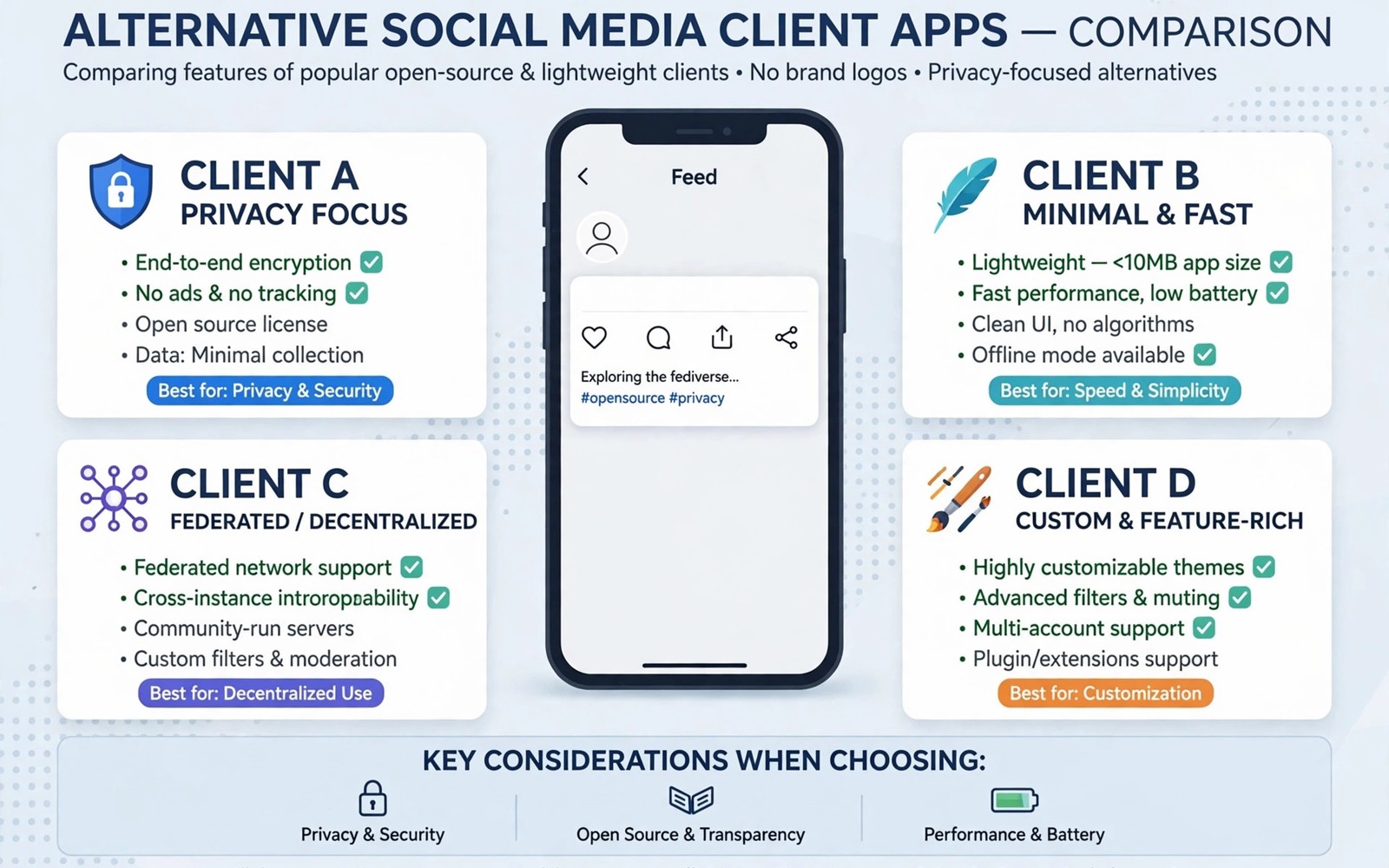
Official social apps grow heavier every year with ads and video feeds and shopping tabs. Many users want a lighter way to read and post. These alternative clients for Reddit Twitter social platforms offer cleaner timelines and stronger filters. This guide explains what alternative clients do well and where they break. You will learn how to pick one without losing your account.
Start with what you actually need from a client. Some users want ad free reading only. Others want posting and messaging and notifications too. Also check managing app notification overload from social networking apps because a new client changes notification behaviour. Match the client to your use case before you install five options.
What an alternative client really is
An alternative client is a separate app that talks to the same service through an official or public interface. It shows posts and comments in its own layout. It may add filters and themes and offline reading. It does not create a new social network. Your account and your follows stay on the original service.
Access depends on the service policy. Some services offer open interfaces for third party apps. Others restrict or charge for access. That policy decides whether a client can post or only read. Check the client description for read only limits before you switch. A read only client frustrates users who expect full posting.
Reddit clients and the new limits
Reddit clients once offered the best way to browse the site on mobile. Official policy changes limited third party access sharply. Some clients shut down and others moved to paid models. A few clients still work with limited features or with user supplied keys. Expect smaller feature sets than the golden era of Reddit clients.
If you mainly read then a lightweight client or a good mobile web setup may suffice. Save posts and use filters to cut noise. If you moderate a community then the official app remains the practical tool. Moderation tools in third party clients are often incomplete. Choose based on moderation needs and not only on looks.
Twitter and microblogging clients
Twitter clients face similar access limits. Many classic clients lost posting access when rules changed. Remaining options often focus on reading lists and bookmarks. Some users moved to decentralised services where clients thrive. That shift explains why decentralized social apps Mastodon and Bluesky on Android now matters for client fans. Open protocols allow many clients to compete fairly.
For Twitter itself test a client with a secondary account first. Check whether replies and media upload work. Check whether notifications arrive on time. If posting is broken then keep the official app for posting and use the client for reading. That split is less elegant but it works in practice.
Open source clients and privacy gains
Open source clients let anyone inspect the code for trackers and data collection. That transparency is a real privacy gain. Many open clients also skip ads and skip algorithmic feeds. You see posts in chronological order from people you follow. That alone reduces doomscrolling for many users.
Open source does not mean risk free. Check update frequency and maintainer activity. An abandoned client may miss security fixes. Check permissions too. A reading client should not need contacts or location access. If it asks for broad permissions without a reason then choose another option.
Features to compare before you switch
Compare timeline control first. Good clients offer mute filters for keywords and users and domains. They offer list support and saved searches. They offer theme and text size control for comfortable reading. They offer offline caching for commutes with weak signal. Those features matter more than a fancy icon.
Compare media handling next. Some clients compress images poorly or fail on video. Some handle polls and live threads badly. Test video playback and image zoom in your top candidate. Test link opening behaviour as well. A client that traps every link inside itself can annoy fast.
Staying safe with third party logins
Never type your password into a client you have not vetted. Prefer official login flows that open the service site for approval. Revoke access from account settings if a client behaves oddly. Use two factor authentication on every social account before you try a new client.
Watch for clients that ask you to disable security checks. That request is a red flag. Also review securing your messaging apps with biometric app locks for device level protection. A locked phone plus a vetted client is a solid pair. Remove clients you stop using so stale tokens do not linger.
adb shell pm list packages | grep -i -E 'reddit|twitter'
adb shell dumpsys package com.reddit.frontpage | grep -i versionName
These commands follow the standard Android developer reference pattern for listing installed packages. They only read data and they change nothing on the phone.
Testing a new client safely over one week
Install the candidate client alongside the official app for the first week. Do not delete the official app until the new client proves itself. Log in with two factor authentication enabled on your account. Revoke access immediately if login asks for unusual permissions. Spend day one on reading only. Check timeline speed and image loading and text size options. Note any missing features in a simple list. That list becomes your decision record at the end of the week.
Use day two and three for filters and lists. Create mute filters for three topics that normally annoy you. Build one list for close friends and one list for news. Test whether the client respects those filters consistently. Some clients apply filters only to the home timeline and not to search results. That gap matters if search noise bothers you. Test notifications on day four with a friend sending you a reply. Note delivery delay compared with the official app. Slow notifications may disqualify a reading focused client for active conversations.
Use the final days for posting and media tests. Post a text update and a photo update from the client. Check how replies and media appear in the official app afterwards. Formatting differences sometimes break threads or images. If posting works cleanly then the client passes the core test. Decide based on your list and not on first impressions. Keep the official app only for tasks the client fails. That hybrid setup often beats a forced full switch.
Open source clients and long term trust
Check the client source repository for recent activity before you trust it. Look for releases within the past few months. Read recent issue reports to see how the maintainer handles bugs. An active maintainer responds to security reports promptly. A silent repository for a year signals abandonment risk. Abandoned clients may miss fixes for login changes. That risk grows when services change authentication rules. Choose clients with a visible update rhythm over prettier but stale alternatives.
Review permissions with fresh eyes after install. A reading client needs network access and storage for cache. It does not need contacts or location or microphone access. Deny any permission that lacks a clear feature reason. Revisit permissions after major updates because new features can add requests. A client that suddenly wants contacts access deserves a sceptical look. Check the changelog for a feature that explains the request. If no explanation exists then deny and contact the developer.
Plan an exit path before you depend on any client. Export saved posts and lists where the client allows it. Keep the official app installed as a fallback during transition periods. Note your filter rules in a text file so you can rebuild them elsewhere. That preparation makes a future client shutdown annoying rather than disastrous. Clients come and go as service policies change. Your account and your follows live on the service itself. Protect them with strong passwords and two factor authentication regardless of client choice.
Your alternative client evaluation checklist
Use this checklist to judge any new client fairly over one week. First confirm that the client comes from a reputable store and an identifiable developer. Second confirm that login uses an official approval flow and not a raw password form. Third enable two factor authentication on your account before first login. Fourth test reading speed and image loading on both Wi-Fi and mobile data. Fifth test mute filters for three topics and one user. Sixth test list creation and saved searches. Seventh test notifications with a reply from a friend and note delivery delay. Eighth test posting text and posting a photo and check formatting in the official app. Ninth review permissions and deny anything without a clear feature reason. Tenth check update history for releases within the past few months. A client that passes all ten checks deserves a longer trial. A client that fails login safety or update history should be rejected immediately regardless of appearance. Appearance matters far less than safety and maintenance. Keep your evaluation notes for future client comparisons. Those notes prevent repeating the same trial for every new client that appears. Choose slowly and switch once rather than switching monthly.
Common mistakes
Installing a client from an unknown source is the top mistake. Stick to reputable stores and check developer history. Entering your main password into an unvetted client is equally risky. Use official approval flows and two factor authentication. Expecting full official features from a third party client also disappoints. Read the feature list first.
Keeping ten clients installed creates notification chaos. Pick one reading client and one posting path. Revoke old clients from account settings regularly. Ignoring policy changes is another trap. A client that worked last year may lose access after a rule change. Check recent reviews before you commit.
Judging a client only by screenshots misses timeline control and filters. Test mute filters and lists for a full week. A pretty client with weak filters will not reduce noise.
Frequently asked questions
Are alternative clients legal to use?
Yes when they use official interfaces and respect service terms. Services may still limit or revoke access at any time. That risk is part of using any third party client. Read the terms for your service before you rely on a client daily.
Can a client steal my account?
A malicious client could misuse login tokens. That is why vetting matters so much. Use official login flows and enable two factor authentication. Revoke any client you no longer trust from account settings at once.
Why do some clients stop working suddenly?
Services change access rules or pricing or authentication methods. A client must update to match the new rules. If the maintainer stops updating then the client breaks. Choose actively maintained clients with recent releases.
Conclusion
Alternative clients shine when they cut noise and respect your time. They are not magic replacements for official apps. Read only limits and policy changes shape what they can do. Pick one well maintained client and test it for a week. Keep the official app only for tasks the client cannot handle.
Your concrete next step is to install one vetted client today and enable keyword mute filters for three noisy topics. Use it for reading for a week before you judge it. Then revoke any older clients you no longer use.

