

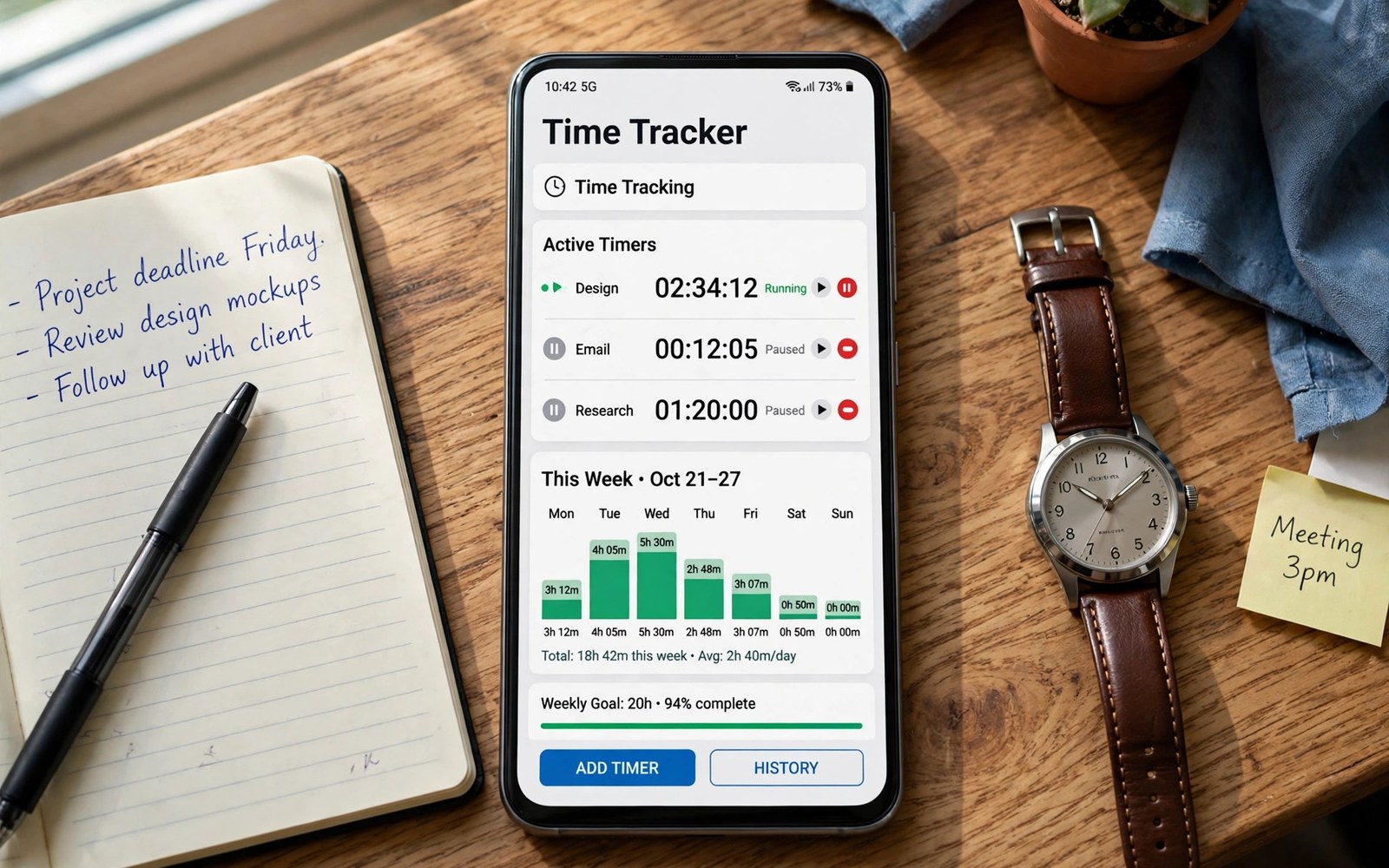
The best time-tracking apps for Android show where hours actually go instead of where you think they go. A good tracker starts fast and stops fast and it sorts time by task without extra admin work. This article shows how to track work and study hours without turning time tracking into a second job.
Many people start tracking with enthusiasm and quit within a week because every timer needs too many taps. A tracker that demands a project and a tag and a note for each start will lose to a busy day. The right tracker needs one tap to start and one tap to stop and a weekly report you can read at a glance.
Start by tracking only the two or three activities that matter most to you. Work and study and admin cover most days without a long list of tiny categories. Extra categories can wait until the core habit survives two full weeks. A closer look at tablet workstation setup can help you compare daily tools before you commit to one setup.
What matters most
One tap timers matter more than advanced reports for daily use. A timer that starts from a widget or a notification will capture real work. A timer buried in menus will capture only the work you remember to log after the fact.
Manual time entry helps when you forget to start a timer during a call or a meeting. A good app lets you add a past block in seconds with a start and an end time. Manual entry should feel like a fix rather than a punishment for forgetting.
Reports should answer one question at a glance and that question is where did the week go. A weekly chart by task shows overload and idle gaps without a spreadsheet. A report that needs interpretation will sit unread and the habit will fade.
How to choose the right setup
Freelancers need client totals and export for invoices at month end. Students need subject totals and study streaks across a term. Office workers need project totals that match team reports without double entry.
Automatic tracking can detect app use and location but it raises privacy questions. Manual timers give cleaner intent because you declare what you are doing. Choose automatic only when its data stays on your device or under your control.
Reminders help when a timer runs too long or when no timer runs at all. An idle reminder after thirty minutes of no activity catches forgotten timers. A reminder that fires every few minutes will annoy you into quitting.
A practical daily routine
Start the timer before you open the task and stop it when you switch tasks. A short pause between tasks keeps totals honest and it gives your mind a reset. Do not let a timer run through lunch or a break because inflated totals hide real capacity. A related look at office suites on Android can show how a second tool fits the same workday without adding clutter.
Review totals each evening for five minutes and note one surprise from the day. A surprise might be email time or meeting time or a task that took twice as long as planned. One surprise per day teaches more than a perfect log that nobody reads.
Plan tomorrow from this week totals rather than from wishes alone. A task that took ninety minutes yesterday will likely need ninety minutes tomorrow. Honest estimates from real data make schedules that actually hold.
Costs and privacy and limits
Free trackers often limit projects or reports or team members. One person with a few projects may manage well on a free plan. Freelancers who need invoice export and client reports usually need a paid plan.
Time data can reveal work patterns and habits that deserve care. Check whether the tracker stores data on its servers and whether it offers export and deletion. Do not track sensitive personal activities in a shared team workspace.
The hidden cost of tracking is attention spent on the tracker itself. A tracker that needs constant fixes will cost more time than it saves. Keep categories few and timers simple and let reports do the analysis.
A useful example
A time log is only useful when it can leave the timer app as clean data. The script below saves two timed tasks as a simple CSV file with minutes per task. Use the same fields inside your tracker and weekly reports will stay simple.
import csv
from datetime import datetime
rows = [["task", "minutes"], ["Writing", 90], ["Email", 25]]
with open("time-log.csv", "w", newline="", encoding="utf-8") as f:
    csv.writer(f).writerows(rows)
print(f"Logged {sum(r[1] for r in rows[1:])} minutes")
This time log pattern follows the approach described in the official Python documentation for comma separated files and dates. The same documentation explains how structured rows stay readable in spreadsheets and other tools.
What to check after a week
After a week check whether timers started on time for most tasks. A log full of manual entries after the fact suggests the start step is too slow. Move the timer to a widget or a notification to fix capture at the source.
After a week check whether weekly totals match your sense of the week. A large gap between logged time and felt time shows missing blocks or inflated timers. Fix the gap with a daily review rather than with more categories. A practical look at distraction-free apps can help you judge whether your current setup still earns its place on your phone.
After a week check whether reports changed any decision about tomorrow. A report that changes nothing is decoration rather than a tool. Use one report insight to adjust tomorrow and the habit will earn its place.
Deeper checks for careful users
Pomodoro style timers suit focused study and writing when work fits short bursts. A timer that breaks work into twenty five minute blocks with short breaks can protect focus. Long creative work may need longer blocks and fewer interruptions.
Billable time needs a clear rule for rounding and for non billable gaps. Round to the nearest quarter hour only when clients expect that rule. Keep raw minutes in the log so rounding never hides real work.
Team time tracking needs trust and a clear purpose shared with the team. Tracking that feels like surveillance will produce fake logs and low morale. Share team totals for planning rather than individual minute by minute surveillance.
Making the choice stick
A time tracking habit sticks when the timer starts from a widget without opening the app. Place a start widget on the first home screen for your main task. A timer buried in menus will lose to busy days every time. A widget start turns tracking into a reflex at the start of work. Test widget placement for a week and move it if you keep forgetting to start.
A weekly time review turns raw totals into better plans for the next week. Spend fifteen minutes each Friday comparing planned hours with logged hours. A gap between plan and reality reveals tasks that need smaller steps or longer estimates. A review without action is just a chart and it will not change next week. Use one insight from each review to adjust Monday plans at once.
Estimates improve when you log both planned and actual minutes for key tasks. A task planned for sixty minutes that took ninety teaches a clear lesson. A log without planned minutes cannot teach that lesson at all. Compare planned and actual for the top five tasks each week. Honest comparison will make future estimates far more accurate within a month.
Breaks deserve tracking as a category rather than as missing time. A day with no break category will look like a day with inflated work totals. A break category keeps work totals honest and it protects rest time. A tracker that punishes breaks will encourage fake totals. Treat breaks as planned recovery rather than as lost time.
Client work needs a clear rule for billable and non billable time from day one. Mark admin and communication time as non billable unless a contract says otherwise. A vague rule will create invoice disputes at month end. A clear rule agreed in advance will protect both freelancer and client. Review billable totals weekly so surprises never reach an invoice.
A tracker earns a permanent place when it survives a chaotic week without a rescue. Test capture during a day with many interruptions and see whether timers still reflect reality. A system that fails on chaotic days has failed its main purpose. Fix start friction first because start friction causes most missing blocks. A trusted log will keep the habit alive through hard weeks.
A week of practice
Day one of practice should track only your top three activities with one tap timers. Start and stop each timer at task boundaries without extra notes. A simple start will feel natural by the end of day one. A complex start will already feel like admin work. Note any timer you forgot to start and why it happened.
Day three of practice should review evening totals for the first three days. Compare logged hours with your sense of each day. A close match proves capture is working well. A large gap shows missing blocks or inflated timers to fix. Adjust timer placement or reminders based on the gap pattern.
Day five of practice should test a weekly report by answering where the week went. Read the report for five minutes and write one insight about tomorrow. A report that yields one insight is a useful tool. A report that yields no insight needs fewer categories or a clearer chart. Use the insight to change one plan for next week.
Day seven of practice should decide whether tracking changed any real decision. Count decisions that used time data during the week. A tracker that changed a decision has earned its place. A tracker that only produced charts has not yet proved value. Keep tracking only if it changed a decision or an estimate.
Common mistakes
Most time tracking failures come from complexity rather than from laziness. The list below names the mistakes that end tracking habits fastest.
- Creating twenty categories before the first timer ever starts.
- Letting timers run through breaks and inflating every total.
- Skipping the evening review until the log becomes a mystery.
- Tracking every minute instead of the few activities that matter.
- Using automatic tracking without checking where data is stored.
- Judging a tracker by reports instead of by capture speed.
Each mistake above is easy to fix with fewer categories and a daily review. A simple log that you trust will beat a detailed log that you abandon. Keep tracking light and let weekly totals guide real decisions.
Frequently asked questions
How much time should I track each day?
Track the activities that drive your main goals rather than every minute of the day. Work and study and admin cover most planning needs. A focused log beats a complete log that takes an hour to maintain.
Can time tracking improve study habits?
Time tracking shows which subjects get real hours and which subjects only get good intentions. A weekly subject chart makes gaps visible at a glance. Use totals to rebalance study time rather than to chase a perfect streak.
Is automatic time tracking private?
Automatic tracking can record app use and location in ways that deserve care. Check storage and sharing settings before enabling it. Manual timers offer cleaner privacy because you declare each block yourself.
Conclusion and next step
A time tracker works when start and stop take one tap and reports answer one clear question. Complexity kills the habit faster than any missing feature. Keep categories few and review totals daily and let data shape tomorrow.
Your concrete next step is to track only your top three activities for seven days and review totals each evening. Adjust tomorrow from real totals rather than from wishes. A week of honest data will improve planning more than a new app will.

