

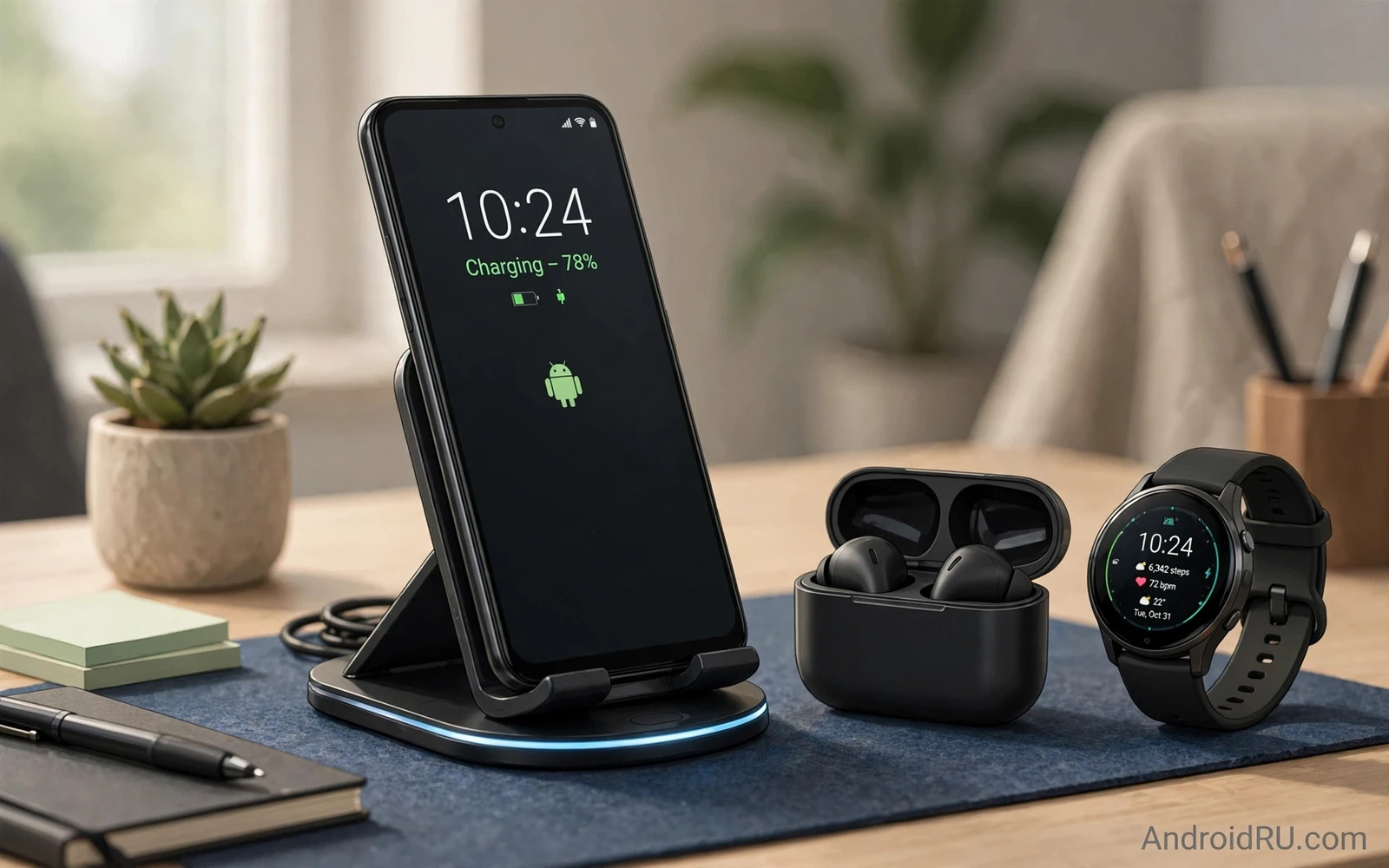
Why A Stand Beats A Flat Pad
A flat wireless pad charges a phone lying face up. A stand charges a phone upright at a readable angle. That angle changes desk use completely. Notifications stay glanceable without picking up the phone. Video calls work hands free while charging. The phone doubles as a desk clock and a music controller. A flat pad hides the screen and forces a pickup for every glance. A stand keeps the phone useful throughout the charging session.
Stands also improve coil alignment in many cases. A stand cradles the phone at a consistent position so coils align repeatably. A flat pad allows the phone to slide slightly off centre which can slow charging or stop it entirely. A stand with a good base grip prevents sliding when you tap the screen. That stability matters during video calls when taps and swipes could shift a flat pad phone off its sweet spot.
Charging Speed Reality For Stands
Wireless charging speed depends on phone support and stand power and case thickness. A stand advertising high wattage only delivers that speed when the phone supports the same standard. Many Android phones cap wireless charging below the stand maximum. A universal stand may charge one phone fast and another phone slowly due to protocol differences. Check phone specific wireless speed rather than stand headline wattage.
Case thickness affects wireless efficiency strongly. A thin case rarely troubles modern stands. A thick rugged case or a case with metal plates can slow charging or block it. A case with a magnetic ring can improve alignment on magnetic stands but it can also add distance between coils. Test your daily case on a stand before the return window closes. A stand that works beautifully without a case but fails with your case serves you poorly in real life.
Single Multi And Convertible Stands
Single stands serve one phone elegantly. They occupy minimal desk space and they suit focused setups. Multi device stands serve a phone plus earbuds plus a watch from one base. They tidy a desk dramatically but they occupy more space and they cost more. Convertible stands fold flat for travel which suits hybrid workers who move between home and office. Each form serves a different desk philosophy.
Multi device stands need careful power checking. A stand that lists high total wattage may split power across devices. A phone may receive less than expected when earbuds and watch charge simultaneously. Check per device output rather than total output. A multi stand that charges each device at a useful speed beats a multi stand that charges everything slowly. Desk ecosystem thinking also appears in the Android ecosystem accessories guide where charging cores anchor multi device setups.
Coil Alignment And Case Compatibility
Coil alignment decides whether wireless charging feels magical or maddening. Misalignment causes slow charging and excess heat and occasional charging pauses. Stands with a cradle lip guide the phone into place consistently. Stands with magnetic alignment snap the phone into place precisely on supported models. Stands without guides rely on user care each time. Choose guided alignment when you place the phone hastily between tasks.
Heat accompanies misalignment and fast wireless charging generally. A warm phone during wireless charging is normal within limits. A hot phone signals poor alignment or a failing case or a stand pushing speed beyond comfortable thermal limits. Move the phone slightly and check whether heat drops. Remove a thick case when heat persists. Wireless charging generates more heat than wired charging in most cases so reserve wireless for desk sessions and use wired charging when speed matters most. Pad standard context appears in the wireless charging pads Qi versus Qi2 comparison where magnetic alignment standards are explained.
Desk Ergonomics And Viewing Angle
Viewing angle shapes neck comfort during long desk sessions. A stand that holds the phone near eye level reduces downward glancing. A stand that holds the phone too low still beats a flat phone but it helps less. Adjustable angle stands adapt to sitting and standing desks and to different chair heights. Fixed angle stands suit a single stable desk perfectly. Choose adjustability when your desk height changes or when multiple people share the desk.
Stability matters during interaction. A light stand can slide when you tap the screen firmly. A weighted base stays planted during taps and swipes. A rubber base grip prevents desk scratches and sliding. A stand that wobbles during video calls distracts participants and looks unprofessional. Test tapping and typing on the stand mounted phone before committing. A stand should feel like furniture rather than a fragile accessory.
Cable Management And Power Supply
Cable management separates tidy desks from tangled desks. A stand with a rear cable channel routes the cable cleanly to a desk edge. A stand with a loose dangling cable adds clutter and snag risk. The supplied power brick matters as much as the stand because wireless stands need adequate input power to reach advertised speeds. A weak brick throttles even an excellent stand. Use the supplied brick or a brick that meets the stand power requirement exactly.
USB-C input has become standard for modern stands. Older micro USB stands still appear at low prices but they complicate cable uniformity. Choose USB-C stands to share cables with phones and laptops. Check cable length because a short cable may not reach a power strip behind a desk. A slightly longer cable routed neatly beats a short cable stretched taut across a desk. Charger hardware context appears in the GaN chargers versus traditional adapters guide where compact high power bricks suit desk setups.
Choosing By Desk Type
- Focused single phone desks need a stable single stand with guided alignment
- Multi device desks need a multi stand with honest per device power
- Shared desks need adjustable angle to suit different users
- Standing desks need a taller stable stand for eye level glancing
- Travel hybrid desks need a folding convertible stand
- Every desk needs a power brick that meets the stand requirement
Final Verdict
The best desk wireless stand holds the phone visibly and stably and charges it reliably with your daily case on. Speed matters less than alignment and stability for desk use because the phone sits for hours. Multi device stands win for tidy desks when per device power stays honest. Single stands win for minimal desks and for focused work. Pick a stand that makes glancing effortless and charging thoughtless. A desk stand should disappear into your workflow while keeping your phone ready for the next task.
Nightstand Use And Sleep Friendly Charging
Nightstand charging differs from desk charging because darkness and sleep change priorities completely. A desk stand can glow brightly and buzz loudly without consequence. A nightstand stand must stay dim and quiet or it disrupts sleep. Bright charging indicators and loud notification vibrations defeat the purpose of a restful bedroom. Choose a nightstand stand with a dim or disableable indicator light. Place the phone face down or in night mode when light still leaks through a dark room.
Viewing angle at night should favour quick time glances without full wakefulness. A stand that holds the phone at a gentle angle lets a half awake glance read the time. A stand that holds the phone too upright catches light and attention unnecessarily. A simple clock display with dim large digits serves nightstand use better than a full bright home screen. Schedule a bedtime mode that simplifies the display automatically each evening so you never need to adjust settings while tired.
Charging speed matters less overnight because hours are available. Slow gentle overnight charging generates less heat and stresses the battery less than fast charging. Some phones offer adaptive overnight charging that finishes just before wake time. That feature pairs beautifully with a nightstand stand because the phone sits undisturbed for hours. Use fast charging during busy days and gentle charging overnight to balance speed and longevity across a full week.
Cable safety at night deserves attention as well. A cable draped across a bed can tangle during sleep movement. A cable routed behind the nightstand stays clear of pillows and arms. A stand with a weighted base resists knocks when you reach for the phone half asleep. A phone that falls from a nightstand onto a hard floor at night may crack before morning is noticed. Stability and cable routing turn a nightstand stand from a convenience into a genuinely sleep friendly tool.
Travel Stands And Hotel Desk Use
Travel stands serve a different job from desk stands because portability outranks stability on the road. A folding stand that packs flat into a laptop sleeve beats a heavy desk stand that stays home. A travel stand should hold the phone at a readable angle on uneven hotel desks and on tray tables. It should also work with the phone case you travel with because removing a case nightly adds friction. Test the folding mechanism for durability because a hinge that loosens after weeks of travel wobbles during video calls.
Hotel power situations complicate travel charging further. Some hotel rooms offer few outlets far from the desk. A travel stand with a short cable may not reach an outlet behind furniture. Pack a longer cable and a compact multi port charger so the stand works regardless of room layout. A power bank can rescue a stand session when outlets are occupied by other devices. Travel charging succeeds through redundancy rather than through a single perfect accessory. Pack a spare cable because a forgotten or broken cable ends wireless charging convenience instantly.
Stand Materials And Desk Aesthetics
Stand materials shape desk aesthetics and long term durability in equal measure. Metal stands feel premium and resist tipping but they can scratch a desk surface without rubber feet. Plastic stands cost less and weigh less but they can flex under a heavy phone with a thick case. Wooden stands warm a desk visually and suit home offices beautifully but they need care against spills and scratches. Silicone pads on contact points protect both phone and desk regardless of main material. Choose a stand material that matches your desk style and your phone weight together rather than choosing on looks alone. A beautiful stand that wobbles under a large phone fails its primary job while a plain sturdy stand serves quietly for years without demanding attention.

