

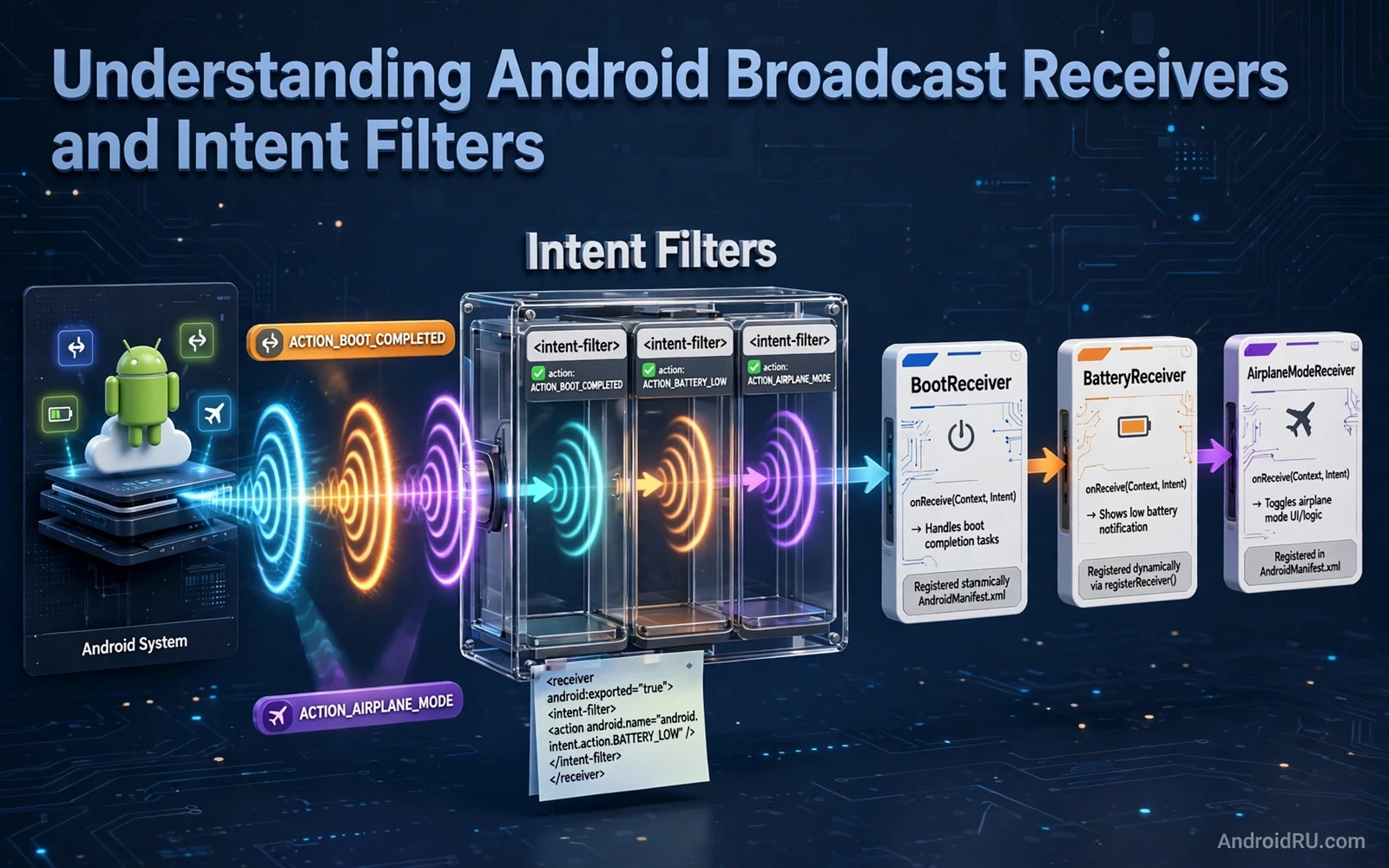
What a Broadcast Really Is
A broadcast is a system wide message that announces an event. Examples include a change in connectivity and a completed boot and a low battery warning and a new package installation. Any app component that has registered interest in that event can receive the broadcast. The sender does not need to know which apps will receive it. The receiver does not need to know which component sent it. That loose coupling makes broadcasts useful for system events that affect many apps.
An intent carries a broadcast. An intent has an action that names the event. It may carry data that describes the event in more detail. It may carry extras with additional values. A receiver declares interest through an intent filter. The filter lists actions that the receiver wants. The system matches a broadcast intent against registered filters. A matching receiver is delivered the broadcast. A non matching receiver never sees it.
Broadcasts differ from direct component calls. A direct call targets one component by name. A broadcast targets any component that matches the filter. That difference gives flexibility but it also creates security questions. A broadcast that carries sensitive data should not be sent to every app. A receiver that accepts any broadcast should not trust the data blindly. Security rules for broadcasts protect both sender and receiver.
Static and Dynamic Registration
Static registration declares a receiver in the manifest. The system can deliver broadcasts to that receiver even when the app is not running. That power is useful for events that must wake the app such as boot completion. It is also restricted on modern Android for many implicit broadcasts. Implicit broadcasts are broadcasts that do not name a specific receiver. The system limits manifest receivers for implicit broadcasts to save battery and to stop apps from waking too often.
Dynamic registration registers a receiver in code while a component is alive. An activity or a service registers the receiver when it starts. It unregisters the receiver when it stops. Dynamic receivers only receive broadcasts while registered. They are the right choice for events that matter only while the user interface is visible. A connectivity change matters to a visible screen that must show offline state. It does not need to wake a background app that is not visible.
Choosing between static and dynamic registration starts with the question of whether the app must act when it is not running. Boot completion and package replacement may need static registration where allowed. Connectivity and battery changes during use need dynamic registration. A receiver that is registered statically for an event that only matters on screen wastes system resources and may be ignored by the system under modern restrictions. A receiver that is registered dynamically for an event that must wake the app will miss the event entirely.
Intent Filters in Detail
An intent filter can list one or more actions. Each action is a string that names an event. A receiver with several actions will receive broadcasts for any of them. The receiver code must then check which action arrived and handle it accordingly. A single receiver that handles many different actions becomes hard to read. Splitting different actions into separate receivers or into clear branches keeps the code maintainable.
An intent filter can also list data schemes and categories for some intent types. Broadcast filters usually focus on action because broadcasts are identified by action rather than by data type. A data scheme matters when the broadcast carries a URI such as a package name. A package added broadcast carries the package URI. The filter must match the scheme to receive it correctly. A missing scheme in the filter means the receiver will not match even when the action matches.
Priority can affect ordered broadcasts. An ordered broadcast is delivered to receivers in priority order. A high priority receiver can process the broadcast first. It can also abort the broadcast in some cases to stop later receivers from seeing it. Ordered broadcasts are less common than normal broadcasts. Most system broadcasts are normal broadcasts delivered to all matching receivers without order guarantees. A developer should not rely on order for normal broadcasts.
Common System Broadcasts
Connectivity broadcasts announce network changes. An app can use them to show offline state or to pause a download or to retry a failed sync. Modern guidance prefers a network callback over a broadcast for connectivity monitoring in many cases. A callback gives richer information about network capabilities. A broadcast still appears in older code and in some system flows. A team should choose the modern callback when it fits and use a broadcast only where a callback is not available.
Battery broadcasts announce charging state and battery level changes. An app can use them to reduce work when battery is low. A media app can lower quality or pause a download on low battery. A sync app can delay non urgent work until charging. Battery broadcasts should be used sparingly because frequent battery checks can themselves cost battery. A receiver that wakes often for battery level changes defeats its own purpose.
Boot completion announces that the device has finished starting. An app that schedules periodic work or that restores alarms may need to act on boot. WorkManager persistent work survives reboot without a boot receiver in many cases. Alarms do not survive reboot and they need rescheduling on boot where allowed. A boot receiver should do minimal work and delegate heavy work to a scheduled worker. A boot receiver that does heavy work on every boot slows device startup.
Security Rules for Senders and Receivers
A sender should restrict a broadcast that carries sensitive data. Restriction can target a specific package or require a permission for receivers. An unrestricted broadcast can be read by any app that registers for its action. A malicious app could register for a custom action used by a popular app and harvest data from it. Custom actions should use a package specific name to reduce collision. Sensitive data should never travel in an unrestricted broadcast.
A receiver should verify the sender when the broadcast could trigger sensitive action. A receiver that starts a service or writes data based on any broadcast is vulnerable to spoofing. The receiver should check the action and the data and the sender permission where applicable. A receiver exported to other apps should be guarded by a permission. A receiver that is only for internal use should not be exported at all. Export settings control whether other apps can deliver broadcasts to the receiver.
Manifest receivers need explicit export settings on modern Android. A receiver without an explicit export value will fail to install when it has an intent filter. That requirement forces developers to think about export for every receiver. A receiver for a system broadcast must be exported to receive system broadcasts. A receiver for an internal broadcast should not be exported. The export decision is a security decision rather than a boilerplate value.
Background Restrictions and Modern Alternatives
Modern Android restricts background execution for manifest receivers. Many implicit broadcasts are no longer delivered to manifest receivers. That restriction stops apps from waking constantly for events that they could handle when visible. Developers should check whether a broadcast is exempt from the restriction before relying on a manifest receiver. A broadcast that is not exempt will simply never arrive for a manifest receiver.
Job scheduling and WorkManager replace many old broadcast patterns. A periodic sync does not need a time tick broadcast. It needs a periodic worker. A network change does not need a manifest receiver in many cases. It needs a network callback while the app is visible or a constrained worker that waits for network. A boot event does not need a heavy receiver. It needs a rescheduling step that delegates to a worker. Modern alternatives are more battery friendly and more reliable under restrictions.
Local broadcasts inside one app are another pattern that has changed. Older local broadcast managers delivered messages inside a single app without system involvement. Modern code uses flows or shared state or event channels for internal messages. Those tools are simpler and they avoid the overhead of intent matching. They also keep internal messages private by design because they never leave the app process.
Handling a Broadcast Efficiently
A receiver should do minimal work on delivery. The system gives a receiver a short window to complete its work. Long work in a receiver can trigger an application not responding error or can cause the system to kill the process. A receiver should start a worker or a service for heavy work and then return quickly. It should not perform network calls or database migrations directly in the receiver callback.
A receiver should also handle being called with incomplete data. A broadcast may arrive with missing extras on some devices or under some conditions. The receiver should use defaults and validate values before acting. A crash in a receiver affects the whole app process. Defensive handling keeps a malformed broadcast from crashing an otherwise healthy app.
Testing a receiver needs simulated broadcasts. A test can send a broadcast intent to the receiver and assert the resulting state or worker schedule. A test should cover each action that the filter lists. A test should cover a broadcast with missing extras. A test should cover a broadcast from an unexpected sender where security checks apply. Receiver tests are fast because they do not need a device event such as a real battery change.
Connections to Nearby Topics
Broadcast work connects to audio work because system events often change playback and the guide to handling audio focus changes explains how a media app should yield and resume when system audio needs change. Background work also connects because a receiver often schedules deferred work and the guide to background services and WorkManager shows how that scheduled work should be constrained and retried. State work connects as well because a broadcast that arrives while a screen is visible must update interface state cleanly and the guide to app state and lifecycle events explains how that update should flow through a view model.
Common Mistakes to Avoid
One common mistake is registering a manifest receiver for an implicit broadcast that the system no longer delivers to manifest receivers. The app will silently miss the event. Another mistake is forgetting to unregister a dynamic receiver. The receiver will leak and may receive broadcasts after its host is gone. A third mistake is exporting an internal receiver. Other apps can then trigger it.
Another mistake is doing heavy work directly in a receiver. The system may kill the process or show an error. A further mistake is trusting broadcast data without validation. A spoofed broadcast can trigger unwanted action. A final mistake is using broadcasts for internal app messages when a flow would be simpler and safer. Internal messages should stay internal.
// Broadcast receiver sketch in Kotlin
// class ConnectivityReceiver : BroadcastReceiver() {
//     override fun onReceive(context: Context, intent: Intent) {
//         if (intent.action == ConnectivityManager.CONNECTIVITY_ACTION) {
//             WorkManager.getInstance(context).enqueue(request)
//         }
//     }
// }

