

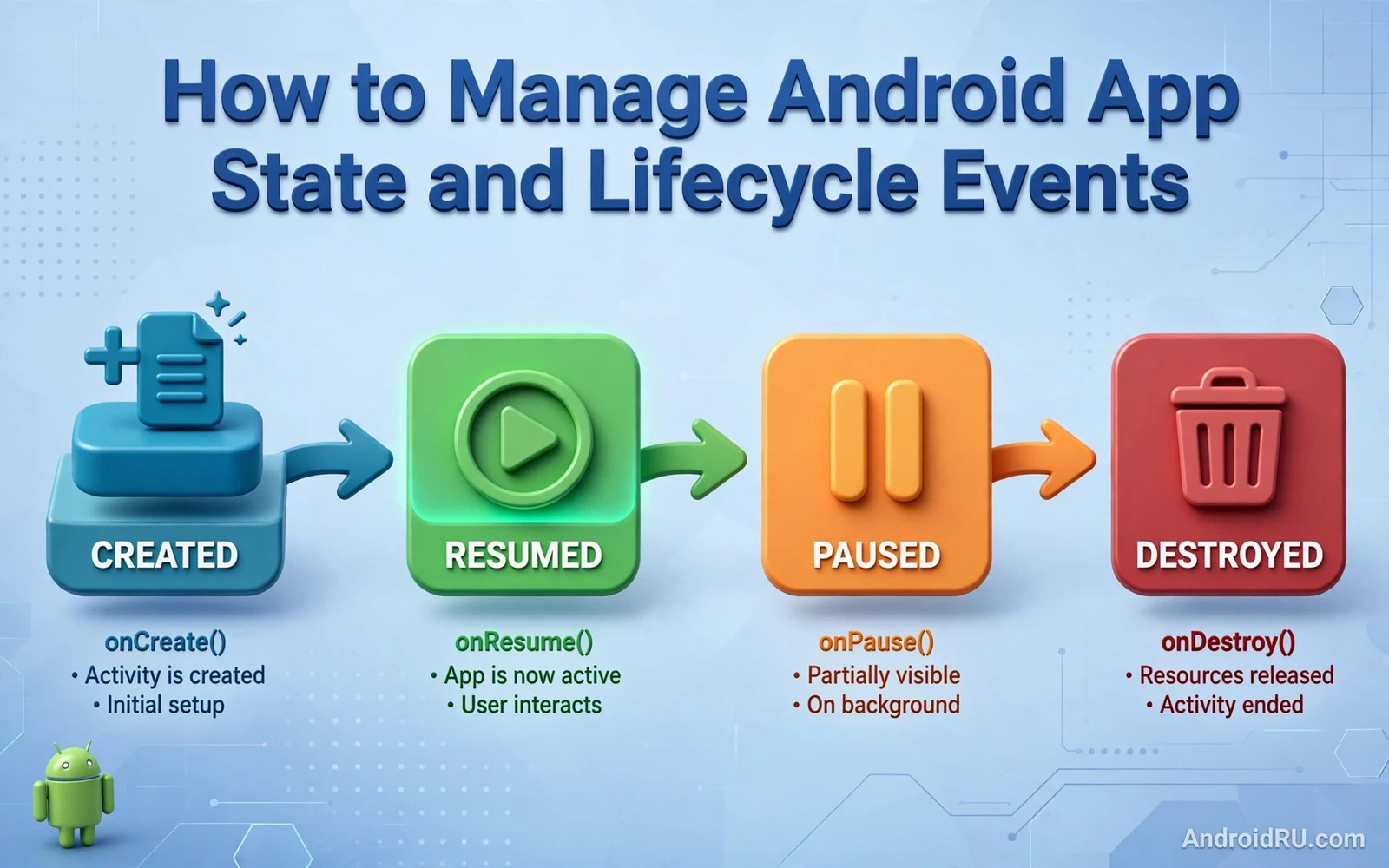
Why State Management Decides App Quality
State is everything that an app must remember in order to look and behave the same after an interruption. A form field holds state. A scroll position holds state. A selected tab holds state. A download in progress holds state. When the system destroys a screen and recreates it then the app must restore that state or the user loses work. Users judge an app by how well it survives rotation and backgrounding and low memory pressure. An app that forgets a typed message after rotation feels broken even if every other feature works well.
Lifecycle events are the signals that tell an app when to save and when to restore and when to release. An activity moves through creation and start and resume and pause and stop and destruction. A fragment follows a similar path inside its host. A view model survives configuration changes but it does not survive process death on its own. A saved state holder survives process death for small values. Each holder has a clear job and the design improves when each job stays separate.
Confusion starts when one holder is asked to do every job. A developer may store a large list in a saved state bundle and then hit a size limit. A developer may store a user interface value only in a view model and then lose it when the process dies. A developer may reload data from the network on every rotation and then waste bandwidth and time. A clean design assigns UI state to the right holder and data to a repository and one off events to a channel that does not replay old values.
The Lifecycle in Plain Terms
Creation is the moment when a screen builds its views and reads its initial arguments. Start is the moment when the screen becomes visible to the user. Resume is the moment when the screen can receive input. Pause is the moment when input moves away even though the screen may still be partly visible. Stop is the moment when the screen is no longer visible. Destruction is the moment when the screen is removed and its views must be released. Each transition is a chance to start or stop work at the right time.
Rotation is a configuration change rather than a user exit. The system destroys the activity and creates a new one with the new orientation. Views are recreated and layout may change. A view model survives this change because it is tied to the activity scope rather than to a single instance. That survival is the reason why view models are the natural home for UI data that should persist across rotation. The view itself should stay light and should observe state rather than own it.
Process death is different from rotation. The system may kill a background process to reclaim memory. The user may return later through the recent apps list. The system then recreates the process and the activity stack from saved information. A view model does not survive this path. Only saved state and persistent storage survive. An app that handles rotation but ignores process death will still lose data in the most stressful moment for the user.
Choosing the Right State Holder
Use a view model for UI state that must survive rotation. Examples include the current selection and the current filter and the loaded list that is already on screen. The view model keeps that state while the view is recreated. The view observes the state and redraws itself from it. This separation keeps the view simple and keeps the state testable without a device.
Use saved state for small values that must survive process death. Examples include an identifier for the current item and a scroll key and a draft identifier. Saved state is not a database and it is not a cache for large objects. Large objects belong in persistent storage or in a repository that can reload them by identifier. A small identifier in saved state plus a repository lookup gives a robust restore path without bloating the bundle.
Use persistent storage for data that must survive app restarts and device restarts. User settings and drafts and downloaded content belong in persistent storage. A repository hides the storage details from the view model. The view model asks the repository for data by identifier. The repository decides whether the data comes from memory or disk or network. That layering keeps restore logic in one place.
Saving and Restoring Without Surprises
Save state at the moment when the system asks for it rather than at the moment when the user leaves. The save callback may run before destruction and it may run while the screen is still visible. Save only what is needed to rebuild the screen. Save identifiers and simple values. Avoid saving view objects and context objects and large bitmaps. Those objects do not survive the save process well and they create leaks and crashes.
Restore state in creation rather than in a later callback when possible. Early restore lets the first frame show the correct content. Late restore can cause a visible flicker as the screen first shows empty content and then jumps to the restored content. A single source of truth helps here. The view model exposes one state object. The view renders that object. Restore writes into that object once. The view then renders the restored value without special cases.
Test restore with the developer option that destroys activities as soon as they leave the screen. That option exposes missing saves quickly. Rotate the device during a form entry. Background the app during a download. Kill the process from the device settings and return through recents. Each test reveals a different gap. A team that runs these tests early will fix state bugs before users meet them in the field.
One Off Events and Navigation State
One off events need special care because they should happen once and only once. A toast message and a navigation action and a snackbar action all belong in this group. A plain state holder will replay the event when the view is recreated after rotation. The user may then see the same message twice or navigate twice. A shared flow with replay disabled or an event channel solves this problem by delivering the event once to the active collector.
Navigation state also needs a clear owner. The navigation component keeps a back stack and it restores that stack after process death when arguments are saved correctly. Passing large objects as navigation arguments breaks this restore path. Pass identifiers instead and let the destination load its data from the repository. That rule keeps navigation fast and keeps restore reliable.
Dialogs and bottom sheets add another layer. A dialog that is shown from a fragment must survive rotation without duplicating itself. The dialog should be driven by state rather than by an imperative show call in a callback that may run again. When state says that a dialog is open then the view shows it. When state says that it is closed then the view hides it. State driven presentation removes a whole class of duplication bugs.
Background Work and Lifecycle Awareness
Background work must respect lifecycle boundaries. A network request that updates a destroyed view will crash or leak. A location listener that runs after stop will drain battery. A coroutine tied to a lifecycle scope cancels automatically when the scope ends. That automatic cancellation is a safety net but it is not a substitute for design. Long work belongs in a work manager or a service rather than in a view scope that may end at any moment.
Data loading should follow a pattern that survives view recreation. The view model starts the load once. The view observes the result. Rotation recreates the view but it does not restart the load because the view model survives. Process death restarts the load but the repository can serve cached data first and then refresh in the background. The user sees cached content quickly and fresh content soon after. That pattern feels fast and stays correct.
Timers and animations also need lifecycle care. Start an animation in resume and stop it in pause. Start a timer when the screen is visible and cancel it when the screen stops. A timer that runs in the background wastes battery and may update a view that no longer exists. Lifecycle aware components handle these transitions without manual bookkeeping in every screen. They reduce boilerplate and they reduce the chance of a missed cancel call.
Designing a State Model That Scales
A state model should be immutable and explicit. One data class can hold the loading flag and the loaded data and the error message for a screen. The view renders one of those conditions from the same object. There is no separate flag that can drift out of sync with the data. There is no hidden variable that only one callback updates. Explicit state makes debugging easier because the whole screen condition can be logged as one value.
State updates should go through a single function in the view model. The view sends an intent or an event to that function. The function computes a new state and publishes it. The view never writes state directly. That single path makes it possible to trace every change. It also makes testing possible because a test can send events and assert the resulting state without a device or a view.
Large screens benefit from splitting state by section. A form screen may hold form state and validation state and submission state as separate sections inside one model. Each section updates independently. The view observes the whole model but it only redraws the section that changed. Splitting keeps the model readable as the screen grows. It also prevents a change in one section from forcing a redraw of other content.
Connections to Nearby Topics
State design touches storage design because restored state often needs a persistent home and the discussion of shared preferences versus Room database helps a team choose where durable values belong and where simple settings belong. Asset design also touches state because a screen that changes state may change its icon or image and a careful reading of vector drawables versus bitmap assets helps a team keep those visuals sharp after every state change. Layout design touches state because a responsive screen must restore its layout choice as well as its data and the guide to responsive layouts in Jetpack Compose shows how a layout can adapt while state stays intact.
Testing and Debugging State Bugs
Unit tests for a view model should cover rotation survival and process death restore as separate cases. A rotation test keeps the view model alive and recreates the view. A process death test recreates the view model from saved state and a repository. Both tests should assert the visible state rather than internal fields. Visible state is what the user sees and it is the contract that must hold.
Manual testing should include low memory conditions. Open many apps and return to the app under test. Fill a form and rotate and background and return. The app should show the same form content at each step. Any loss points to a holder that was used for the wrong job. Logging state transitions during manual testing helps a developer see where a value was lost. The log should show save and restore and the source of each value.
Crash reports often reveal state bugs through null values after restore. A value that is always present after normal navigation may be absent after process death. Defensive code should handle the absent case by reloading from the repository rather than by crashing. A fallback that reloads data is better than a crash even if it costs a short delay. The user may notice a reload but the user will not lose the whole session.
A Practical Checklist
Before release a team should confirm that every screen restores its visible state after rotation. The team should confirm that every screen restores its key identifiers after process death. The team should confirm that no large object is stored in saved state. The team should confirm that one off events do not replay after rotation. The team should confirm that background work cancels when its scope ends. The team should confirm that navigation arguments contain identifiers rather than large objects.
The team should also confirm that dialogs do not duplicate after rotation. The team should confirm that timers stop when the screen stops. The team should confirm that cached data appears before a network refresh. The team should confirm that error states restore as error states rather than as empty screens. Each confirmation is a small test but together they form a strong state discipline. An app that passes them feels solid because it respects the user effort at every interruption.
// ViewModel state example in Kotlin
// data class UiState(val title: String, val loading: Boolean)
// class MainViewModel(savedStateHandle: SavedStateHandle) : ViewModel() {
//     val itemId: String? = savedStateHandle["itemId"]
//     val uiState = MutableStateFlow(UiState("", false))
// }

