

Why Phones Get Dirty In Hidden Places
A phone travels in pockets and bags and hands all day and collects lint and dust and skin oils and food residue. Speakers collect dust in tiny holes and charging ports collect pocket lint and screens collect fingerprints and smudges. The result appears gradually as quieter calls and unreliable charging and a dull screen. Many users blame ageing hardware when the real problem is a blocked speaker grille or a compacted plug of lint in the port. Gentle cleaning restores performance that seemed lost and extends the pleasant life of a device.
Cleaning also protects resale value and hygiene. A clean phone photographs better for a sale listing and feels better in daily use. Ports free of lint accept cables fully and charge reliably. Screens free of grime respond more accurately to touch. Readers fixing touch problems should first rule out grime because a dirty screen can mimic a fault. Those readers can explore fixing touch screen unresponsiveness on Android phones alongside cleaning steps to separate dirt from genuine damage.
What A Good Cleaning Kit Contains
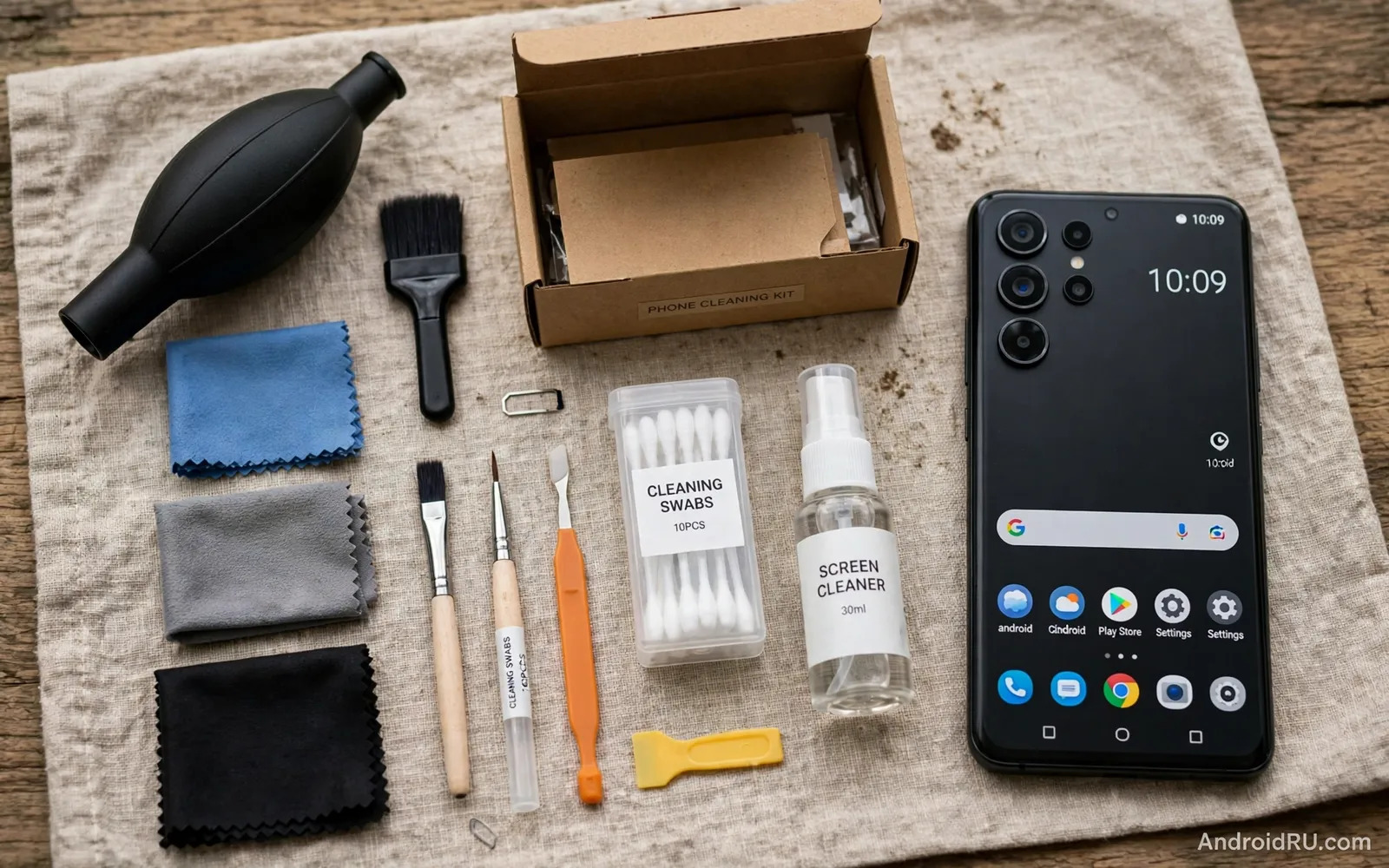
A good kit includes soft brushes for speaker grilles and port openings and a microfibre cloth for screens and a gentle cleaning solution suited to phone coatings. Plastic picks or soft wooden tools can remove compacted lint from a port without scratching metal contacts. A small blower can dislodge loose dust without canned air pressure that might drive debris deeper. Lens style cloths suit camera glass and screen glass. Avoid kits that push sharp metal picks into ports because metal tools can damage contacts and can short a charging port if used carelessly.
Solution choice matters for screens with oleophobic coatings that resist fingerprints. Harsh solvents and abrasive cleaners can strip coatings and leave a screen more prone to smudges. A lightly damp microfibre cloth often cleans a screen effectively without any solution at all. When solution is needed choose one made for phone screens and apply it to the cloth rather than spraying it directly onto the phone. Liquid near speaker holes and ports can cause damage so keep the phone ports facing down during screen cleaning and keep cloths only slightly damp.
Cleaning Speakers Safely Step By Step
Start with the phone powered off or at least with audio paused so cleaning does not trigger accidental touches. Brush speaker holes gently with a soft dry brush using short strokes away from the holes. A small amount of soft putty style cleaner can lift dust from grilles but press lightly and never force putty into holes. Avoid poking sharp objects into speaker holes because the speaker membrane sits close behind the grille and punctures cause permanent distortion. Test audio after cleaning with a familiar song or call because improvement should be audible immediately when dust was the problem.
If sound remains muffled after gentle cleaning then the problem may lie elsewhere. Check volume settings and check for a case blocking the speaker and check for software audio settings. Readers with persistent audio faults can review fixing speaker distortion and quiet audio output for deeper checks beyond cleaning. Do not increase cleaning aggression when gentle methods fail because aggressive poking turns a software problem into hardware damage quickly.
- Soft brush for speaker grilles using short gentle strokes
- Microfibre cloth lightly damp for screens and camera glass
- Plastic pick for compacted lint in charging ports only
- Small blower for loose dust without high pressure air
- Phone-safe solution applied to cloth never sprayed on phone
Cleaning Charging Ports Without Damage
A charging port that accepts a cable only partially often contains compacted lint at the bottom of the port. Power the phone down before cleaning a port. Use a plastic pick or a wooden toothpick with a flattened tip and work gently along the port walls. Lift lint out in small pieces rather than pushing it deeper. Shine a light into the port to check progress because lint hides in shadows. Stop when the cable seats fully with a firm click and do not scrape metal contacts aggressively.
Never use a metal pin or a needle in a charging port while the phone is powered on. Metal tools can bend pins and can short contacts and can cause sparks in rare cases. Never blow hard into a port with your mouth because moisture enters with the air. Never pour liquid into a port to dissolve lint. Patience and a soft tool solve most port problems safely. If a port remains unreliable after careful cleaning then professional repair may be needed because pins can wear or bend beyond what cleaning can fix.
Screens Camera Glass And Daily Habits
Clean screens with a dry microfibre cloth first and add only slight dampness when fingerprints persist. Wipe in straight lines rather than circles to avoid redistributing grime. Clean camera glass with a lens cloth because a smeared camera lens softens every photograph. Remove the case occasionally and clean the phone edges and the case interior because grit trapped under a case can scratch the phone over time. A case that protects the phone should not become a hidden source of scratches itself.
Daily habits reduce cleaning frequency dramatically. Keep the phone in a clean pocket separate from keys and coins and crumbs. Wipe the screen at the end of each day as part of a charging routine. Avoid using the phone with greasy hands when possible. Readers choosing protection alongside cleaning can explore choosing the best screen protector comparing tempered glass and TPU because a protector gives cleaning a sacrificial surface. Small habits keep a phone clean with less effort than occasional deep cleaning marathons.
What To Avoid And A Safe Routine
Avoid compressed air cans held close to ports because extreme cold from the can and high pressure can damage membranes and drive dust deeper. Avoid ultrasonic cleaners for a whole phone because they can damage seals and components. Avoid household glass cleaners with ammonia on coated screens. Avoid submerging a phone for cleaning even when it carries a water resistance rating because cleaning damage and worn seals fall outside normal use. Gentle tools and patience outperform aggressive methods in every cleaning situation.
Build a short monthly routine that covers speakers and ports and screen and case. Power down and brush grilles and lift port lint gently and wipe the screen and clean the case interior. Inspect the phone during cleaning for cracks or loose buttons or swelling. Early detection of damage during a calm cleaning session beats discovery during an emergency. A clean phone sounds clearer and charges reliably and looks better and lasts longer in daily service.
- Power down before cleaning ports and speaker grilles
- Use soft tools and never metal pins in ports
- Apply solution to cloth not directly to the phone
- Clean monthly and inspect for damage during cleaning
Cleaning Routine For Households With Several Phones
Households with several phones benefit from a shared cleaning routine and a shared kit kept in one place. A small box with brushes and cloths and plastic picks near a charging station makes cleaning easy to remember. Assign a monthly cleaning day for all family phones so no device gets neglected until it fails. Children phones often collect more grime from food and outdoor play and deserve extra attention to ports and cases. A routine that covers every phone in one session takes less time than emergency cleaning when a port fails before school or work.
Case cleaning deserves a place in the household routine because cases trap grit and moisture against phones. Remove each case monthly and wipe the phone edges and the case interior. Inspect case corners for cracks that reduce drop protection. Replace worn cases before they fail because a cracked case can scratch a phone during normal use. Screen protectors also deserve inspection because a cracked protector should be replaced promptly so cracks do not obscure the screen or cut fingers during use.
Hygiene habits around shared phones matter as well. Wipe a phone after illness in the household and after lending it to another person. Avoid sharing phones during contagious illness when possible. Keep cleaning supplies away from young children because small picks and solutions need adult supervision. A household routine that treats cleaning as normal maintenance keeps every phone sounding clearer and charging reliably for longer.
- Keep one shared cleaning kit near the household charging station
- Clean every family phone on the same monthly routine day
- Remove cases monthly and wipe phone edges and case interiors
- Replace cracked screen protectors promptly for safety and clarity
- Wipe phones after illness and after lending to another person
Phone Hygiene For Families And Shared Devices
Family phones need hygiene routines that children can follow simply. Teach children to wipe hands before using a shared tablet or phone and to wipe the device after use during illness. Keep a microfibre cloth near the family charging station so cleaning becomes visible and easy. Avoid harsh wipes on screens with coatings because children may grab whatever cleaning product is nearest. A simple routine with one safe cloth and one safe method protects devices and health without complicated instructions.
Shared devices in classrooms and offices need similar simplicity. A short cleaning step at the start and end of shared use reduces grime buildup dramatically. Label cleaning supplies clearly and keep them away from food areas. Encourage users to report damaged ports or cracked screens promptly because shared devices suffer wear faster than personal devices. A shared device that receives regular gentle cleaning lasts longer and feels more pleasant for every user in rotation.
- Teach children one simple wipe routine for shared devices
- Keep a microfibre cloth visible near the charging station
- Avoid harsh wipes on coated screens in family use
- Report damaged ports and cracked screens promptly on shared devices

