

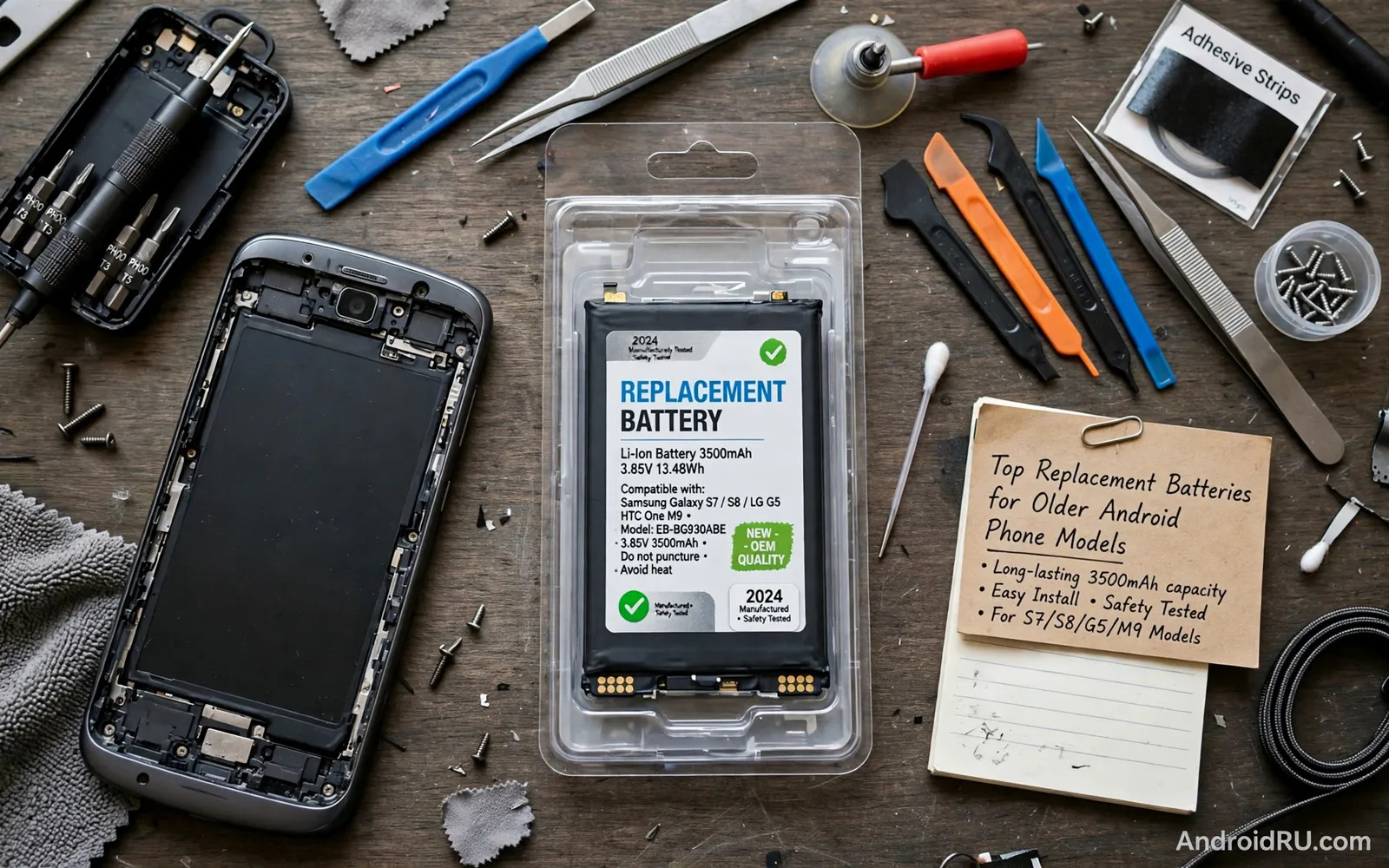
When A New Battery Makes Sense
An older phone that shuts down early or swells slightly or needs charging twice a day may still have years of useful life in its processor and screen and cameras. A worn battery is often the single component that makes a good phone feel finished. Replacing the battery can restore reliable daily use and delay an expensive upgrade and reduce electronic waste. The decision makes sense when the phone still runs the apps you need and still receives basic security support or still serves well as a second device. It makes less sense when the phone cannot run essential apps or when repair costs approach the value of a working replacement.
Check battery health indicators before spending money. Sudden shutdowns at moderate charge and rapid drops from a high percentage and visible swelling all point to battery wear. Swelling deserves immediate attention because a swollen battery is a safety hazard and should not be charged or punctured or bent. Power the phone down and seek professional help for a swollen battery rather than attempting a home repair. A merely tired battery without swelling is a different situation and can be handled through a careful replacement or a reputable repair service depending on your skill and tools.
Choosing A Quality Replacement Battery
Battery quality varies widely in the replacement market and the cheapest option often delivers disappointing capacity or a short life. Look for a battery that matches your exact phone model and not merely a similar model name because dimensions and connectors differ between variants. Check seller reputation and return policy and warranty terms before ordering. A battery with a clear model number and clear capacity information and clear safety markings inspires more confidence than a vague listing with stock photos. Avoid batteries that promise capacity far above the original because exaggerated capacity claims often hide lower real performance.
Consider whether the battery arrives with tools and adhesive because many modern phones need heat and prying tools and new adhesive to open and reseal safely. A kit that includes the right tools saves a separate purchase and reduces the temptation to improvise with unsuitable tools. Some phones have user removable batteries with a simple back cover and those replacements are far easier. Others require a full disassembly that risks damaging the screen or cables. Honest self assessment matters here because a saved repair fee means little if a screen breaks during the attempt. Readers weighing older phone value can explore refurbished versus new smartphones and whether the risk is worth it for context on ageing device decisions.
Safe Replacement Steps For Confident DIY Users
Work on a clean flat surface with good light and keep small screws organised in labelled containers. Power the phone down fully before opening it and discharge the old battery partially if possible because a fully charged lithium battery carries more energy during handling. Use plastic prying tools rather than metal tools near the battery and never puncture or bend a battery to remove it. Apply gentle heat only as directed for adhesive and stop if resistance feels abnormal. If a battery smells strange or feels hot or starts to swell during removal then stop work and move the device to a safe non flammable surface outdoors if it can be moved safely and seek professional help.
After fitting the new battery check that connectors seat fully and that adhesive seals correctly and that the back cover sits flush without gaps. Charge the phone with a known good charger and cable and monitor the first charge for unusual heat. Calibrate expectations over the first few cycles because a new battery may need a few full days to show stable behaviour. Keep the old battery for proper recycling and never throw a lithium battery into household waste. Readers learning general battery care can review improving battery life on any Android smartphone to protect the new battery from the start.
- Match the battery to your exact phone model and variant
- Choose a reputable seller with warranty and return terms
- Use plastic tools and never puncture or bend a battery
- Recycle the old battery through a proper collection point
- Monitor the first charges for unusual heat or swelling
When To Choose Professional Repair Instead
Professional repair suits glued phones and waterproof phones and phones with fragile screens. A repair shop has heat equipment and experience and spare adhesive and can test the phone after fitting. Professional repair also preserves a better seal against dust and moisture than a hurried home repair often achieves. Ask whether the shop uses a quality battery and whether it offers a warranty on parts and labour. A slightly higher price buys experience and accountability and a phone returned in working order rather than a box of parts and regret.
Compare the total repair cost against the phone value and against the cost of a newer used phone. Include the value of your time and the risk of accidental damage in that comparison. A repair that costs a small fraction of a replacement makes sense for a beloved phone. A repair that costs close to a newer device with better support may not make sense unless the phone has special value such as a headphone jack or a removable storage slot or a familiar setup that would take hours to rebuild. Make the decision with numbers rather than nostalgia alone.
Extending The Life Of A New Battery
Heat is the main enemy of a new battery. Avoid leaving the phone in a hot car and avoid gaming while fast charging for long periods and avoid charging a very hot phone until it cools. Partial charging habits suit daily use because staying between moderate charge levels reduces stress compared with constant full cycles. Overnight slow charging often suits a phone better than repeated fast top ups throughout the day. These habits do not require obsessive monitoring and they add up to noticeably longer battery health over years of ownership.
Software habits matter as well because background drain forces more charging cycles. Limit background refresh for apps you rarely open and reduce location access for apps that do not need it. Readers troubleshooting charging behaviour can explore fixing slow battery charging speeds on your smartphone to separate charger problems from battery wear. A new battery plus calmer software gives an older phone its best chance at a long second life.
A Practical Decision Checklist
Decide in this order to avoid a wasted purchase. Confirm that the phone still meets your app needs first. Confirm battery wear rather than software drain second. Match the exact model battery third. Choose DIY or professional fitting honestly fourth based on glue and skill and risk. Recycle the old battery properly last. That order keeps the project grounded and safe and economical.
A replacement battery is one of the most satisfying repairs in mobile technology because the improvement appears immediately in daily use. A phone that died by midday can last until bedtime again and a device headed for a drawer can return to daily service. Choose quality parts and respect safety limits and the older phone earns a genuinely useful second chapter.
- Confirm wear with shutdowns and rapid drops before ordering
- Match exact model and buy from a reputable seller
- Choose DIY only when skill and tools match the phone design
- Recycle the old battery and monitor the new one early
Older Phones As Second Devices And Backups
A phone with a new battery often finds a valuable second life even when it no longer serves as a primary device. It can become a dedicated media player for a car or a kitchen or a workshop. It can become a backup phone with essential contacts and messaging ready when a primary phone needs repair. It can become a camera for a specific hobby or a remote control for smart home devices. Repurposing extends useful life and reduces waste while keeping a familiar device available for specialised tasks.
Preparing an older phone for second life work deserves care. Factory reset the device when changing its role so old accounts and data do not linger unnecessarily. Install only the apps the new role requires because a lean setup runs faster and drains less battery. Update software as far as the maker supports and disable services the role does not need. A dedicated media phone without messaging apps and background sync will last longer on a charge and respond faster than a cluttered general phone. Simplicity suits second life devices particularly well.
Data safety matters during any transition. Back up photos and messages and documents before a battery replacement or a factory reset because repair work carries a small risk of data loss even when performed carefully. Keep a copy of important data in a second location until the phone returns to service and the data is confirmed intact. That habit protects memories and work documents from a single point of failure. A careful backup routine turns a battery replacement from a gamble into a routine maintenance task.
- Repurpose a revived phone as media player backup or smart remote
- Reset and install only apps the new role truly requires
- Disable unused background services for longer second life runtime
- Back up data to a second location before repair or reset
- Confirm data intact after service before deleting old backups
Battery Safety And Recycling Responsibility
Lithium battery safety deserves serious attention during storage and disposal. Never store a damaged or swollen battery in a home drawer indefinitely because damage can worsen over time. Take damaged batteries promptly to a proper collection point and keep them away from flammable materials during transport. Never attempt to repair a punctured battery with tape and hope because internal damage cannot be fixed externally. A responsible owner treats a damaged battery as hazardous waste rather than as a household item to deal with later.
Recycling recovers valuable materials from old batteries including metals that can be reused in new batteries. Proper recycling also prevents toxic materials from entering landfill and groundwater. Many electronics shops and municipal sites accept old phone batteries free of charge. Keep old batteries in a separate container until drop-off and protect terminals from short circuits during storage. A small effort at disposal closes the loop on a repair that already reduced waste by extending phone life.
- Take swollen or damaged batteries promptly to collection points
- Never repair a punctured battery with tape and hope
- Protect battery terminals from shorts during storage
- Use free electronics shop and municipal battery recycling

