

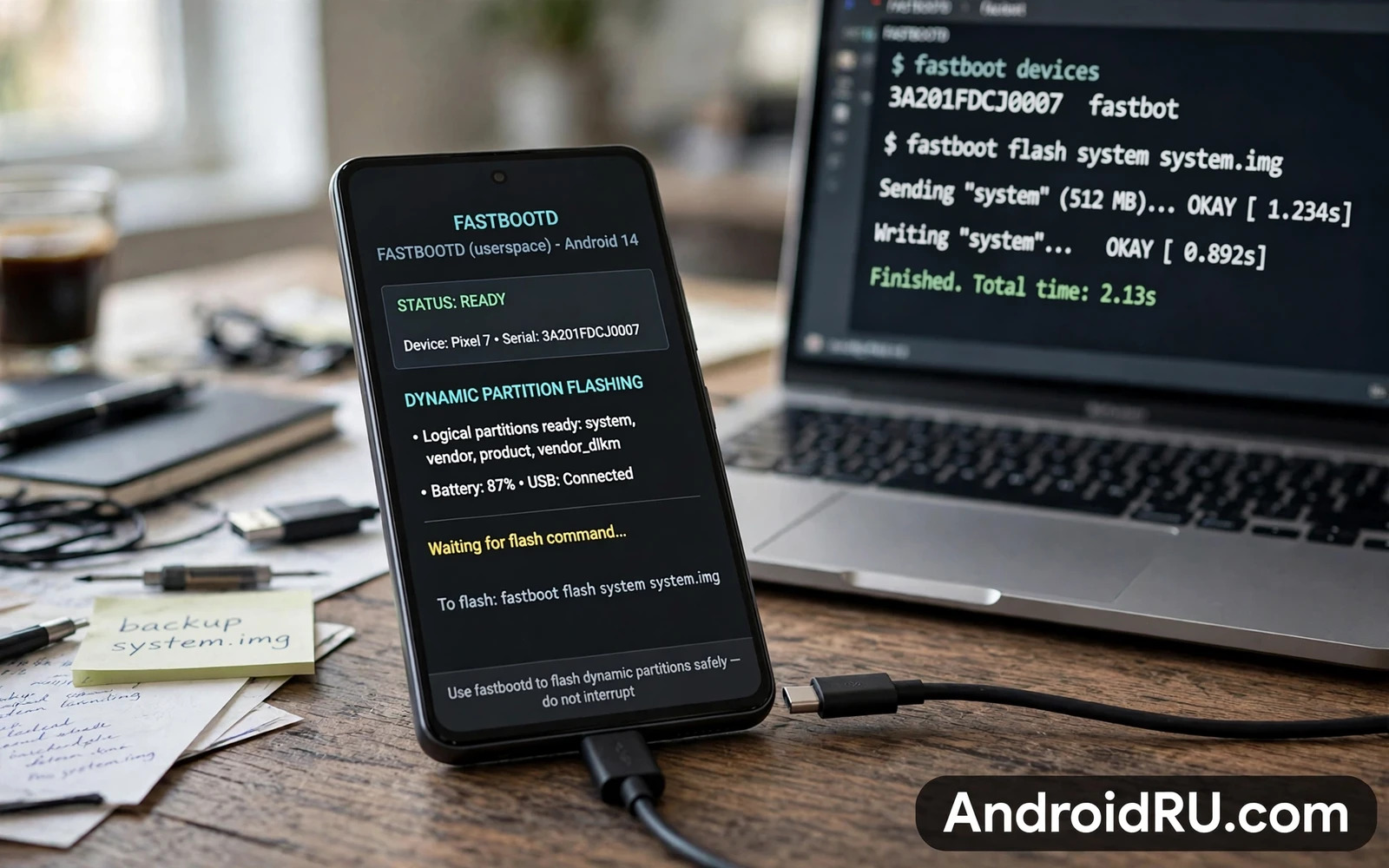
Why Dynamic Partitions Needed A New Fastboot
Dynamic partitions let Android resize logical partitions inside a super partition without fixed sizes for each partition. System and vendor and product partitions become logical volumes that share the super space. That flexibility helps updates because a new system image can be larger without repartitioning the whole device. It also complicates flashing because the bootloader alone cannot always manage logical partitions.
Traditional fastboot runs in the bootloader and works well with fixed partitions. Dynamic partitions need userspace tools to create and resize logical volumes. FastbootD is a userspace fastboot implementation that runs inside a minimal Android userspace environment. It provides the same fastboot interface while having access to the logical volume manager. The name signals the difference. The D stands for the dynamic userspace context.
Owners encounter FastbootD when flashing a ROM on a newer device with dynamic partitions. A flash command that works in bootloader fastboot may fail or may target the wrong partition in FastbootD if the owner does not understand the mode difference. Some images must be flashed in bootloader fastboot. Others must be flashed in FastbootD. The device guide for the exact ROM states which mode each image needs.
Confusing the two modes is a common source of flash failures. A command that reports success in the wrong mode may have written to a partition that the system does not use at boot. A command that reports failure in the wrong mode may simply need the other mode. Mode awareness prevents both kinds of confusion.
Entering FastbootD Correctly
FastbootD is usually entered from bootloader fastboot through a reboot command that targets the fastboot userspace. The phone screen changes to a fastbootD interface that looks different from bootloader fastboot. Confirm the mode on screen before flashing. A screen that still shows bootloader fastboot is not FastbootD even if the computer detects a device.
Some recoveries offer a direct entry into FastbootD from their menu. That route is convenient when bootloader fastboot is difficult to reach. Use the recovery route only if the recovery version supports FastbootD for the device. An outdated recovery may enter a broken userspace that cannot manage logical partitions correctly.
USB connection stability matters in FastbootD as in any flashing mode. Use a reliable cable and avoid hubs during flashing. A disconnect during a logical partition write can corrupt the super partition metadata. Super metadata corruption is harder to repair than a single fixed partition failure. Stability is therefore even more important here.
Check device detection in FastbootD before flashing. The host computer should list the device in fastboot mode. If detection fails then check drivers and cable and mode. Do not flash blind. A flash attempt without confirmed detection wastes time and can create confusion about what was actually written.
Flashing Logical Partitions Safely
Flash logical partition images with the commands specified by the ROM guide. System and vendor and product images are typical FastbootD targets. Boot and recovery and bootloader images are often bootloader fastboot targets. Mixing the targets across modes produces errors that look mysterious until the mode rule is understood.
Erase commands in FastbootD behave differently from erase commands in bootloader fastboot. Erasing a logical partition removes its volume but does not necessarily free its space in the way owners expect. Follow the ROM guide erase steps exactly. Do not improvise erases to clean up space. Improvised erases in a dynamic layout can remove a partition that the system expects to find at boot.
Resize operations should be left to the flashing tools unless the guide explicitly requires a manual resize. The super partition layout is managed by the system based on the images being flashed. Manual resizing can create a layout that fits the current images but breaks the next update. Let the tool manage the layout.
After flashing in FastbootD reboot to recovery or to system as the guide instructs. A reboot to system after a full ROM flash triggers first boot optimisation. A reboot to recovery allows a data format step if the guide requires it. Skipping a required format step is a common cause of a bootloop after an otherwise successful flash.
Troubleshooting FastbootD Failures
If a flash command reports that a partition does not exist then verify the mode first. A logical partition name that exists in FastbootD may not exist in bootloader fastboot. Re-enter the correct mode and retry the same command before changing the firmware or the cable. Mode is the simplest explanation and should be checked first.
If a flash succeeds but the phone bootloops then check the base firmware requirement. Dynamic partition ROMs often require a specific stock firmware base that provides the correct super layout and vendor files. Flashing the ROM on an older base can produce a loop that no FastbootD retry will fix. Flash the required base first.
If FastbootD itself fails to start then the recovery or the boot image may be damaged. Flash a working recovery or boot image through bootloader fastboot and then re-enter FastbootD. A broken userspace cannot be fixed from inside itself. The bootloader route remains the repair path.
Prevention follows the same pattern as other flashing work. Back up data and keep the stock firmware for the exact model on hand. The general flashing guide that explains how to flash firmware using Odin and Fastboot and SP Flash Tools covers the return to stock. The bootloop guide that explains how to fix bootloop issues after installing modules or ROMs covers loop recovery. The unbrick guide that explains how to unbrick hard-bricked Android phones using EDL mode covers the deepest recovery when fastboot modes are gone.
Logical Partition Layout In Practice
Logical partition layout inside the super partition can be inspected through userspace tools that list volumes and their sizes. Owners should inspect layout before flashing to understand current allocation. A layout inspection reveals whether the super partition has free space for a larger system image. Free space information prevents a flash failure caused by insufficient space. Inspection is a quick step with high diagnostic value.
System image size growth across Android versions means that a super partition sized for an older version may struggle with a newer version. ROM guides account for this growth by specifying a base firmware with an adequate super layout. Owners who ignore base firmware guidance may encounter a flash that fails at the resize step. Resize failure is a layout problem rather than a file corruption problem. Correct base firmware solves it.
Vendor partition contents vary by device because vendor files include hardware specific drivers. A ROM that ships its own vendor image must match the hardware revision. A ROM that relies on stock vendor files must match the stock vendor version. Vendor mismatch produces hardware failures such as broken camera or broken sensors even when the system boots. Hardware failures after a ROM flash point to vendor issues first.
Product partition holds device specific customisations that some ROMs replace and others preserve. A ROM that preserves product files may retain manufacturer features. A ROM that replaces product files may lose those features. Owners should check ROM documentation for product handling before flashing. Feature loss discovered after flashing is harder to reverse than feature loss anticipated before flashing.
Dynamic partition updates through over the air mechanisms use the same logical volume machinery as FastbootD flashing. An update that resizes logical partitions happens in the background with safeguards. A manual FastbootD flash bypasses some safeguards and therefore demands more care. Understanding the shared machinery helps owners respect why manual flashing needs exact steps.
Backup of the super partition metadata is difficult because metadata is managed by the system rather than stored as a simple file. Owners should therefore rely on stock firmware restoration rather than metadata backup for recovery. Stock firmware restoration recreates the correct layout. Manual metadata repair is a specialist task that most owners should not attempt.
FastbootD Versus Recovery Flashing
Recovery flashing and FastbootD flashing serve overlapping but distinct purposes. Recovery flashing typically installs a ROM package that contains its own installation script. FastbootD flashing installs individual images directly to partitions. Recovery packages are more convenient because the script handles layout details. FastbootD gives more control because each image is explicit. Convenience versus control is the tradeoff.
Recovery packages can fail when the recovery version is outdated for dynamic partitions. An outdated recovery may not understand the super layout and may misplace images. FastbootD bypasses recovery layout handling by using userspace volume management directly. When recovery flashing fails on a dynamic device FastbootD often succeeds. Mode choice can rescue a flash that recovery could not complete.
FastbootD flashing requires a host computer while recovery flashing can be done entirely on the phone from storage. Host dependence is a disadvantage when travelling without a computer. Recovery independence is an advantage for on the go ROM changes. Owners should choose the method that fits their situation rather than treating one method as universally superior.
Verification after FastbootD flashing should include a check that each logical partition mounted correctly. A boot that reaches the home screen proves basic mounting. Deeper verification includes testing hardware features that depend on vendor and product partitions. A home screen alone does not prove that every partition is correct. Feature testing completes verification.
Error messages in FastbootD often name the partition or the operation that failed. Owners should read the full error rather than only the final failure line. A resize error points to layout. A write error points to storage or connection. A partition not found error points to mode. Error wording guides the next step. Guessing the next step wastes the information the error provides.
Documentation for FastbootD flashing should be device specific because super layouts differ by model. Generic FastbootD guides explain concepts but cannot list exact partition names for every device. Device guides list exact names and exact order. Owners should combine a generic concept guide with a device specific guide. Concepts without device details cannot be executed. Device details without concepts cannot be troubleshooted.

