

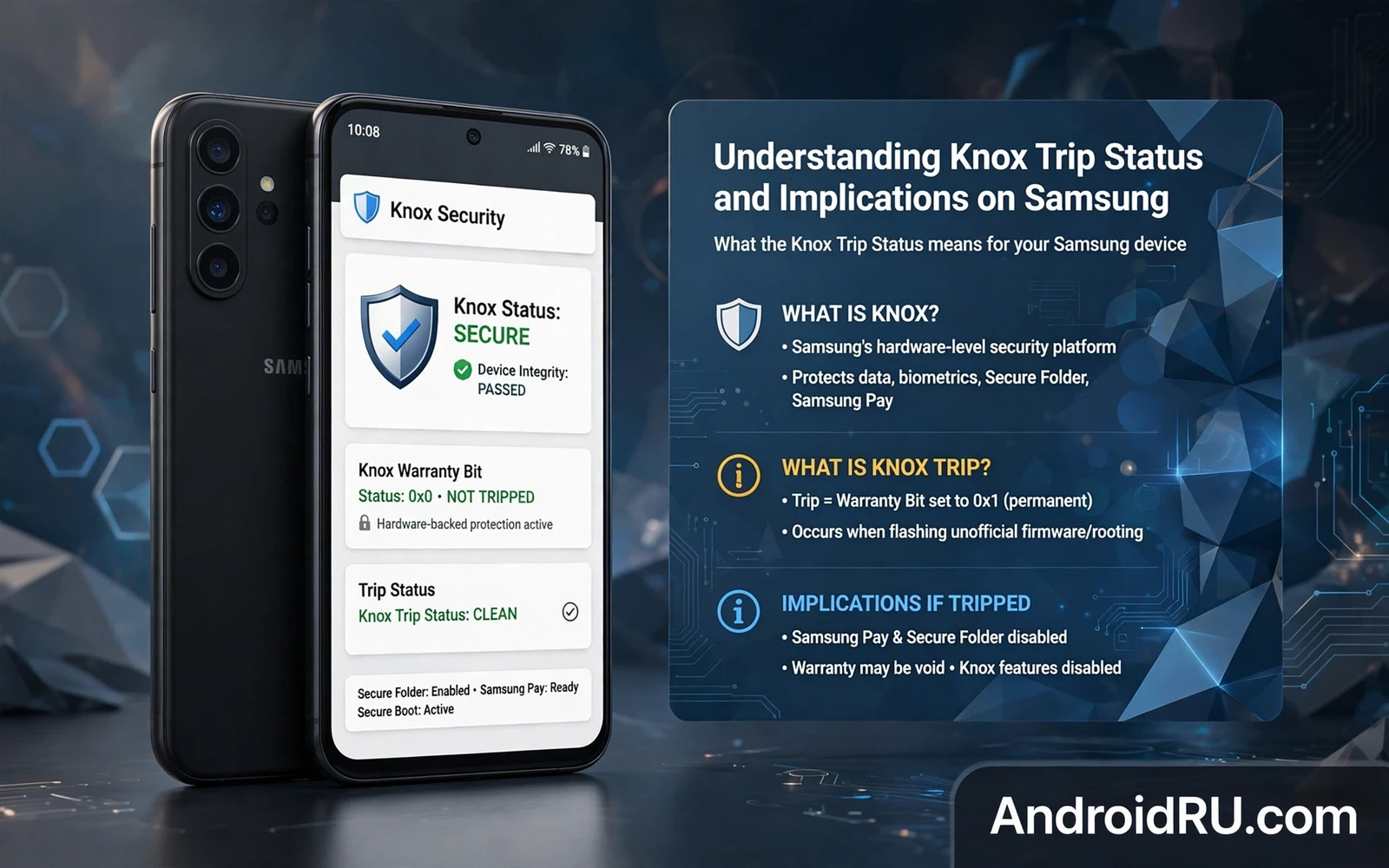
What Knox Trip Status Means In Plain Language
Knox is Samsung security platform that protects sensitive data and verifies that the device software has not been tampered with. Knox trip status is a hardware backed flag that records whether unofficial software has ever been loaded. Once the flag is set it cannot be unset through normal software tools. That permanence is the central fact every Samsung owner must understand before modifying a device.
Tripping Knox does not mean the phone stops working. Calls and messaging and ordinary apps usually continue to work normally. The impact falls on security sensitive features that rely on a trusted device state. Payment features and secure folder features and enterprise features may refuse to run on a tripped device. The phone remains usable as a general device while losing its trusted status for those specific uses.
The flag exists because some protections only make sense when the boot chain is intact. A secure container cannot guarantee isolation if the bootloader or the system image has been replaced by an unverified build. Knox therefore treats any break in that chain as a permanent loss of trust. That design choice protects corporate data and payment data at the cost of flexibility for owners who want to modify their own phones.
Owners sometimes confuse Knox trip status with a software root flag that can be hidden. Root can be hidden from some apps through various techniques. Knox trip status is different because it is recorded in hardware backed storage that survives factory resets and firmware restores. A reset returns the software to stock but it does not restore the Knox flag to its original state.
How Knox Status Gets Tripped
Unlocking the bootloader on many Samsung models is a common trigger because an unlocked bootloader allows unsigned images to boot. Flashing a custom recovery or a custom kernel or a modified system image can also trip the flag. Even a failed flash attempt can trip the flag if the bootloader records the attempt. The exact trigger varies by model and by region and by carrier variant so owners must check model specific guidance before acting.
Ordinary software use does not trip Knox. Installing apps from the store and updating official firmware and using developer options for debugging do not set the flag. A factory reset does not trip Knox. The distinction matters because owners sometimes blame a routine update for a tripped flag that was actually set by an earlier modification that they had forgotten.
Some Samsung models sold in certain regions cannot have the bootloader unlocked at all. On those models the option simply does not appear or the unlock request is refused. Attempting unofficial unlock tools on such a model carries a high risk of damage and may still trip Knox without delivering a working unlock. Regional restrictions are a strong reason to research the exact model number before buying a phone for modification.
Checking Knox status usually involves a download mode screen or a dedicated status readout that shows the warranty void value. A value of zero means the flag is intact. A value of one means the flag is tripped. Owners should check and record this value before any modification so there is no later dispute about when the flag changed. A screenshot stored away from the phone preserves that record.
Practical Consequences For Everyday Use
The most visible consequence is the loss of Samsung Pay and similar payment features that require a trusted device. Secure Folder may refuse to create a new container or may refuse to open an existing container after Knox is tripped. Enterprise enrolment tools may reject the device because the employer policy requires an intact trust chain. Health features that store sensitive data in a secure area may also behave differently.
Warranty consequences depend on region and on consumer law and on the service centre policy. In some places a tripped flag is treated as proof of modification and warranty repair for unrelated hardware faults may be refused. In other places consumer protection law may still require repair for a fault that has nothing to do with the modification. Owners should not assume either outcome. They should read the warranty terms for their region and keep purchase records.
Resale value often drops after Knox is tripped because buyers who want payment features or secure features will avoid a tripped device. Sellers should disclose the status honestly. A buyer who discovers a tripped flag after purchase will rightly feel misled. Honest disclosure protects the seller as much as it protects the buyer.
Security updates may still arrive on a tripped device running stock firmware. Tripping Knox does not automatically block official updates. A device running custom firmware depends on its maintainer for updates instead. Owners who trip Knox and then return to stock firmware should verify that updates still arrive and that the device passes basic integrity checks for the apps they use.
Deciding Whether Modification Is Worth It
Modification makes sense when the owner values custom software more than the secure features that Knox protects. It makes less sense when the phone is a work device or a payment device or a device that stores highly sensitive work data. A secondary phone is a better candidate for experimentation than a primary phone that holds banking apps and work credentials.
Back up everything before unlocking or flashing. A bootloader unlock usually wipes user data as a security measure. Photos and messages and app data must be copied elsewhere first. The backup step is not optional paperwork. It is the difference between a reversible experiment and a permanent data loss.
Owners who decide to proceed should read a full recovery guide first. The guide on how to flash firmware using Odin and Fastboot and SP Flash Tools explains the official flashing route back to stock firmware. Knowing the return path before leaving stock software is essential. A modification without a tested return path is a gamble.
Owners who decide against modification still benefit from understanding Knox. The flag explains why some used phones refuse to run payment apps and why some enterprise tools reject a device that looks otherwise normal. That knowledge helps when buying a used Samsung phone and when troubleshooting a secure feature that suddenly stops working.
Buying Used And Checking Status Safely
Ask the seller for the Knox status before buying a used Samsung phone. Ask for a photo of the status screen taken at the time of sale. Test payment features and secure folder features on the device before paying if those features matter to you. A quick test on the spot prevents a dispute later.
Be wary of sellers who claim that a tripped flag can be reset with a simple app or a simple flash. No ordinary tool restores the hardware backed flag. Claims of a reset service usually involve misleading software tricks that hide the flag from a casual check while leaving the real flag tripped. A hidden flag can reappear after an update.
If you already own a tripped device then focus on what still works well. Use it as a media device or a test device or a secondary phone. Keep sensitive banking on a device with an intact trust chain if possible. Separation of roles across devices is a practical security habit even for owners who never modify anything.
For recovery planning after any modification the article on how to fix bootloop issues after installing modules or ROMs covers the steps that follow a bad flash. The article on how to unbrick hard-bricked Android phones using EDL mode covers the deeper recovery route when a device will not boot at all. Reading both before modifying a Samsung phone turns panic into a plan.
Reading Knox Status On A Real Device
Checking Knox status starts with entering the correct mode for the model because different Samsung generations use different key combinations for download mode. Owners should look up the combination for the exact model rather than guessing from a video about a different model. A wrong combination may simply boot normally. A wrong combination held too long may trigger an unintended action. A calm lookup before pressing keys prevents both outcomes.
The download mode screen shows several status lines in small text. Owners should photograph the screen rather than trying to memorise values from a brief glance. A photograph preserves the warranty void value and the other status lines for later comparison. Store the photograph away from the phone so it remains available if the phone is reset or repaired. A record made before modification is evidence. A record made after modification is merely a description of the current state.
Some owners check Knox status through a third party app that reads a system property. App based checks can be convenient but they can also be fooled by software tricks that hide the real flag. Download mode remains the more reliable source because it reads the flag at a lower level. When an app result and a download mode result disagree the download mode result should be trusted. Disagreement itself is a warning that something on the device is masking status.
Regional differences complicate status interpretation because warranty policies and unlock availability vary by market. A phone bought in one region may behave differently from the same model sold in another region. Owners travelling with a Samsung phone should check whether a modification made in one region affects warranty service in another region. Service centres may apply the policy of the region where service is requested rather than the region of purchase.
Enterprise owners face an additional layer because mobile device management policies may check Knox status remotely. A device enrolled in enterprise management may be flagged automatically when Knox is tripped. That flag can trigger a policy action such as wiping work data or removing work apps. Employees should never modify a work enrolled phone without explicit written permission from the employer IT team. Personal experimentation belongs on a personal device.
Resale checks should include a live demonstration of secure features rather than only a status number. A buyer who cares about payment features should open the payment app on the device before paying. A buyer who cares about secure folder should create a test container before paying. Live tests confirm that the features work in practice rather than merely appearing intact in a status readout. A status number plus a live test together give confidence.
Knox And System Updates Over Time
System updates on a tripped device running stock firmware usually proceed normally because the update mechanism does not require an intact Knox flag. Owners sometimes fear that a tripped flag blocks all updates. That fear is generally unfounded for stock firmware. Updates may still fail for other reasons such as insufficient storage or a modified system partition. Knox trip alone is rarely the update blocker.
Updates on a device running custom firmware follow a different path because the custom maintainer provides updates rather than Samsung. Maintainer updates vary in frequency and in completeness. A popular device may receive frequent maintainer updates. A less popular device may receive rare updates. Owners who trip Knox to install custom firmware should research maintainer activity before committing. An abandoned custom firmware leaves the owner with outdated security patches.
Returning to stock firmware after tripping Knox restores the stock interface but does not restore the flag. Owners who return to stock should test secure features explicitly rather than assuming restoration. A payment app that worked before modification may still refuse to run after a return to stock. That refusal is the permanent consequence in action. Testing early prevents surprise during a real payment attempt.
Security patch level deserves separate attention from Knox status. A phone can have an intact Knox flag and an outdated patch level. A phone can have a tripped flag and a current patch level through custom firmware. Patch level and Knox status measure different things. Owners should track both separately rather than treating one as a proxy for the other. A secure phone needs current patches and intact protections together where possible.
Backup habits matter more after Knox is tripped because secure folder data may become inaccessible. Owners should export secure folder contents before any modification that could trip Knox. Export means copying data to a location outside the secure container. A secure container that cannot be opened after tripping is not a backup. It is a locked box with no key. Export before modification is the only safe approach.
Long term ownership planning should weigh Knox consequences against the expected life of the phone. A phone near the end of its expected use may be a better modification candidate than a new phone with years of warranty ahead. A phone that will be kept for a short period as a test device carries less Knox risk than a primary phone kept for many years. Time horizon changes the calculation even when the technical facts stay the same.

