

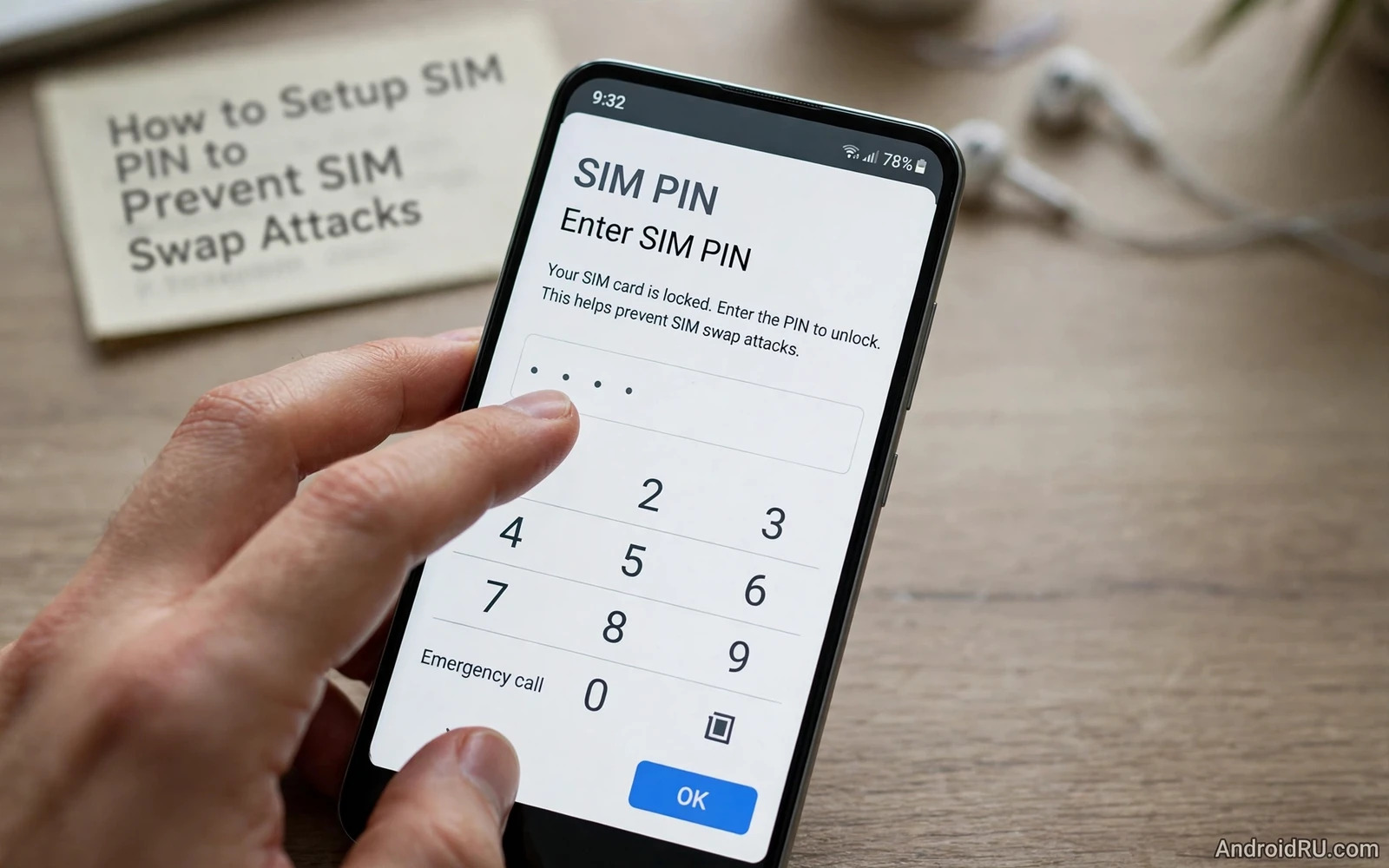
A SIM swap attack happens when an attacker convinces a carrier to move your phone number to a SIM that the attacker controls or when an attacker physically takes your SIM and places it in another phone. Once the number moves the attacker can receive your calls and your text messages and your one time codes. Those codes can then reset passwords for email and banking and social accounts. A SIM PIN breaks the physical half of that attack because a locked SIM refuses to connect to a network until the correct PIN is entered even when the SIM sits in a different phone.
A SIM PIN is different from your lock screen PIN and that difference matters during setup. Your lock screen PIN protects the phone itself and your SIM PIN protects the SIM card itself. Removing a SIM PIN protected SIM from your phone and inserting it into another phone still leaves it locked. That protection travels with the card rather than staying with the handset. Every Android phone that uses a physical SIM or an embedded SIM profile should have this layer switched on unless your carrier gives you a clear reason to leave it off.
This guide walks through SIM PIN setup and safe PIN choice and recovery planning and the carrier protections that must sit beside a SIM PIN. A SIM PIN alone cannot stop a carrier level transfer because a carrier transfer creates a new SIM rather than unlocking your old SIM. You need both layers working together. The SIM PIN stops physical misuse and the carrier protections stop remote transfer and together they close the two main paths that SIM swap attacks use.
Find The SIM Lock Setting On Your Phone
Open Settings and then open Security and privacy or Biometrics and security depending on your phone brand and then look for SIM card lock or SIM lock. Some phones place the setting under Network and internet and then under SIMs and then under the individual SIM entry. Dual SIM phones show a separate lock setting for each SIM and you must protect each SIM separately because locking one SIM leaves the other SIM fully usable to an attacker. Work through every SIM entry before you consider the job complete.
The default SIM PIN is often a simple value supplied by your carrier and you must change it during setup rather than leaving the default in place. A default PIN that an attacker can guess is barely better than no PIN at all. Choose a PIN that you can remember without writing it on the card or on the phone case and avoid birth years and repeated digits and simple sequences. Store the PIN in a password manager under a clear label that names the carrier and the number so that you can recover it without guessing.
Set And Confirm Your New SIM PIN
Switch on the SIM lock toggle and enter the current PIN when the phone asks for it and then enter your new PIN twice to confirm it. Restart the phone after setup and check that the phone asks for the SIM PIN before it connects to the mobile network. That restart test proves that the lock works rather than merely appearing switched on in settings. If the phone connects without asking for the PIN then the toggle did not apply to the active SIM and you should repeat the steps for the correct SIM entry.
Test the lock a second time by thinking through the stolen phone scenario. A thief who powers off your phone and powers it on again will meet the SIM PIN prompt before any call or message can arrive. A thief who removes the SIM and inserts it into another phone will meet the same prompt. Those two checks describe the real protection that a SIM PIN provides. The lock does not encrypt your stored photos or your app data and it does not replace a strong lock screen and it does not stop a carrier transfer. It closes one specific and dangerous gap.
PUK Codes And Recovery Without Panic
A SIM PIN allows only a small number of wrong attempts before the SIM locks itself and asks for a PUK code. The PUK code comes from your carrier and it is printed on the original SIM card holder or shown inside your carrier account portal. Find your PUK code now while your SIM still works and store it in your password manager beside the SIM PIN. Waiting until the SIM is locked to hunt for the PUK code turns a small mistake into a stressful outage and it increases the chance that you will enter further wrong codes.
If you enter the PUK code wrongly too many times the SIM can become permanently unusable and you will need a replacement SIM from your carrier. Treat the PUK code as a recovery key rather than as a password that you can guess repeatedly. Enter it carefully and only once you are sure that you have the correct value for the correct SIM. Dual SIM users must match the PUK code to the right SIM entry because codes for one SIM will not unlock the other SIM.
Carrier Protections That Must Sit Beside A SIM PIN
Contact your carrier and ask for a transfer lock and a number port lock and an in store identity check for SIM changes. Ask what proof an attacker would need to pass in order to move your number and ask how you would be notified if a transfer were requested. Some carriers offer an account PIN or a verbal password for support calls and you should set that password to a value that differs from your SIM PIN and from your lock screen PIN. A single reused PIN across carrier account and SIM and lock screen turns one leak into a full compromise.
Review the recovery options on your most important accounts after you set the SIM PIN. Move high value accounts away from text message codes where a stronger option exists and switch on app based codes or security keys for email and banking and cloud storage. Text message codes remain useful as a backup but they should not be the only barrier on an account that controls password resets for everything else. That account hierarchy matters because a SIM swap succeeds only when the stolen number unlocks something valuable.
Mistakes That Weaken SIM PIN Protection
The most common mistake is choosing a PIN that is easy to guess or writing the PIN on a note kept with the phone. Another common mistake is locking only one SIM in a dual SIM phone and forgetting the second SIM entirely. A third mistake is never testing the lock after setup so a misapplied setting goes unnoticed for months. A fourth mistake is treating a SIM PIN as a full account security solution and skipping carrier locks and stronger two factor methods. Each mistake leaves a path open that the SIM PIN was meant to close.
Account protection works best as a layered routine so pair SIM locking with enabling two-factor authentication across apps and with the warning signs in signs your Android phone is hacked and how to fix it while locating and remotely wiping a lost Android phone covers the wider response when the handset itself goes missing.
- Protect every SIM in a dual SIM phone rather than locking only the main SIM
- Change the carrier default PIN during setup and never leave the default in place
- Store the SIM PIN and the PUK code in a password manager before you need them
- Add a carrier transfer lock and a separate carrier account password for support calls
- Restart the phone after setup to prove that the SIM PIN prompt actually appears
A SIM Security Routine For The Whole Household
SIM security deserves a household routine because every family phone carries a number that can reset accounts. Work through each phone in turn and switch on SIM lock and change the default PIN and record the PIN and the PUK code in a password manager. Test each phone with a restart to prove that the SIM PIN prompt appears. A household routine prevents the common situation where one phone is protected carefully while another phone with an equally valuable number remains completely open to physical misuse.
Review carrier protections for every number during the same routine. Call each carrier or open each carrier account portal and confirm that transfer locks and port locks are active. Confirm that the carrier account password differs from the SIM PIN and from every lock screen PIN in the household. Record which carrier protections are active for each number so that a future SIM replacement does not silently drop a lock that you assumed was still in place. Carrier settings can reset during account changes and only a written record reveals that loss.
Teach every household member what to do when a phone is lost or when a number stops working suddenly. A number that stops working without explanation may signal a SIM transfer in progress and fast carrier contact matters more than searching for the phone itself. Keep carrier support numbers accessible from another device and keep account passwords in a shared family password vault where appropriate. A rehearsed response turns a frightening SIM swap attempt into a contained incident with a clear first call.
Keeping SIM Protection Current After Changes
SIM protection needs a fresh check after every carrier change and every SIM replacement and every phone upgrade because any of those events can reset lock state without a clear warning on screen. Open the SIM lock setting after the change and confirm that the lock toggle remains switched on for every SIM in the phone. Restart the phone and confirm that the SIM PIN prompt appears before network connection. Update the password manager entry when the PIN or the PUK code changes and delete the old entry so that a future recovery does not use a stale code by mistake.
Review the carrier account after a SIM change as well because a replacement SIM sometimes arrives with transfer locks disabled by default. Contact the carrier and confirm that port locks and transfer locks remain active for the new SIM. Confirm that the carrier account password still differs from the SIM PIN and from the lock screen PIN. A SIM change is a moment of vulnerability because support processes handle the account during the change and a careful post change check closes any gap that the process opened.
A SIM PIN takes only a few minutes to set and it removes a cheap and fast attack path that thieves and fraudsters rely on. Combine the SIM PIN with carrier transfer locks and stronger account recovery methods and your phone number becomes a much harder target. Check the setting after a SIM replacement or a carrier change or a factory reset because any of those events can reset SIM lock state without warning.

