

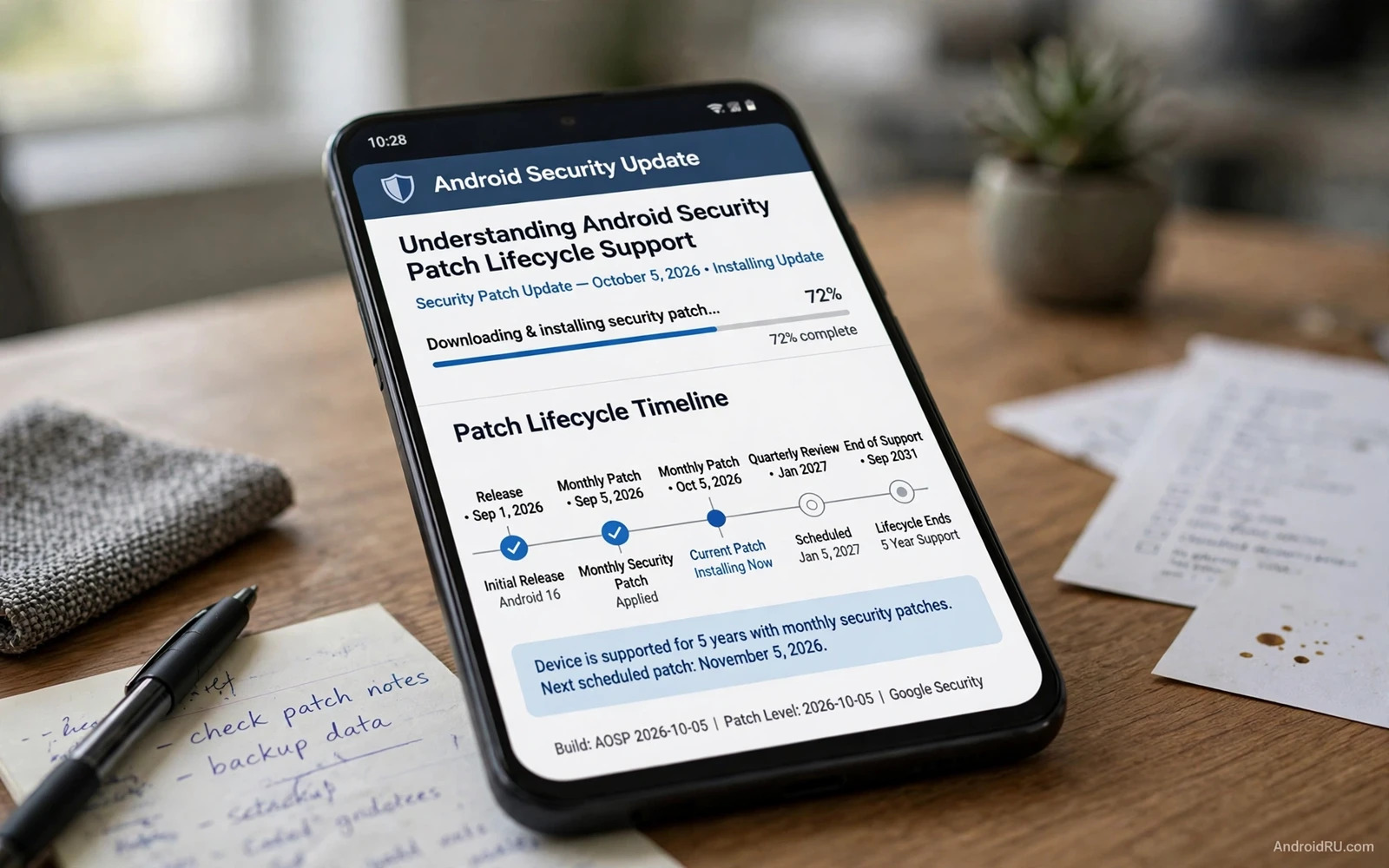
A security patch is a focused fix for a known flaw rather than a full redesign of the phone system. It closes a hole that attackers could use to read data or to gain control or to bypass a lock. Patches arrive regularly because new flaws are discovered regularly in complex software that millions of people use every day. A phone that receives patches promptly stays protected against known flaws while a phone that misses patches remains open to flaws that are already public. Patch timing therefore matters as much as patch existence.
Lifecycle support describes how long a phone model continues to receive those patches after its launch. A manufacturer promises a period of support that covers security patches and sometimes major version upgrades as well. That promise shapes the real lifespan of a phone because a phone without patches becomes riskier over time even when its hardware still works perfectly. Buyers should treat support length as a core specification beside battery size and camera quality. A cheap phone with short support can cost more in risk than a slightly pricier phone with long support.
Monthly Patches And Version Upgrades
Monthly patches form the rhythm for many Android devices because they bundle fixes for system components and for common libraries into a regular release. A monthly rhythm lets manufacturers test fixes together and lets users expect an update at a predictable time. Some devices receive patches quarterly instead of monthly when the manufacturer groups fixes into a slower cycle. A quarterly cycle still protects the phone but it leaves a longer window between discovery and fix. Knowing your device rhythm helps you judge whether a delay is normal or a sign of fading support.
Patch content varies because a single patch release can fix many flaws across different parts of the system. Some fixes protect the kernel and some protect media handling and some protect Bluetooth or Wi-Fi or the browser engine. A patch bulletin lists those fixes in broad terms so that users understand the scope without receiving instructions for exploitation. Reading a bulletin in general terms helps you see why an update matters even when the phone feels fine before the update. A phone that feels fine can still carry a flaw that only a patch closes.
Version upgrades differ from security patches because an upgrade brings new features and design changes beside security fixes. A phone may receive security patches long after it stops receiving major version upgrades. That distinction matters for older phones because security support can continue even when the interface stops changing. Do not judge support by new features alone and instead check the security patch date in settings. That date tells you when the phone last received a focused security fix.
Who Delivers A Patch And Why Delays Happen
Manufacturers and chip suppliers and carriers all play a role in patch delivery and that chain explains many delays. A chip supplier must fix a hardware related flaw first and a manufacturer must integrate that fix into its own system build. A carrier may add testing for network devices before release. Each step adds time and each step can delay a patch for a specific model. A delay does not always mean neglect but a pattern of long delays across many releases does signal weak support. Compare models by their actual patch history rather than by launch promises alone.
Google Play system updates add a faster path for some components because they can update core modules through the store system without a full system release. Project Mainline modules cover media and networking and permission related components that once waited for a full update. That faster path narrows the window for certain flaws and it helps devices that receive full updates slowly. Check Play system update status in settings beside the main security patch date. Both dates together give a fuller picture of device protection.
End of support arrives when a manufacturer stops issuing patches for a model even though the phone still powers on and still runs apps. After that point new flaws remain open forever on that device. An unsupported phone should not hold banking apps or sensitive work data because its risk grows with every new public flaw. Options after end of support include moving sensitive use to a supported device and keeping the old phone only for offline or low risk tasks. A clear end of support plan protects data better than denial about the phone age.
Buying With Lifecycle In Mind
Checking support before purchase prevents most lifecycle disappointment because support length is usually published for current models. Compare the promised security period across brands and models in the same price range. Consider how long you actually plan to keep the phone and choose a support period that covers that whole ownership period. A phone kept for four years needs at least four years of security support to stay safe throughout its life. That simple match between ownership and support avoids a risky final year.
Monthly patch breakdowns help owners understand what each release actually fixed in general terms. A breakdown groups fixes by component and by severity so that you can see whether a release touched the kernel or media or connectivity. You can build that reading habit by studying how an Android security patch breakdown explains what a monthly release fixed so that update notices become meaningful rather than mysterious. A breakdown also helps you prioritise an update when several devices compete for your time.
Essential settings support patch safety because an update can only protect a phone that is configured to receive it. Automatic updates and a charged battery and sufficient storage all help an update install smoothly. You can strengthen that foundation by studying how essential Android security settings create a safer baseline so that patch delivery and permission control work together. A phone with updates enabled and storage free will rarely miss a release for a trivial reason.
Installing Updates Safely
Scanning complements patching because a scanner can catch known harmful apps while patches close system flaws. A patched phone with a harmful sideloaded app still faces risk and an unpatched phone with a clean scan still faces system flaws. You can pair those layers by reading how Google Play Protect manual scans check apps on demand so that app safety and system safety advance together. Neither layer replaces the other and both deserve regular attention.
Update installation itself needs a safe routine because a failed update can leave a phone in a fragile state. Install updates on a stable network with the battery charged and with a recent backup in place. Avoid interrupting an update by forcing a restart during installation. After an update check the security patch date again to confirm that the new date took effect. A confirmed date gives you proof that the patch actually landed rather than merely downloaded.
Beta and preview builds sit outside normal lifecycle support because they test future features before full release. A beta build may receive fixes quickly but it may also introduce new flaws that a stable patch would not carry. Avoid beta builds on a primary banking or work phone unless you accept that trade off knowingly. Stable patches offer the safest lifecycle path for most owners. Beta testing suits a secondary device where a flaw causes inconvenience rather than loss.
End Of Support And Second Life Options
Enterprise and family devices need lifecycle planning at scale because many phones share one support deadline. An organisation should track patch dates across its fleet and retire models together when support ends. A family should plan hand me downs so that a child receives a supported phone rather than an unsupported cast off. Lifecycle planning at scale prevents a single forgotten device from becoming the weak point for a whole household or team.
Refurbished phones deserve a lifecycle check before purchase because a refurbished model may already sit near the end of its support period. Ask for the model and check its promised support end date and its current patch date before paying. A refurbished phone with two years of support left can be excellent value. A refurbished phone with support already ended should cost far less and should serve only low risk tasks. Price should reflect remaining safe life rather than hardware condition alone.
Custom ROMs sometimes extend life beyond manufacturer support but they carry their own lifecycle questions. A community ROM may deliver newer patches after official support ends but its quality and speed depend on volunteer maintainers. A community ROM can also break banking or payment features that depend on device integrity checks. Consider a custom ROM only when you understand its update rhythm and its trade offs. Official support remains the simplest lifecycle path for most owners.
A Personal Lifecycle Plan
Security patch dates in settings give owners a direct way to audit lifecycle health without any special tool. Open settings and find the security information section and read the patch date and the Play system update date. Compare those dates with the current month and note any gap longer than your device normal rhythm. A gap of several months deserves investigation through manufacturer support pages or community forums. A current date confirms that the lifecycle still protects you.
Long support promises have grown in recent years as manufacturers compete on update length for flagship and mid range models. Longer promises help owners keep phones longer and reduce electronic waste. They also raise expectations for budget models where support may still end sooner. Compare promises within the same price band rather than assuming that every new phone shares the same support length. A longer promise is valuable only when the manufacturer actually delivers patches on time throughout that period.
A personal lifecycle plan ties purchase and use and retirement into one calm timeline. Choose a phone whose support covers your planned ownership and keep updates automatic and check patch dates monthly. Move sensitive apps to a supported device when support ends and repurpose the old phone for low risk use or recycle it responsibly. That plan turns lifecycle support from an abstract specification into a practical habit. A phone that stays patched stays trustworthy for far longer than a phone that merely stays powered on.
Patch transparency from manufacturers varies because some publish clear timelines while others publish only vague promises. Favour manufacturers that publish a support page with patch dates and end dates for each model. A clear page lets you verify delivery rather than trusting marketing alone. When a manufacturer page goes silent for months treat that silence as a warning sign and check community reports for the same model. Transparency is a practical feature that helps owners plan retirement and replacement.

