

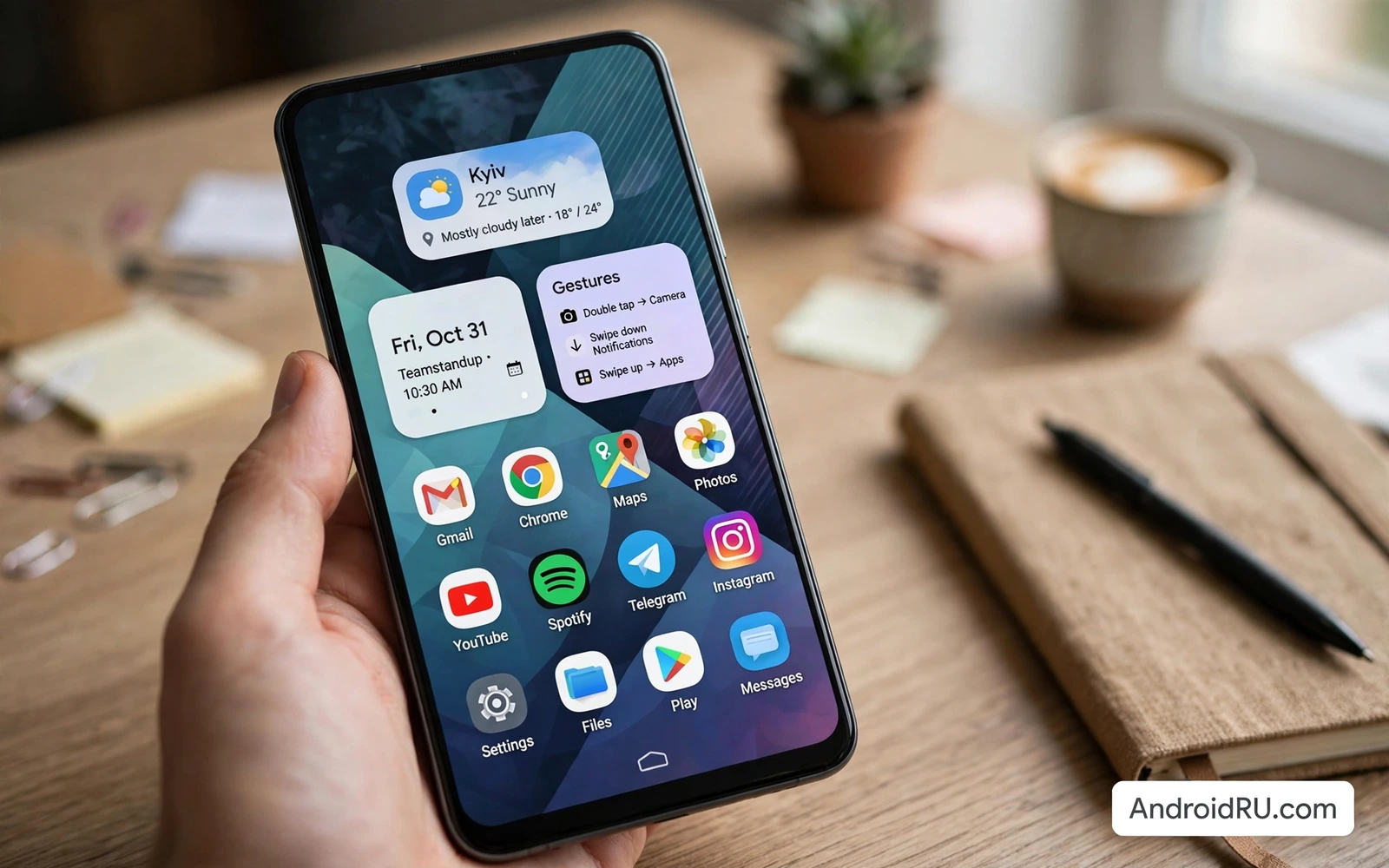
Custom launchers change how an Android phone feels every time the screen wakes. A launcher controls the home screen grid and icon style and app drawer and gestures and widgets. A stock launcher offers simplicity and stability. A custom launcher offers control over layout and appearance and shortcuts. The right launcher makes daily tools faster to reach and makes the phone feel personal without changing the underlying system. The wrong launcher adds lag and confusion that outweighs any visual gain.
Start with performance because a launcher runs constantly in the background. A lightweight launcher should open the app drawer instantly and scroll smoothly even on a modest phone. A heavy launcher with elaborate animations may look impressive in a demo and feel slow after a week. Test a launcher for several days with your real widget set and wallpaper. Check battery use during that period. A launcher that drains noticeable battery for decoration alone does not earn a permanent place.
Compatibility matters because launchers interact with widgets and icon packs and gestures. Check whether your favorite widgets resize correctly in the new grid. Check whether icon packs apply fully or leave some icons unthemed. Check whether gestures conflict with system navigation gestures. Check whether the launcher supports the screen size and foldable layout when relevant. A launcher that breaks one essential widget creates daily friction that no theme can compensate for.
Grid Icons And App Drawer Design
Grid size decides how much fits on a screen and how readable it stays. A dense grid fits many apps and widgets but shrinks icons and labels. A sparse grid looks calm but forces more swiping between screens. Choose a grid that keeps icon labels readable at a glance. Keep the most used apps on the first screen and move the rest to a well organized drawer. A home screen that requires hunting defeats the purpose of customization.
Icon packs transform the visual language of the phone in one step. A consistent icon pack with a clear style unifies apps from many developers. A mixed set of themed and unthemed icons looks unfinished. Check pack coverage for your installed apps before committing to a style. Some launchers allow manual icon selection per app to fill gaps in a pack. A small effort on missing icons completes a look that a pack alone leaves half finished.
App drawer organization saves more time than any wallpaper. Sort apps by category when the drawer supports folders or tabs. Create a tab for work apps and a tab for media apps and a tab for utilities. Hide apps that run in the background but never need launching by hand. Keep the drawer search fast because search rescues any organization system when memory fails. A drawer that opens instantly and searches instantly beats a drawer that looks beautiful but lags.
System theming still influences launcher choices and Material You customization for Android shows how dynamic color can unify wallpaper and widgets and menus. A launcher that respects dynamic color feels integrated with the system. A launcher that ignores dynamic color can still look good with a manual palette chosen to match the wallpaper. Either path works when colors stay readable and contrast stays strong for labels and widgets.
Gestures Shortcuts And Widgets
Gestures turn the home screen into a fast command surface. A swipe down can open notifications. A swipe up can open the app drawer. A double tap can lock the screen. A pinch can open overview settings. Assign gestures to actions you perform many times per day rather than to novelties. Test each gesture for accidental triggers during normal use. A gesture that fires while scrolling a widget creates annoyance that outweighs its speed benefit.
Shortcuts and quick actions extend gestures into app functions. A long press on a messaging app can open a new message directly. A long press on a maps app can start navigation home directly. A long press on a camera app can open video mode directly. Configure shortcuts for the three or four actions you repeat daily. Leave the rest at defaults to avoid a maze of hidden options that nobody remembers under time pressure.
Widgets deserve the same discipline as icons. A calendar widget and a task widget and a music widget can carry a home screen productively. A weather widget and a news widget can distract a work screen. Resize widgets to fit the grid without crowding labels. Stack widgets when the launcher supports it to save space without losing access. Remove any widget that goes untapped for a week because decoration that nobody uses is clutter by another name.
Productivity layouts benefit from launcher control because top must-have Android apps for maximum productivity work best when task widgets and calendar widgets sit on the first screen. A launcher grid that fits both widgets without shrinking text makes the plan visible at a glance. A gesture that opens the notes inbox instantly captures ideas before they fade. The launcher is the frame that decides whether productivity tools are visible or buried.
Themes Backups And Safe Experimentation
Themes bundle wallpaper and icons and widgets into a complete look. A theme saves setup time when starting fresh. A theme also hides individual settings that you may want to change later. Apply a theme and then adjust one element at a time until the look fits daily use. Save your own configuration as a backup before trying a dramatic theme. A backup lets you restore a working layout in seconds when an experiment fails.
Launcher backup protects hours of layout work during a phone change or a reset. Export the launcher configuration to a file and store it with other backups. Note the icon pack and widget apps required to restore the layout fully. Test restore on the same phone after a major launcher update when possible. A layout that cannot be restored reliably is a layout that will be lost at the worst moment. Backup discipline turns customization from a hobby into a durable setup.
Experiment safely by changing one layer at a time. Change icons first and live with them for a few days. Change the grid next and adjust widget sizes. Change gestures last after the visual layout feels stable. Changing everything at once makes it impossible to know which change caused lag or confusion. A patient sequence produces a setup that feels intentional rather than assembled from random experiments.
Listening setups also gain from a focused home screen and best audio and music player apps for Android audiophiles sound better in practice when a now playing widget sits beside the apps used daily. One tap resumes music without opening folders. A clean music screen encourages listening while a cluttered screen encourages scrolling past the player. Launcher layout quietly shapes media habits every day.
Battery Privacy And Long Term Use
Battery impact from a launcher should be small and measurable. Check battery statistics after a week with the new launcher. Compare against the previous week when possible with similar usage. Disable live wallpaper and constant animation when battery matters more than motion. A static wallpaper with a clean grid often looks more professional than a busy animated background that drains power. Performance and battery together decide whether a launcher survives long term.
Privacy settings in a launcher deserve review because a launcher sees app usage patterns and home screen layout. Check whether the launcher collects usage analytics and turn off collection when the setting exists. Check whether the launcher requires unnecessary permissions such as contacts or location for basic layout functions. A launcher needs storage access for wallpaper and backup in some cases. A launcher does not need constant location access to arrange icons. Remove permissions that do not match the job.
Long term satisfaction comes from a setup that stays out of the way. A good launcher disappears into habit after the first week. Apps open fast and widgets show useful information and gestures work without thought. A launcher that demands weekly tweaking to stay pleasant becomes a hobby rather than a tool. Settle on a layout that serves work and leisure and then stop customizing. The best customization is the one you no longer notice because it simply works.
Custom launchers reward patience and punish haste. Choose a lightweight launcher and test it with real widgets and real usage. Design a grid and drawer that put daily tools first. Assign gestures to repeated actions and back up the layout. Review battery and permissions after a week. That approach produces a phone that feels personal and stays fast rather than a phone that looks striking for a day and frustrates for a month.
- Test launcher speed with real widgets for several days
- Keep daily apps on the first home screen
- Organize the drawer by work media and utilities
- Assign gestures only to repeated daily actions
- Back up launcher layout before major changes
- Change icons grid and gestures one layer at a time
- Check battery use after a week of use
- Remove launcher permissions that do not match its job
A launcher trial period should last at least a full week with normal use before a final decision. A first day impression favors novelty and animation over reliability. A week of real use reveals drawer lag and widget resizing problems and gesture conflicts that a demo never shows. Note battery use and app opening speed during the trial week. Compare those notes against the previous launcher under similar usage. A launcher that still feels fast and calm after a week deserves to stay.
A minimalist home screen is a valid customization goal even for enthusiasts who love themes. Remove one widget and one app icon each day until the screen holds only tools used daily. Keep a single wallpaper that supports readable labels rather than competing with them. Keep one accent color across icons and widgets for visual calm. Minimalism is not the absence of customization. Minimalism is customization directed at speed and clarity rather than at decoration for its own sake.

