

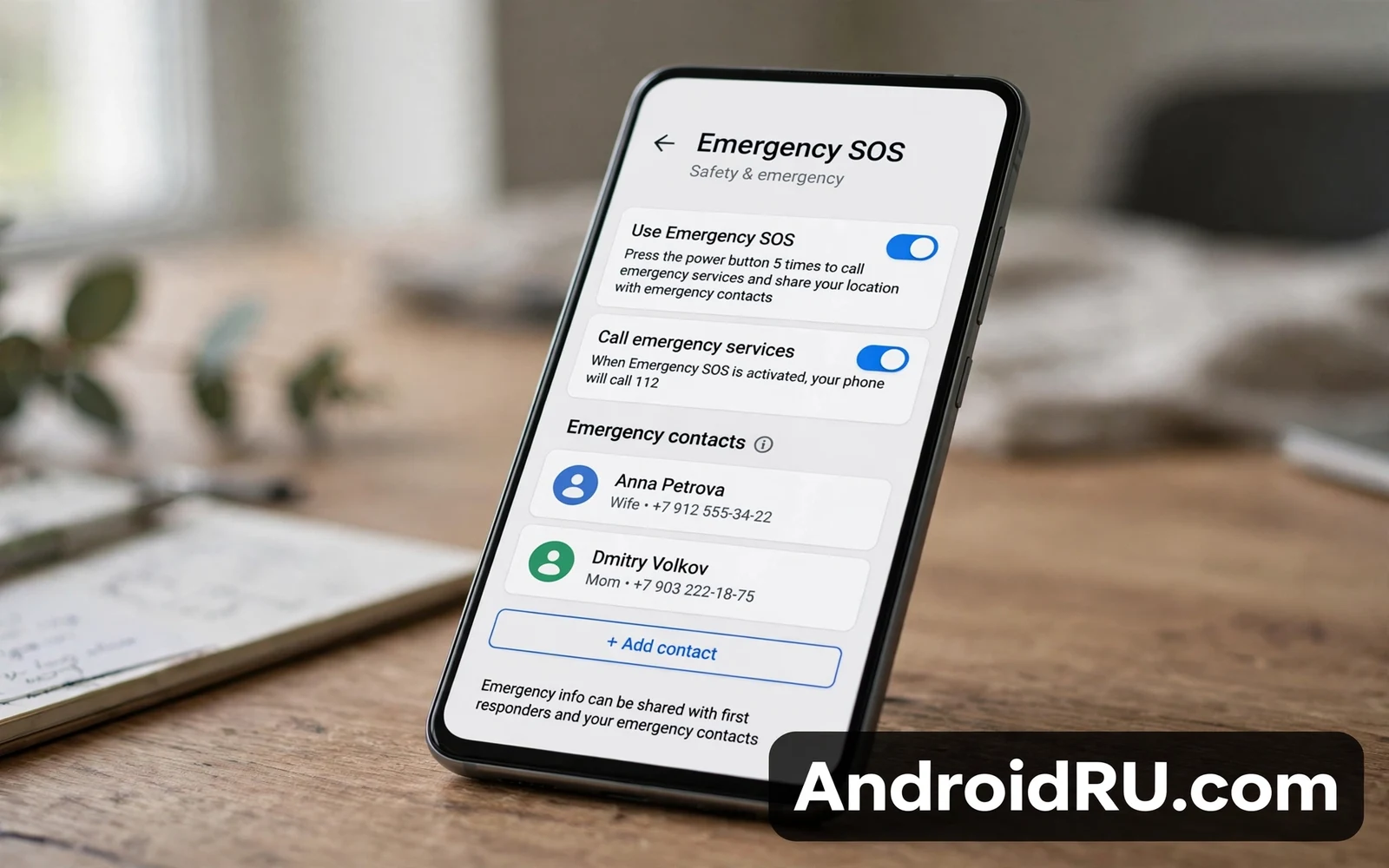
Emergency SOS lets an Android phone call for help quickly during a crisis. The feature can call emergency services and alert emergency contacts with location details. Trigger methods vary by phone maker yet the core idea stays constant. This guide explains how to manage emergency SOS settings on your Android phone. It covers setup and contacts and trigger gestures and testing limits. Readers should set up SOS before an emergency rather than during one.
Emergencies leave little time for settings menus and little patience for confusing prompts. A prepared SOS setup turns panic into a few deliberate presses. An unprepared phone may call the wrong number or may share location poorly. A prepared phone sends location and contact alerts with minimal owner effort. Owners should treat SOS setup like insurance that deserves a yearly review. A short setup session now can matter enormously later.
Private Space habits complement SOS planning because sensitive health details deserve protection even during emergencies. Readers who isolate sensitive apps can study the Android Private Space complete setup guide alongside SOS setup. SOS needs quick access while Private Space needs a lock. Those goals can coexist when SOS triggers stay available from the lock screen. Owners should verify that SOS works from the lock screen after any privacy change.
How Emergency SOS Works
Most Android phones trigger SOS through rapid power button presses. Five rapid presses commonly start the SOS flow on many phones. Some phones use a long press combination or a dedicated SOS screen instead. The phone may show a countdown before calling emergency services. That countdown gives owners a chance to cancel an accidental trigger. After countdown the phone calls emergency services and may notify emergency contacts automatically.
Location sharing during SOS helps responders find the owner faster. The phone can share approximate location with emergency services where local systems support it. The phone can also send location to emergency contacts through messages where settings allow it. Location accuracy depends on GPS signal and on network conditions. Indoor locations and weak signals reduce accuracy. Owners should still speak location details aloud when a call connects because voice confirmation beats any automatic share.
How To Set Up Emergency SOS
- Open settings and then open safety settings
- Open emergency SOS and review trigger options
- Add emergency contacts from trusted family
- Allow location sharing for emergency calls
- Test the countdown screen without completing a call
Emergency contacts should include people who answer promptly and who know the owner medical basics. A contact who rarely answers adds little value during a crisis. Owners should tell contacts that they appear in SOS settings. That conversation prevents confusion when a contact receives an automatic alert. Owners should update contacts after moves or after relationship changes. A stale contact list can send alerts to the wrong person.
Enterprise and organization phones may carry extra safety policies that shape SOS behavior. Readers who manage work devices can review what Android Enterprise Recommended means for devices for the wider managed device context. Managed phones may restrict some SOS customizations. Owners on managed phones should test SOS behavior with IT guidance where possible. Personal phones give owners full SOS control without organization limits.
Accidental Triggers And How To Reduce Them
Rapid power presses can trigger SOS accidentally inside pockets or bags. Owners who face frequent pocket triggers should check whether the phone offers a longer press requirement. Some phones let owners require a swipe confirmation before calling. That confirmation reduces accidents while adding a small delay. Owners should balance accident risk against speed needs honestly. People with medical conditions may prefer faster triggers despite accident risk.
A cancelled SOS call still deserves a calm follow up when emergency services received a partial signal. Owners who cancel after a call started should stay available for a callback. Emergency dispatchers may call back to confirm safety. Ignoring that callback can dispatch responders unnecessarily. Owners should explain accidental triggers politely when dispatchers call. That honesty protects emergency resources for real crises.
Medical Info And Lock Screen Access
Medical ID info on the lock screen can help responders when the owner cannot speak. Owners can add allergies and medications and blood type where the phone supports it. That info appears to responders without unlocking the phone. Owners should keep medical info brief and accurate. Outdated medication lists can mislead responders. Owners should review medical info during each yearly SOS review.
Family sharing profiles add another layer to emergency planning on shared tablets. Readers who share devices can review how Android multi-user profiles work on phones and tablets to see how SOS behaves across profiles. The owner profile usually holds the main SOS setup. Secondary profiles may offer limited SOS access from the lock screen. Owners should verify SOS behavior for each person who uses a shared device. A shared device should protect every user in an emergency.
Testing SOS Without Calling Emergency Services
Owners must never place a test call to emergency services for practice. A test call consumes dispatcher time and may delay real emergencies. Owners can safely review the SOS countdown screen and then cancel before the call starts. Owners can verify contact lists and location permissions without completing a call. Owners can practice the button gesture with the phone in hand and stop at the countdown. That practice builds muscle memory without burdening responders.
Emergency SOS setup deserves a place beside every other essential phone setup task. A clear trigger method and trusted contacts and location permission form the core. A yearly review keeps contacts and medical info current. A careful balance between speed and accident prevention fits personal risk. Owners who complete this setup gain a phone that can call for help when words fail. That capability justifies the short time that setup demands.
Emergency SOS And Medical Preparedness
Medical preparedness extends beyond SOS settings into wallet cards and ICE contacts. Owners with chronic conditions should carry a medical card alongside phone SOS setup. A card helps responders when phone battery dies or when phone damage blocks access. Phone SOS and physical cards together cover more failure modes than either alone. Owners should update both together during yearly reviews. Redundancy matters most when emergencies disrupt technology.
Allergy and medication accuracy in medical ID deserves careful review because responders may act on that info. Owners should list only confirmed allergies and current medications. Owners should remove discontinued medications promptly. An outdated list can mislead treatment decisions under time pressure. Yearly review with a clinician or pharmacist improves accuracy. Medical ID works best as a concise and current summary rather than a full history.
Children and elderly family members need SOS setups tailored to their abilities. A child should practice the SOS gesture with a parent and understand countdown cancellation. An elderly owner may need a simpler trigger method and larger contact names. Family members should review SOS settings together rather than assuming setup. Shared review builds confidence for everyone. Emergency readiness grows stronger when families prepare together.
Emergency SOS And Travel Safety
Travellers should learn local emergency numbers before visiting a new country because SOS dials local services automatically in many cases. A traveller who knows the local number can also dial manually when SOS behaves unexpectedly. Hotel staff and local guides can confirm emergency numbers on arrival. Owners should save local emergency numbers in contacts before travel. That simple step adds a manual fallback beside automatic SOS. Travel safety benefits from both automatic and manual paths.
Language barriers complicate emergency calls abroad because dispatchers may not speak the owner language. Owners should prepare a short local language emergency phrase card for critical situations. A phrase card can convey location and injury type quickly. Translation apps can help yet they depend on battery and network. A paper phrase card works without either. Travellers who prepare language aids reduce panic during real emergencies.
Remote travellers face weaker signals that can delay SOS location sharing. Owners heading into remote areas should tell trusted contacts about routes and expected return times. That itinerary sharing creates a human backup when technology fails. Satellite messaging devices can add another layer for extreme remote travel where phones lack coverage. Phone SOS remains valuable yet it cannot replace trip planning. Remote safety demands layers beyond any single phone feature.
Emergency SOS And Community Safety
Community safety improves when neighbors understand SOS features on their phones. A neighbor who witnesses an accident can trigger SOS even when the victim cannot. That bystander capability extends SOS value beyond owner use. Communities can teach SOS basics in safety workshops. A short workshop that practices countdown cancellation builds confidence without burdening dispatchers. Shared knowledge turns individual features into community safety nets.
Workplace safety plans should include phone SOS steps alongside fire exits and first aid kits. Employees who know SOS triggers can call for help faster during workplace incidents. Safety officers should add SOS to onboarding checklists. That addition costs minutes yet it prepares staff for rare critical moments. Workplaces that drill SOS alongside evacuation routes build comprehensive readiness. Preparedness across tools and procedures saves lives when seconds matter.

