

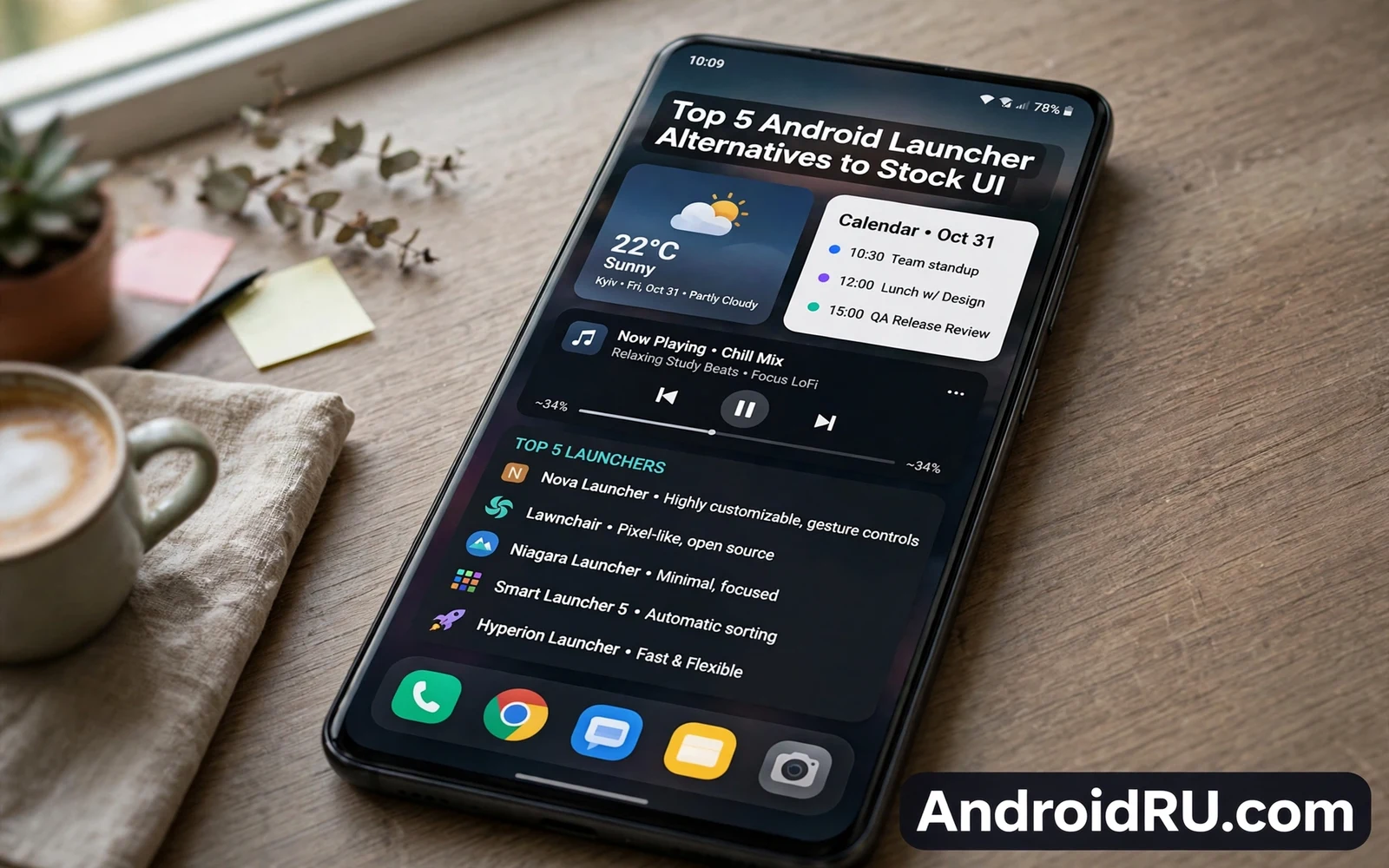
A launcher controls the home screen and the app drawer and the gestures that shape daily phone use. Stock launchers offer a clean and predictable experience that matches the phone maker vision. Third party launchers offer deeper control over grids and icons and gestures and hidden apps. This guide covers the best Android launcher alternatives to stock UI in practical terms. It focuses on daily habits rather than on feature lists alone. Readers can use it to pick a launcher that fits real use instead of chasing novelty for a week.
Launcher choice matters because the home screen is the most used screen on any phone. A good launcher shortens the path to frequent apps and frequent contacts and frequent tasks. A poor launcher adds friction to every unlock and every search and every app launch. Small frictions compound across hundreds of daily interactions. A launcher trial therefore deserves more than a quick glance at screenshots. Readers should test a launcher for several days with real tasks before judging it.
The Material You customization path pairs naturally with launcher choice because color and shape and widget style all shape the same home screen. Readers who want that wider styling story can explore the Material You customization guide before settling on a launcher layout. A launcher can extend Material You ideas with custom grids and custom icon packs. A launcher can also clash with system styling when its theme fights the system palette. Testing both layers together gives a truer picture of the final home screen.
What A Launcher Actually Changes
A launcher replaces the home screen app rather than the whole Android system. System settings and notifications and core apps stay in place under a new launcher. The launcher changes how apps appear and how folders work and how gestures behave. It changes the app drawer layout and the search behavior and the widget placement rules. It does not change how Android handles permissions or updates or security. That boundary makes launcher trials low risk compared with deeper system changes. Owners can switch back to the stock launcher at any time from system settings.
Some launchers focus on speed and minimal design with small memory use and fast scrolling. Other launchers focus on dense information with widgets and feeds and at a glance panels. Gesture launchers let owners swipe and pinch and double tap to trigger actions without opening menus. Icon pack support lets owners restyle every app icon in one step. Folder and drawer controls let owners group rarely used apps out of sight. The right mix depends on whether the owner values speed or information or visual calm.
Layouts For Different Daily Habits
A minimal layout suits owners who open a small set of apps and dislike visual noise. One home screen with a few large icons and a clean dock can cut decision time at every unlock. A dense layout suits owners who monitor calendars and tasks and news from the home screen. Widgets for mail and calendar and tasks can replace several app opens per day. A gesture heavy layout suits owners who enjoy muscle memory and who dislike tapping through menus. Each layout trades visible information against visual calm in a different way.
Owners should match the layout to the most repeated task on the phone rather than to the most impressive demo. A commuter may value one tap access to maps and music and messages above all else. A student may value calendar and notes widgets above icon style. A photographer may value quick camera access and quick gallery access above folder polish. A launcher that serves the top task well will feel fast even when its other features stay unused. A launcher that serves only showcase features will feel clever for a day and slow after that.
Icons Widgets And Gestures
Icon packs change the visual language of the whole home screen in a single step. A consistent pack can make a mixed set of apps feel like one designed system. A clashing pack can make frequent apps harder to spot at a glance. Owners should test a pack with real apps rather than with store screenshots alone. Widget support varies widely across launchers and that variation matters for owners who live by widgets. Some launchers resize widgets freely while others lock widgets to strict grid rules. Widget behavior deserves a real trial before a final choice.
Lock screen shortcuts and dynamic color ideas also shape how a finished setup feels across the whole day. Readers who care about that outer layer can study how to customize Android lock screen shortcuts and then align launcher icons with lock screen actions. A coherent setup lets the lock screen and the home screen serve different moments without duplication. The lock screen can hold urgent actions while the home screen holds daily work. That split keeps both screens fast and purposeful.
Performance And Battery Notes
A launcher runs at every unlock so its efficiency affects perceived phone speed. A heavy launcher with animated feeds and large widgets can slow older phones and drain battery faster. A light launcher with simple rendering can make an older phone feel fresh again. Owners should watch battery stats during a launcher trial rather than trusting marketing claims. A launcher that adds constant background work for feeds or news may cost more battery than its features return. Disabling unused feeds often restores speed without losing the layout benefits.
Launcher backup features deserve attention before any deep customization session. Many launchers can export a layout backup that restores grids and folders and gestures after a reinstall. Owners should create such a backup once a layout feels right. A backup turns a phone switch or a launcher reinstall into a short restore task. Owners who skip backups often lose hours of fine tuning after a reset. A few minutes of backup work protects a setup that took far longer to build.
How To Trial A Launcher Safely
- Install one launcher at a time for a fair trial
- Set the same wallpaper and widgets across each trial
- Use real daily tasks for several days before judging
- Check battery stats at the end of each trial week
- Export a layout backup once a setup feels right
Dynamic color fans can deepen the trial by pairing launcher choice with system palette controls. The guide on how to enable a dynamic color palette on any Android device explains how system colors flow into apps and widgets. A launcher that respects system colors will blend with that palette naturally. A launcher with its own theme engine may override system colors entirely. Neither approach is wrong on its own. The better approach is the one that keeps the home screen calm across changing wallpapers.
The best launcher is the one that disappears into daily habits while keeping frequent actions close. Stock UI wins for owners who value stability and maker polish above control. Third party launchers win for owners who want grid freedom and gesture freedom and icon freedom. A careful trial with real tasks reveals that winner faster than any feature table. Owners should pick one launcher and commit to it for a month. Constant switching costs more attention than any single feature can repay.
Launcher Backup And Phone Switches
Launcher backup quality decides how painful a phone switch feels after months of customization. A launcher that exports grids and folders and gestures lets owners rebuild a familiar home screen quickly. A launcher without export forces owners to rebuild every folder by hand. Owners should test export before investing hours in a complex layout. A successful test export proves that the setup can survive a reinstall. That proof matters more than any single visual feature.
Phone switches also test whether a launcher restores widgets correctly across different screen sizes. A widget layout built for a large phone may crowd a smaller phone screen. Owners moving to a smaller phone should expect some widget rearrangement. A launcher backup still saves folder structure and gesture settings even when widgets shift. Owners should treat widget positions as flexible and folder structure as durable. That mindset keeps phone switches calm.
Multiple profiles and work setups add another reason to value launcher backups. A work profile may need a different launcher layout from a personal profile. Export files let owners keep both layouts ready without rebuilding either one. Owners can restore a work layout after a profile reset in minutes. That speed matters for people who depend on a phone for daily work. Backup files turn launcher choice into a portable asset rather than a fragile arrangement.
Choosing Between Free And Paid Launchers
Free launchers often cover grids and gestures and icon packs well enough for most owners. Paid launchers often add advanced gestures and backup depth and niche controls. Owners should judge paid features by daily use rather than by feature count. A paid gesture that saves seconds many times per day earns its price quickly. A paid theme engine that owners open once a month rarely earns its price. Trial periods help owners test paid features with real tasks before paying.
Privacy review also belongs in launcher choice because launchers can request broad access. A launcher that requests accessibility access deserves scrutiny about why it needs that power. A launcher that requests notification access should explain how it uses notifications. Owners should read permission prompts for launchers with the same care as for any other app. A launcher from a reputable developer with clear privacy text reduces risk. Owners should uninstall launchers that demand unexplained broad access.
Long term launcher support matters because Android versions change home screen rules over time. A launcher with active updates adapts to new gesture navigation and new widget rules. A launcher abandoned by its developer may break after a major Android upgrade. Owners should check update dates before committing to a complex setup. Recent updates signal a developer who tracks Android changes. That signal protects a setup that took hours to perfect.
Launcher Habits For Long Term Use
Long term launcher satisfaction depends on restraint as much as on features. Owners who change layouts weekly never build muscle memory for gestures. Owners who settle on one layout for months gain speed through habit. A stable layout lets fingers find apps without conscious thought. That speed feels like phone performance even when hardware stays unchanged. Owners should resist novelty for a month after choosing a launcher. Patience turns a new launcher into a familiar tool.
Seasonal refreshes offer a healthy middle path between constant change and total stagnation. Owners can refresh wallpaper and icon pack once per season while keeping grids and gestures stable. That refresh keeps the phone feeling fresh without breaking muscle memory. A seasonal refresh takes under an hour and it renews visual interest. Owners who refresh quarterly enjoy novelty without paying a productivity cost. Rhythm beats constant tinkering for long term satisfaction.

