

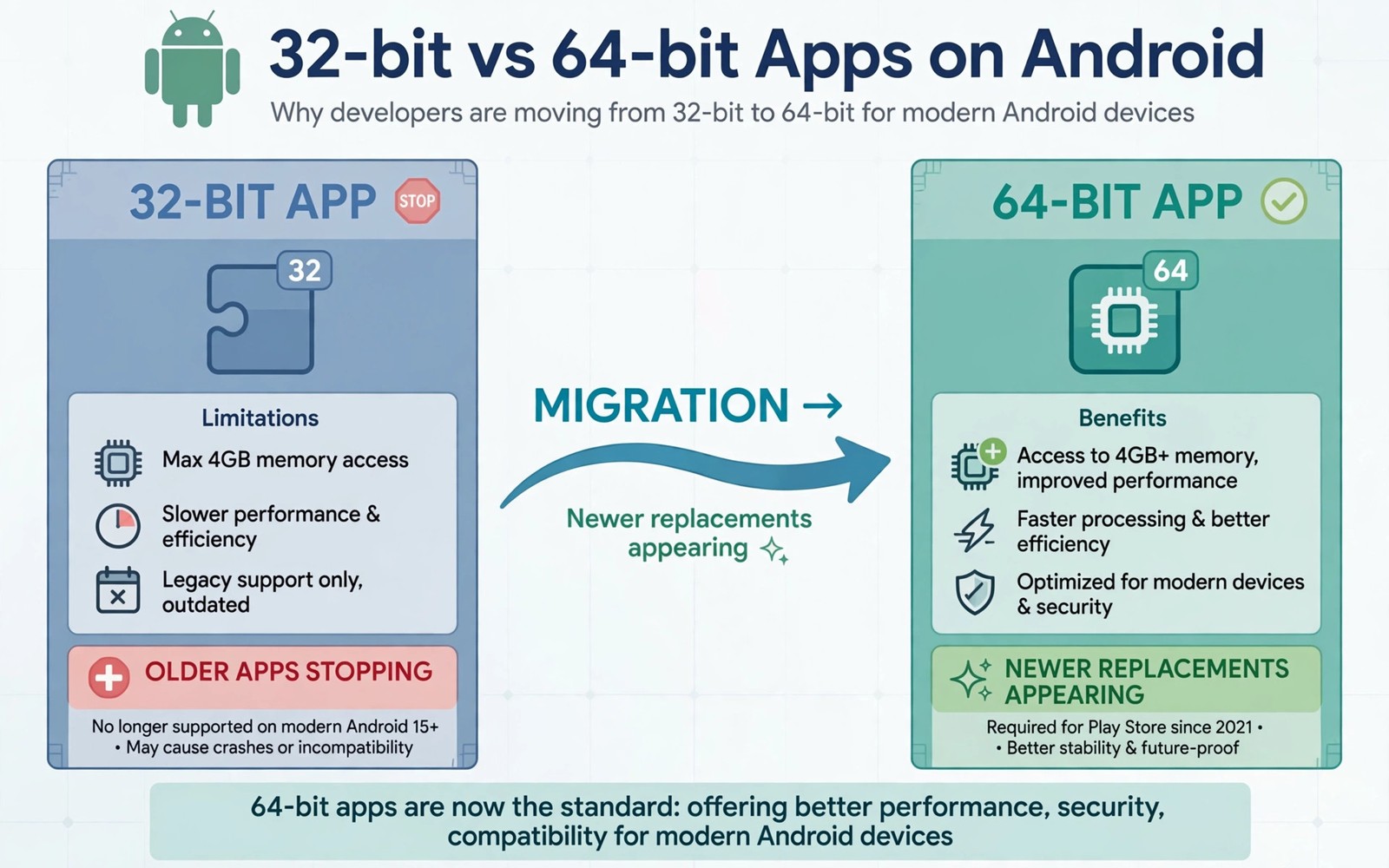
Android move to 64 bit only sounds technical, yet it affects which older apps will keep working on new phones. A 64 bit only system drops support for apps built solely for 32 bit processors. Most modern apps already support 64 bit, but older games and niche tools may not. Users with a library of older apps need to understand what changes and what replaces lost apps. The feature overview in massive Android features coming to your phone this year shows how platform shifts often arrive alongside headline features.
The shift to 64 bit brings performance and security benefits that explain why platforms pursue it despite compatibility costs. Larger memory addressing and modern instruction sets improve speed for demanding apps. Security features tied to 64 bit architectures also harden phones against certain attacks. Platform progress always trades compatibility for capability, and 64 bit is the latest trade.
Why 32 bit apps stop working
A 32 bit app contains code compiled for an older instruction set that a 64 bit only system no longer runs. The system cannot translate that code automatically without a compatibility layer, and Android has chosen not to provide one for new devices. When you open a 32 bit only app on such a device, it simply fails to launch. Failure is clean but final, unless the developer updates the app.
Developers received years of warning about the transition, and most updated their apps well before the cutoff. Apps that remain 32 bit only are often abandoned by their developers or maintained by tiny teams. Abandoned apps pose a dilemma, because users may love them yet no update will arrive. Platform policy cannot preserve abandoned software forever.
Which apps are most at risk
Older games face the highest risk, because many were built years ago by studios that no longer exist. Niche utilities for specific hardware also face risk, because their developers may lack resources to rebuild. Regional apps with small audiences may also lag, because update costs outweigh revenue. Risk concentrates where development has stopped, not where apps are popular and maintained.
Check your own app list for risk by noting apps that have not updated in several years. An app with no update since before the 64 bit transition likely remains 32 bit only. An app that updates regularly almost certainly supports 64 bit already. Update history is a practical proxy for architecture support.
What replaces a lost 32 bit app
Replacement options depend on the app type, because games and utilities follow different paths. For games, newer titles or remastered versions often offer similar gameplay with modern support. For utilities, open source alternatives frequently cover the same function with active maintenance. A search focused on the specific task, rather than the exact app name, usually finds a replacement.
Cloud and web versions also replace some older apps, especially for services that offer a browser interface. A web version may lack some native features, yet it preserves core functionality without installation. Web replacements work best for reading and messaging and simple tools. Native replacements remain better for games and hardware linked utilities.
How to check before you upgrade phones
Before buying a 64 bit only phone, list the older apps you use weekly and check their update dates. Test those apps on a friend device or in an emulator when possible, although emulator results do not guarantee real device behaviour. A short audit before purchase prevents the shock of losing a daily tool after switching phones.
Keep your old phone during the transition when possible, so you can still run a critical 32 bit app while you find a replacement. A spare old phone acts as a bridge, not as a permanent solution. The eligibility guide on whether your phone will get the next Android OS update helps you plan device transitions generally. Bridge devices buy time for a careful replacement search.
Developer perspective on the transition
Developers generally welcome 64 bit only systems, because supporting two architectures doubles testing and build complexity. Dropping 32 bit lets developers focus on modern features and security improvements. Small developers benefit most, because they lack resources for dual architecture testing. Platform simplification helps the developers who need help most.
Developers of abandoned apps cannot benefit, because no one remains to rebuild their code. Open source communities sometimes rebuild abandoned apps when source code is available. Community rebuilding preserves beloved tools that commercial developers left behind. Open source preservation is a quiet benefit of public code.
Security gains from 64 bit only
Security gains come from modern protections that 64 bit architectures support more fully, including stronger address randomisation and control flow protections. These protections make exploitation harder for attackers. A 64 bit only system can enforce protections uniformly, rather than weakening them for legacy compatibility. Uniform enforcement strengthens the whole platform.
Users may not notice security gains directly, because they manifest as fewer successful attacks rather than as visible features. Invisible security still matters, because it protects banking and messaging and personal data daily. A platform that trades visible compatibility for invisible security makes a defensible choice. Safety often works best when users never notice it.
A 64 bit transition checklist
Use this checklist before moving to a 64 bit only device, so no essential app surprises you after the switch.
Audit: list weekly apps, note last update date for each
Risk: flag apps with no update for several years
Test: try flagged apps on a newer device when possible
Replace: search by task, try open source and web versions
Bridge: keep old phone until replacements prove reliable
The code above is an original example written for this guide. It shows one practical way to apply the idea in this article. You can adapt the wording and the values to fit your own phone and your own routine.
Preserving games from the 32 bit era
Games from the 32 bit era hold cultural value beyond their commercial life, because many represent early mobile gaming history. Preservation efforts by communities can keep classic games playable through emulation or rebuilding. Emulation preserves gameplay, although it may not reproduce exact performance or touch controls. Preservation matters because mobile games disappear faster than console games when stores remove them.
Legal preservation faces hurdles, because game code remains owned even when developers abandon it. Communities must respect ownership while seeking permission to preserve. Some developers release old games as open source, enabling legal preservation. Open sourcing old games is a gift to future players and to gaming history.
Enterprise apps and the 64 bit shift
Enterprise apps face a different 64 bit challenge, because businesses may rely on custom apps built years ago for specific workflows. Rebuilding a custom enterprise app takes time and budget that a business must plan. A business that ignores the transition may find a critical workflow app suddenly unusable on new devices. Enterprise planning should start well before device refresh cycles.
Businesses should audit custom apps for architecture support as part of regular IT planning. An audit that identifies 32 bit only apps early gives developers time to rebuild. Early audits prevent emergency rebuilds under deadline pressure. Planned transitions cost less than rushed ones in both money and disruption.
Hardware design and architecture shifts
Architecture shifts accompany hardware design changes, because new chips and new form factors arrive together. A phone that drops 32 bit support often also changes other hardware aspects, such as buttons or ports. The button discussion in how future smartphones will look without physical buttons shows how design trade-offs cluster in new generations. Users should evaluate a new generation as a package, not as a single change.
Evaluating a generation as a package prevents surprise, because a user focused only on 64 bit support may miss a removed button or port that matters daily. A holistic review covers architecture and hardware and software together. Package thinking leads to better purchase decisions than single issue thinking. A phone is a system, not a spec list.
Common mistakes
The most common mistake is assuming that all old apps will break, when most maintained apps already support 64 bit. Another mistake is discovering a lost app only after selling the old phone. An audit before purchase prevents that regret.
- Do not sell your old phone before testing critical older apps on the new device.
- Do not assume an app is 64 bit ready just because it still appears in a store.
- Do not ignore web versions that can replace some native apps.
- Do not delay replacement searches until the day you switch phones.
A final mistake is blaming the platform alone for abandoned apps. Developers who stopped maintaining apps share responsibility for compatibility loss. Platform progress and developer maintenance together determine app longevity.
Frequently asked questions
Will most of my apps stop working on a 64 bit only phone?
Probably not, because most maintained apps already support 64 bit. Only apps that have not updated in years face real risk. An audit of your weekly apps will show how many are actually at risk.
Can I run a 32 bit app through an emulator?
Emulators can run some older apps, but performance and compatibility vary and banking apps may refuse to run. An emulator is a bridge for casual use, not a reliable daily solution. Prefer a native replacement when one exists.
What should I do with a beloved app that has no update?
Search for a replacement by task and check open source alternatives and web versions. Keep your old phone as a bridge while you test replacements. Community rebuilding may also preserve the app if its code is public.
Conclusion
64 bit only Android kills older 32 bit apps that developers abandoned, while most maintained apps continue without issue. Auditing weekly apps and finding replacements by task turns a platform shift into a manageable transition.
Your concrete next step is to list your weekly apps tonight and flag any that have not updated in several years. Test those flagged apps before your next phone purchase.

