

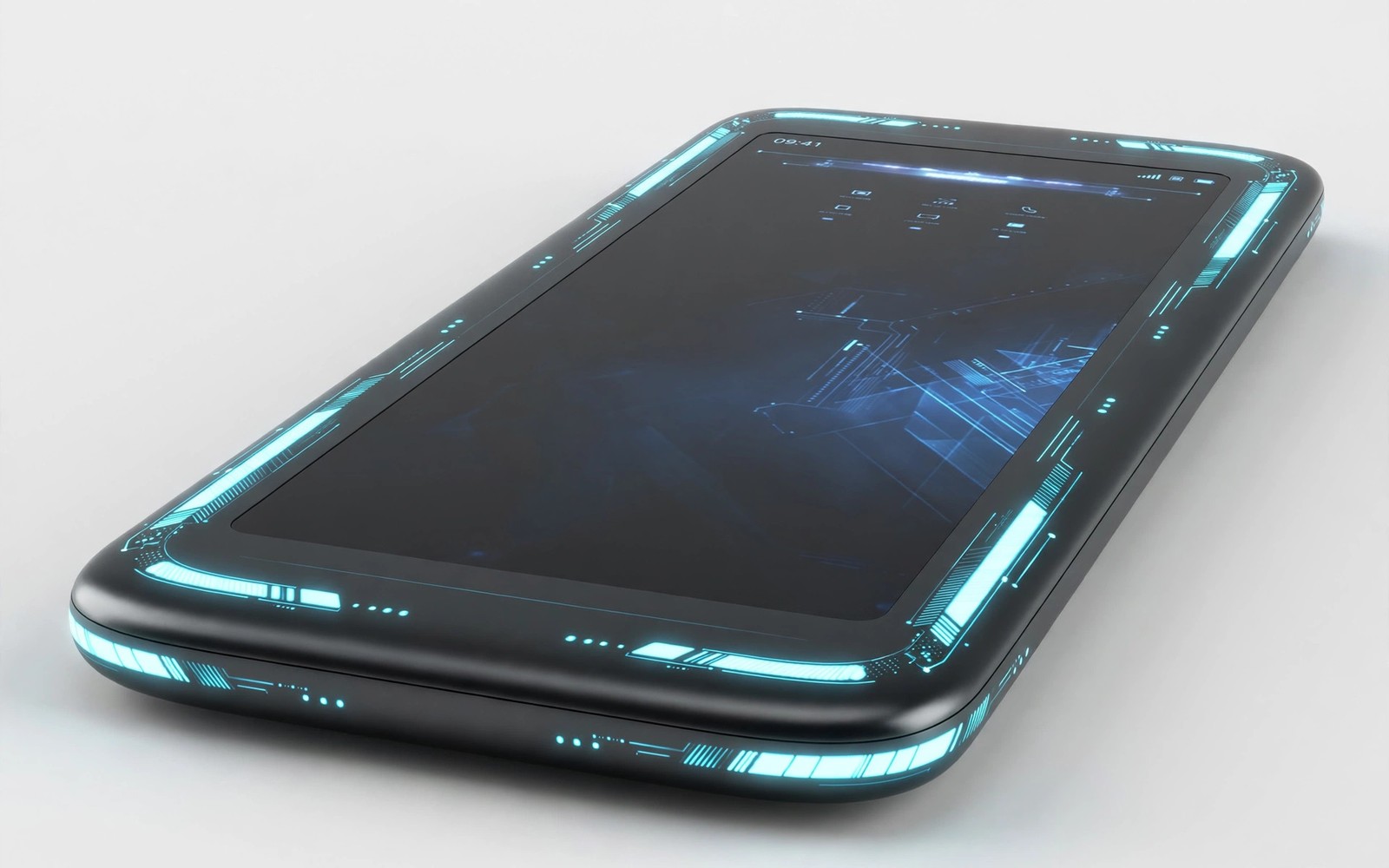
The End of Physical Buttons? How Future Smartphones Will Look
Hold a phone from 2015 next to one from 2025 and the difference is obvious before you even switch either one on. The old phone has a home button, a volume rocker, a power key, and often a dedicated camera button and a headphone jack. The new one has a smooth glass slab with two slim keys on one edge and nothing else. The buttons did not vanish in one dramatic redesign. They disappeared one at a time, each removal solving a design problem, until the frame had almost nothing left to press.
That slow disappearance raises a real question for your next phone: will the last buttons go too? Some manufacturers have already tried a phone with no buttons at all, and others have replaced a single key with a pressure-sensitive zone or a haptic click. This article walks through what actually replaces a physical button, which experiments worked and which failed, what buttonless designs cost people who rely on touch, and how to get ready for a phone that asks you to tap, squeeze, or speak instead of press.
Why Physical Buttons Started Disappearing in the First Place
Each button left for a specific reason. The home button went first, because full-screen displays needed the space at the bottom of the phone, and gesture navigation turned out to work well enough that most users stopped missing it within a week. The headphone jack followed when internal space became precious for bigger batteries, and wireless earbuds made the trade acceptable to most buyers. Dedicated camera buttons faded once software shutter controls and on-screen buttons got fast enough to replace them, and the camera button that survived longest was the one on Sony Xperia phones, which kept it as a signature feature for photographers.
Water resistance pushed the trend further. Every opening in a frame is a potential entry point for water, and sealing a button requires gaskets, glue, and testing that add cost to every unit. A phone with fewer openings reaches an IP68 rating more cheaply and more reliably, and manufacturers value that rating in marketing. A sealed phone survives a drop in a sink better, even if it loses some tactile convenience along the way. The pattern is clear: buttons leave when the space or the sealing they cost becomes worth more than the convenience they provide. That logic also explains why software keeps absorbing jobs hardware used to do, as the overview of massive Android features coming to your phone this year shows: gestures, voice commands, and on-screen controls now carry tasks that once needed a dedicated key.
The Home Button Set the Pattern for Every Removal After It
Apple removed the home button from the iPhone X in 2017 and Android makers followed within a year. The lesson manufacturers took from that change was that users adapt fast when the replacement is good enough. Gesture navigation felt strange for three days and normal by day four. That experience gave designers confidence to remove the next button, and the next. The risk is that each removal assumes the same fast adaptation, and some replacements, like touch zones that fire by accident in a pocket, never reach the same level of reliability.
Touch Zones, Haptics and Pressure-Sensitive Frames Replace the Click
The most common replacement for a button is a touch zone: a strip of the frame that senses pressure or a swipe. Squeeze the sides to launch the camera, swipe along the edge to change volume, tap a marked area to silence a call. A haptic engine underneath vibrates at the exact moment of the press, and a well-tuned vibration can feel surprisingly close to a real click. Apple’s Taptic Engine set the standard here: the solid-state home button on the iPhone 7 and 8 never moved at all, yet most owners never noticed, because the vibration arrived at the right instant with the right strength.
That illusion has limits. A haptic click feels convincing in a quiet room and less convincing on a crowded train, where your hand is already vibrating from the carriage. A real button has travel and resistance: you feel it move, you feel it stop, and you know it worked without looking. A touch zone gives you one sensation, and when it misfires you cannot tell by feel whether the press registered. The best replacements combine pressure sensing with haptics, so the zone only fires when you press firmly and deliberately, and the vibration confirms it.
HTC Edge Sense: The Squeeze That Started It All
HTC launched Edge Sense on the U11 in 2017: squeeze the lower sides of the phone and the camera opens, or squeeze again to take a photo. The U12+ refined it in 2018 with pressure-sensitive buttons that replaced the physical volume and power keys entirely, using haptics to simulate the click. Reviewers liked the squeeze gesture but found the fake buttons less reliable than real ones, and HTC’s phone business faded before the idea could mature. Google picked up the squeeze idea as Active Edge on the Pixel 2, 3, and 4, where squeezing summoned the voice assistant, then dropped it from the Pixel 5 onward. The squeeze gesture worked; it simply never became essential enough to keep.
Pressure Frames and Capacitive Keys on Phones You Can Buy Today
Pressure-sensitive frames survive today in narrower roles. Gaming phones like the Asus ROG Phone series use ultrasonic AirTriggers on the shoulder of the device as extra controls in games, and they work because a gamer holds the phone in landscape and expects touch zones there. Several makers have tested capacitive volume strips that respond to a slide of the finger, and in-display fingerprint sensors have already replaced the physical fingerprint button on nearly every flagship. Face recognition has replaced the fingerprint button on iPhones entirely. Each of these replacements works because it fits the way the phone is already held, rather than asking the user to learn a new grip.
The iPhone Action Button and Camera Control: Apple’s Hybrid Answer
Apple’s recent designs show the most likely future: not zero buttons, but fewer buttons that do more. The company did not remove the mute switch and leave a hole. It replaced a single-purpose switch with a button that can do many jobs, and then added a second new control for the camera. That is a hybrid answer, and it tells you more about the next five years than any buttonless concept phone does.
Action Button on the iPhone 15 Pro: One Key, Many Jobs
The Action Button arrived on the iPhone 15 Pro and Pro Max in September 2023, replacing the mute switch that had been on every iPhone since 2007. By default it still silences the phone, but in Settings you can reassign it to the camera, the flashlight, a voice memo, a focus mode, or any shortcut you build. A long press triggers it, which prevents pocket presses, and the haptic feedback confirms the action. I think this is the smartest button change in a decade: instead of deleting a control, Apple made one control configurable, so the button earns its place on the frame by doing the job each owner cares about most.
Who it suits: owners who want one reliable physical control they can find without looking. Pros: tactile and easy to find by touch, configurable to real daily tasks, long-press design resists accidental triggers, haptic confirmation is clear. Cons: it does only one action per press, and owners who never open Settings will never discover what it can do. The lesson for other makers is that a button survives when it becomes personal rather than fixed.
Camera Control on the iPhone 16: A Button That Is Also a Touch Surface
Camera Control arrived on the full iPhone 16 range in September 2024, and it is the most interesting button design in years because it is two controls in one. Press it firmly and it takes a photo. Press it lightly and it opens a small menu. Slide a finger along it and it adjusts zoom, exposure, or depth of field. The surface is sapphire crystal over a capacitive sensor, with a force sensor underneath and haptic feedback to mark each click. In practice it works best for quick shots: raise the phone, click, and the photo is taken before the on-screen shutter would have appeared. The slide gesture takes practice, and some owners find it easier to use the screen for zoom, but the light-press menu is genuinely fast once the muscle memory forms.
The Phones That Went Fully Buttonless: Meizu Zero and Vivo Apex 2019
Two phones in 2019 tried to answer the question in the title with a straight yes, and both answers are instructive. Neither became a product you could buy in a shop, and the reasons why tell you exactly where buttonless design still fails.
Meizu Zero: No Buttons, No Ports, No SIM Slot
Meizu announced the Zero in January 2019 as the world’s first holeless phone: no buttons, no charging port, no headphone jack, no SIM tray. Volume and power became pressure-sensitive zones on the frame, charging was wireless only at 18W, and the SIM was embedded. The company put it on Indiegogo with a $100,000 funding goal and raised only about $45,000 from fewer than 30 backers, so the campaign failed and the phone never shipped. The idea was striking, but buyers were asked to give up wired charging, fast data transfer, and a physical SIM for a cleaner frame, and the trade was too steep. Meizu’s failure is still the clearest market verdict on a fully buttonless phone: people will accept fewer buttons, but they will not fund the removal of everything at once.
Vivo Apex 2019: Touch Sense and a Full-Screen Fingerprint Reader
Vivo showed the Apex 2019 concept in the same month, with Touch Sense pressure zones replacing the volume and power keys, a full-screen fingerprint reader, and a body with no openings at all. Unlike Meizu, Vivo treated it as a concept to test ideas rather than a product to sell, and the ideas did filter into later phones: pressure zones appeared in gaming models, and in-display fingerprint readers became standard across the industry. The Apex proved the technology worked in a demo. It also proved that a concept phone can succeed by donating its parts to future products, even when the whole device never ships.
Physical Controls vs Their Replacements: A Head-to-Head Comparison
This table compares each physical control with the replacement most makers now use, on the criteria that matter in daily use rather than in a showroom.
| Control | Physical version | Replacement | Reliability without looking | Repair cost if it fails |
|---|---|---|---|---|
| Power | Raised key, works when screen is dead | Pressure zone or on-screen button | High vs low | Low vs high |
| Volume | Rocker with two distinct ends | Edge swipe or on-screen slider | High vs medium | Low vs high |
| Mute switch | Single-purpose sliding switch | Action Button or software toggle | High vs medium | Low vs medium |
| Camera shutter | Two-stage physical key | Camera Control or on-screen button | High vs medium | Low vs medium |
| Home | Clickable button with fingerprint reader | Gesture bar and face recognition | High vs medium | Medium vs low |
| Fingerprint reader | Physical sensor on front or back | In-display optical or ultrasonic sensor | High vs medium | Medium vs high |
| Assistant trigger | Dedicated key on some phones | Squeeze gesture or wake word | Medium vs low | Low vs low |
The pattern is consistent: the physical version wins on reliability without looking and on repair cost, while the replacement wins on design cleanliness and flexibility. No replacement in the table beats the physical version on both counts at once. That is why the hybrid approach, keeping one or two keys and replacing the rest, keeps winning in real products. The same trade between novelty and everyday reliability shapes foldables and rollables too, as the look at future foldable screens and rollable display tech makes clear: a striking form factor still has to survive pockets, drops, and daily habits.
Accessibility: What Buttonless Phones Take Away From Users Who Need Touch
Physical buttons matter most to the people who use them least visibly. A blind user finds the power key by feel and knows the phone’s orientation from it. A user with limited dexterity presses a raised volume rocker during a call without hunting through a menu. An older user silences a ringing phone in a meeting by sliding a mute switch they can feel through a pocket. These are not edge cases. They are daily actions, and removing the landmarks behind them forces millions of people to learn new gestures that may be harder to perform reliably.
Designers who take buttons away owe those users a replacement that works by touch alone. A textured edge zone can serve as a landmark for orientation, the way a raised dot marks the 5 key on a keyboard. A distinct haptic pattern can confirm a volume change without a screen. Voice commands help some users and fail others: they do not work in a noisy room, a quiet library, or a language the assistant handles poorly. The honest test for any buttonless design is simple: hand the phone to someone who cannot see the screen and ask them to lower the volume, silence a call, and restart the device. If they cannot do all three, the design is not ready.
Tactile Landmarks: Why a Raised Key Beats a Flat Zone
A raised key gives you three pieces of information at once: where it is, which way the phone is pointing, and whether you pressed it. A flat touch zone gives you one, and only after it vibrates. That gap matters most in the dark, in a pocket, and during a call, which is exactly when people reach for buttons. Some makers have tried raised haptic areas and textured frame sections as landmarks, and those are a step in the right direction, but they are still rare on shipping phones. Until textured landmarks become standard, every button removed makes the phone harder to use without looking.
Voice Commands and Haptics as Partial Answers
Voice commands cover some of the gap: saying a command to lower the volume or call a contact works hands-free and needs no button at all. Haptics cover another part: a strong, distinct vibration can confirm an action you cannot see. Neither covers the whole gap. Voice fails when the microphone cannot hear you or when speaking aloud is inappropriate, and haptics confirm an action but cannot help you find the control in the first place. The two together are better than either alone, and the best buttonless designs will use both, plus a textured landmark, rather than betting everything on one replacement.
Repairability and Cost: When a Touch Zone Breaks
A broken physical button was once a cheap repair. A volume rocker is a small part, a repair shop can swap it in under an hour, and the rest of the phone stays untouched. A broken touch zone is a different problem, because the sensor, the haptic engine, and the frame are often bonded into one assembly. Fixing it can mean replacing the whole frame or the whole display, which turns a small repair into one that costs a large share of the phone’s value.
That cost changes the real price of a phone. A device that is cheap to buy but expensive to repair can cost more over three years than a pricier phone with cheap parts. Buyers who keep phones for several years should weigh repair pricing before they fall for a clean frame. The repairability scores published by independent repair guides are worth checking: a phone that scores well usually has separate, replaceable buttons, while a phone that scores poorly often hides its controls inside assemblies you cannot buy separately.
Repair Costs and Parts Availability for Buttonless Designs
Ask three questions before buying a phone with touch zones instead of buttons. First, does the maker publish a repair price for the frame or display assembly? Second, are spare parts sold to independent shops, or only to the maker’s own service network? Third, does a failed touch zone disable the whole phone, or can you still restart it and use it? If the maker cannot answer the first two, treat the phone as disposable and price it accordingly. A phone you cannot afford to repair is a phone you will replace sooner than you planned.
Questions to Ask Before Buying a Buttonless Phone
Write these down and ask them in the shop or check them on the maker’s support pages: what does a frame replacement cost out of warranty, how long are parts stocked after launch, and can the phone be force-restarted without a working touch zone? The answers tell you more about the true cost of the design than any launch price. A maker that publishes clear repair pricing is a maker that expects its phones to last, and that is worth paying for.
How to Prepare for a Phone With Fewer Buttons
You do not need to wait for a buttonless phone to arrive before learning its habits. Your current phone already offers most of the replacements: gesture navigation, voice commands, on-screen volume controls, and a voice assistant that can call, message, and set timers. Learning them gradually, while the physical buttons are still there as a backup, removes the frustration of learning them all at once on a new device.
Start with the two actions you perform without looking: lowering volume and silencing calls. Practise the on-screen volume slider and the silence gesture on your current phone for a week, in real situations rather than at your desk. Silence a call during a meeting, lower the volume while walking, restart the phone with the key combination instead of the menu. Real situations reveal whether a gesture works under pressure, and a gesture that fails under pressure is a gesture you cannot rely on. The back-and-forth between Android and iOS has also made both systems borrow each other’s ideas, and the roundup of features Android stole from iOS and features iOS stole from Android shows how gestures and controls migrate between platforms, so the habits you learn now will transfer to your next phone whatever brand it is.
Learn Gestures Gradually While Buttons Still Exist as Backup
Turn on gesture navigation this week and leave the buttons as a fallback in your mind, not on the screen. Use the voice assistant for three tasks a day: setting a timer, calling a contact, and opening the camera. Each one replaces a button press, and after two weeks you will know which voice commands you trust and which ones you will never use. That knowledge is the real preparation: when your next phone has fewer buttons, you will already know which replacements fit your life and which ones you need to work around.
A One-Week Gesture Practice Plan
Day one and two: switch to gesture navigation and use the back swipe until it feels automatic. Day three and four: practise silencing calls and lowering volume from the lock screen without touching a physical key. Day five: force-restart your phone with the key combination so you know it by heart. Day six: do a full day using only the voice assistant for calls and timers. Day seven: write down which gestures felt natural and which felt awkward, and keep that note for your next phone purchase. Seven days of practice beats seven hours of reading about a buttonless future.
Frequently Asked Questions About Buttonless Smartphones
Will smartphones lose all their physical buttons?
Complete disappearance looks unlikely in the near term. Power and volume controls remain too useful to remove entirely, and emergency functions need a reliable physical trigger that works when a screen fails. A phone with a dead touch screen still needs a way to restart or to call for help, and a physical key is the only control that works when the display does not. The likely future keeps one or two essential buttons while the rest move to gestures, voice, and touch zones.
What happens if the touch screen dies on a buttonless phone?
That is the hardest question for buttonless design, and the honest answer is that recovery gets much harder. On a phone with a power key you can force a restart with a long press, and on many phones a key combination enters recovery mode. On a phone with no keys at all, recovery depends on software: a timed auto-restart, a remote command, or a service tool. Before buying a buttonless phone, check exactly how it restarts with a dead screen, and do not accept an answer that amounts to taking it to a shop.
Are haptic buttons as good as real buttons?
They are close in a quiet room and weaker everywhere else. A well-tuned haptic click, like the one on the iPhone 7 home button or the Camera Control key, feels convincing because the vibration arrives at the exact moment of the press. But a haptic click has no travel and no resting position, so you cannot feel where the button is before you press it, and you cannot tell by feel alone whether a press registered in a moving vehicle. Haptics are a good confirmation signal and a poor landmark, which is why they work best alongside at least one real key.
Which phone has the best button design right now?
The iPhone 16 Pro has the strongest balance: an Action Button you can configure, a Camera Control key that doubles as a touch surface, and volume and power keys that remain physical. Among Android phones, the Sony Xperia 1 VI keeps a dedicated two-stage camera shutter that photographers love, and gaming phones like the Asus ROG Phone 8 use shoulder triggers that add controls instead of removing them. The best design is not the one with the fewest buttons; it is the one where every control earns its place.
The Bottom Line on the Future of Smartphone Buttons
Buttons are not dying. They are being edited. The home button, the headphone jack, and the dedicated camera key left because their jobs moved to gestures, wireless audio, and software. The buttons that remain, power and volume, survive because no replacement matches them on reliability without looking, on emergency recovery, or on repair cost. The phones that point to the future, from the iPhone 16’s Camera Control to the Meizu Zero’s failed experiment, agree on the same lesson: remove a button only when the replacement is better, not merely cleaner.
Your next step is practical. This week, practise the gestures and voice commands on the phone you already own, and note which ones you trust. When you shop for your next phone, hold it in the dark, find the power key by touch, and ask how it restarts with a dead screen. Buy the phone whose controls you can use without looking, not the one whose frame looks best in a photograph. The future of the smartphone is a hybrid: fewer buttons, but the ones that stay will be the ones you reach for every day.

