

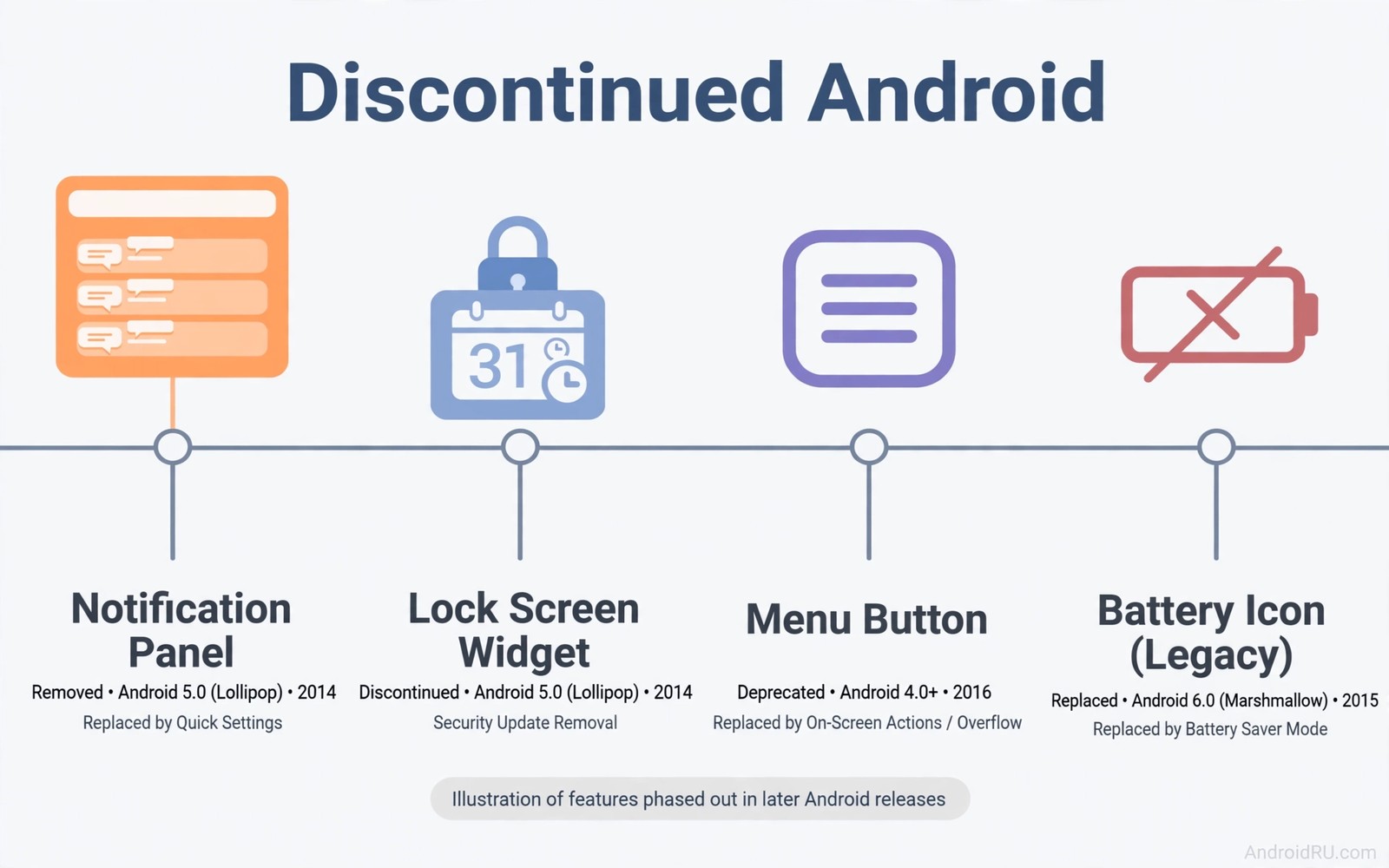
Android has changed a lot over the years and some changes removed features that many users still miss every day. A feature can disappear because it was hard to maintain or because it clashed with a new design or because only a small group used it. That logic makes sense for a company that must support billions of phones. It still frustrates a user who built a daily routine around a tool that suddenly vanished after an update.
Nostalgia alone is not a good reason to bring a feature back. A feature deserves a return when it solved a real problem faster than the replacement and when it worked reliably for ordinary users. The five features in this article meet that test for many people. They offered quick access and clear control and simple customisation without forcing a user to open several apps or learn a complex gesture.
Lock screen widgets that showed useful information at a glance
Lock screen widgets once let a user see calendar events and messages and music controls without unlocking a phone. That glance saved time during a commute and during a meeting and during a workout. A user could check the next appointment and dismiss a reminder without exposing the full home screen. Modern lock screens show notifications but they rarely offer the same flexible widget layout that older Android allowed.
A return of lock screen widgets would need strong privacy controls so that sensitive details stay hidden until the phone unlocks. A calendar widget could show only the time of the next event until authentication succeeds. A music widget could offer play and skip controls without showing a full playlist. Those limits would keep convenience while protecting private data. A well designed widget system would also let a user choose which widgets appear and in what order.
A dedicated menu button and clearer app options
Early Android phones had a menu button that revealed options in almost any app. That button gave a consistent place to find settings and actions without hunting through hidden menus. Modern apps use three dot menus and overflow icons in different corners. The result is less predictable and new users often miss useful options because they do not know where to look.
A consistent menu location would help older users and new users alike because muscle memory matters for daily tasks. A developer could still design a custom menu but the system could offer a standard entry point that always works the same way. That standard would reduce support questions and it would make hidden features easier to discover. Consistency is not glamorous but it saves time every day.
Expandable storage and removable batteries in more models
Expandable storage once let a user add a large memory card for photos and videos and offline maps without buying a more expensive phone. Removable batteries once let a user swap a dead cell in seconds and keep an old phone alive for years. Both features gave users control over hardware life and cost. Modern sealed phones offer better water resistance and sleeker designs but they trade away that control.
A modern return does not need to copy the old design exactly. A phone could offer a sealed body with a user replaceable battery through a simple tool and a clear guide. A phone could offer a fast memory card slot for media while keeping internal storage for apps and system files. Those compromises would help travellers and photographers and budget buyers who need more space without paying flagship prices.
Simple and powerful notification controls from earlier versions
Older Android versions gave users straightforward notification controls that were easy to understand at a glance. A user could silence an app and set priority and see why a notification appeared. Newer versions add many layers of channels and categories that confuse even experienced users. A notification that should be silent can still buzz because a channel setting hides deep inside an app menu.
A return to simpler defaults would help a lot of people who never open channel settings. The system could offer three clear levels for each app and explain each level in plain words. Advanced users could still open detailed channels when they need them. The default experience should favour clarity over completeness because most users will never explore the advanced path.
Custom lock screen shortcuts and quick tools
Lock screen shortcuts once let a user jump straight to a camera or a flashlight or a voice recorder with one swipe. That speed mattered in moments when a photo opportunity lasted only seconds. Modern phones offer some shortcuts but they are often limited and hard to customise. A user who wants a specific app on the lock screen may find no option at all.
A flexible shortcut system would let a user pick two or three tools that match daily life. A parent might pick a camera and a notes app. A worker might pick a scanner and a recorder. A traveller might pick a translator and a map. Those choices turn the lock screen into a personal tool rather than a generic billboard. Security rules can still block sensitive actions until the phone unlocks.
How to recreate missing features today
Many missing features can be recreated with a launcher and a widget app and a shortcut tool. A custom launcher can add gestures and icon packs and hidden folders that restore some old flexibility. A widget app can place calendar and music controls on the home screen even if the lock screen stays limited. A shortcut app can map a button press to a flashlight or a camera. Those workarounds are not perfect but they help a user regain control without waiting for a system update.
Before installing a workaround, a user should check permissions and battery use and reviews. A tool that asks for full device access for a simple widget deserves suspicion. A tool with clear permissions and a simple purpose is safer. A user should also back up settings before trying a new launcher because a failed setup can scramble a home screen layout in minutes.
Practical checklist before you miss a feature
Check your current phone settings before you declare a feature gone forever because makers sometimes move a tool rather than remove it completely. Search settings for the feature name and look under display and lock screen and notifications. A tool that seems missing may sit under a new name or inside a different menu. That search takes two minutes and it can save hours of frustration.
Check community forums for your exact phone model because different makers keep different features alive. A feature that vanished on one brand may still exist on another brand with a similar Android version. That knowledge helps a buyer choose a next phone that keeps the tools they value. It also helps a user find a safe workaround that other owners of the same model already tested.
Common mistakes
People often assume that an old feature was better simply because it feels familiar. That assumption ignores real problems such as security flaws and battery drain and design conflicts that led to removal. A fair request for a return should explain the problem that the feature solved and should accept modern privacy and security limits.
- Demanding an exact old design without accepting new privacy controls and security rules.
- Installing risky third party tools to restore a feature without checking permissions and battery impact.
- Blaming a single update for a removal that actually happened gradually across several versions.
- Expecting every phone maker to support a feature that only worked well on certain models.
- Forgetting to back up a home screen before testing a new launcher or widget system.
A stronger approach is to describe the job that the missing feature did and to ask for a modern version of that job. That framing helps developers understand the need rather than dismissing the request as nostalgia.
Frequently asked questions
Why does Google remove popular Android features?
Google removes features when maintenance cost rises and usage falls and a new design conflicts with the old tool. Security and privacy rules also force changes that break older features. A feature with a small but vocal audience may still disappear if it blocks a larger system improvement.
Removal does not always mean that the idea was bad. It often means that the implementation no longer fits the current system. A modern version with better privacy controls could succeed where the old version failed.
Can I get lock screen widgets back on a modern phone?
Some phones offer limited lock screen widgets and some launchers offer home screen widgets that partly replace them. A user can also use always on display tools and notification widgets for quick glances. No single tool fully restores the old flexible lock screen on every phone.
Check your phone settings first because some makers hide widget options under lock screen menus. If no option exists, a reputable widget app on the home screen is the safest workaround.
Will expandable storage ever return to flagship phones?
Expandable storage is unlikely to return to every flagship because makers prefer sealed designs and higher storage prices. It remains common on many mid range phones and tablets. A buyer who values storage flexibility should compare mid range models before paying for a flagship with fixed storage.
Cloud storage and fast USB drives offer partial alternatives for media files. They do not fully replace a local card for offline travel and large video libraries.
Conclusion
Discontinued Android features still matter because they solved daily problems with speed and clarity and user control. Lock screen widgets and menu consistency and expandable storage and simple notifications and flexible shortcuts each offered a clear benefit. A modern return should keep those benefits while adding privacy and security that older designs lacked. Readers who enjoy looking forward can also explore future wearable devices and mobile gaming revenue growth and open RISC-V chip architecture for the next wave of change.
Take one concrete next step today. Pick the missing feature that annoys you most and try one safe workaround for it this week. Note whether the workaround saves time or creates new friction and keep only the tools that genuinely help.
A final check helps a user avoid nostalgia traps. Ask whether a feature would still help if it arrived with modern privacy limits and a learning curve. If the answer is yes, then it deserves a real campaign for its return rather than a passing complaint.
# List installed launchers and widget apps for a workaround check
adb shell pm list packages | grep -i -E "launcher|widget"
The command above was written for this guide to show a simple way to list launcher and widget related packages on a connected device. It is a general diagnostic example and it does not change any settings.

