

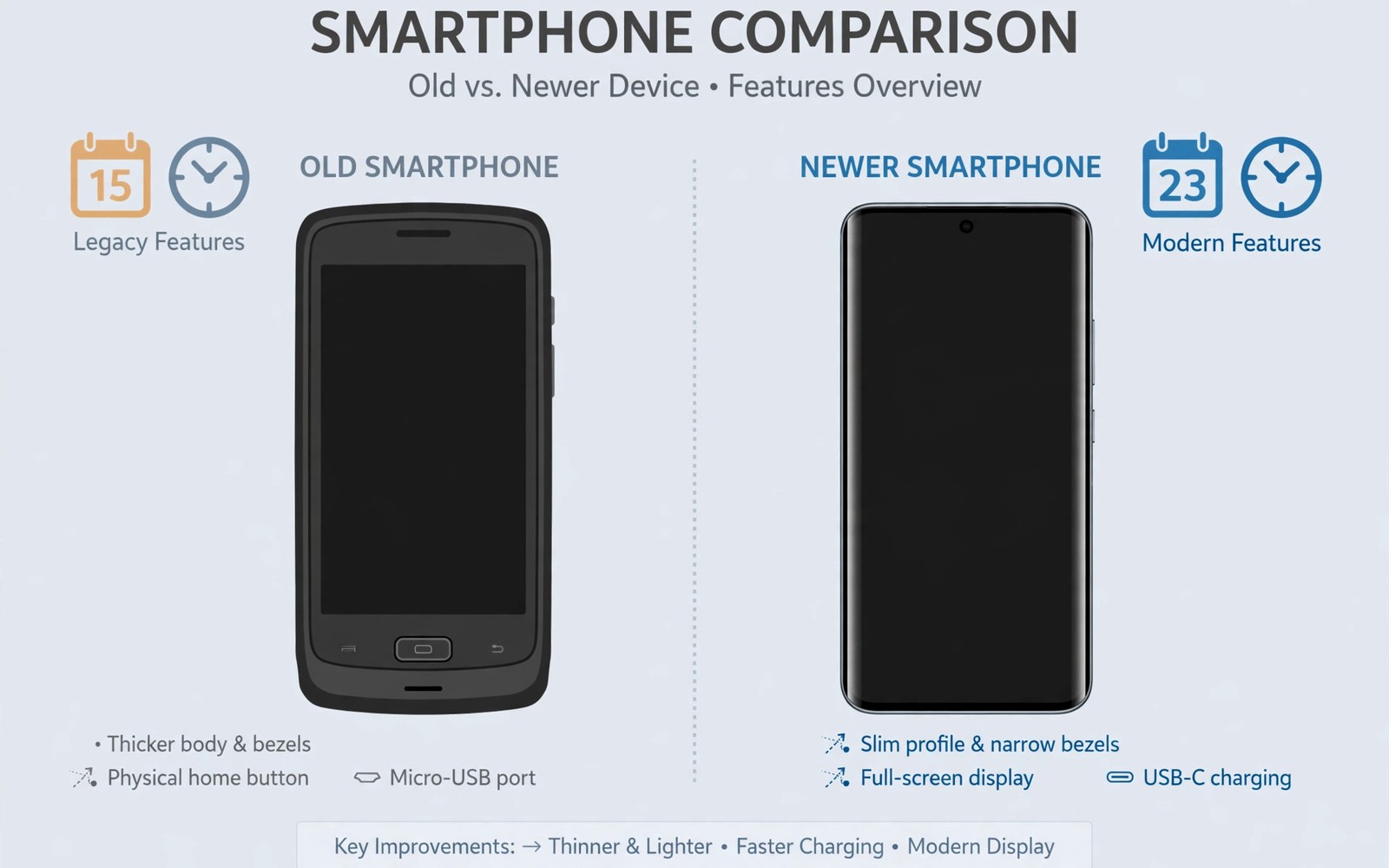
Every phone ages toward obsolescence. Age alone does not condemn a phone. Support and battery and app needs decide fitness. A five year old flagship may still serve well. A three year old budget phone may already struggle. This guide gives clear age rules.
Define daily primary use first. Primary use means calls and messages and browsing. It means banking and maps and photos. It means reliable performance all day. A secondary phone can tolerate more age. A primary phone cannot.
Software Support As The Hard Limit
Security updates protect banking and accounts. A phone without security updates carries growing risk. Check remaining update years before buying. A phone with zero updates left suits only cautious secondary use. A primary phone deserves at least one update year.
Operating system updates add features and app support. Apps eventually drop old operating systems. Banking apps drop support earliest for security reasons. Check your essential apps for minimum system needs. A phone that cannot run banking apps fails primary use.
Maker update policies vary greatly. Some makers promise seven years of updates. Others promise only three years. A five year old phone from a long support maker may still update. A three year old phone from a short support maker may not.
Battery And Hardware Aging
Batteries degrade with cycles and calendar age. A six year old battery rarely holds strong capacity. Replacement may be unavailable for very old models. Check battery replacement availability before buying old phones. A phone without battery parts has a short future.
Storage wear accumulates over years. Old storage slows app launches. Old chips struggle with modern web pages. Modern sites demand more processing power. A phone that lags on everyday browsing frustrates primary use.
Parts availability shrinks with age. Screens and ports become scarce after many years. Repair shops may refuse very old models. The repair clues in used phone buying guide help you judge parts risk. A phone you cannot repair is a temporary phone.
Network And Feature Cutoffs
Old phones may lack modern network bands. Missing bands reduce coverage in some areas. Old phones may lack modern Wi-Fi standards. Slow Wi-Fi frustrates video and downloads. Check band support for your carrier before buying.
Old phones may lack modern Bluetooth versions. New accessories may connect poorly. Old phones may lack eSIM support. Old cameras may lack modern processing features. Each missing feature adds daily friction.
Charging standards also evolve. Very old phones use slow charging only. Slow charging frustrates heavy users. Check charging speed against your routine. A phone that charges slowly needs overnight habits.
Practical Age Guidelines
Flagships up to four years old often serve primary use well. Flagships up to five years old serve with careful checks. Flagships beyond six years suit secondary use better. Budget phones up to three years old often serve well. Budget phones beyond four years often struggle.
These guidelines assume good battery health. A worn battery shortens every guideline. A replaced battery extends guidelines somewhat. Software support remains the hard limit regardless of battery.
Test old phones with your real apps before buying. Install banking and maps and messaging apps. Browse heavy websites for ten minutes. Judge lag honestly. The sensor tests in phone condition labels add hardware evidence. Real app tests beat age numbers alone.
- Support: at least one security update year left.
- Battery: capacity above 80 percent or replaced.
- Apps: banking and maps run without warnings.
- Network: carrier bands and Wi-Fi standards fit.
- Parts: screen and battery parts still available.
- Speed: browsing and messaging feel smooth.
Age fitness score
- Updates left: years recorded
- Battery health: percent recorded
- Essential apps: all working or blocked
- Parts available: yes or no
- Daily speed: smooth or lagging
This score turns age debates into concrete evidence. A phone passes primary use only with updates and apps working. Age alone never passes or fails a phone.
When To Keep An Old Phone
Keep an old phone as a secondary device. Use it for music and media and backup calls. Use it as a dedicated camera or alarm device. Secondary roles tolerate weaker batteries and older software.
A primary phone must earn trust daily. It must protect accounts and run essential apps. It must last a full day reliably. The trade-in strategy in essential hardware checks helps you upgrade at the right time. Retire primary phones before they fail you.
Security Risks Of Very Old Phones
Very old phones miss patches for known vulnerabilities. Attackers exploit known flaws systematically. Banking on unpatched phones risks account theft. Messaging on unpatched phones risks data leaks. Risk grows as patch gaps widen. A phone two years behind patches carries serious risk.
Old browsers on old phones compound the risk. Websites exploit browser flaws through malicious pages. Old browsers lack modern protections. Users who browse widely face higher exposure. Users who stick to trusted apps face lower exposure. Browsing habits should shape age tolerance honestly.
Old phones may lack modern encryption standards. Full device encryption arrived gradually across models. Very old phones may use weaker encryption. Weaker encryption matters if the phone is lost. Strong passcodes help but cannot fix weak encryption. Check encryption support before using old phones for sensitive data.
App stores may stop serving old phones eventually. Developers drop old system versions from listings. Essential apps become unavailable for download. Existing apps may stop updating. Frozen apps accumulate security flaws. A phone that cannot update apps cannot stay safe as a primary device.
Giving Old Phones A Second Life
Old phones serve well as dedicated media players. Load music and podcasts for offline listening. Use them as alarm clocks and kitchen timers. Use them as remote controls for smart devices. Secondary roles need no security updates urgently. They also need no cellular service in many cases.
Old phones serve well as security cameras with appropriate apps. Mount them with chargers for continuous use. Monitor rooms or entrances cheaply. Remove sensitive accounts before repurposing. A repurposed phone should carry minimal personal data. Minimal data limits risk if the device is compromised.
Old phones serve well as learning devices for children. Install educational apps and offline content. Restrict browsing and purchases tightly. Supervise use closely for young children. A spare old phone beats buying a new device for learning. Repurposing extends value without primary use risks.
App Support Timelines By Category
Banking apps drop old systems earliest for security. They require modern encryption and biometric standards. Old phones may lose banking access suddenly. Sudden loss disrupts daily finances. Check banking app requirements before buying old phones. Banking compatibility is a primary use prerequisite. No banking access means no primary use for most adults.
Messaging apps support old systems longer usually. They prioritize broad user reach. They eventually drop very old systems too. Drop timelines span years rather than months. Messaging longevity favors older phones somewhat. Still eventual drops arrive inevitably. Plan upgrades before messaging drops occur.
Streaming apps balance compatibility and features. They support old systems with reduced features. New codecs may require newer hardware. Old phones may stream at lower quality. Lower quality suffices for casual viewing. Quality conscious viewers need newer hardware. Streaming needs shape age tolerance personally.
Game apps drop old hardware fastest for performance. New games demand modern graphics chips. Old chips cannot render new games smoothly. Casual games run on old phones longer. Demanding games abandon old hardware quickly. Gaming horizons should guide age decisions for players. Casual players enjoy longer phone lives.
Navigation apps support old phones relatively well. Maps need GPS and data primarily. Old GPS hardware still works accurately. Map rendering needs modest processing power. Old phones navigate adequately for years. Navigation longevity makes old phones useful secondary devices. Primary navigation still benefits from faster hardware.
Environmental Case For Keeping Phones Longer
Keeping phones longer reduces electronic waste significantly. Manufacturing consumes rare materials and energy. Each extra year of use spreads that cost thinner. Used purchases extend manufacturing value further. Longer ownership benefits the environment measurably. Environmental gains complement financial savings nicely.
Repair extends phone life more sustainably than replacement. Battery replacement revives phones cheaply. Screen replacement restores usability fully. Repair uses fewer resources than manufacturing. Repair also keeps money in local economies. Local repair shops benefit from repair culture. Sustainability and local economy align through repair.
Recycling old phones recovers valuable materials. Gold and copper and rare earths hide in boards. Proper recycling extracts them safely. Landfill disposal wastes materials and pollutes soil. Recycle retired phones through certified programs. Certified programs handle hazardous materials safely. Responsible retirement completes sustainable ownership.
Buying used reduces demand for new manufacturing. Reduced demand lowers resource extraction pressure. It also lowers factory emissions marginally. Individual choices aggregate across millions of buyers. Used markets create circular economies for electronics. Circular economies benefit everyone long term. Smart used buying serves wallets and planet together.
Quick Reference Checklist
- Check remaining security update years before buying.
- Confirm at least one update year for primary use.
- Check essential banking apps for system requirements.
- Check messaging apps for minimum system versions.
- Test banking and maps apps during inspection.
- Check battery capacity against the 80 percent floor.
- Check battery replacement availability for old models.
- Test browsing speed on heavy modern websites.
- Check carrier band support for your area.
- Check Wi-Fi standard support for home routers.
- Check Bluetooth version for accessory compatibility.
- Check charging speed against your daily routine.
- Check screen and battery parts availability.
- Test GPS accuracy on a familiar route.
- Test call quality in weak signal areas.
- Consider four year flagships as primary use safe.
- Consider five year flagships only with careful checks.
- Treat six year flagships as secondary devices.
- Treat four year budget phones as struggling devices.
- Retire primary phones before they fail you.

