

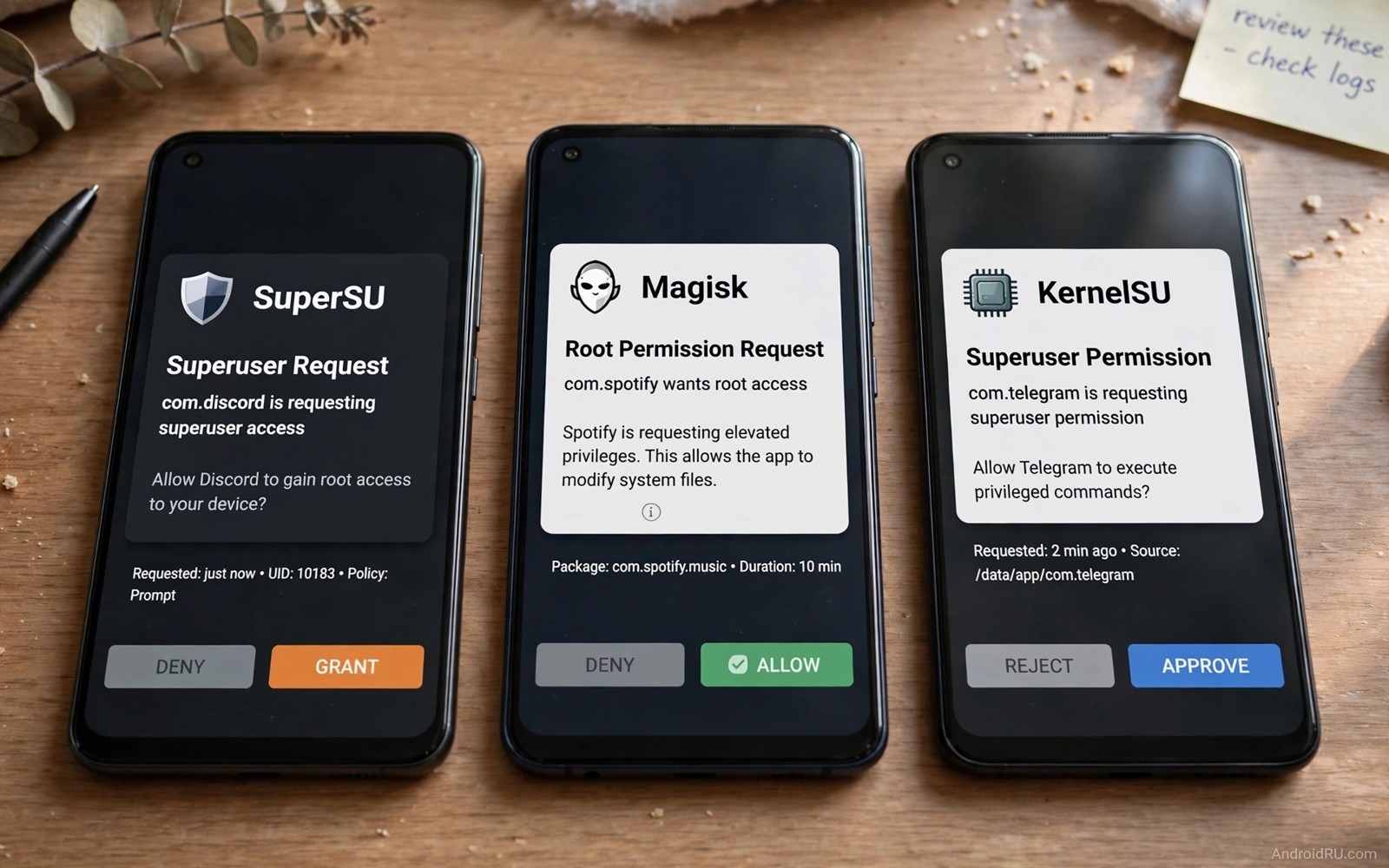
A bad superuser manager fails in quiet ways. It grants root slowly. It hides root poorly. It breaks after a system update. It leaves a module half loaded. The user blames the phone. The real fault sits in the manager choice. A good manager fits your kernel and your module habits. A bad manager fights both.
Three managers dominate rooted Android today. Magisk uses a systemless design with a long module history. KernelSU moves root control into the kernel itself. APatch blends kernel patching with a module system of its own. Each approach has real strengths. Each approach also has real limits. This guide compares them on the points that affect daily use.
Start with your device. A phone with a supported kernel suits KernelSU well. A phone with a locked kernel path suits Magisk better. A phone that needs kernel patching without a full custom kernel may suit APatch. Device support decides more than feature lists do. A feature that your kernel cannot run is not a feature for you.
Module habits matter next. Magisk has the largest module library. KernelSU supports many Magisk modules through a compatibility layer. APatch supports its own modules plus many Magisk modules as well. Check the exact modules you need before you switch. A single essential module can decide the whole choice.
How Magisk works and where it shines
Magisk patches the boot image. It creates a systemless layer on top of the system. Apps see a clean system unless a module changes it. The manager app controls root grants and module toggles. Zygisk extends that design into app processes. That extension powers many modern modules.
Magisk shines on broad device support. It runs on many phones without a custom kernel. It has mature hiding tools through companion modules. It has a huge community that tests modules across devices. A new user finds guides for Magisk more easily than for newer managers. That ecosystem is a practical advantage.
Magisk also carries a maintenance cost. System updates need the inactive-slot method or a reflash. Hiding root needs extra modules and careful configuration. A detection update can break a setup that worked yesterday. Users who enjoy tuning accept that cost. Users who want a quiet setup may not.
The update path for Magisk deserves a note here. The guide on updating a rooted device over the air explains the slot method that keeps Magisk alive across an update. Read it before your next system update. A planned update beats a lost root session.
How KernelSU works and where it shines
KernelSU places root control in the kernel. The kernel grants root directly to approved apps. A manager app handles the allow list. Modules run through a system that mirrors Magisk modules in many cases. The kernel-level design can hide root more cleanly from user-space checks.
KernelSU shines on devices with supported kernels. It can feel more stable because root lives closer to the system core. It avoids some boot image tricks that Magisk needs. It also handles some integrity checks better on supported devices. That advantage depends entirely on kernel support. An unsupported kernel removes the benefit.
KernelSU needs kernel work for many devices. A user may need a custom kernel or a kernel patch. That step raises the skill bar. A wrong kernel can break Wi-Fi or the camera. A correct kernel gives a clean root base. Weigh that trade-off honestly before you commit.
Module compatibility is strong but not total. Most simple modules work. Complex modules that hook app processes need a Zygisk equivalent. KernelSU offers that through companion tools. Test your essential modules on a secondary setup first if you can. A test saves your daily driver from a surprise.
How APatch works and where it shines
APatch patches the kernel at runtime. It does not always need a custom kernel build. It provides its own module system. It also supports many Magisk modules through compatibility. The design aims for kernel-level control with easier installation than a full kernel swap.
APatch shines where kernel patching is possible but a custom kernel is not. It gives kernel-level root without rebuilding the kernel. It offers a modern manager interface. It handles module loading in a way that feels familiar to Magisk users. That blend appeals to users who want kernel benefits with less kernel work.
APatch is newer than Magisk. Its module library is smaller. Its device support list is shorter. Its hiding behaviour varies more by device. Early adopters accept those limits. A user who needs a specific obscure module may find it missing. Check before you switch.
Crash behaviour also differs across managers. A module that crashes under one manager may run cleanly under another. The piece on fixing crashes after a framework install helps you separate a manager fault from a module fault. That distinction matters when you compare managers fairly.
Comparing root hiding in practice
Root hiding is a moving target. App developers update detection methods often. A manager that hid root last month may fail this month. No manager guarantees a pass forever. A realistic comparison looks at how quickly a manager adapts. It also looks at how many extra modules hiding requires.
Magisk hiding relies on companion modules and deny lists. That stack works well when configured correctly. It needs updates after detection changes. KernelSU hiding benefits from kernel-level control. It still needs configuration for strict apps. APatch hiding sits between those two in most reports. Device variation dominates the result.
Test hiding with one app at a time. Use a non-critical app first. Check whether the app opens and functions fully. A login screen that loads is not a full pass. A payment flow that completes is a stronger signal. Record the result per app. A manager that passes your banking app but fails your game has a different value for you than for another user.
Do not chase a perfect hiding score at the cost of stability. A setup that passes every check but reboots randomly is worse than a setup that fails one check. Daily reliability matters more than a checklist. Choose the manager that keeps your phone stable first. Tune hiding second.
Comparing module support honestly
Count modules by your needs not by total numbers. A library of thousands means little if your three essential modules are missing. List your essential modules. Check each one against each manager. Note whether it needs Zygisk or a kernel module. Note whether the author supports that manager officially.
Simple modules that change a setting usually work everywhere. Complex modules that hook app internals need more care. Audio hooks and ad hooks fall into that complex group. Display tweaks and battery tweaks are often simpler. Test complex modules first during a trial. Simple modules rarely decide a switch.
Update speed matters too. A module author who updates for Magisk first may lag on other managers. A lag of weeks can block a system update. Check recent update dates for your modules. A stale module on any manager is a future problem. Prefer modules with active maintenance.
A full survival routine helps during any manager switch. The guide on planning a complete rooting survival routine covers backups and recovery before a switch. Switch managers only with a restore path ready.
A practical switch test before you commit
Test a new manager on a secondary setup when you can. A secondary phone or a test profile gives a safe trial. Install the manager there first. Install your essential modules there next. Run the setup for three days. A three-day trial reveals stability issues that a one-hour trial hides.
Compare boot time across managers. A manager that slows boot noticeably may load more at startup. A manager that boots cleanly feels better daily. Boot time is not the only metric. It is a useful early signal. Record boot time for each trial.
Compare app launch speed for your most used apps. Open each app five times. Note any delay or stutter. A manager should not slow normal apps. A slowdown points to a module conflict or a manager overhead issue. Investigate before committing to that manager.
Compare update behaviour as well. A manager that updates cleanly saves time monthly. A manager that needs manual reflashing after every update costs time monthly. That monthly cost matters more than a one-time install ease. Choose for the long term.
Ask whether the manager community answers questions for your model. A large community helps with obscure faults. A small community may leave you alone with a model-specific bug. Community size is a practical feature. It is not just a popularity contest.
Common mistakes
- Choosing a manager from a feature list without checking kernel support for your exact model.
- Switching managers to fix a single broken module that would fail on every manager.
- Enabling every hiding module at once and then guessing which one broke an app.
- Judging hiding from a login screen instead of testing a full app flow.
- Updating the system right after a manager switch before the new setup proves stable.
Frequently asked questions
Can I run two superuser managers at once?
No you should not run two managers together. They can fight over root grants and module loading. That fight causes crashes and boot problems. Pick one manager. Remove the other cleanly before you install it.
Which manager is best for a beginner?
Magisk suits most beginners because guides and modules are plentiful. KernelSU suits beginners only on devices with ready kernel support. APatch suits users who want kernel patching without building a kernel. Device support should guide a beginner more than novelty.
Will switching managers delete my data?
Switching managers should not delete user data by itself. A bad flash during the switch can still cause data loss. Back up before you switch. Keep the backup outside the phone until the new manager proves stable.
adb shell su -c "ls /data/adb/modules"
# List installed modules from a root shell on your own device.
# Compare this list before and after a manager switch.
The command above is a generic inspection example written for this guide. It lists module folders so you can compare setups. It does not change any module. It does not share data with anyone.
Conclusion
Magisk wins on ecosystem breadth. KernelSU wins on kernel-level control where the kernel supports it. APatch wins on kernel patching without a custom kernel build. Your device and your module list decide which win matters to you.
Your concrete next step is to write down your three essential modules today. Check each one against all three managers for your exact model. Choose the manager that supports all three with a stable kernel path.

