

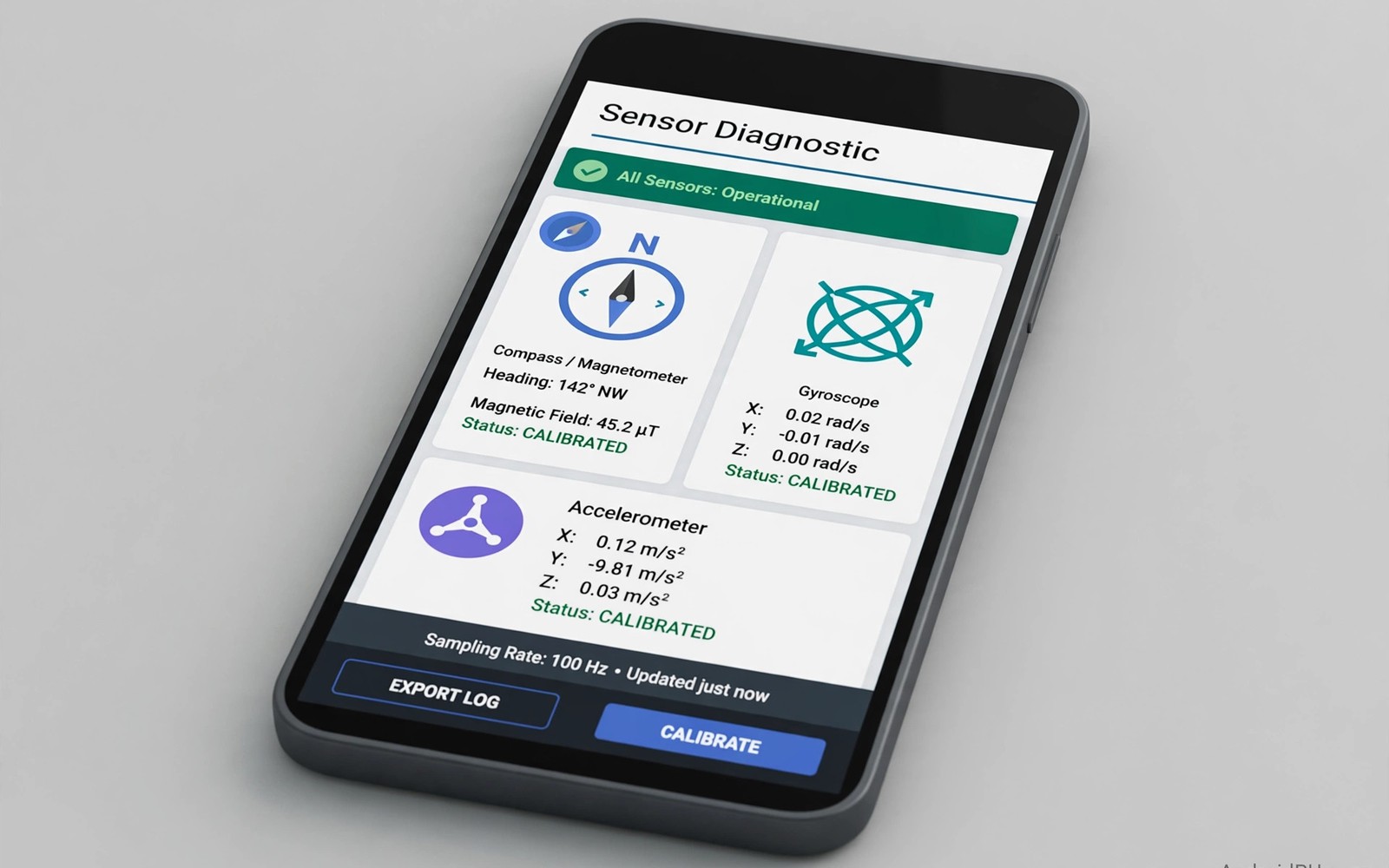
Sensors power navigation and gaming and calls. A faulty compass misleads maps. A faulty gyroscope ruins games. A faulty proximity sensor causes cheek dialing. Used phones can hide sensor faults easily. Test codes and apps reveal them fast. This guide shows safe testing methods.
Use only documented test menus for your model. Random codes from forums can change settings. Maker documentation lists safe diagnostic codes. When in doubt use a sensor app instead. Apps test sensors without system changes.
Safe Test Codes And Menus
Some makers include a hardware test menu. The menu lists sensors and components separately. Open the menu only with seller permission. Run each sensor test one by one. Record pass or fail for each test.
Dialer codes vary widely by brand. A code for one brand may do nothing on another. A code may open a different menu on another model. Never enter codes that promise unlocking or resets. Diagnostic codes should only display information.
Exit test menus carefully after testing. Do not change calibration values casually. Wrong calibration can break sensors further. Note any menu that demands a code you lack. That menu may need service tools.
Test Motion Sensors Thoroughly
Open a sensor app and watch accelerometer readings. Tilt the phone in all directions. Readings should change smoothly. Jumps or frozen values signal faults. Rotate the phone slowly for gyroscope tests.
Test gaming motion with a simple tilt game. The game should respond smoothly. Jerky motion suggests gyroscope faults. Test auto rotate in several apps. Auto rotate failures often trace to accelerometer faults.
Test step counting with a short walk. Step counts should rise steadily. Frozen counts suggest sensor failure. The hardware inspection in maximum trade-in value places sensors in full context. Motion faults affect more apps than games alone.
Test Compass Proximity And Light
Open a compass app away from magnets. Rotate slowly through a full circle. The needle should track smoothly. Jumps of many degrees signal faults. Calibrate the compass with figure eight motion when prompted.
Test proximity during a real call. Cover the top of the phone with your hand. The screen should turn off promptly. Uncover the top and the screen should return. Delayed response causes cheek touches during calls.
Test ambient light with brightness set to auto. Move between bright and dim rooms. Screen brightness should adjust gradually. No adjustment suggests a light sensor fault. Light faults drain battery through wrong brightness.
Test Barometer Fingerprint And More
Barometer sensors appear in some flagships. A sensor app can show pressure readings. Pressure should change slightly with altitude. Frozen readings suggest faults. Barometer faults rarely affect daily use greatly.
Test the fingerprint sensor with several enrollments. Test hall sensors by closing a flip cover when present. Test NFC with a payment terminal test when allowed. Each extra sensor adds value only when working.
Test GPS outdoors with a maps app. Location should lock within a minute. Drift of many streets suggests antenna faults. The screen burn-in guide in refurbished phone accessories reminds you to test displays too. A phone is a system and sensors are core parts.
- Motion: smooth tilt and rotation readings.
- Compass: full circle tracking without jumps.
- Proximity: screen off and on during calls.
- Light: auto brightness adjusts between rooms.
- GPS: outdoor lock within one minute.
- NFC: tag read test when the model supports it.
Sensor test log
- Accelerometer: smooth or jumpy
- Gyroscope: smooth or jumpy
- Compass: smooth or jumpy
- Proximity: fast or delayed
- Light sensor: adjusts or frozen
- GPS lock: seconds recorded
This log gives repair shops clear evidence when faults appear. It also helps you compare several used phones fairly. Keep sensor logs with your full inspection notes.
Interpret Results And Negotiate
One minor sensor fault may be acceptable with discount. Several sensor faults suggest drops or board damage. Board damage can cause future failures. Walk away from multi sensor failures.
A clean sensor suite supports the asking price. A faulty sensor justifies repair quotes in negotiation. The accessory checks in when a phone is too old complete your inspection. Sensors work silently until they fail loudly. Test them before they embarrass you.
Sensor Faults And Daily Impact
Compass faults frustrate navigation most in cities. Maps rotate incorrectly at intersections. Walking directions become confusing. Drivers notice compass faults less. Pedestrians notice them constantly. Test compass on foot rather than in a car. Foot testing reflects real pedestrian use.
Gyroscope faults frustrate gaming and video. Games that use tilt become unplayable. Video stabilization relies on gyroscope data. Shaky video may trace to gyroscope faults rather than camera faults. Test gyroscope with a tilt game and a video. Both tests reveal faults that single tests miss.
Proximity faults cause embarrassing call problems. Cheeks mute calls and open apps accidentally. Proximity faults also drain battery through lit screens during calls. Test proximity with real calls rather than apps alone. Real calls reflect true daily conditions. App tests can miss call specific behavior.
Light sensor faults cause eye strain and battery drain. Screens stay too bright in dark rooms. Screens stay too dim outdoors. Users adjust manually and forget. Manual adjustment wastes attention daily. Test light sensors across several rooms. Gradual adjustment signals healthy sensors.
Calibration Myths And Real Fixes
Calibration apps promise to fix broken sensors. Most calibration apps only reset software offsets. They cannot repair physically damaged sensors. A sensor with frozen readings needs hardware repair. A sensor with drift may benefit from calibration. Distinguish drift from failure before trusting apps.
Figure eight motion calibrates compasses genuinely. It helps the system map magnetic interference. It does not fix hardware faults. Repeat calibration away from magnets and metal. Cars and cases with magnets distort calibration. Calibrate outdoors for best results.
Factory resets sometimes fix sensor software faults. Corrupt settings can freeze sensor readings. A reset clears those settings cleanly. Back up data before any reset. Test sensors immediately after reset. Persistent faults after reset point to hardware. Hardware faults need repair quotes rather than more resets.
Diagnostic Apps Worth Using
Sensor test apps display live readings clearly. They show accelerometer values in real time. They show gyroscope rotation rates. They show magnetic field strength. Live readings reveal frozen sensors instantly. Frozen readings stay static during movement. Choose apps with clear graphs and numeric displays. Graphs expose jitter that numbers hide.
Hardware info apps list sensor models present. They confirm expected sensors for the model. Missing sensors suggest board swaps or faults. Extra sensors suggest incorrect model claims. Compare listed sensors with maker specifications. Specification mismatches deserve investigation before purchase. Info apps turn guesswork into verification.
Battery and system monitor apps complement sensor tests. They reveal background drain patterns. They reveal thermal throttling behavior. They reveal storage performance issues. System health affects sensor performance indirectly. A throttling phone reports sensor data slowly. Holistic diagnostics beat single sensor tests.
GPS test apps show satellite lock details. They display satellite counts and signal strengths. Strong locks use many satellites quickly. Weak locks use few satellites slowly. Satellite data quantifies antenna health objectively. Compare satellite counts across phones fairly. Outdoor testing gives the most reliable GPS data.
Permission aware diagnostic apps respect privacy better. Avoid apps demanding excessive permissions. Sensor tests need sensor permissions only. Apps demanding contacts or messages deserve rejection. Privacy conscious testing protects your data during inspection. Use reputable apps from official stores only. Reputable apps explain permission needs clearly.
Sensor Care After Purchase
Protect sensors from magnet exposure. Strong magnets distort compass calibration. Cases with magnetic clasps affect compasses. Keep phones away from magnetic mounts when navigating. Remove magnetic cases for compass calibration. Calibration after magnet exposure restores accuracy usually. Persistent errors after calibration suggest hardware faults.
Keep sensor openings clean gently. Proximity sensors sit near earpieces. Dust blocks their infrared beams. Blocked sensors cause screen failures during calls. Clean earpiece areas with soft brushes. Avoid liquid in sensor openings. Gentle cleaning preserves sensor function long term.
Update software for sensor improvements. Makers tune sensor algorithms through updates. Updates fix drift and calibration bugs. They improve GPS lock speed. They improve auto brightness behavior. Delayed updates leave sensor bugs unfixed. Prompt updates keep sensors performing optimally.
Handle phones carefully to protect sensors. Drops damage accelerometer mounts. Drops misalign gyroscope components. Cases reduce drop forces significantly. Quality cases protect sensors invisibly. Sensor longevity rewards careful handling daily. A protected phone keeps sensors accurate for years.
Quick Reference Checklist
- Use only documented test menus for your model.
- Never enter random codes found on forum posts.
- Open sensor test apps from the official store.
- Test accelerometer readings by tilting all directions.
- Watch for jumps or frozen values in readings.
- Rotate slowly for smooth gyroscope tracking.
- Test auto rotate in several different apps.
- Test step counting with a short walk outdoors.
- Open a compass app away from magnets.
- Rotate a full circle and watch needle tracking.
- Calibrate compass with figure eight motion.
- Test proximity during a real phone call.
- Cover the top of the phone and watch screen off.
- Test auto brightness between bright and dim rooms.
- Test GPS lock outdoors within one minute.
- Test NFC with a tag when the model supports it.
- Test fingerprint enrollment with several fingers.
- Test barometer readings when the model includes one.
- Record pass or fail for every sensor tested.
- Walk away from phones with multiple sensor failures.

