

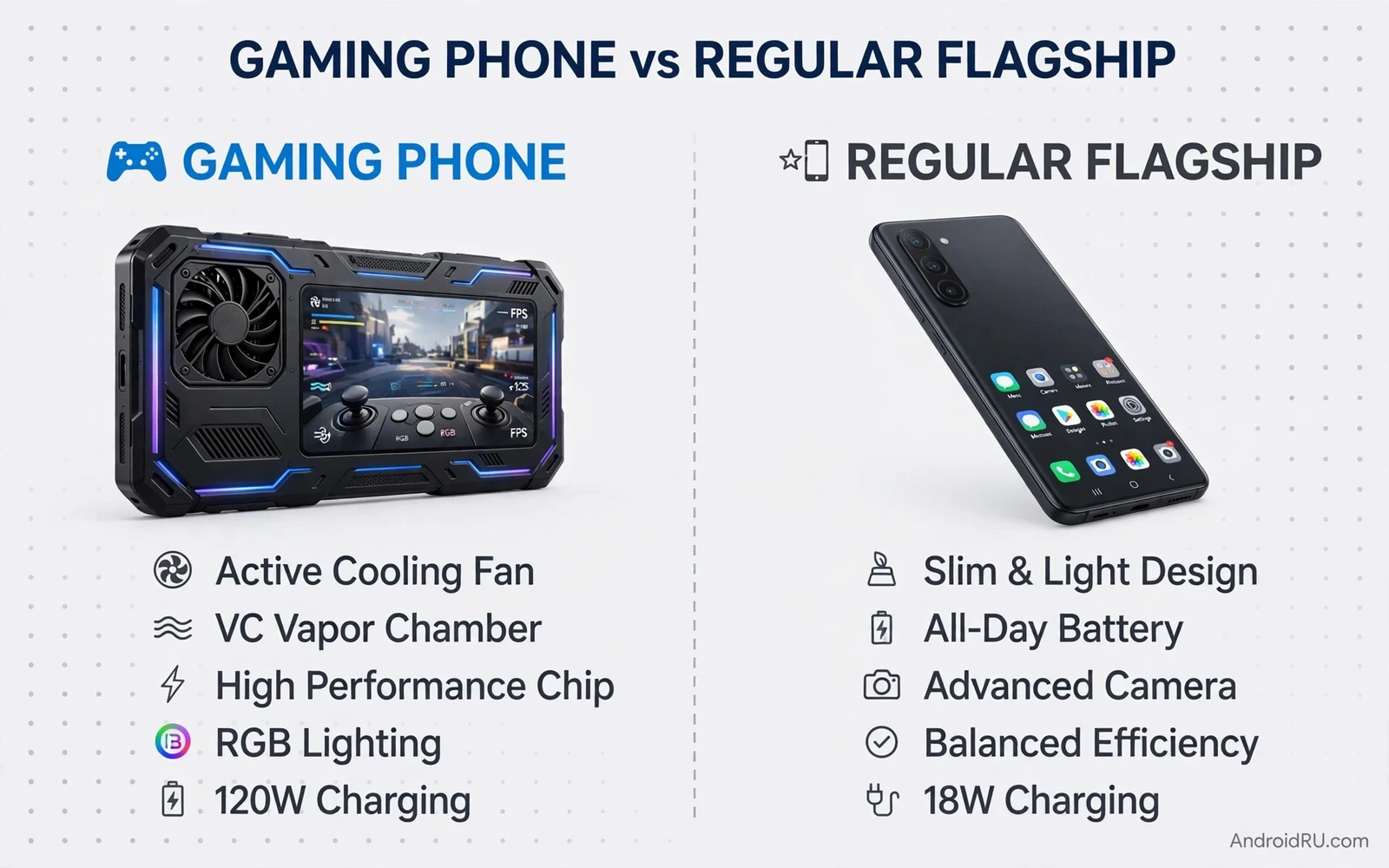
Gaming Phone vs Regular Flagship: Which Should Gamers Buy?
I play games on my phone every day, and I have owned both kinds of device. My gaming phone survived three-hour ranked sessions without dropping frames, yet its photos in a dim restaurant looked flat next to my friend’s flagship. My regular flagship took photos I was proud to print, yet it grew warm and throttled during a long raid on a hot afternoon. That tension sits at the heart of this choice. Neither path is wrong. Each one trades something real for something else, and the right answer depends on how you actually play, photograph, work, and carry your phone.
This guide compares the two paths on the criteria that decide real satisfaction: sustained performance, cooling, display speed, camera quality, battery life, charging, weight, software tools, price, updates, and resale value. You will find a head-to-head table, a full section for each side with features, pros, cons, and who it suits, and a verdict broken down by play style. By the end you should know which phone to shortlist before you spend anything.
One quick note on how to read the rest of this article. Short benchmark scores tell you almost nothing about a long gaming session. A phone can score brilliantly for five minutes and then slow down for the next fifty. I weigh long-session behaviour, hand comfort after an hour, and photo quality in poor light far more heavily than a single benchmark number. Those are the things you live with every day.
Gaming Phone vs Regular Flagship Performance: Snapdragon 8 Elite, Dimensity 9400 and Tensor G4 Compared
Both kinds of phone now ship with flagship silicon. The Snapdragon 8 Elite, the Dimensity 9400, and the Tensor G4 all run demanding titles at high settings, and for a twenty-minute session most players would struggle to tell them apart. The difference appears after the first half hour, when heat builds and the chip has to choose between speed and temperature. That is where design, not the chip name alone, decides the result.
Gaming phones pair the same class of chip with a larger vapour chamber, graphite sheets, and in some models a small built-in fan or an attachable cooler. The extra cooling lets the chip hold its peak clock speed longer. A regular flagship has a smaller cooling system because its chassis is thinner and its camera module takes up space and budget. It still plays well, but its thermal ceiling arrives sooner in a long session.
That said, the gap is narrower than marketing suggests. A regular flagship with a Snapdragon 8 Elite handles Genshin Impact, Call of Duty Mobile, and PUBG Mobile at high settings for a typical commute-length session without drama. The gaming phone earns its keep when sessions stretch past an hour, when the room is warm, or when you play while charging, which adds heat of its own. If your sessions are usually thirty minutes or less, the performance gap may never show up in your hands.
What Sustained Frame Rates Actually Feel Like in Long Sessions
A steady 60 frames per second feels smooth. A phone that drops to 45, climbs back to 60, then drops again feels worse than a phone that holds a steady 50 the whole time, because your eyes notice the change more than the average. Gaming phones aim for that flat line. Their performance modes raise power limits and keep the frame rate steady, at the cost of battery drain and heat. Regular flagships often smooth the curve by lowering resolution or frame rate slightly, which you may not notice in a casual game but will feel in a competitive shooter.
Touch sampling matters here too. Many gaming phones sample touch at 720 Hz or higher, and some reach 960 Hz on a single finger, which shortens the delay between your tap and the on-screen response. Regular flagships typically sample at 240 Hz to 480 Hz, which is fast enough for most players. Competitive players notice the difference in fast shooters. Puzzle and card players will not.
How to Test Sustained Performance Before You Buy
Play your favourite game for at least forty-five minutes on a demo unit or a friend’s phone, at the graphics settings you actually use, with the case on if you always use one. Watch for three things: whether the frame rate stays steady after thirty minutes, whether the back of the phone becomes uncomfortable to hold, and whether the screen dims on its own. Those three signs tell you more than any benchmark chart.
Why Short Benchmark Runs Mislead Gamers
A three-minute benchmark runs before heat builds, so it measures the chip at its best, not its behaviour in your hands. Look for twenty-minute and sixty-minute sustained tests instead, and read the frame-rate graph rather than the headline score. A flat graph beats a high peak every time for a gamer.
Cooling Systems Compared: Vapour Chambers, Built-In Fans and Thermal Throttling
Cooling is the gaming phone’s strongest argument. A large vapour chamber spreads heat across the chassis instead of letting it pool near the chip. Some gaming phones add a centrifugal fan that pulls air through vents, and a few support clip-on coolers that chill the back of the phone during play. These systems delay thermal throttling, the automatic slowdown that protects the chip from overheating, and they keep the frame rate stable for longer.
Regular flagships cool passively. They use graphite, copper, and the metal frame itself to move heat away, and they rely on software to trim performance gently when temperatures rise. That approach keeps the phone slim and silent, and it works well for mixed daily use. It simply has less headroom when a demanding game runs for an hour in a warm room.
Here is the catch, though. A built-in fan adds noise, a vent that can collect dust, and a moving part that can fail. A vapour chamber adds weight. An attachable cooler adds bulk and a cable or a battery to manage. Cooling is never free. You pay for it in weight, noise, or design, and you should decide whether your sessions are long enough to justify that price.
Passive Cooling in Regular Flagships: How Far It Goes
For most players, passive cooling goes far enough. A flagship with a modern chip and a sensible performance profile will run a forty-minute session of a demanding game at high settings without throttling hard enough to notice. It will feel warm, not hot, and the frame rate will stay playable. Problems start when you stack heat sources: a warm room, a case that traps heat, charging while playing, and a graphics-heavy game all at once. Remove one of those, for example by playing unplugged or taking the case off, and many flagships recover their composure.
Active Cooling and Attachable Coolers: When They Earn Their Keep
Active cooling earns its keep for competitive players, streamers, and anyone who plays for two hours or more in one sitting. A fan-equipped gaming phone can hold peak performance through a whole tournament evening, and a clip-on cooler can rescue a flagship that throttles, though it adds bulk. If you play in short bursts between other tasks, a fan is extra weight and noise you will rarely need.
Gaming Phone Features: Shoulder Triggers, 144Hz Displays and Game Space Tools
A gaming phone is more than a fast chip in a thick body. Its features are built around play, and they change how games feel in your hands.
Gaming Phone Features
Shoulder triggers give you physical buttons on the edge of the phone, mapped to on-screen actions in shooters and racing games. A 144 Hz or 165 Hz display refreshes the image more often than a 60 Hz or 120 Hz panel, which makes motion look smoother and reduces blur in fast scenes. Game Space software gathers your games in one place, blocks notifications, records gameplay, shows live frame rate and temperature, and lets you tune performance per game. Dual front-facing speakers or a strong stereo setup put sound where your hands are not covering it, and some models keep a headphone jack or a clean USB-C audio path for wired headsets. Bypass charging, which powers the phone directly from the charger without charging the battery, keeps heat down during long plugged-in sessions.
Gaming Phone Pros
- Sustained performance stays high during long sessions because cooling is larger and performance modes are tuned for games, so frame rates hold steady past the first hour.
- Shoulder triggers and high touch sampling give competitive players faster, more precise control in shooters and racing games.
- Bigger batteries and very fast charging support long play and quick top-ups between sessions.
- Game Space tools, recording, and performance dashboards are built in rather than added through third-party apps.
Gaming Phone Cons
- Cameras lag behind regular flagships in low light, zoom, and video stabilisation, because budget and space went to cooling and performance.
- Thick, heavy bodies with bold styling can tire hands, weigh down pockets, and look out of place in formal settings.
- Software updates and long-term support vary by brand, and some gaming brands update more slowly than flagship makers.
- Resale value is usually lower because the buyer pool is narrower and camera quality matters to most second-hand buyers.
Who a Gaming Phone Is For
A gaming phone suits a player who games for an hour or more almost every day, plays competitive shooters or demanding open-world titles, values stable frame rates above camera quality, and does not mind a heavier phone. It also suits streamers and content creators who record gameplay on the device and need heat control while recording. If that describes you, the trade-offs are worth it.
Regular Flagship Features: Camera Hardware, Slim Design and Daily Software Polish
A regular flagship spends its budget differently. It aims to be excellent at everything you do in a day, with gaming as one strong use among many rather than the single priority.
Regular Flagship Features
Large main camera sensors, periscope zoom lenses, and advanced computational photography produce sharp daylight photos, usable low-light shots, and stable video. Slim, light bodies with premium materials feel comfortable in the hand and pocket all day. Displays favour colour accuracy and brightness, with 120 Hz refresh rates that already feel smooth for most games and video. Software is polished across the board: camera apps with pro modes, smart assistants, ecosystem features such as smooth handoff with tablets and watches, and long update promises from the biggest makers. Wireless charging, water resistance, and refined haptics round out a package built for daily life.
Regular Flagship Pros
- Cameras are far stronger for daily photos and video, especially in low light and at long zoom, where gaming phones fall behind.
- Slim, light design is comfortable to carry and use all day, in meetings as well as in games.
- Software support is often longer, with several years of system updates and security patches from major makers.
- Resale value holds up better because balanced phones appeal to a much wider group of buyers.
Regular Flagship Cons
- Thermal throttling arrives sooner in very long sessions, so frame rates can dip after an hour of demanding play in a warm room.
- No physical shoulder triggers, and touch sampling is usually lower than on dedicated gaming phones.
- Game tools are thinner, with fewer per-game performance controls and less detailed live monitoring.
- Fast charging is usually calmer than the extreme speeds on gaming phones, so a quick top-up between sessions takes longer.
Who a Regular Flagship Is For
A regular flagship suits a player who games moderately, plays in sessions under an hour, values photos, video, and a slim phone as much as games, and wants one device that does everything well. It also suits anyone who upgrades often and cares about resale value, or who needs a phone that looks at home in a workplace. If games are one part of your day rather than the main event, this is the safer pick.
Gaming Phone vs Regular Flagship Comparison Table: Price, Cooling, Camera, Battery and Display
Use this table as a quick reference, then read the sections below it for the detail behind each row. Prices are ranges at launch for current models, and they vary by region and storage size, so check the current price before you buy.
| Criteria | Gaming Phone | Regular Flagship |
|---|---|---|
| Price at launch | Often lower for the same chip, roughly $600 to $1,000 | Usually $900 to $1,300 for the top tier |
| Cooling | Large vapour chamber, sometimes a built-in fan or clip-on cooler | Passive graphite and copper cooling, thinner system |
| Sustained gaming performance | Frame rates hold steady for 1 to 2 hours or more | Strong for 30 to 45 minutes, then gentle throttling in long sessions |
| Display | 144 Hz to 165 Hz, tuned for speed and touch response | 120 Hz, tuned for colour accuracy and brightness |
| Camera | Decent in daylight, weaker in low light and zoom | Excellent in daylight and low light, strong zoom and video |
| Battery | Larger, often 5,500 to 6,500 mAh, built for long sessions | Often 5,000 to 5,400 mAh, tuned for efficient mixed daily use |
| Charging speed | Very fast wired charging, often 65 W to 120 W | Fast but calmer, often 25 W to 45 W wired |
| Weight and thickness | Heavier, often 220 to 250 g, thicker body | Lighter, often 190 to 220 g, slimmer body |
| Software updates | Varies by brand, sometimes shorter support | Often 5 to 7 years from major makers |
| Resale value | Lower, narrower buyer pool | Higher, wider buyer pool |
Read the table as a set of trade-offs, not a scorecard. The gaming phone wins the rows that matter during play, and the regular flagship wins the rows that matter the rest of the day. Your own hours decide which rows deserve the most weight.
Gaming Phone vs Regular Flagship Battery Life and Charging Speed Compared
Gaming phones usually carry larger batteries, often 5,500 to 6,500 mAh, because a fast chip and a bright high-refresh display drink power. That size helps long sessions, and it shows up clearly in a gaming-only test. Regular flagships often carry 5,000 to 5,400 mAh and lean on efficient software and adaptive refresh rates to stretch a charge across a mixed day. In practice, a flagship can outlast a gaming phone on a day of calls, messages, photos, and short games, even with the smaller battery, because it wastes less power when you are not gaming.
Charging speed usually favours gaming phones, with wired charging from 65 W to 120 W on many models, which can refill a drained battery in well under an hour. That speed rescues a phone between sessions. It also generates heat, and heat ages batteries faster, so many gaming phones offer a slower charging mode or bypass charging for overnight use. Regular flagships charge at a calmer 25 W to 45 W, which takes longer but treats the battery more gently over years. Readers who compare battery needs may also like Top Phones with Longest Battery Runtime Tested Side-by-Side because runtime shapes how long gaming sessions can last away from a charger. Battery plus cooling together decide real gaming endurance, and neither one alone tells the full story.
Judge battery by your mixed day, not by a gaming-only test. If you play for two hours and then use the phone normally for the rest of the day, the phone that survives until bedtime on that pattern is the right one, regardless of which battery is bigger on paper. Adaptive refresh rate and efficient standby behaviour often matter more for daily battery life than raw battery size.
How to Stretch Battery Life During Long Gaming Sessions
Lower the screen brightness a notch, cap the frame rate at 60 fps for games that do not need 120 fps or more, close background apps that sync constantly, and play unplugged when you can. If you must play while plugged in, use bypass charging when the phone offers it, or at least use a slower charger, because charging heat plus gaming heat is the combination that throttles hardest and ages the battery fastest.
Camera, Design and Daily Comfort: Where Regular Flagships Pull Ahead
Cameras form the largest daily gap between the two paths. A regular flagship invests heavily in camera hardware and software: a large main sensor that gathers more light, a periscope lens for zoom, and processing that cleans up noise in dim scenes. A gaming phone invests that same budget in cooling and performance, so its camera can still take decent daylight photos but often lags in low light, in zoom, and in video stabilisation. If you photograph your family, your food, your travels, or your work every day, this gap deserves serious weight.
Design and weight differ just as clearly. Gaming phones tend to be thicker and heavier, with bold styling, RGB lighting, and angular lines. Regular flagships tend to be slimmer and lighter, with quiet styling that fits a pocket and a meeting room. A heavy phone can tire your hands during long non-gaming use, and a bold design can feel out of place in formal work settings. A slim flagship slips into pockets and meetings with ease. Daily comfort across all uses matters more than gaming looks alone.
Audio also shapes daily life. Gaming phones often have strong front-facing stereo speakers that stay clear when your hands grip the edges, which helps casual play without earbuds. Regular flagships have good speakers too, and they often pair them with better microphones for calls and video. Wireless earbuds complete many gaming setups for private play, keeping game audio private on buses and in shared rooms while carrying team voice without a wired headset. That is why Wireless Earbuds Showdown: Sony vs Bose vs Samsung belongs beside this gaming guide. It compares noise control and microphone quality across three strong earbud brands, and a gaming phone plus strong earbuds covers both power and private audio in one pocket setup.
Screen Quality for Games and Video: Speed Against Colour Accuracy
Gaming phone screens favour speed and brightness and touch response, with refresh rates up to 144 Hz or 165 Hz. Regular flagship screens favour colour accuracy, sharpness, and slim bezels, usually at 120 Hz. Both can look superb. A gaming screen may show slightly less accurate colours, while a flagship screen may show slightly slower touch response. Your eye may notice one difference more than the other, so test both screen types with your favourite game when you can, and watch a video clip on each as well, because a phone that only plays games is a phone you will use for video too.
Price, Software Updates and Resale Value Over Three Years
Gaming phones can offer strong gaming value at a lower price than flagships. They spend budget on performance rather than cameras and premium materials, so a gaming phone with a top chip can cost several hundred dollars less than a flagship with the same chip. Regular flagships cost more but offer broader strengths and longer ecosystem support, which spreads the higher price across more daily uses and more years.
Update support varies by brand more than by the gaming-versus-flagship label. Some gaming brands update promptly and for years. Some update slowly after launch. Some flagship brands promise five to seven years of updates. Check the update history for the exact device before you buy either path, because long support protects your investment across years of games and apps, and a phone that stops receiving updates early costs you security as well as features.
Resale value often favours regular flagships. Buyers prefer balanced phones with strong cameras, so a flagship finds a buyer faster and at a higher price. Gaming phones appeal to a narrower buyer pool, which can mean slower sales and lower prices later. If you upgrade often, resale matters and it narrows the price gap. If you keep phones for many years, resale matters less than daily fit, and the cheaper gaming phone may work out better over the whole period you own it.
If you also love large screens for games and notes, Best Foldable Phones Comparison: Flip Style vs Fold Style offers a different screen trade to consider. Foldable phones give a tablet-like game view in a pocket device, and they also raise durability and price questions. A foldable may suit a gamer who also reads and takes notes heavily, so weigh screen size against durability before you add it to your shortlist.
Mistakes to Avoid When Choosing Between a Gaming Phone and a Flagship
One mistake is buying a gaming phone for casual games that any flagship handles well, which wastes money and weight on power you rarely use. Another is buying a flagship for competitive play and then suffering heat throttling in ranked matches. A third is ignoring camera needs until after purchase, because photos form a large part of daily phone life and a weak camera disappoints daily even when games run well. Judge gaming performance from long tests rather than short ones, check weight and thickness for daily carry, and test the game tools before you commit, because poor game tools can annoy even when raw power is strong.
Gaming Phone vs Regular Flagship Verdict: Which Phone Should You Buy for Your Play Style?
Choose a gaming phone when you play long competitive sessions daily and value cooling, triggers, and game tools above camera quality and slim design. Choose a regular flagship when you play moderately and value camera, design, and balanced daily polish, or when photos and work and style share equal weight with games. Let your heaviest daily need lead the choice, not the spec sheet.
Here is the verdict by use case. Competitive shooter players who play ranked matches for an hour or more a day should pick the gaming phone, because triggers, cooling, and stable frame rates decide matches. Casual players who dip into puzzle, card, and light action games should pick the regular flagship, because any flagship handles those games and the camera and design pay off every day. Streamers and creators who record gameplay should lean toward the gaming phone for heat control while recording, but check its microphone and front camera first. Photographers who game on the side should pick the regular flagship without hesitation. Players on a tight budget who still want top performance should compare gaming phones carefully, because they often deliver the same chip for less money, as long as the camera trade-off is acceptable.
Test your favourite game on both paths when possible. Play a long session and notice heat, frame stability, and hand comfort. Take photos in daylight and in low light. Carry the phone in your pocket for a day. Real use across a full day reveals the winner faster than spec sheets, and your hands and eyes and pocket will agree on a choice. Buy for the way you play most days, not for the hardest session you might play once a month.
Gaming Phone vs Regular Flagship FAQ: Real Questions Before You Buy
Can a regular flagship handle demanding games like Genshin Impact and Call of Duty Mobile?
Yes, for most players. A current flagship with a Snapdragon 8 Elite or Dimensity 9400 runs both games at high settings for typical sessions of thirty to forty-five minutes without serious trouble. You may see gentle throttling after an hour of continuous play in a warm room, and the phone will feel warm, but the game stays playable. If you play for two hours straight at maximum settings, a gaming phone holds its frame rate better.
Which phone is better for competitive gaming, a gaming phone or a regular flagship?
A gaming phone is better for competitive play, because shoulder triggers, higher touch sampling, larger cooling, and per-game performance controls give you steadier frame rates and faster input in ranked matches. A regular flagship is still capable, and a skilled player will win on either device, but the gaming phone removes hardware limits that can cost a close match.
Do gaming phones have bad cameras?
Not bad, but clearly weaker than regular flagships. A gaming phone takes good daylight photos and acceptable portraits, yet it usually falls behind in low light, zoom, and video stabilisation. If you photograph often in dim restaurants, at night, or at events, the difference is easy to see. If you rarely take photos, you may never notice the gap.
Should I buy a gaming phone if I only play casual games?
No, a regular flagship is the better buy for casual games. Puzzle, card, and light action games run smoothly on any current flagship, so a gaming phone adds weight, bulk, and camera compromises without giving you anything your games can use. Spend the difference on a flagship with a better camera, a slimmer body, and longer software support.
Start by listing your three heaviest daily uses in order, then match the phone to the top of that list. If games sit at the top and sessions run long, shortlist gaming phones and test one for a full evening. If photos, work, and games share the top spots, shortlist regular flagships and test your favourite game on one for forty-five minutes. Either way, buy the phone that fits your real days, and you will stop thinking about the choice within a week of owning it.

