

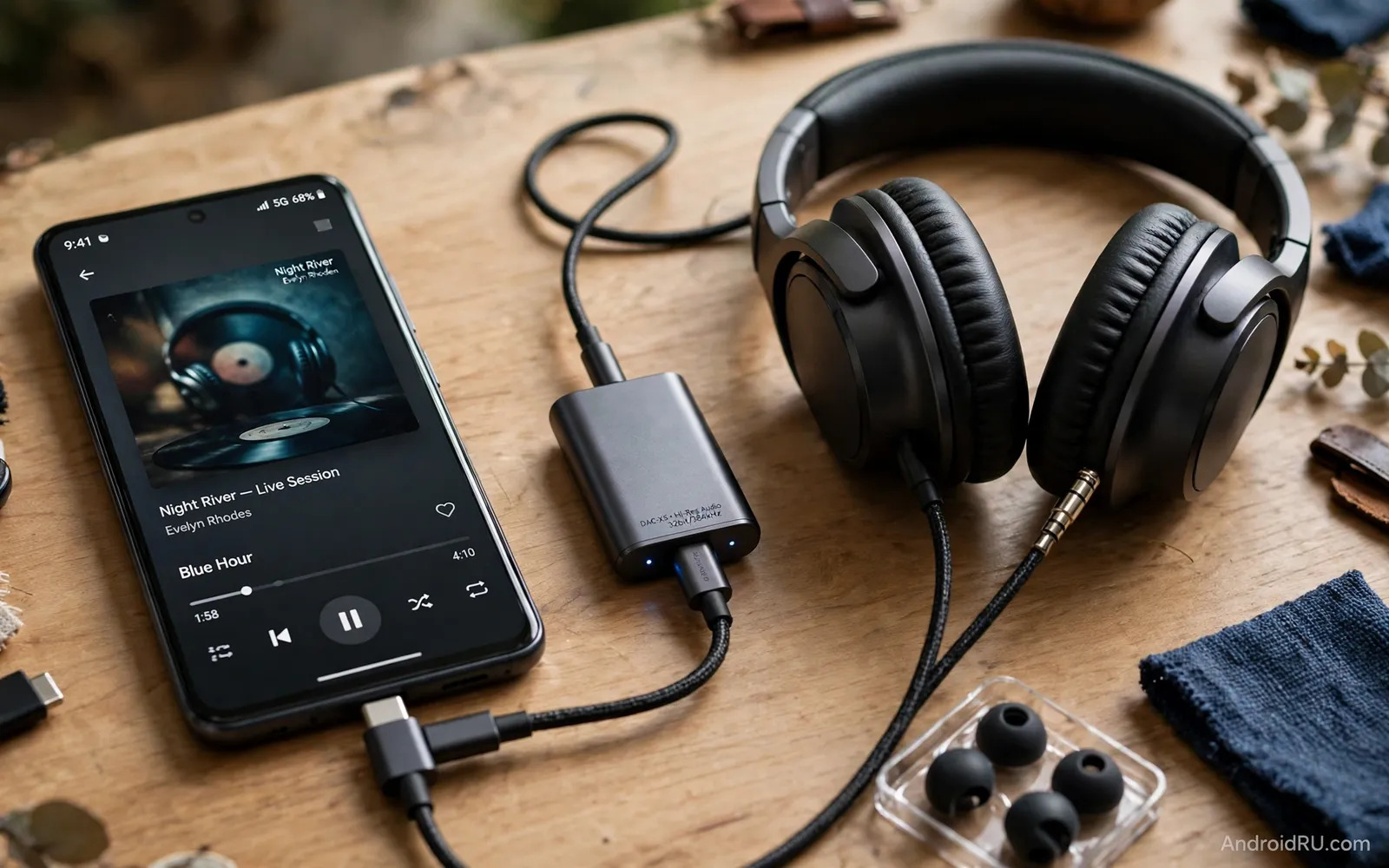
Many Android phones no longer include a headphone jack. A USB-C DAC adapter bridges that gap with better sound than a basic dongle. DAC stands for a chip that turns digital audio into analog sound for wired headphones. A good adapter can reveal detail that a phone internal path may hide. A poor adapter can sound flat or noisy. This guide explains what matters in a DAC adapter. It also explains how to match one to your headphones and your listening habits.
Start with your headphones. Easy earbuds need little power. Large over-ear headphones may need more drive. High impedance headphones need a stronger output stage. A weak adapter can leave music quiet or thin. A strong adapter can give full bass and clear highs at safe volume. Check whether your headphones use a standard plug or a balanced plug. Check whether you need a microphone pass-through for calls. Those two answers narrow the field fast. Do not buy on chip name alone. Real listening tests beat spec sheets.
Sound Quality Beyond The Chip Name
A DAC chip matters but it is only one part of sound quality. The amplifier stage matters just as much. Clean power delivery matters too. Shielding matters when a cable sits near a charging cable. A well built adapter keeps background hiss low. A poorly shielded adapter can pick up buzz during charging. Listen for silence between tracks. Listen for clean vocals at moderate volume. Listen for bass control rather than bass boom. Good sound feels natural across many music styles. It does not favor only one genre.
File quality also shapes what you hear. Lossy streams hide some detail no adapter can restore. High quality streams reveal more room for a good DAC to shine. Your phone audio settings matter as well. Turn off heavy effects when you test a new adapter. Test with tracks you know very well. Note vocal clarity first. Note instrument separation second. Note comfort at long listening volume third. A short careful test beats a long session with unfamiliar music. For context on phones that still keep a wired jack you can read Top Phones with Headphone Jacks Still Worth Buying and see how jack phones compare with adapter setups.
Cables Connectors And Daily Durability
An adapter lives a hard life in pockets and bags. A short stiff cable can strain the phone port. A braided cable often survives bending better. A metal shell often survives drops better than thin plastic. Check strain relief where cable meets plug. Check strain relief where cable meets adapter body. Weak joints fail first. A right-angle plug can reduce leverage on the port. A straight plug can suit desk use better. Pick the shape that matches how you carry the phone each day.
Charging while listening needs planning. Some adapters include a charging pass-through port. Pass-through lets you charge and listen at once. Pass-through can add bulk and heat. Pass-through can also add noise on some designs. Test pass-through with your own charger before travel. Carry a spare basic adapter for calls if your DAC adapter lacks a microphone path. Keep the adapter dry. Keep it away from keys that scratch the shell. A small case extends adapter life a lot. The cable advice in USB-C Cables Buying Guide: Data Transfer Speeds & Wattage helps you judge build quality and power handling for the cable side of the setup.
Matching Adapters To Budgets And Phones
Price does not always track sound quality in a straight line. A modest adapter can satisfy easy headphones fully. A premium adapter earns its place with harder headphones. A premium adapter may also offer balanced output for suitable headphones. Balanced output is not needed for every listener. It helps mainly when headphones and cable support it. Spend first on headphones that fit well. Spend second on an adapter that drives them cleanly. Spend last on exotic materials that change little in daily listening. Codec knowledge also helps wireless comparisons and the explainer in Best Portable Bluetooth Speakers Compatible with Android gives you a plain view of how wireless sound differs from wired DAC sound.
Phone compatibility deserves a quick check before purchase. Some phones need a specific adapter type for analog audio. Some phones work with almost any USB-C audio adapter. Test volume steps after you connect. Test call audio if you take calls on wired headphones. Test whether the adapter stays connected when the screen locks. Note any app that forces a different audio route. Keep the receipt until you finish a full week of daily use. A week reveals pocket strain and port fit issues that a first listen hides. Choose clean sound. Choose solid build. Choose a plug style that suits your carry habits.
Listening environments change what a DAC adapter must deliver. Quiet rooms reveal hiss and fine detail clearly. Noisy trains hide fine detail behind background rumble. Office listening needs leak control so coworkers hear nothing. Home listening allows open headphones and relaxed volume. A DAC adapter cannot fix a noisy room. A DAC adapter can keep quiet room listening clean. Test adapters in your most common room first. Test adapters in your second room second. Real rooms beat silent test benches for buying decisions. Real rooms show whether hiss truly matters to you.
Headphone cables interact with adapter sound in small ways. A damaged cable can crackle during movement. A loose plug can cut one channel briefly. A long cable can tangle during walks. Check cable plugs for bent tips. Check cable jackets for cuts near plugs. Replace suspect cables before blaming an adapter. Test the adapter with a second known good cable. Test the adapter with a second pair of headphones. Isolate the faulty part step by step. A methodical test saves money on wrong replacements. A methodical test also builds confidence in the final setup.
Call quality deserves separate testing from music quality. Music tests reward wide sound and deep bass. Call tests reward clear voice and low background pickup. A DAC adapter with a microphone path must pass both tests. Test calls in a quiet room first. Test calls on a busy street second. Ask the other caller about your voice clarity. Ask about background noise levels. Note any echo during calls. Note any volume jumps during calls. A music champion can still fail as a call tool. A balanced adapter serves both roles well. Daily users need both roles to work.
Storage and transport habits protect small adapters. A loose adapter in a pocket bends at the plug joint. A small hard case prevents pocket bends. A cable wrap prevents tangles that strain joints. Keep the adapter away from coins and keys. Coins scratch metal shells. Keys dent thin shells. Keep a spare adapter at a desk for work days. Keep the main adapter in a travel case for trips. Label adapters if you own several types. A labeled pair prevents grabbing the wrong adapter before a flight. Small habits keep small gear working for years.
Phone software can change adapter behavior after updates. An update can reset audio effects. An update can change volume step sizes. An update can alter app audio routing. Test the adapter after major phone updates. Test volume steps again. Test call routing again. Test music app output again. Note any change in a short memo. Revert stray effects that color sound unexpectedly. Keep the phone audio path clean for critical listening. A clean path lets the DAC adapter show its true character. A cluttered path hides adapter differences behind effects.
Budget planning for wired audio starts with total system cost. Headphones plus adapter plus spare cable form the real total. A premium adapter with weak headphones wastes potential. Strong headphones with a basic adapter may already satisfy casual ears. Upgrade headphones first when sound feels thin. Upgrade the adapter second when headphones feel held back. Upgrade cables last when durability fails. Spread upgrades across months if budgets are tight. Each upgrade should solve a named problem. Named problems prevent random purchases. Random purchases fill drawers with unused dongles.
Listeners who switch between music and podcasts should test a DAC adapter with spoken word content as well as music because a DAC that flatters bass-heavy music can still muddy podcast voices while a DAC that keeps voices crisp and natural will serve daily news and audiobook listening far better than a unit that only shines on a narrow set of test tracks.
Travel listeners should pack a DAC adapter in a way that protects both plugs from bending inside crowded bags because a bent USB-C plug can damage a phone port permanently while a bent headphone plug can cause channel dropouts that appear only during movement and a small rigid case prevents both problems for a fraction of the cost of a port repair.
Listeners with sensitive hearing should pay attention to volume step size as well as maximum loudness because large volume jumps can make comfortable listening hard to find while fine volume steps let a listener settle exactly at a safe pleasant level and a DAC adapter that pairs well with phone volume controls gives a smoother daily experience than a louder unit with coarse steps.
Collectors who own several headphones should keep a short note of which adapter pairs best with each headphone because an adapter that drives large over-ear headphones beautifully can still sound harsh with sensitive earbuds while an adapter tuned for earbuds can sound thin with demanding headphones and a simple pairing note saves repeated trial and error whenever headphones change.
Test a DAC adapter with the exact headphones you use daily. Test it with earbuds first when you own earbuds. Test it with over-ear headphones second when you own those too. Note volume differences between headphone types. Note hiss differences between headphone types. Note bass differences between headphone types. A single adapter rarely suits every headphone perfectly. A single adapter can still serve a main pair very well. Choose the adapter for your main pair first. Choose a second adapter later only when a second pair demands it.
Check adapter plug orientation before forcing any connection. USB-C plugs fit either way up in theory. Tight ports can still resist a careless insertion. Align the plug gently before pressing. Press straight rather than at an angle. Angled pressure bends internal pins slowly. Bent pins cause intermittent sound dropouts. Intermittent dropouts frustrate listeners more than steady faults. Remove the adapter by the plug body. Pulling by the cable strains the joint badly. Gentle handling extends adapter life greatly.
Compare DAC adapters by listening blind when possible. Ask a friend to swap adapters without telling you which is which. Listen to the same track at the same volume. Note which playback feels clearer to you. Note which playback feels more natural to you. Repeat the test with a second track. Repeat the test after a short break too. Blind tests remove price bias effectively. Price bias can make expensive adapters sound better falsely. Trust your ears over packaging claims. Trust repeated blind results over single impressions.

