

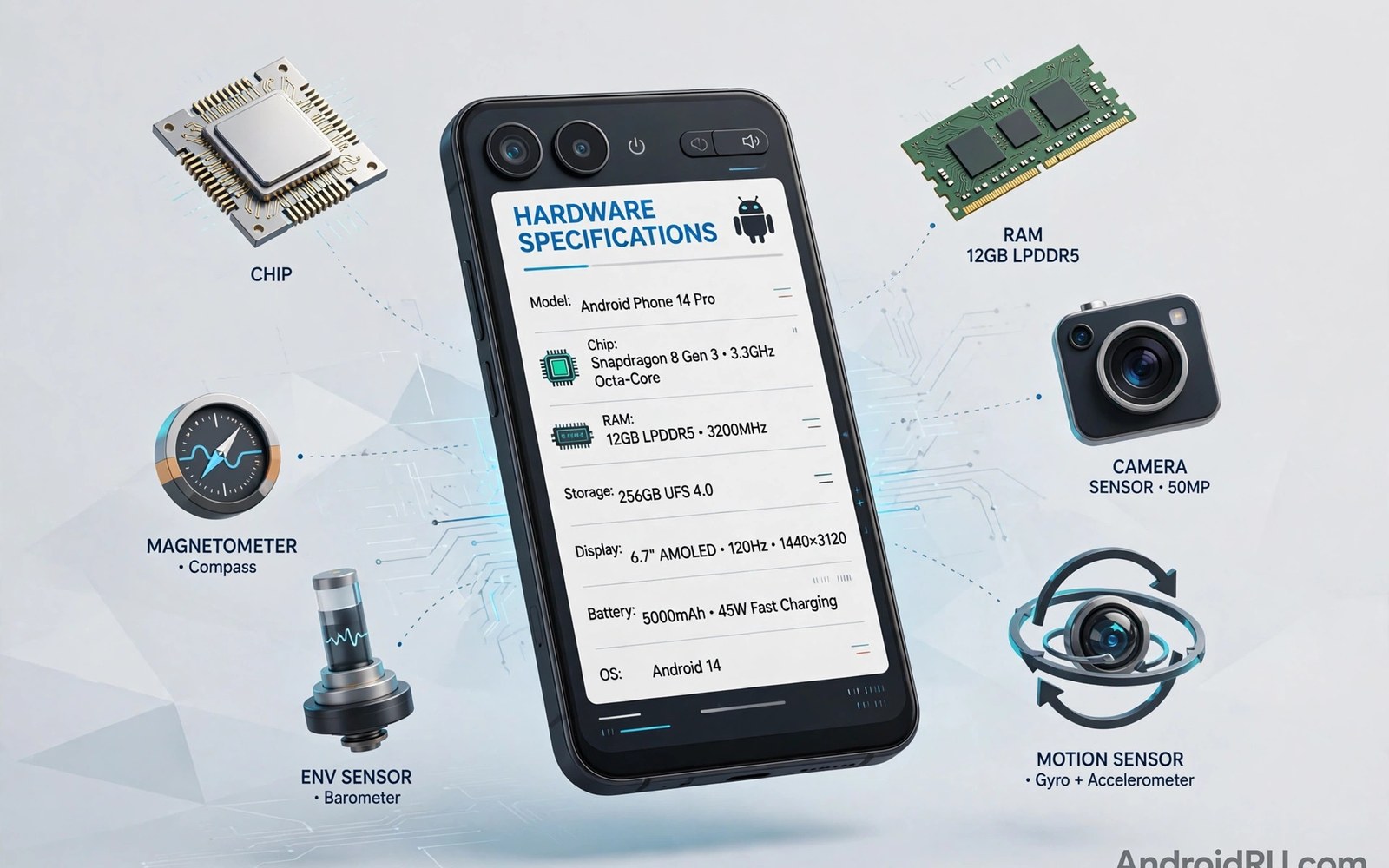
System information apps read your phone hardware and present it in one clear report. Chip model and RAM size and sensor list and display specs all live in one place. This guide explains which details matter and how to use a full hardware report for buying and troubleshooting and comparing phones. This article covers system information apps in plain language for everyday Android users.
A specs report removes guesswork. You stop guessing which chip you own and you start knowing it. That knowledge guides accessory choices and update expectations and resale listings. If you need deep folder access after checking specs then the report also tells you the storage layout so you know which paths exist on your device.
Chip and RAM details that matter
The chip name tells you the CPU cores and the GPU model. The process node hints at efficiency. RAM size tells you how many apps can stay live. RAM type matters less for daily use but faster RAM helps heavy multitasking.
Check core counts and clock speeds with care. More cores do not always mean a faster phone. Software tuning and thermal limits shape real speed. Use the chip report as a starting point and pair it with real world tests before you judge performance.
Display specs worth checking
Resolution and refresh rate and panel type define the screen experience. A high refresh display feels smoother in scrolling. HDR support matters for video quality. Brightness in nits matters outdoors more than resolution does.
Check the exact panel size and pixel density too. Density affects text sharpness. A system info app reports these numbers directly from the device. Compare them against the advertised specs when you buy used. A mismatch signals a replaced screen or a wrong listing.
Sensors and connectivity inventory
A sensor list shows accelerometer and gyroscope and magnetometer and barometer. Missing sensors limit features like precise navigation and motion games. A connectivity report shows Wi-Fi standards and Bluetooth version and NFC presence.
Check these details before you buy accessories. A phone without NFC cannot pay by tap. A phone without a gyroscope plays motion games poorly. A five minute sensor check prevents accessory purchases that never work as expected.
Battery and storage hardware facts
Battery capacity in milliamp hours sets the energy budget. Health data shows how much of that budget remains. Storage type affects app load speed. UFS storage loads apps faster than older eMMC storage.
Check free storage and total storage separately. Total storage includes system reserved space. Free storage is what you can actually use. A report that shows both numbers prevents confusion when a 128 gigabyte phone offers far less usable room.
Using specs reports for troubleshooting
A specs report settles arguments fast. Is the phone really running the advertised chip. Does it have the RAM the seller claimed. Is the display the promised refresh rate. Each question gets a factual answer from the device itself.
Support teams also love specs reports. Share the chip and RAM and software version when you report a bug. That detail speeds diagnosis and avoids back and forth questions. Keep a specs export saved for the day you need support or resale.
Reading sensor lists for accessory buying
Sensor lists decide accessory compatibility directly. A phone without a gyroscope cannot use VR headsets well. A phone without NFC cannot tap pay. A phone without a barometer cannot track elevation precisely. Check the list before buying any sensor dependent gear.
Accessory makers list required sensors in specs. Compare that list against your phone report. A mismatch discovered after purchase wastes return effort. Five minutes of comparison before ordering saves that trouble entirely.
Software version in specs reports
Specs reports include Android version and security patch level. Version shapes feature availability and app compatibility. A phone on old software may lack features its hardware supports. Note version next to hardware when you compare phones.
Update history also matters for used buyers. A phone with recent patches signals vendor support. A phone stuck on old patches signals end of support. That signal affects security more than any hardware number. Weigh support life alongside chip speed.
Display and touch sampling details
Touch sampling rate sets how often the screen reads touches. High sampling suits fast games. Most users never notice sampling above a threshold. Specs reports show sampling when the system exposes it. Compare sampling only among gaming phones where it matters.
Panel type shapes color and contrast. OLED panels show deep blacks and vivid color. LCD panels show consistent brightness and no burn in risk. Neither type wins universally. Match panel type to your priority of contrast versus longevity.
Storage type and real world speed
Storage type codes like UFS 3.1 or UFS 4.0 hint at speed tiers. Newer UFS generations load apps faster and install games quicker. The gap shows most in large game installs. Daily messaging shows little difference between tiers.
Verify storage type with a speed test after reading the report. A report may list the standard while real speed lags due to a nearly full drive. Pair the spec with a benchmark for the full truth. Specs plus tests beat either alone.
Exporting specs for resale listings
A specs export makes resale listings credible. Buyers trust a device report more than typed claims. Export chip and RAM and storage and battery health together. Attach the export screenshot to the listing. Honest listings sell faster and dispute less.
Remove personal data from exports before sharing. Some reports include device identifiers. Crop or redact identifiers from screenshots. Share hardware facts and not identity facts. That habit protects privacy while proving honesty.
Verifying used phone specs on the spot
Used phone inspection needs a specs check before payment. Run a system info app on the device in front of the seller. Compare chip and RAM and storage against the listing. Check battery capacity and health in the same pass. Mismatches justify renegotiation or walking away immediately.
Check the software version and security patch during inspection too. A phone stuck on ancient software may lack support regardless of hardware strength. Note the model number exactly since similar names hide different hardware. A five minute specs pass prevents the most common used phone regrets.
Specs that marketing exaggerates
Marketing exaggerates RAM through virtual RAM claims. Virtual RAM uses storage as slow extra memory. It does not equal physical RAM for performance. Specs reports show physical RAM clearly. Judge multitasking by physical RAM and ignore virtual RAM inflation in ads.
Camera megapixels get similar exaggeration. More megapixels do not mean better photos. Sensor size and processing matter more. Specs reports show sensor details when available. Pair sensor data with sample photos for honest camera judgment. Headline numbers rarely tell the full hardware story.
Thermal design info in specs reports
Specs reports rarely list cooling systems directly. Chip model hints at thermal needs though. Flagship chips generate more heat and need better cooling. A thin phone with a flagship chip throttles sooner than a thick phone with the same chip. Combine chip data with sustained test results for thermal truth.
Check device thickness and weight as cooling proxies. Heavier phones often carry larger vapor chambers or graphite spreads. Thickness alone does not guarantee cooling quality. It hints at thermal headroom that thin designs lack. Use it as one clue among several.
Keeping a specs archive across phones
A specs archive helps you compare phones across years. Save a report export for each phone you own. Note purchase date and sale date next to each export. Over time the archive reveals your real usage patterns and priorities. That history guides smarter future purchases.
Archives also help warranty claims. A saved report proves original hardware when a repair disputes specs. Store exports off the phone in cloud or computer folders. A report trapped on a dead phone helps nobody. Off device archives protect your evidence.
Specs reports for warranty claims
Warranty claims go smoother with a saved specs report attached. Support teams verify model and hardware from the report without follow up questions. A report dated before the fault proves the hardware existed in that state. Keep exports with purchase receipts for the strongest claim file.
Update the saved report after major repairs. A replaced motherboard changes identifiers and sometimes chip revisions. A fresh post repair report documents the new state accurately. That updated record protects the next claim too. Specs archiving is quiet paperwork that pays off exactly when trouble arrives.
adb shell cat /proc/cpuinfo | head -n 40The command above follows the standard syntax for the Android developer bridge and prints processor details so you can verify chip information shown by any system info app.
Common mistakes
The most common mistake is comparing only headline numbers. Two phones with the same RAM can feel different due to software and storage speed. Read the full report and weigh chip and storage and display together.
Another mistake is trusting a seller listing over device data. Listings copy errors across shops. Run a system info app on the actual phone before you pay for a used device. Five minutes of checking beats weeks of regret.
People also ignore software version in specs reports. The same hardware behaves differently on different software. Note the Android version next to hardware numbers. A benchmark run on the same software version then gives a fair speed comparison across phones.
Frequently asked questions
Can system info apps harm my phone?
No. They only read hardware data and display it. They do not change settings or files. Reading specs is safe and it needs no root access on modern Android.
Why does my RAM show less than advertised?
The system reserves RAM for graphics and services. Usable RAM always reads lower than total RAM. That gap is normal and it appears on every phone brand.
Do I need root for full specs?
No. Most hardware details are readable without root. Deep sensor calibration data may need root but chip and RAM and display and storage reports work fine without it.
Conclusion
System information apps turn marketing claims into verifiable facts. Check chip and RAM and display and sensors before you buy or troubleshoot. Save the report for support and resale use later.
Your next step is concrete. Run a system info app today and export the full report. Compare it against your phone box specs. Then test each sensor live to confirm the hardware works and not just that it is listed.

