

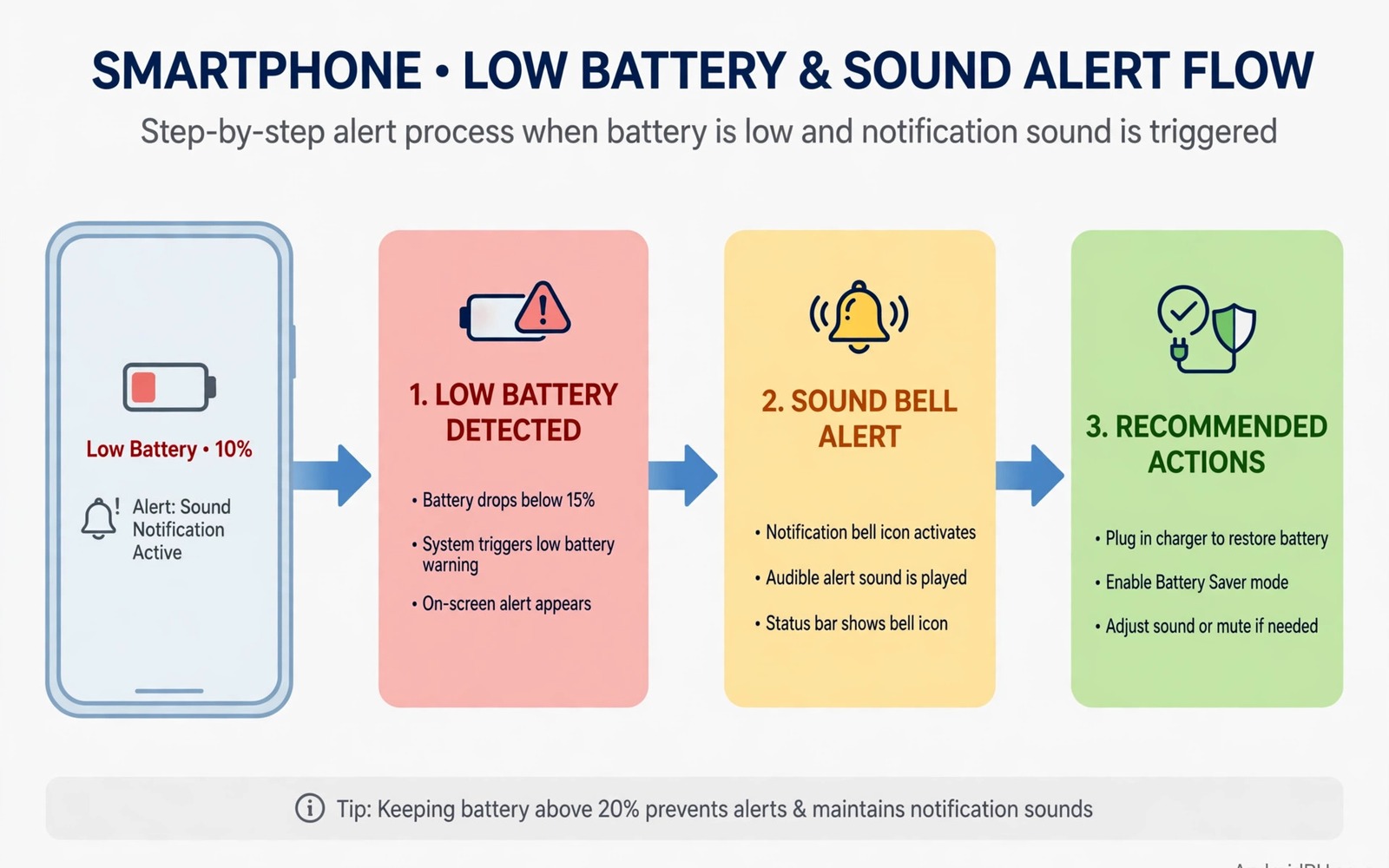
Standard low battery alerts are easy to miss. A single soft tone blends into a busy day. A small notification icon hides among dozens of others. By the time you notice the warning the phone may already be at five percent. Custom audio cues solve that problem. A spoken warning or a distinct chime at a level you choose grabs attention early. You can act while charging is still convenient.
A custom cue is a sound tied to a battery rule. The rule might trigger at twenty percent. It might trigger again at ten percent with a stronger sound. It might speak the remaining percentage aloud. It might vibrate in a pattern you recognise even with sound off. The cue should fit your life. A loud chime suits a workshop. A spoken message suits driving. A gentle tone suits a quiet office. One cue for every situation will fail in some of them.
This guide builds custom low battery cues without root. You will learn routine triggers and sound choices and spoken alerts. You will also learn how to avoid cue overload. Too many alerts train the brain to ignore them. A small set of clear cues works better than constant nagging. Start with two levels and refine from real use.
Choose trigger levels that give you time to act
Twenty percent is a good first trigger for most users. It leaves enough charge for calls and maps while you find a charger. Ten percent is a good urgent trigger. It should sound different and stronger. Five percent is a last warning for saving work. Do not set the first trigger at five percent. By then options are limited and stress is high. Early warnings protect both battery health and your schedule.
Consider your daily charging chances when you choose levels. A driver with a car charger can wait until ten percent. A hiker far from power needs a warning at thirty percent. A student near outlets all day may need only a ten percent cue. Match levels to distance from the next charger. That context turns a generic alert into a useful tool. Write your levels down before you build routines.
Charging state should change cue behaviour. A low battery cue while charging is useless noise. Most routine apps can check charging state before firing. Set cues to fire only when the phone is not charging. Add a separate cue for full charge if you want one. That cue can remind you to unplug and protect long term health. Keep full charge cues gentle because they are less urgent.
Build a routine with a distinct sound
Open your routine or automation app and create a new rule. Set the trigger to battery level falls below your chosen percent. Add a condition for not charging if the app supports it. Choose an action to play a sound or speak text. Test the routine by setting a temporary trigger near your current level. That test proves the chain works before a real low battery day.
Sound choice matters more than volume alone. Pick a tone you do not hear for other alerts. A unique chime stands out because the brain links it to battery only. Avoid using the default notification tone. That tone fires for messages and email all day. A battery cue that sounds like a message will be ignored as a message. Record a short custom tone if your app allows it. A personal voice note saying battery low is hard to ignore.
Repeat behaviour needs careful limits. A cue every minute will annoy everyone nearby. A cue every fifteen minutes keeps awareness without harassment. Some apps allow repeat until charging starts. Use repeat with a long gap. Stop repeats once the phone connects to a charger. That stop condition is essential. A cue that keeps firing while charging teaches users to disable the whole routine.
Add a spoken warning for hands busy moments
Spoken warnings help when eyes and hands are busy. Driving and cooking and workshop tasks all block screen checks. A voice that says battery at twenty percent needs no glance. Text to speech on Android can speak any phrase you write. Keep the phrase short and clear. Battery low at twenty percent is enough. Long sentences distract drivers and get cut off by other sounds.
Set spoken cues to use media volume or a dedicated speech volume. Test the voice at your normal listening volume. A voice that is too soft fails outdoors. A voice that is too loud startles quiet rooms. Choose a calm voice rate that is easy to follow. Fast speech may be missed in noise. Slow speech may feel patronising. A natural pace works best for most listeners.
Spoken cues should respect do not disturb rules at night. A loud battery warning at three in the morning helps no one. Add a time condition to spoken cues. Allow spoken cues during waking hours only. Use vibration only at night. That balance keeps safety without ruining sleep. Test night behaviour once before you rely on it. A routine that ignores time conditions will wake you.
Combine sound with vibration and visual cues
Sound alone fails in loud factories and silent libraries. Vibration alone fails on tables and in loose bags. A combined cue covers more situations. Pair a distinct chime with a long vibration pattern. Add a bright notification that stays until dismissed. That triple channel alert is hard to miss. Keep the combination consistent so the brain learns it fast.
Wearables add a fourth channel for many users. A smartwatch vibration on the wrist is noticeable even in noise. Set the watch to mirror battery alerts from the phone. Test the mirror setting with a temporary trigger. Some watches filter phone alerts by category. Battery alerts may need explicit permission to mirror. Confirm the watch buzzes before you trust it on a long day out.
Visual cues help when the phone sits face up on a desk. A persistent notification with large text stands out among small icons. Use a clear title like Battery at twenty percent. Avoid vague titles like System alert. Clear titles let a glance convey the full message. Dismiss the notification only after you start charging. That habit keeps the warning visible until action happens.
adb shell dumpsys battery
adb shell settings get global low_power_trigger_level
echo "Low cue test: trigger at 20 percent when not charging"
The snippet above is an original example written for this guide. It shows how to check battery state and the low power trigger level on a connected device. It does not create a custom cue by itself. Use your routine app for the actual trigger and sound. Keep the battery check as a diagnostic step when a cue fails to fire.
Use battery cues on long trips and work shifts
Long trips make battery cues more valuable than daily use. A driver cannot watch percentage while navigating. A spoken cue at twenty percent prompts a charging stop before stress builds. Plan charging stops around cue levels rather than after them. A stop at twenty percent leaves reserve for detours. A stop at five percent leaves no margin for a closed station. Early cues turn charging into a planned break.
Work shifts benefit from a different cue pattern. A warehouse worker may miss tones under machinery noise. A vibration cue on a watch may work better there. A nurse may need a silent cue during patient care. A visual notification that persists until dismissed suits that setting. Match cue channels to the work environment. One cue style cannot serve every job. Test cues during a real shift before relying on them.
Common mistakes
The biggest mistake is setting too many battery cues. Alerts at thirty and twenty five and twenty and fifteen and ten percent create constant noise. Users disable the whole system within days. Choose two or three levels with distinct sounds. Space them far enough apart to feel meaningful. Fewer cues with clear meaning beat many cues with no meaning.
Another mistake is using the same tone for battery and messages. The brain cannot distinguish the cause without looking. Battery cues need unique sounds. Test the cue blindfolded with eyes closed. If you cannot name the cause from sound alone then the sound is wrong. Change it before a real low battery day.
People also forget charging conditions and time conditions. A cue that fires while charging is annoying. A cue that fires at night is disruptive. Add both conditions during setup. For overall sound control then locking media volume keys systemwide keeps cue volume steady. For time based sound rules then setting up custom audio profiles by listening time pairs well with battery cues. For loud environments then making ringtone tones cut through loud noise uses similar attention principles.
Frequently asked questions
Will custom battery cues drain the battery faster?
No in any meaningful way. A routine check uses tiny power compared with screen and radio use. A spoken cue uses power for seconds only. Repeat cues every minute could add up over hours. Use long repeat gaps to keep impact negligible. The power saved by timely charging far exceeds cue cost.
Can I set different cues for different battery levels?
Yes with most routine apps. Create one routine per level with its own sound. Make higher urgency levels louder and more distinct. Keep the phrase short for each level. Test each routine with a temporary trigger near current charge. That test confirms each level sounds as intended.
What if my phone has no routine app?
Many phones include modes or routines under Settings. Search Settings for routines or automation. If none exists then a reputable automation app can fill the gap. Check its battery and notification permissions before install. A simple automation app with clear triggers is enough. Avoid apps that demand broad personal data access.
Battery cues also help families share one charging routine. A teenager with a spoken cue learns to charge before school. A parent with a vibration cue notices low battery during errands. Agree on cue levels for shared devices. A shared rule prevents arguments about dead phones. It also teaches children to plan charging as part of daily routine. Consistency across family devices makes cues feel normal rather than intrusive.
Test cues after every major system update. Updates can reset routine permissions or notification channels. A routine that worked last month may fail silently after an update. Run a temporary trigger test after each update. Confirm sound and vibration and notification all fire. That five minute test restores confidence. It also catches permission changes before a real low battery day.
Conclusion
Custom battery cues turn a forgettable alert into a timely action. Early triggers at twenty and ten percent give you real choices. Unique sounds and spoken warnings cut through busy moments. Vibration and visual cues cover loud and silent places. Conditions for charging and night hours keep cues polite.
Your concrete next step is to build one twenty percent cue today with a unique sound. Test it with a temporary trigger and confirm it fires when not charging. Add the ten percent urgent cue only after the first cue proves reliable for a week.

