

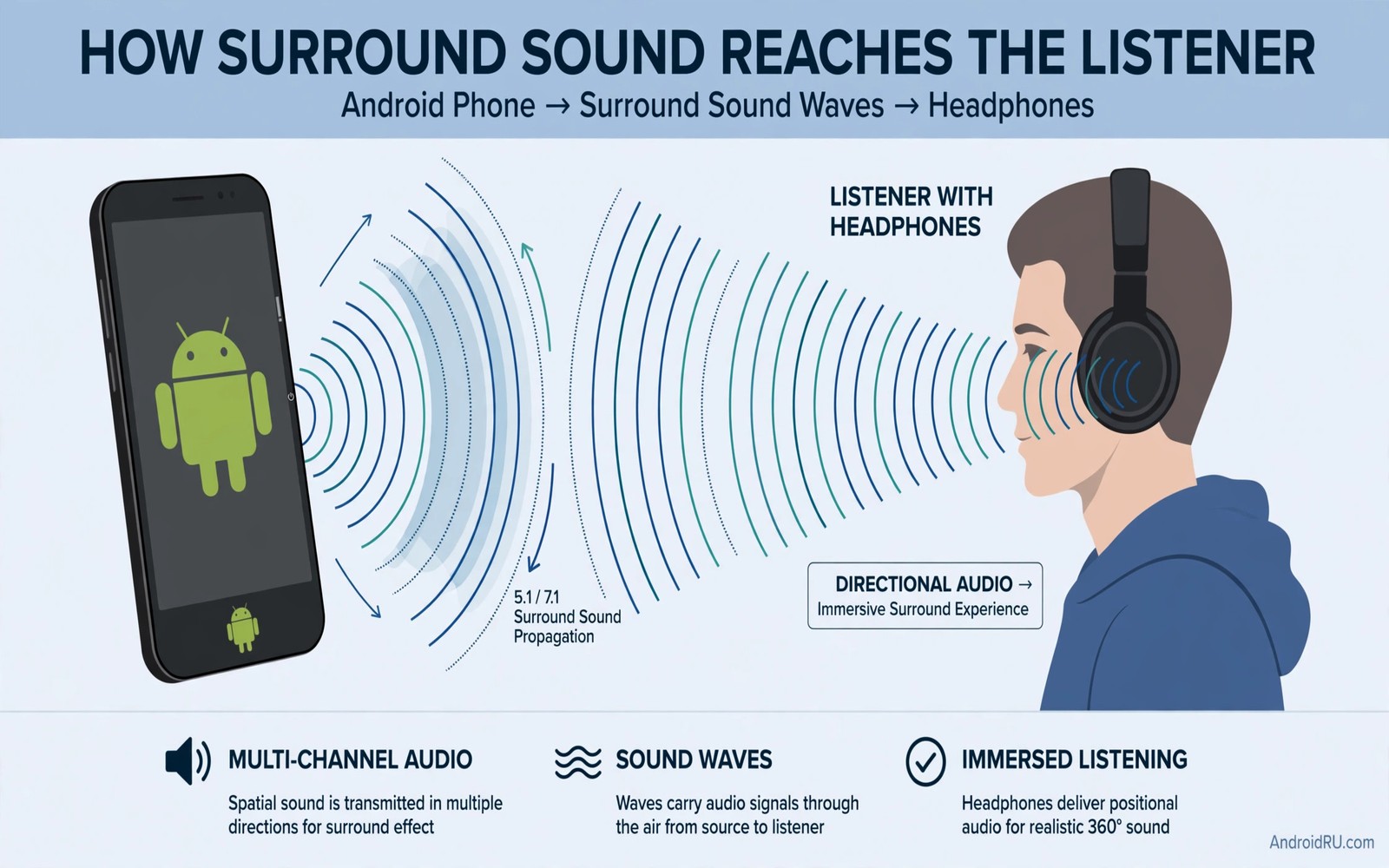
Dolby Atmos promises sound that surrounds you rather than sound that sits flat in front of you. Movies gain height and space. Music gains separation between instruments. Games gain a sense of direction that stereo alone cannot match. That promise explains why so many owners search for a module that brings Atmos to any device.
A sound module in this context is a software package that adds spatial processing to the audio chain. On rooted phones a module can sit deep in the system and process all audio. On non-root phones the same deep access is not available. The result is a gap between marketing claims and real daily behaviour.
This guide separates what a module can truly do from what it only claims. You will learn how spatial audio works in plain terms. You will learn the root question honestly. You will learn safer alternatives that give a wider sound without risking your phone.
How spatial sound actually works
Spatial audio uses timing and level differences to place sounds around the listener. A sound meant to come from the left arrives slightly earlier and louder in the left ear. A sound meant to come from above uses filtering that mimics how the outer ear shapes height cues. Headphones can reproduce those cues well because each ear gets its own signal.
Phone speakers face a harder task. Two tiny speakers close together cannot create the same separation as headphones. Spatial processing on a speaker can still widen the sound and improve dialogue clarity. It cannot create true surround placement from a single small device.
Content matters as much as processing. A movie mixed for spatial audio carries height and object information. A stereo song upmixed by software can sound wider yet it cannot gain true object data that was never recorded. Judge spatial modes with content made for them first.
The root question you must answer first
Deep system modules usually require root access. Root gives software permission to modify system audio files and libraries. That power also removes safety barriers that protect banking apps and system updates. A rooted phone needs careful maintenance and it may fail safety checks for some apps.
Non-root alternatives work at the app level or through a supported audio effect. They can widen sound inside a specific player or video app. They cannot process every app at the system level in the same way. That limit is a trade off rather than a flaw. It keeps the phone secure while still improving the apps you use most.
Decide which trade off fits your life before you install anything. If you already root for other reasons then a module may fit your setup. If you rely on banking apps and automatic updates then a non-root spatial mode is the safer path. A free systemwide sound engine can give consistent tuning without deep system changes.
Test spatial modes with the right content
Start with a movie scene that has clear movement. A scene with a vehicle passing or rain falling gives obvious spatial cues. Listen for movement that feels smooth rather than jumpy. Smooth movement suggests good processing. Jumpy movement suggests an aggressive effect that adds artefacts.
Test music separately. A live recording with a wide stage can benefit from gentle spatial widening. A dense studio mix may sound worse when widened because instruments lose focus. Turn the effect down if the centre vocal drifts or loses body.
Test dialogue clarity as well. Spatial modes sometimes push dialogue back in the mix. If voices become harder to follow then the mode is hurting the most important part of video sound. A good spatial setting keeps dialogue anchored in the centre while ambience spreads wider.
Safer alternatives on non-root phones
Many phones ship with a built in spatial or surround option in sound settings. Check Settings under Sound and vibration for a surround or spatial audio switch. That built in option is tested for your phone model and it avoids third party risk.
Some video and music apps offer their own spatial mode. That mode works inside the app and it often pairs well with supported headphones. Use the app mode for movies and keep a flat profile for music if the app mode sounds too wide for songs.
A careful equalizer can also improve perceived space. A small treble lift and a controlled bass shape can open up a mix without spatial processing. That tuning works across apps through a system engine and it carries no root risk. For headphone tuning read about getting studio quality audio from cheap headphones.
Check compatibility before you install a module
Read the module requirements for Android version and phone model. A module built for one version may break audio on another version. Back up the phone before any deep change. A backup turns a failed experiment into a short restore rather than a long repair.
Test audio after installation with a phone call and a video and a song. A module that breaks call audio is not acceptable even if movies sound wider. System audio must work for daily life first and for entertainment second.
Backup step: full phone backup before install
Content test 1: movie scene with movement
Content test 2: live music recording
Daily test: phone call and notification sounds
Rollback rule: restore backup if call audio breaks
The checklist above is an original illustration created for this guide. It uses only general safety practice for system audio changes. It is not an installation instruction for any specific module and it does not name a third party package.
Compare spatial modes fairly
Fair spatial comparison needs the same movie scene and the same volume in each mode. Switch modes during a pause and replay the same scene. A direct replay reveals whether width increased or dialogue suffered. Memory alone cannot judge spatial differences reliably.
Use a scene with dialogue and ambience together for the test. A scene with only music can hide dialogue problems. A scene with only dialogue can hide width problems. A mixed scene tests both qualities at once and it reflects real movie watching.
Test spatial modes on headphones and on the speaker separately. A mode that widens headphone sound may sound hollow on a speaker. A mode that helps the speaker may sound exaggerated on headphones. Separate judgements keep each output honest.
Decide when spatial audio is worth it
Spatial audio earns its place for movies and live concerts. It adds a sense of place that stereo alone cannot match. It earns less for podcasts and calls where voice clarity matters most. A mode that stays on for everything will disappoint for speech content.
Turn spatial processing off for work calls and audiobooks. A centred clear voice serves those tasks better than a wide ambience. Turn it on for a movie night when immersion matters. That selective use gives the best of both worlds without compromise.
For headphone tuning that supports spatial listening read about getting studio quality audio from cheap headphones. That guide covers fit and codec work that spatial modes depend on. A clean headphone base makes any spatial mode sound better.
Use headphones for the best spatial experience
Headphones give spatial audio its best chance because each ear receives a separate signal. A good seal and a comfortable fit matter for spatial cues. A loose ear tip weakens the cues and makes spatial sound feel vague. Fix fit before judging any spatial mode.
Choose over ear headphones for long movie sessions when possible. Over ear pads distribute pressure better than small earbuds during a two hour film. Comfort keeps attention on the story rather than on aching ears. A comfortable spatial session feels immersive rather than tiring.
Test spatial audio with a familiar movie scene rather than a new release. A familiar scene lets you notice spatial placement without following a new plot. That focus reveals whether sounds move smoothly or jump unnaturally. Familiar content is a better test tool than new content.
Lower spatial intensity if the effect feels artificial. A gentle widening often sounds more natural than a maximum effect. Maximum spatial processing can push dialogue back and blur the centre image. A moderate setting preserves dialogue while adding ambience.
For tuning that supports spatial listening read about custom tuning sound profiles for your ears. A personal profile keeps the centre vocal anchored. That anchor makes spatial widening sound natural rather than hollow.
Common mistakes
The biggest mistake is installing a module from an untrusted source. A deep audio module has broad system access on a rooted phone. An untrusted package can misuse that access. Use only well reviewed sources and read recent reports from owners of your exact phone model.
Another mistake is judging spatial audio only with headphones at maximum volume. Loud volume can mask artefacts and exaggerate width. Test at a normal comfortable volume in a quiet room. That setting reveals whether the effect truly improves the mix.
People also leave spatial mode on for every type of content. Podcasts and calls rarely benefit from widening. Voices can sound distant and thin when spatial processing is forced on speech. Turn the effect off for calls and podcasts and keep it for movies and live music.
Frequently asked questions
Can any phone get true Dolby Atmos?
True Atmos playback needs supported content and a supported decoder and capable output hardware. A module can add processing that mimics some Atmos qualities. It cannot turn a basic speaker into a full Atmos theatre. Headphones give the closest experience on a phone.
Is a sound module safe without root?
Non-root audio effects work within app permissions and they carry far less risk than system modules. They cannot process all system audio in the same deep way. That limit is the price of safety and it is acceptable for most owners.
Why does spatial audio sound worse on some songs?
Spatial widening can blur a dense mix and push the vocal back. Not every recording benefits from extra width. A studio mix already has its own space. Adding more processing can undo the balance that the mixer created.
Conclusion
A sound module can widen audio and improve movie immersion. It cannot magically turn every phone into a theatre. Root modules offer deep processing with real risk. Built in spatial modes and careful equalization offer a safer path for most owners.
Your concrete next step is to check your phone sound settings today for a built in spatial or surround switch and test it with one movie scene. If no built in option exists then build a clean headphone profile first by following custom tuning sound profiles for your ears.

