

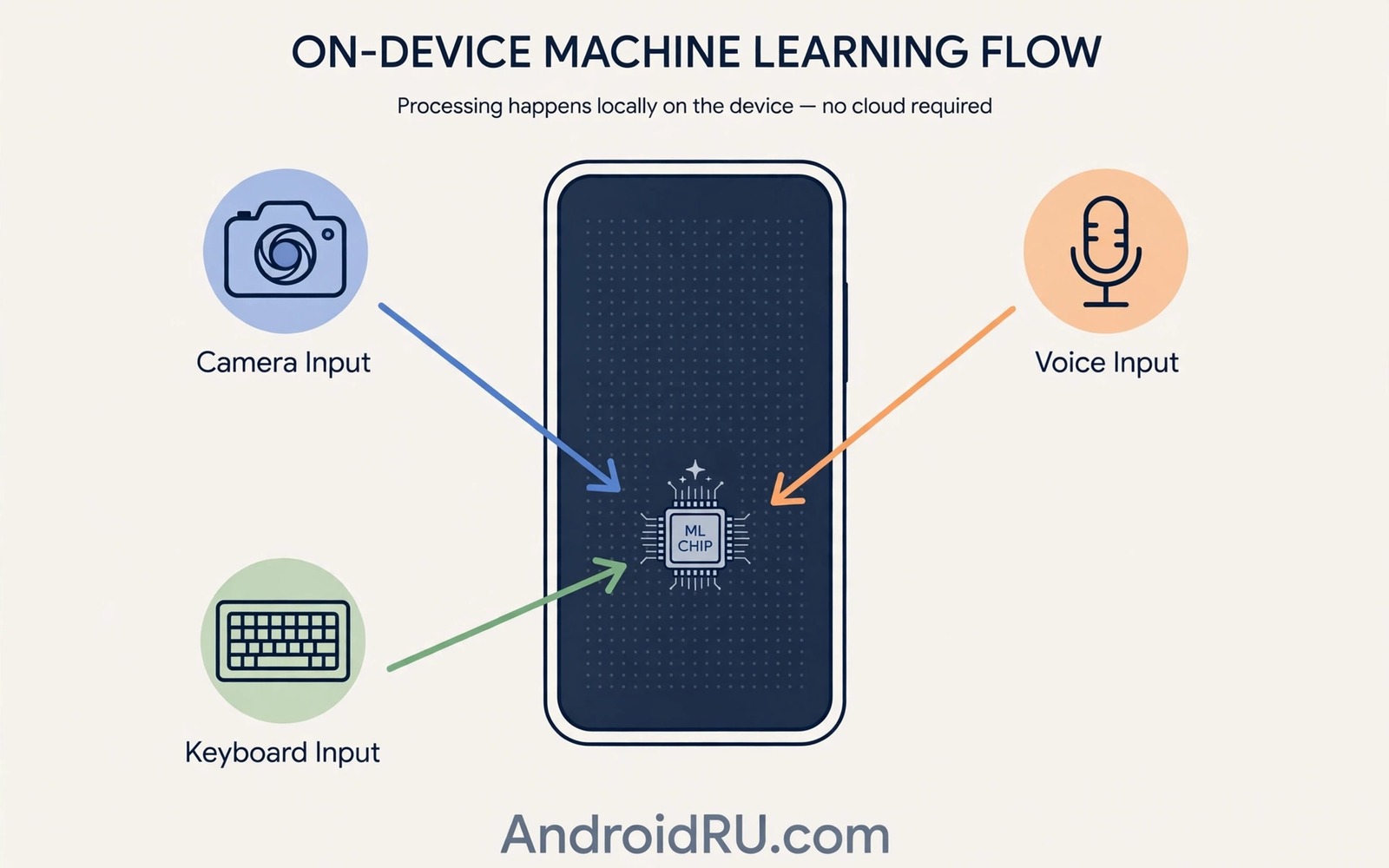
Machine learning on a phone used to mean a simple keyboard prediction. Today it powers typing and photos and calls and accessibility. The key change is location. Models now run on the device rather than only in a data centre. That shift changes speed and privacy and offline ability in practical ways.
On device models are smaller and more specialised than server models. A server model can answer open questions across many topics. An on device model focuses on one task such as recognising speech or cleaning a photo. Specialisation lets a small model perform well with less energy. It also keeps personal data local.
Users often notice on device learning only when it fails or when it surprises them. A keyboard that learns your phrases feels personal. A photo tool that removes an object cleanly feels magical. A call tool that transcribes speech in real time feels futuristic. Behind each moment is a model running quietly on the phone processor.
Typing and Language on Device
Keyboard models predict your next word based on your writing style. On device learning adapts to names and slang and phrases you use often. It does this without sending your typing to a server in normal use. Predictions improve over weeks as the model learns your patterns.
Translation models also run on device for common languages. A traveller can translate a menu without roaming data. A student can translate a passage offline. Accuracy for rare languages may still need a server. For common phrases on device translation is now good enough for daily use.
Voice dictation benefits too. On device speech models convert speech to text with low delay. They work in a noisy room better than older models. They also keep voice data local when the feature is set to on device mode. Check the setting for each app to confirm where processing happens.
Photos and Video on Device
Photo models run on device to enhance images instantly. They recognise faces and scenes and adjust exposure per subject. They clean noise in low light and sharpen detail without a server round trip. Instant results matter for photography. Waiting for a server would break the moment.
Video models stabilise footage and track subjects on device. They use motion data from sensors plus image data from frames. This combination keeps a moving subject centred. It also reduces shake without cropping too much. On device processing keeps video private and fast.
Editing tools also use on device models. Object removal and background blur and relighting run locally on modern phones. A user can edit a photo on a plane without internet. The result may not match a desktop editor for complex work. For quick social edits it is often enough.
Calls and Accessibility
Call screening models transcribe unknown callers in real time. They flag likely spam based on patterns. They let a user decide whether to answer without picking up. On device transcription keeps call content local. It also works faster than a server round trip.
Accessibility models are among the most important on device uses. Live captions transcribe audio for users with hearing loss. Sound notifications alert users to doorbells and alarms. Text recognition reads signs aloud for users with low vision. These features must work reliably and privately. On device processing helps meet both needs.
Health and activity models also run locally. Step counting and sleep tracking and workout detection use sensor data on device. A phone can summarise activity without sending raw sensor data to a server. Users who care about health privacy should check which health features offer on device mode. This privacy benefit mirrors how Android security compares with rival platforms where local processing is a growing advantage.
Why On Device Models Are Limited
On device models cannot do everything. They are smaller than server models. They may struggle with rare languages and complex reasoning. They may also drain battery if they run constantly. Designers must balance accuracy and energy and speed.
Model updates also matter. A model trained last year may miss new slang or new scam patterns. Regular model updates through system services keep on device features current. Users should keep system services updated to receive these improvements. A stale model can feel outdated even on new hardware.
Hardware differences create variance. A flagship processor runs larger models smoothly. A budget processor may run a smaller version with lower accuracy. A feature that works well on one phone may work less well on another. Test features on your own device rather than trusting a demo on a flagship.
Daily use 1: Keyboard predictions in messages
Daily use 2: Photo enhancement in camera app
Daily use 3: Live captions during video playback
Daily use 4: Call screening for unknown numbers
Daily use 5: Offline translation for travel phrases
The daily use list above is an original example written for this guide. It is not copied from a vendor document and it does not require a special app or a paid tool. Use it to audit which on device features actually help you each day.
Common mistakes
One mistake is to assume that all AI features run on device. Many features still use servers for complex tasks. Check the privacy setting for each feature. A feature labelled as cloud based will send data to a server by design.
Another mistake is to leave every AI feature on at maximum strength. Strong photo enhancement can look unnatural. Strong call screening can block legitimate calls. Try middle settings first and adjust based on real results.
A third mistake is to expect a small model to match a large server model. On device models excel at focused tasks. They struggle with open ended reasoning and rare knowledge. Use the right tool for each task rather than expecting one model to do everything.
A final mistake is to ignore battery impact. Continuous listening and continuous camera processing use energy. Disable always on features you do not use. Keep useful features on and remove the rest. That balance preserves both battery and privacy.
Frequently Asked Questions
Is on device AI more private than cloud AI?
Generally yes for the task it handles locally. Data does not leave the phone for that task. Some features still use a server for part of the work. Check each feature setting to confirm.
Will on device models work without internet?
Many focused tasks work offline once models are downloaded. Translation and transcription and photo enhancement often work offline. Complex queries and rare languages may still need a connection.
Do older phones support on device models?
Older phones support smaller models with lower accuracy. Newer processors support larger models and faster results. Software updates can bring basic on device features to older phones. Flagship features will stay on newer hardware for a time.
On Device Models and Battery Life
On device models use energy every time they run. A keyboard model runs briefly with each word. A camera model runs intensively for a fraction of a second. A continuous listening model runs in the background for hours. Each pattern has a different battery cost. Users should understand which pattern applies to each feature.
Continuous features deserve the closest review. A voice assistant that listens always will use more energy than a dictation tool used on demand. A live caption feature used for a long video will use more energy than a short transcription. Disable continuous features that you rarely use. Keep on demand features ready for when you need them.
Processor efficiency helps reduce these costs. Newer chips run the same model with less energy. Software optimisation also helps by running a smaller model for simple cases. A keyboard can use a tiny model for common words and a larger model only for rare phrases. That tiered approach saves energy without losing accuracy for most typing.
Users can measure the impact with battery settings. Check battery use by app and by feature over a week. Note whether a new AI feature coincides with a drop in endurance. If it does then adjust the feature setting or disable it on low battery days. A feature that costs a full day of battery is rarely worth it for occasional use.
Choosing On Device Features for Privacy
Privacy conscious users should audit which features process data locally. Open the settings for each AI feature and note whether it offers an on device mode. A feature with a clear on device toggle is easier to trust. A feature that offers no toggle may send data to a server by design. Choose the on device option whenever it meets your needs.
Some features offer a hybrid mode that uses local processing for simple cases and a server for complex cases. Hybrid mode can be a good compromise. It keeps common tasks local while it allows rare tasks to benefit from a larger model. Check whether hybrid mode explains when data leaves the device. Transparency about the boundary matters.
Finally review permissions for AI features regularly. A feature that gained a new capability through an update may request new permissions. A permission review once a month catches changes early. A feature that no longer matches your privacy comfort can be disabled without losing the whole phone experience.
On Device AI for Older Users
Older users benefit greatly from on device AI when it is simple to use. Live captions help during video calls with family. Voice dictation helps when typing is difficult. Magnification and text reading help when vision declines. These features should be easy to find in settings.
Setup help matters for older users. A family member can enable live captions and dictation during initial setup. A short demonstration of each feature helps the user remember how to activate it. Written steps on paper can help more than a digital guide that is hard to find.
Privacy controls should also be simple for older users. A clear toggle for on device processing is easier to understand than a long privacy policy. A feature that works locally without sending data is reassuring for users who worry about scams. Simplicity builds trust in AI features.
Support from family should focus on one feature at a time. Introduce live captions first and let the user practise it for a week. Then introduce dictation. A gradual introduction prevents overwhelm. Each new feature should solve a real daily problem for that user.
Finally check that accessibility features work after each update. An update can change a setting location or a feature name. A quick check after an update prevents a useful feature from being lost silently. Family support after updates is as important as initial setup.
Conclusion
On device machine learning enhances daily mobile tasks by making them faster and more private and more available offline. Typing and photos and calls and accessibility all benefit from specialised local models. Limits remain in model size and battery use and hardware variance. Understanding those limits helps users choose features wisely.
Your concrete next step is to audit five on device features on your phone this week using the list above. Note which ones help you daily and which ones you can disable. That audit saves battery and improves privacy without losing useful help. For related future direction read about future AI capabilities coming to camera software and industry trends that show where mobile tech is heading to see how on device learning fits into the wider platform.

